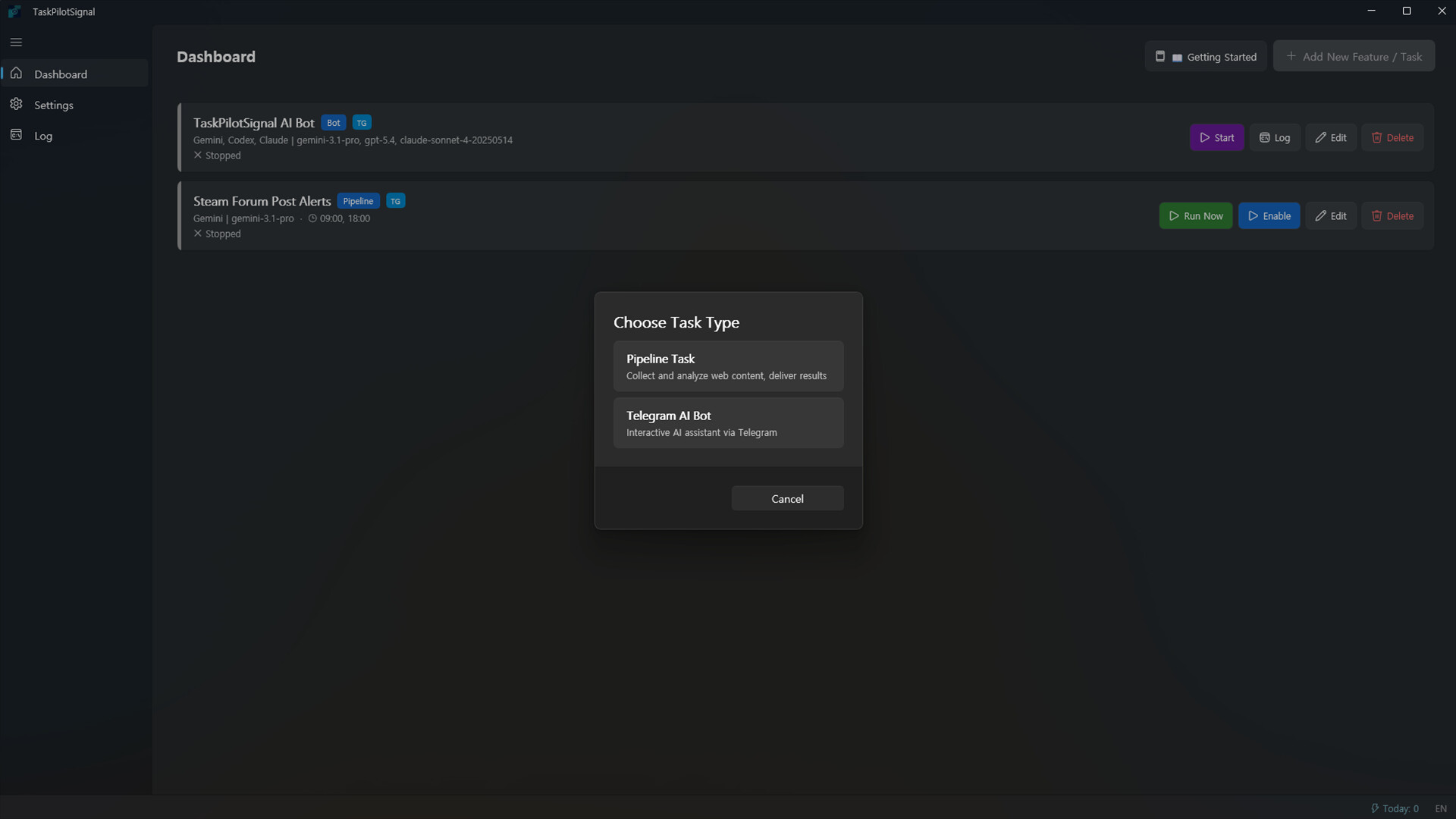
TaskPilotSignal is a Windows desktop app for Telegram AI bot chat, scheduled web and YouTube pipelines, and AI task execution. Connect your own Telegram, AI, Notion, and Google Workspace accounts to automate recurring tasks from one local app.
發行日期:
即將推出
開發人員:
HG
發行商:
HG
標籤

登入以將此項目新增至您的願望清單、關注它,或標記為已忽略

不支援繁體中文

本產品尚不支援您的目前所在地的語言。購買前請先確認語言支援清單。

注意: 「Task Pilot Signal」已不再於 Steam 商店中提供。
此遊戲尚未在 Steam 上發售

即將推出

感興趣嗎?
將這款遊戲加入願望清單,以便在發售時收到通知。
 

關於此軟體

TaskPilotSignal is a native Windows desktop app for running AI-assisted Telegram workflows and scheduled automation pipelines from one interface.

It is built for users who want to manage Telegram bot conversations, recurring web or YouTube checks, AI summarization, and document delivery without maintaining a separate server. The app runs locally on your PC and connects directly to the external services you configure.

Key Features

- Telegram AI bot chat and task execution

- Scheduled web and YouTube pipeline tasks

- Switchable AI providers: Gemini, Claude, and Codex

- Delivery to Telegram, Notion, Google Docs, and Google Sheets

- Local-first app state and diagnostic storage

- Desktop-first setup flow for non-technical users

Planned Updates

- Multi-step pipeline tasks

- Editing pipeline tasks through the Telegram bot

- Telegram bot session ID display for easier support and session management

- These updates are planned within two weeks after the current WinUI release.

Important Notes

- Internet access is required.

- Telegram features require a Telegram account and a bot token.

- AI features require at least one supported external AI provider account or CLI sign-in.

- Notion and Google Workspace features require the relevant account connection and permissions.

- Google Docs and Google Sheets automation uses your own Google Cloud project and Desktop OAuth client. The app guides you through Google Cloud login, API enablement, OAuth JSON import, and Google sign-in.

- TaskPilotSignal does not run a separate developer-hosted backend for your task data; it talks directly to the services you connect.

Best For

- Users who want to operate AI tasks from Telegram

- Users who need recurring web, YouTube, or document automation

- Users who prefer a local Windows desktop workflow with external service integrations

AI 生成內容聲明

開發者針對他們的遊戲使用 AI 生成內容方式的說明如下:

TaskPilotSignal uses generative AI to automate user-configured workflows. When a user runs a pipeline, the app invokes a third-party AI tool (Claude Code, Gemini CLI, or Codex CLI — installed by the user and authenticated via each provider's browser-based OAuth login) to analyze user-specified source content (e.g., a YouTube video or web page) and generate a summary, report, or analysis. The result is then delivered to a user-chosen destination such as Notion, Telegram, Google Docs, or Google Sheets.

All AI processing is user-initiated and user-scoped. The app contains no pre-generated AI assets (artwork, audio, narrative). No AI API keys are entered in the app — users authenticate with AI providers through each provider's official login flow. Users retain full ownership and control of all generated output, and no content is published automatically.

系統需求

    最低配備:
    • 需要 64 位元的處理器及作業系統
    • 作業系統: Windows 10 64-bit
    • 處理器: Intel core i3 / AMD Ryzen 3
    • 記憶體: 4096 MB 記憶體
    • 顯示卡: Integrated Graphics (GUI App)
    • 網路: 寬頻網際網路連線
    • 儲存空間: 500 MB 可用空間
    • 備註: Internet connection required. AI function requires external AI provider account. Telegram bot function requires Telegram account.
    建議配備:
    • 需要 64 位元的處理器及作業系統
    • 作業系統: Windows 11 64-bit
    • 處理器: Intel Core i5 / AMD Ryzen 5
    • 記憶體: 8192 MB 記憶體
    • 顯示卡: Integrated Graphics (GUI App)
    • 網路: 寬頻網際網路連線
    • 儲存空間: 1000 MB 可用空間
    • 備註: Internet connection required. AI function requires external AI provider account. Telegram bot function requires Telegram account.
評論篩選條件