OpenVR Metrics is a real-time VR profiling and monitoring tool for developers and users, providing frame timing analysis, device metrics, and performance insight.

Zaloguj się, aby dodać tę pozycję do listy życzeń, zacząć ją obserwować lub oznaczyć jako ignorowaną

Polski język nie jest obsługiwany

Ten produkt nie obsługuje twojego lokalnego języka. Przed zakupem zapoznaj się z listą obsługiwanych języków, która znajduje się poniżej.

Ta gra nie jest jeszcze dostępna na Steam

Wkrótce dostępne

Interesuje cię ten produkt?
Dodaj go do swojej listy życzeń i otrzymaj powiadomienie, gdy stanie się dostępny.
Dodaj do listy życzeń
 

O tym programie

Overview

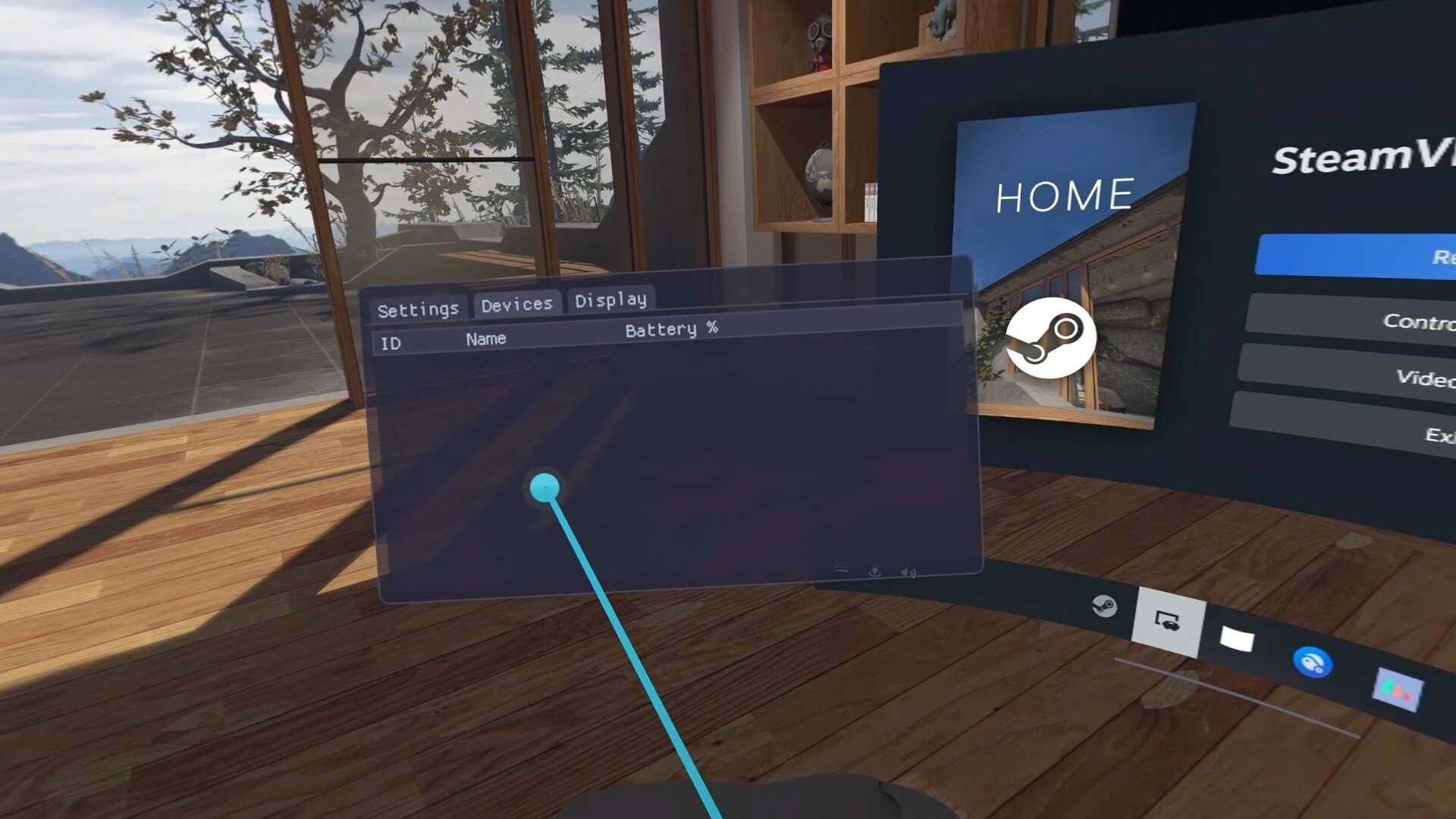
OpenVR Metrics is a real-time VR performance monitoring tool designed for both developers and users who want deeper insight into application performance and device behavior within SteamVR. It provides per-process metrics, system resource visibility, and device status information through an accessible in-VR overlay.

Features

  • Performance Monitoring

Use CPU and GPU frame time metrics, real-time FPS display, and reprojected and dropped frame counters to quickly and accurately assess how programs impact system performance.

  • Resource Monitoring

Track per-application resource usage including CPU and GPU utilization, dedicated and shared VRAM consumption, and video encoding utilization to quickly identify bottlenecks and optimize performance.

NOTE: VRAM and Video Encoding monitoring are not available on Linux

  • Process List

View applications currently consuming system resources directly within the SteamVR dashboard without closing your games. Displays detailed process information and allows you to terminate processes as needed.

  • Device Battery Monitoring

Display battery levels for connected VR devices and assign tracker roles to easily identify and manage individual devices.

  • Accessibility and Overlay Customization

Customize overlay placement (left or right hand), scale and mounting position (Above, Wrist, or Below) for a comfortable and accessible VR experience.

  • SteamVR Adjustments

Modify SteamVR resolution directly from within OpenVR Metrics. Apply universal color filters and brightness adjustments across supported devices.

NOTE: Display color adjustment features, including color filters and brightness controls, are only available on SteamVR devices with native display connections (e.g., HDMI or DisplayPort).

Wymagania systemowe

Windows
SteamOS + Linux
    Konfiguracja minimalna:
    • Wymaga 64-bitowego procesora i systemu operacyjnego
    • System operacyjny: Windows 10 (Build 24H2) or newer
    • Procesor: Intel Core i5-4590/AMD FX 8350 equivalent or better
    • Pamięć: 256 MB RAM
    • Karta graficzna: GeForce RTX 2050, Radeon RX 6600 equivalent or better
    • Miejsce na dysku: 16 MB dostępnej przestrzeni
    • Karta dźwiękowa: N/A
    • Obsługa VR: SteamVR, requires motion controllers
    • Dodatkowe uwagi: Requires Vulkan 1.3+ support
    Konfiguracja zalecana:
    • Wymaga 64-bitowego procesora i systemu operacyjnego
    Konfiguracja minimalna:
    • System operacyjny: SteamOS 3.7+ or other distribution
    • Procesor: Intel Core i5-4590/AMD FX 8350 equivalent or better
    • Pamięć: 256 MB RAM
    • Karta graficzna: Mesa 25.2.2 or newer
    • Miejsce na dysku: 16 MB dostępnej przestrzeni
    • Karta dźwiękowa: N/A
    • Obsługa VR: SteamVR, requires motion controllers
    • Dodatkowe uwagi: Requires Vulkan 1.3+ support
    Konfiguracja zalecana:
    Brak recenzji dla tego produktu

    Możesz napisać swoją własną recenzję dla tego produktu, żeby podzielić się swoimi wrażeniami ze społecznością. Użyj obszaru, który znajduje się na tej stronie nad przyciskiem zakupu, żeby napisać swoją recenzję.