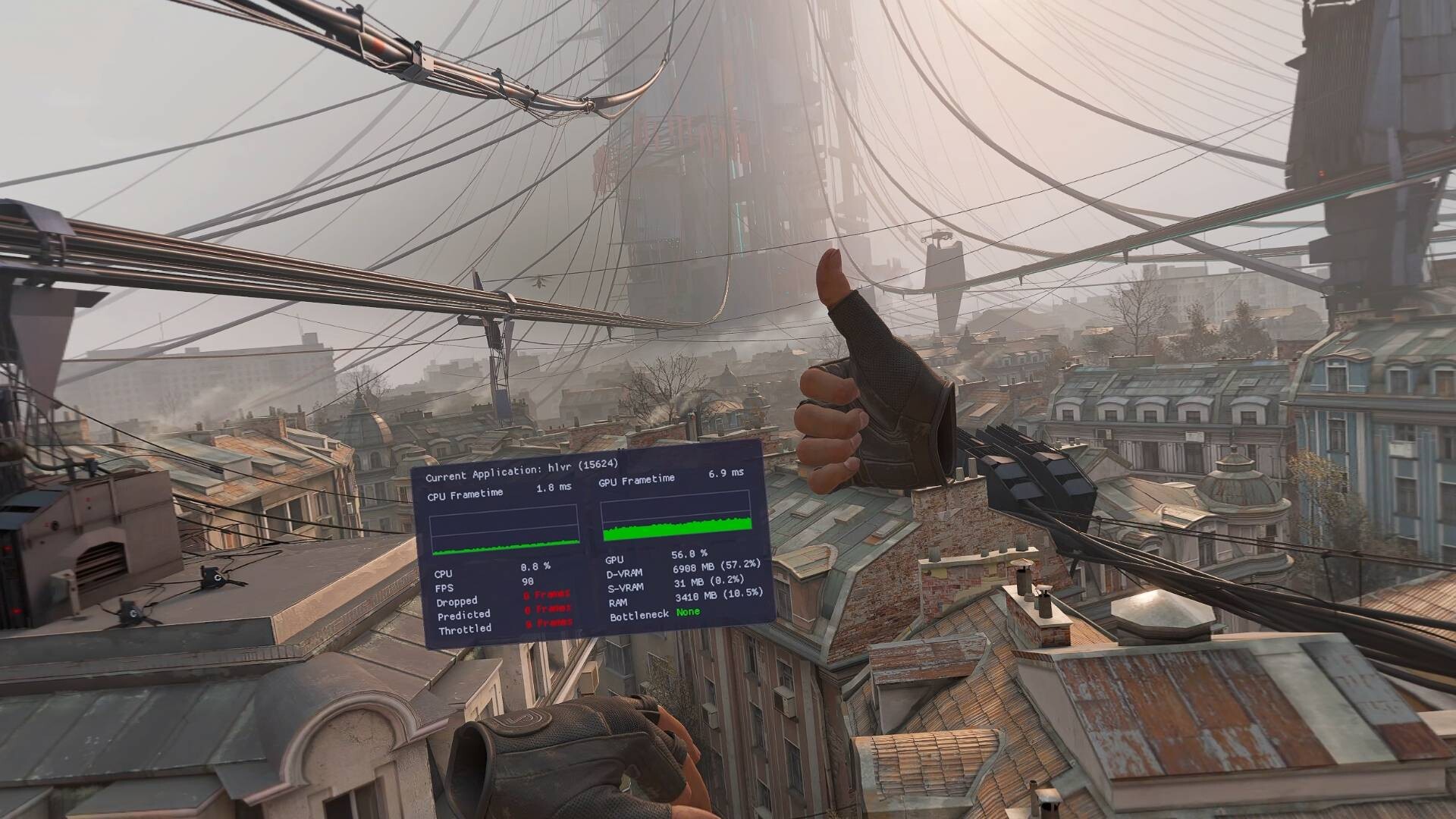
OpenVR Metrics is a real-time VR profiling and monitoring tool for developers and users, providing frame timing analysis, device metrics, and performance insight.
Megjelenés dátuma:
Hamarosan
Fejlesztő:
Kiadó:
Címkék

Jelentkezz be, hogy ezt a tételt a kívánságlistádhoz adhasd, követhesd vagy mellőzöttnek jelölhesd.

A Magyar nyelv nem támogatott.

Ez a termék nem támogatja a nálad beállított nyelvet. Kérjük, vásárlás előtt tekintsd át a támogatott nyelvek listáját.

Ez a játék még nem érhető el a Steamen

Hamarosan

Érdekel?
Add a kívánságlistádhoz, és értesítést kapsz, amikor elérhetővé válik.
Kívánságlistára
 

A szoftverről

Overview

OpenVR Metrics is a real-time VR performance monitoring tool designed for both developers and users who want deeper insight into application performance and device behavior within SteamVR. It provides per-process metrics, system resource visibility, and device status information through an accessible in-VR overlay.

Features

  • Performance Monitoring

Use CPU and GPU frame time metrics, real-time FPS display, and reprojected and dropped frame counters to quickly and accurately assess how programs impact system performance.

  • Resource Monitoring

Track per-application resource usage including CPU and GPU utilization, dedicated and shared VRAM consumption, and video encoding utilization to quickly identify bottlenecks and optimize performance.

NOTE: VRAM and Video Encoding monitoring are not available on Linux

  • Process List

View applications currently consuming system resources directly within the SteamVR dashboard without closing your games. Displays detailed process information and allows you to terminate processes as needed.

  • Device Battery Monitoring

Display battery levels for connected VR devices and assign tracker roles to easily identify and manage individual devices.

  • Accessibility and Overlay Customization

Customize overlay placement (left or right hand), scale and mounting position (Above, Wrist, or Below) for a comfortable and accessible VR experience.

  • SteamVR Adjustments

Modify SteamVR resolution directly from within OpenVR Metrics. Apply universal color filters and brightness adjustments across supported devices.

NOTE: Display color adjustment features, including color filters and brightness controls, are only available on SteamVR devices with native display connections (e.g., HDMI or DisplayPort).

Rendszerkövetelmények

Windows
SteamOS + Linux
    Minimum:
    • 64 bites processzor és operációs rendszer szükséges
    • Op. rendszer: Windows 10 (Build 24H2) or newer
    • Processzor: Intel Core i5-4590/AMD FX 8350 equivalent or better
    • Memória: 256 MB RAM
    • Grafika: GeForce RTX 2050, Radeon RX 6600 equivalent or better
    • Tárhely: 16 MB szabad hely
    • Hangkártya: N/A
    • VR támogatás: SteamVR, requires motion controllers
    • Egyéb megjegyzések: Requires Vulkan 1.3+ support
    Ajánlott:
    • 64 bites processzor és operációs rendszer szükséges
    Minimum:
    • Op. rendszer: SteamOS 3.7+ or other distribution
    • Processzor: Intel Core i5-4590/AMD FX 8350 equivalent or better
    • Memória: 256 MB RAM
    • Grafika: Mesa 25.2.2 or newer
    • Tárhely: 16 MB szabad hely
    • Hangkártya: N/A
    • VR támogatás: SteamVR, requires motion controllers
    • Egyéb megjegyzések: Requires Vulkan 1.3+ support
    Ajánlott:
    Ehhez a termékhez nincsenek értékelések.

    Írhatsz saját értékelést ehhez a termékhez, hogy megoszd élményedet a közösséggel. Használd a vásárlás gomb feletti részt ezen az oldalon értékelésed megírásához.