OpenVR Metrics is a real-time VR profiling and monitoring tool for developers and users, providing frame timing analysis, device metrics, and performance insight.
Uitgavedatum:
Binnenkort verwacht
Ontwikkelaar:
Uitgever:
Tags

Log in om dit item aan je verlanglijst toe te voegen, het te volgen of te negeren

Dit spel is nog niet beschikbaar op Steam

Binnenkort verwacht

Geïnteresseerd?
Voeg het toe aan je verlanglijst en ontvang een melding wanneer het beschikbaar is.
Toevoegen aan verlanglijst
 

Over deze software

Overview

OpenVR Metrics is a real-time VR performance monitoring tool designed for both developers and users who want deeper insight into application performance and device behavior within SteamVR. It provides per-process metrics, system resource visibility, and device status information through an accessible in-VR overlay.

Features

  • Performance Monitoring

Use CPU and GPU frame time metrics, real-time FPS display, and reprojected and dropped frame counters to quickly and accurately assess how programs impact system performance.

  • Resource Monitoring

Track per-application resource usage including CPU and GPU utilization, dedicated and shared VRAM consumption, and video encoding utilization to quickly identify bottlenecks and optimize performance.

NOTE: VRAM and Video Encoding monitoring are not available on Linux

  • Process List

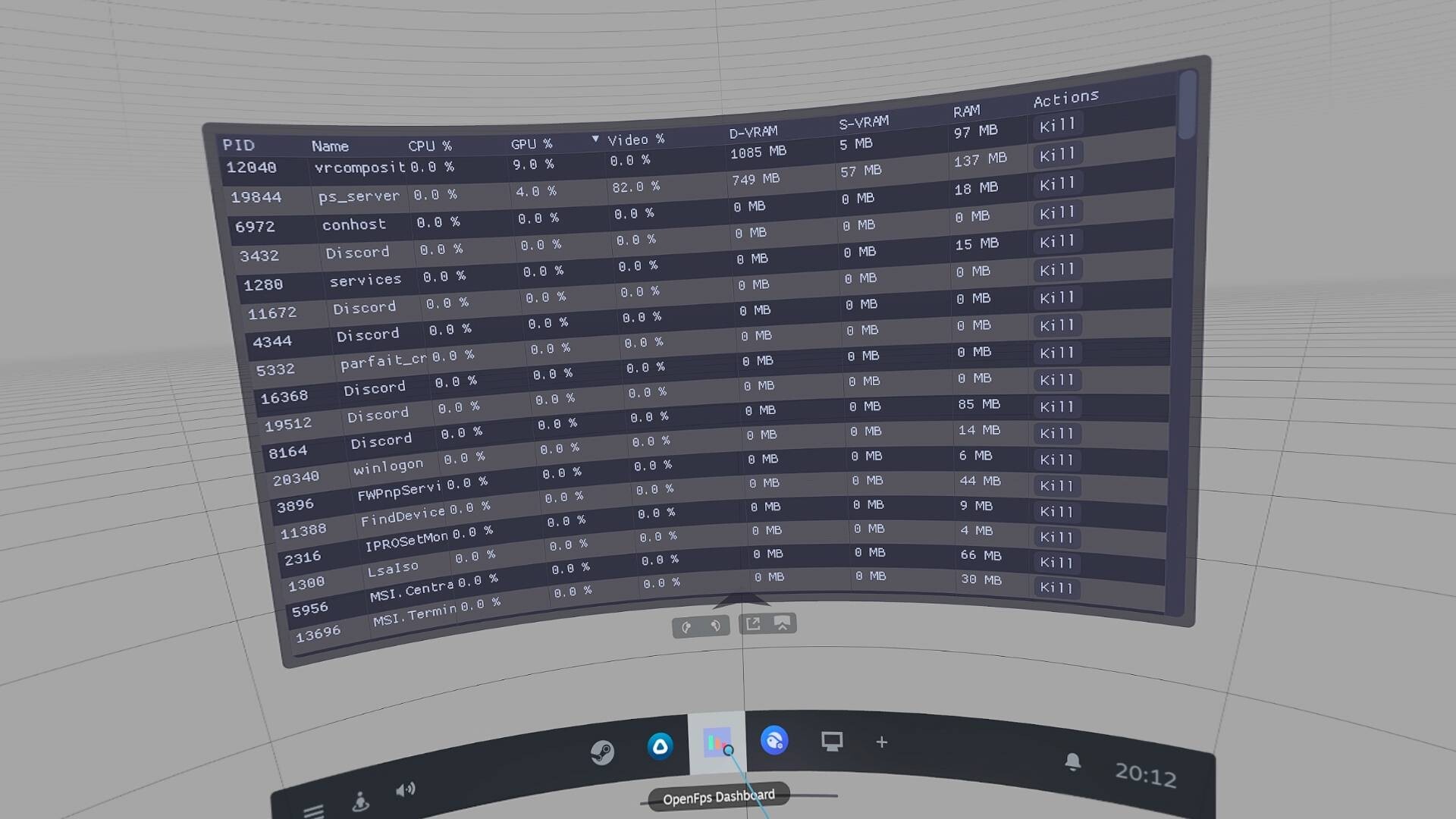
View applications currently consuming system resources directly within the SteamVR dashboard without closing your games. Displays detailed process information and allows you to terminate processes as needed.

  • Device Battery Monitoring

Display battery levels for connected VR devices and assign tracker roles to easily identify and manage individual devices.

  • Accessibility and Overlay Customization

Customize overlay placement (left or right hand), scale and mounting position (Above, Wrist, or Below) for a comfortable and accessible VR experience.

  • SteamVR Adjustments

Modify SteamVR resolution directly from within OpenVR Metrics. Apply universal color filters and brightness adjustments across supported devices.

NOTE: Display color adjustment features, including color filters and brightness controls, are only available on SteamVR devices with native display connections (e.g., HDMI or DisplayPort).

Systeemeisen

Windows
SteamOS + Linux
    Minimum:
    • Vereist een 64-bitsprocessor en -besturingssysteem
    • Besturingssysteem: Windows 10 (Build 24H2) or newer
    • Processor: Intel Core i5-4590/AMD FX 8350 equivalent or better
    • Geheugen: 256 MB RAM
    • Grafische kaart: GeForce RTX 2050, Radeon RX 6600 equivalent or better
    • Opslagruimte: 16 MB beschikbare ruimte
    • Geluidskaart: N/A
    • VR-ondersteuning: SteamVR, requires motion controllers
    • Aanvullende opmerkingen: Requires Vulkan 1.3+ support
    Aanbevolen:
    • Vereist een 64-bitsprocessor en -besturingssysteem
    Minimum:
    • Besturingssysteem: SteamOS 3.7+ or other distribution
    • Processor: Intel Core i5-4590/AMD FX 8350 equivalent or better
    • Geheugen: 256 MB RAM
    • Grafische kaart: Mesa 25.2.2 or newer
    • Opslagruimte: 16 MB beschikbare ruimte
    • Geluidskaart: N/A
    • VR-ondersteuning: SteamVR, requires motion controllers
    • Aanvullende opmerkingen: Requires Vulkan 1.3+ support
    Aanbevolen:
    Er zijn geen recensies voor dit product

    Je kunt je eigen recensie voor dit product schrijven om je ervaring met de community te delen. Gebruik het gebied boven de aankoopknoppen op deze pagina om je recensie te schrijven.