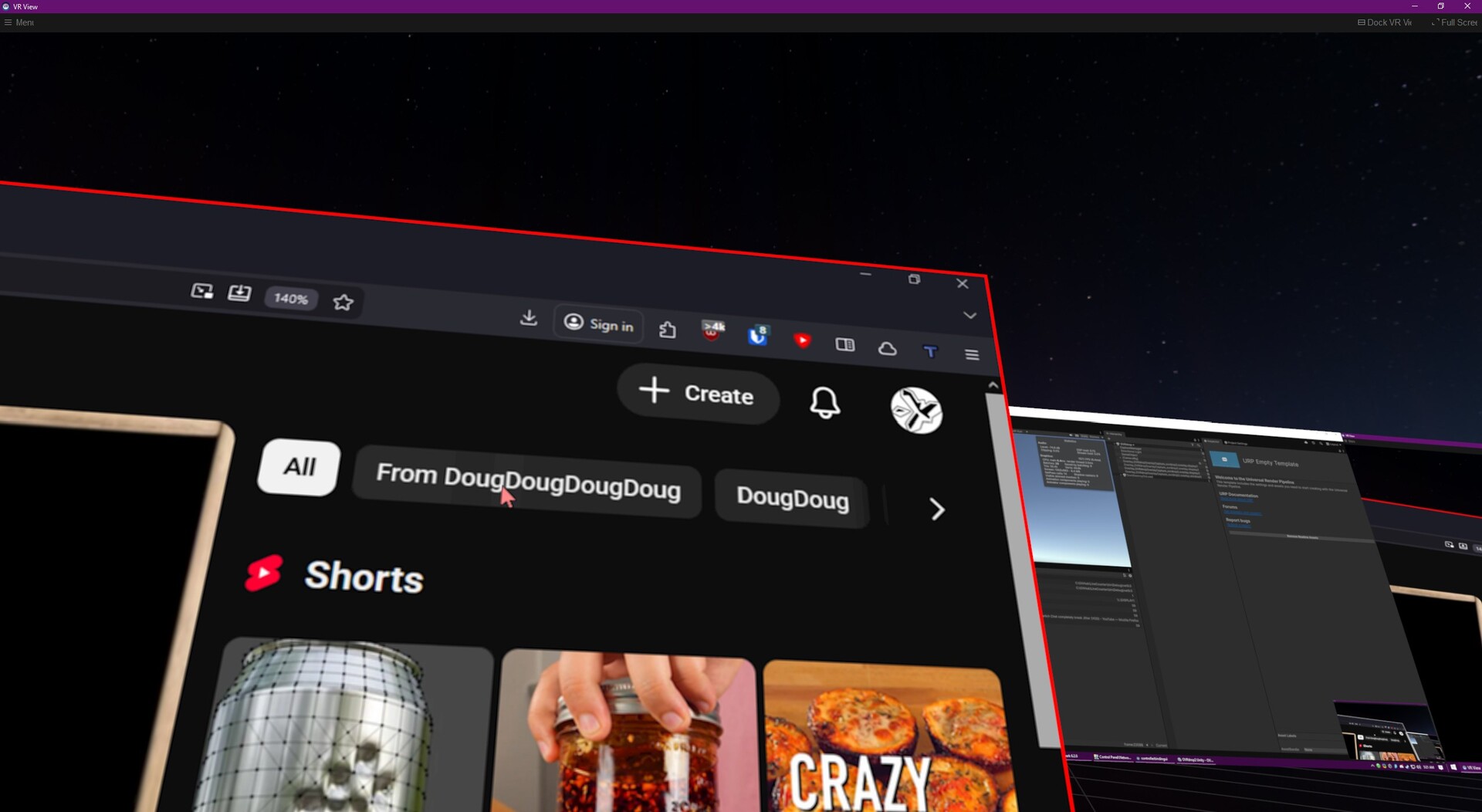
OVRdrop 2 is a SteamVR Overlay application which allows you to view and interact with your desktop computer applications at the push of a button! Just reach out and grab any window right off your computer monitor and turn it into a 3D VR display!

Inicia sesión para añadir este artículo a tu lista de deseados, seguirlo o marcarlo como ignorado.

Software con acceso anticipado

Involúcrate con este software mientras se desarrolla.

Aviso: Este software con acceso anticipado no está terminado y puede o no cambiar más adelante. Si no te entusiasma usar este software en su estado actual, entonces deberías esperar a ver si avanza más en su desarrollo. Más información

Lo que dicen los desarrolladores:

¿Por qué ofreces acceso anticipado?

«From the start OVRdrop was always an evolutionary process. With OVRdrop 2, we want to continue to prioritize user feedback and for a short period after launch we anticipate rapid growth. Some features are subject to change as we go through our initial growing pains, and we want our customers to keep that in mind when deciding if they want to purchase or wait until OVRdrop 2 is a bit more mature.»

¿Cuánto tiempo va a estar este software en acceso anticipado aproximadamente?

«We anticipate a period of rapid feedback/development shortly after launch lasting approximately 3 months while we weigh user feedback and address any issues that might arise. As OVRdrop 2 is hardware specific, we expect to find a number of edge case hardware issues we cannot address prior to launch.»

¿Qué diferencias habrá entre la versión completa y la versión de acceso anticipado?

«We intend to continue adding new features and improving the core functionality of OVRdrop 2 throughout its lifecycle. We value user feedback, and intend to implement feature suggestions as they become available. As we narrow down and eliminate bugs, we plan for the full release to be fully stable.»

¿Cuál es el estado actual de la versión de acceso anticipado?

«OVRdrop 2 already supports all features listed on the store page and is nearly ready for release. Due to technical limitations, OVRdrop 2 may not work on all computers equally. We consider OVRdrop 2 to be Early Access while we validate it can run on the majority of computers without issue, and will leave Early Access when we are confident OVRdrop 2 is up to par.»

¿Variará el precio del software durante el periodo previo y posterior al acceso anticipado?

«We do not plan to change the price of OVRdrop 2 within the foreseeable future, aside from participating in Steam sales as they become available.»

¿Cómo tienes planeado involucrar a la comunidad en tu proceso de desarrollo?

«We see the community as a vital part of the development process. We value the insight of each and every user and welcome any suggested feature requests and plan to incorporate many/most requested features in some capacity. We are active on both Reddit and Discord and would love if you would join us to discuss the future of OVRdrop 2!»
Leer más
Solo RV

Descargar OVRdrop 2 Demo

Solo RV

Comprar OVRdrop 2

Comprar OVRdrop Upgrade Discount PACK (?)

Incluye 2 artículo(s): OVRdrop, OVRdrop 2

 
Ver todas las discusiones

Informa de errores y deja opiniones sobre este software en los foros de discusión

Acerca de este software

OVRdrop 2 is a multipurpose Utility application for SteamVR. OVRdrop 2's main feature is the ability to turn almost any application from your desktop display right into a VR "overlay" in mere seconds. At the push of a button you can bring up the "OVRview" - automatically synced with Windows' Display Manager for its layout, the OVRview copies your entire desktop right into VR, allowing for quick configuration of the OVRdrop Capture Windows. Reach out and "grab" an application right off the OVRview, scale it up or down, position it wherever you'd like in 3d space, pin it to a controller if you'd like, and even send mouse clicks right through without ever leaving VR. Featuring SteamVR Input, OVRdrop puts you in direct control of the input bindings, allowing a wide range of user customization for different play styles.

Note about OVRdrop 2 Demo: The demo is fully featured with no restrictions. You start with two hours of use, and your time resets to one hour at the start of each day. Please feel free to come back and give us another try later to see how far we can go!

The OVRview

The OVRview acts as a quick access point for interacting with and managing OVRdrop 2 and its features. At the push of a button you can bring up the OVRview from anywhere in VR, even while playing other SteamVR compatible games. With the OVRview in sight, just aim at your desired application and "grab" it right off the display! Spawning overlays has never been so easy! You can also use the OVRview to interact directly with your desktop, sending mouse clicks freely with your VR Tracked Controllers. We have quite a few additional features planned for the OVRview, but at this time, it is primarily limited to these functions.

Capture Overlays 

OVRdrop 2 lets you turn almost any application into a portable VR Overlay, bringing your favorite 2d/desktop applications right into your favorite VR games and experiences! Netflix or Hulu on those long haul (space) trucker sessions? YouTube or VLC while you graffiti? How about Twitch chat while you VR chat? We got you covered! 

  • Pin any Window to your VR controller for easy access or leave them floating in the world as a floating display.

  • Clone Background windows! OVRdrop 2 features cutting edge GPU accelerated technologies to bring your applications into VR as effortlessly as possible. With the ability to copy most background windows at blazing speeds, why not bring 2, or 3, or maybe 10 HD applications into VR all at once?

  • Click on applications without leaving VR! Capture Overlays as well as the OVRview will show your real cursor as well as a virtual cursor so you know exactly where you're going to click. Left, Right, and Middle, as well as Scrollwheel, OVRdrop can do it all! Featuring a simple "Interact" mode which always does a single/double click for easy interactions as well as a full "Click" mode which can do more advanced actions like Click+Drag. OVRdrop 2 can even click most background applications without disturbing them!

  • Supports Landscape or Portrait displays of any aspect, any resolution and any number of displays (we haven't found a limit yet). Background capture and Background input means most windows never need to change focus.

In-VR Configuration 

OVRdrop 2 is fully configurable without leaving VR, keeping you in the action!

Physical Displays

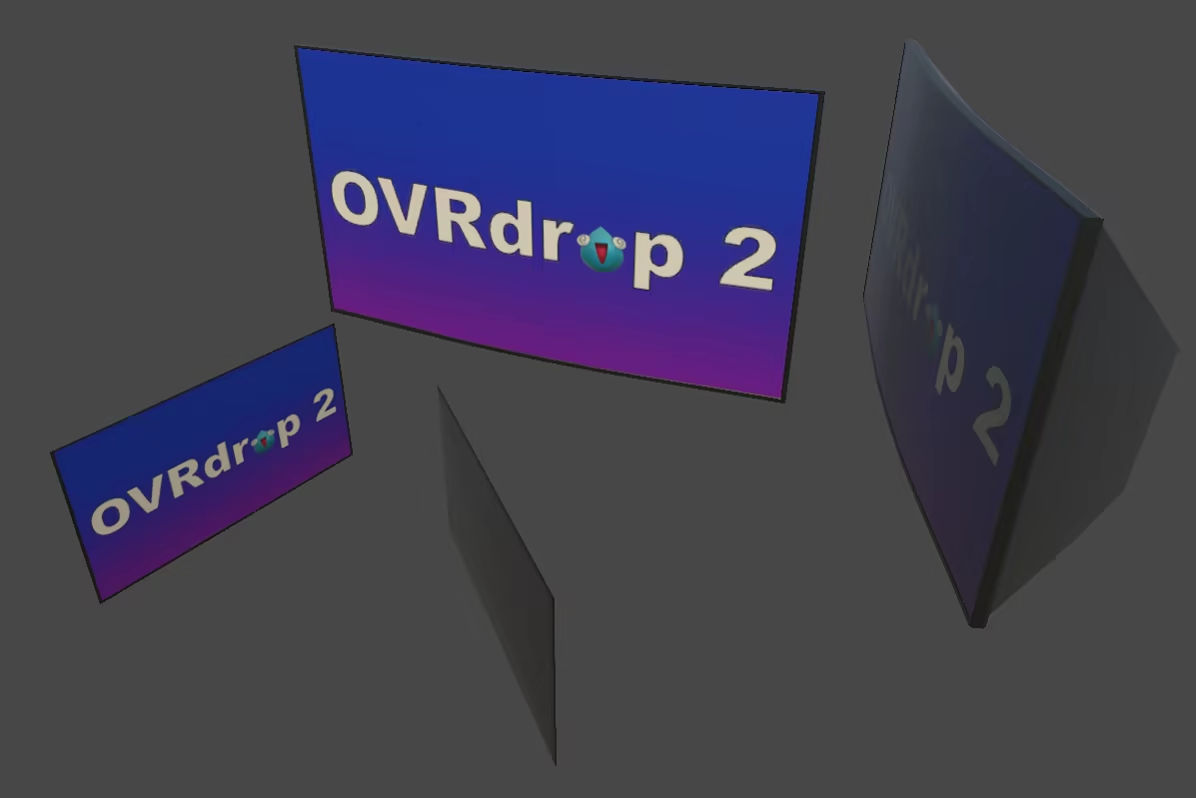
OVRdrop 2 features 3d Displays which can copy any of your computer monitors or applications as if they were an Overlay. Place a CRT into your VR space and watch your shows like they were meant to be watched!

Physical Keyboards

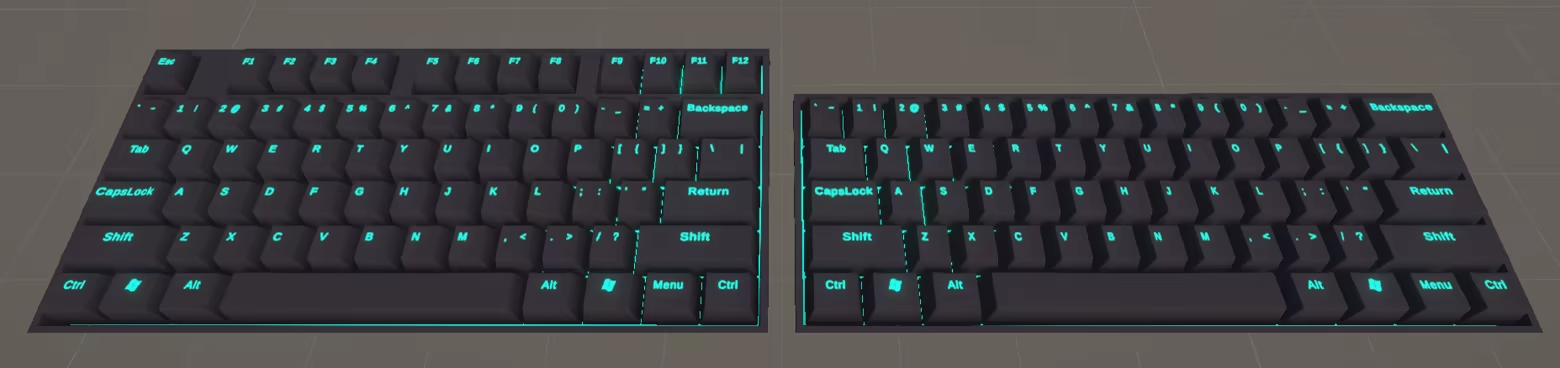
OVRdrop 2 gives you a physical virtual keyboard you can take along with you for quick input anywhere you go. Different customization options are available depending on which keyboard is used, giving you a range of options to put you in control.

Performance

Built from the ground up for speed, OVRdrop 2 takes those performance issues from OVRdrop 1 and throws them in the trash. Full disclose, developer computer is Ryzen 9 9900X, GeForce RTX 5070, 32 GB RAM, but we are able to capture two 2560×1440 + one 3440×1440 + five applications, all running at 150-200 FPS. Performance will vary by hardware, but needless to say OVRdrop 2 performs a lot better than OVRdrop 1.

Anti-Motion Sickness

OVRdrop 2 features experimental anti-motion sickness technology. Some users may find relief when objects are placed physically around them in VR which do not move with the scene in the game they are playing. Some users may find relief when moving quickly by dimming the screen or reducing the field of view. Please let us know if you find any relief!

Limitations

OVRdrop 2 aims to be highly configurable with nearly infinite possible configurations. Some user configuration may be required for all experiences. VR Tracked Controllers are required for most interactions. OVRdrop 2 requires Windows 10 or newer. Not all applications can currently be captured. Some applications may refuse capture due to DRM/DMCA restrictions. Some applications may refuse capture due to technical limitations. Please report any incompatibilities on our Discord and we'll get right on it! OVRdrop 2 runs on SteamVR and can only render to your headset when SteamVR is rendering. If you cannot see the SteamVR Dashboard menu in VR, you will not be able to see OVRdrop 2. The Dashboard does not need to remain open while using OVRdrop 2, but if you can't ever open the Dashboard, SteamVR is not rendering to the headset. Some games will prefer to use native rendering pipelines which prevent OVRdrop 2 from rendering, particularly when using certain HMDs.

Requisitos del sistema

    Mínimo:
    • SO: Windows 10 (Actualización de mayo de 2019 o posterior), Windows 11
    • Procesador: Intel i5-4590 / AMD Ryzen 5 1500X o superior
    • Memoria: 8 GB de RAM
    • Gráficos: NVIDIA GTX 1060 / AMD RX 580 o superior
    • DirectX: Versión 11
    • Red: Conexión de banda ancha a Internet
    • Almacenamiento: 1 GB de espacio disponible
    • Tarjeta de sonido: Opcional
    • Compatibilidad con RV: Requiere SteamVR; compatible con Valve Index, HTC Vive y Oculus (Quest/Rift) mediante SteamVR. Se requieren controladores VR con seguimiento para la mayoría de las interacciones.
    • Notas adicionales: Se requiere conexión a Internet cada 90 días.
    Recomendado:
    • SO: Windows 10 IoT LTSC
    • Procesador: Intel i5-9600K / AMD Ryzen 5 3600 o superior
    • Memoria: 16 GB de RAM
    • Gráficos: RTX 2060 / RX 6600 o superior
    • DirectX: Versión 11
    • Red: Conexión de banda ancha a Internet
    • Almacenamiento: 1 GB de espacio disponible
    • Tarjeta de sonido: Opcional
    • Compatibilidad con RV: Requiere SteamVR; compatible con Valve Index, HTC Vive y Oculus (Quest/Rift) mediante SteamVR. Se requieren controladores VR con seguimiento para la mayoría de las interacciones.
    • Notas adicionales: Se requiere conexión a Internet cada 90 días.

Reseñas de usuarios para «OVRdrop 2» Acerca de las reseñas de usuarios Tus preferencias

Reseñas generales:
1 reseña(s) de usuario(s) (1 reseñas)


Para ver las reseñas correspondientes a un intervalo de fechas, haz clic y arrastra en uno de los gráficos de arriba para crear una selección o haz clic en una barra específica.


Filtrar las reseñas según el tiempo de juego del usuario cuando se escribió la reseña:


Sin mínimo a sin máximo

Mostrar las reseñas en el orden seleccionado


Más información
Filtros
Excluir actividad de reseñas no relacionadas con el tema
Tiempo de juego:
Partidas principalmente en Steam Deck
Sistema operativo:
CPU:
GPU:
Tipo de dispositivo: