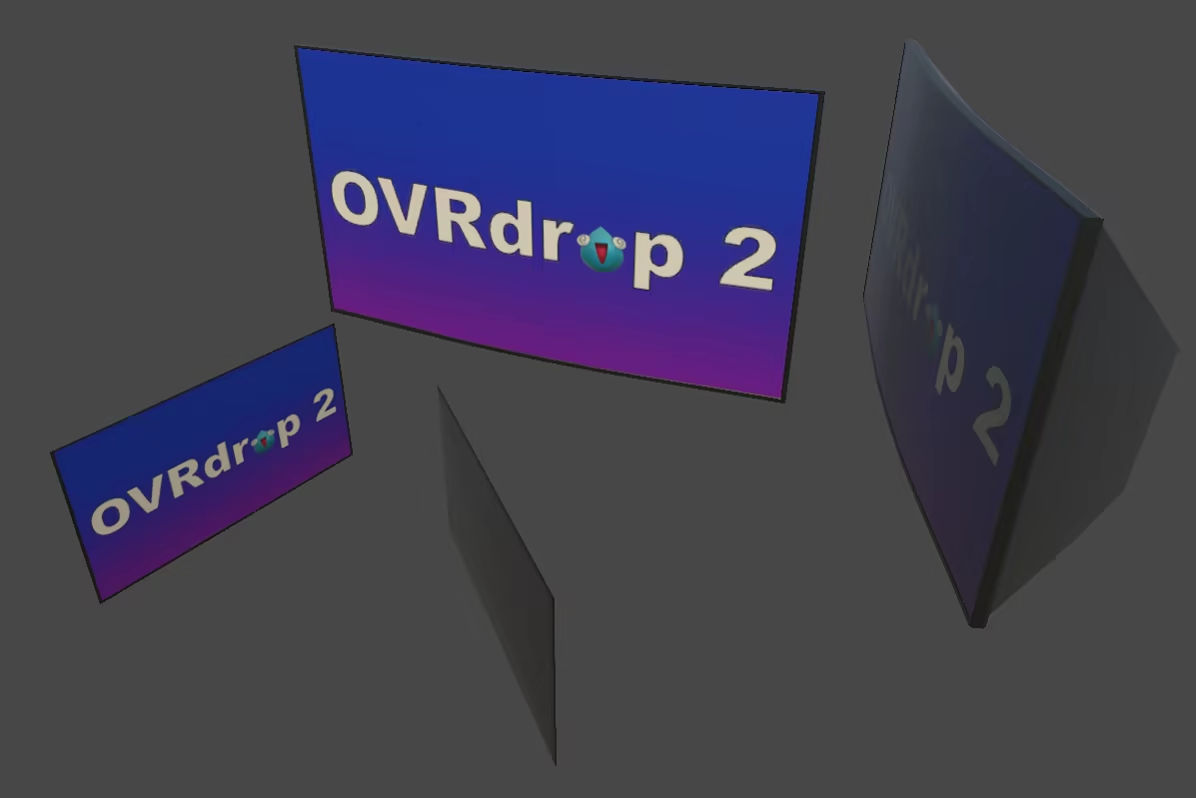
OVRdrop 2 is a SteamVR Overlay application which allows you to view and interact with your desktop computer applications at the push of a button! Just reach out and grab any window right off your computer monitor and turn it into a 3D VR display!

想要将此项目添加至您的愿望单、关注它或标记为已忽略,请先登录

抢先体验软件

随着软件的发展参与其中。

注意:该抢先体验的软件内容尚不完整且也许会发生变化。如果您目前不是特别想使用这款软件,那么您 应该等待一段时间来观察软件的开发进度。了解更多

开发者的话:

为何要采用抢先体验这种模式?

“From the start OVRdrop was always an evolutionary process. With OVRdrop 2, we want to continue to prioritize user feedback and for a short period after launch we anticipate rapid growth. Some features are subject to change as we go through our initial growing pains, and we want our customers to keep that in mind when deciding if they want to purchase or wait until OVRdrop 2 is a bit more mature.”

这款软件的抢先体验状态大约持续多久?

“We anticipate a period of rapid feedback/development shortly after launch lasting approximately 3 months while we weigh user feedback and address any issues that might arise. As OVRdrop 2 is hardware specific, we expect to find a number of edge case hardware issues we cannot address prior to launch.”

计划中的完整版本和抢先体验版本到底有多少不同?

“We intend to continue adding new features and improving the core functionality of OVRdrop 2 throughout its lifecycle. We value user feedback, and intend to implement feature suggestions as they become available. As we narrow down and eliminate bugs, we plan for the full release to be fully stable.”

抢先体验版本的现状如何?

“OVRdrop 2 already supports all features listed on the store page and is nearly ready for release. Due to technical limitations, OVRdrop 2 may not work on all computers equally. We consider OVRdrop 2 to be Early Access while we validate it can run on the majority of computers without issue, and will leave Early Access when we are confident OVRdrop 2 is up to par.”

在抢先体验期间和结束之后,这款软件的价格会有所不同吗?

“We do not plan to change the price of OVRdrop 2 within the foreseeable future, aside from participating in Steam sales as they become available.”

在开发过程中,你们是如何计划让玩家社区参与进来的?

“We see the community as a vital part of the development process. We value the insight of each and every user and welcome any suggested feature requests and plan to incorporate many/most requested features in some capacity. We are active on both Reddit and Discord and would love if you would join us to discuss the future of OVRdrop 2!”
了解更多
VR 独占

下载 OVRdrop 2 Demo

VR 独占

购买 OVRdrop 2

购买 OVRdrop Upgrade Discount 捆绑包 (?)

包含 2 件物品: OVRdrop, OVRdrop 2

-20%
$15.98
 
查看所有讨论

在讨论版中为这款软件汇报 BUG,并留下反馈

关于此软件

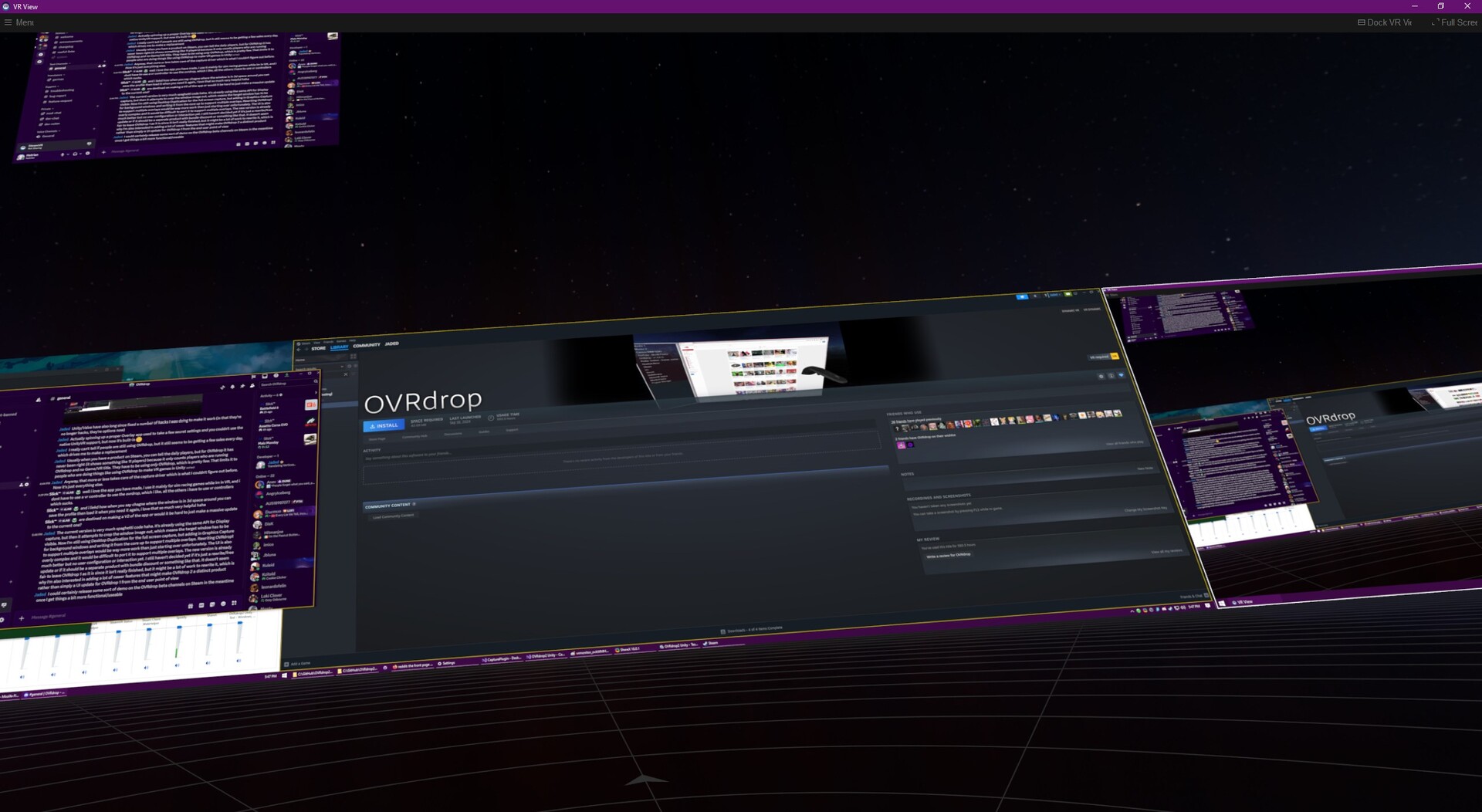
OVRdrop 2 is a multipurpose Utility application for SteamVR. OVRdrop 2's main feature is the ability to turn almost any application from your desktop display right into a VR "overlay" in mere seconds. At the push of a button you can bring up the "OVRview" - automatically synced with Windows' Display Manager for its layout, the OVRview copies your entire desktop right into VR, allowing for quick configuration of the OVRdrop Capture Windows. Reach out and "grab" an application right off the OVRview, scale it up or down, position it wherever you'd like in 3d space, pin it to a controller if you'd like, and even send mouse clicks right through without ever leaving VR. Featuring SteamVR Input, OVRdrop puts you in direct control of the input bindings, allowing a wide range of user customization for different play styles.

Note about OVRdrop 2 Demo: The demo is fully featured with no restrictions. You start with two hours of use, and your time resets to one hour at the start of each day. Please feel free to come back and give us another try later to see how far we can go!

The OVRview

The OVRview acts as a quick access point for interacting with and managing OVRdrop 2 and its features. At the push of a button you can bring up the OVRview from anywhere in VR, even while playing other SteamVR compatible games. With the OVRview in sight, just aim at your desired application and "grab" it right off the display! Spawning overlays has never been so easy! You can also use the OVRview to interact directly with your desktop, sending mouse clicks freely with your VR Tracked Controllers. We have quite a few additional features planned for the OVRview, but at this time, it is primarily limited to these functions.

Capture Overlays 

OVRdrop 2 lets you turn almost any application into a portable VR Overlay, bringing your favorite 2d/desktop applications right into your favorite VR games and experiences! Netflix or Hulu on those long haul (space) trucker sessions? YouTube or VLC while you graffiti? How about Twitch chat while you VR chat? We got you covered! 

  • Pin any Window to your VR controller for easy access or leave them floating in the world as a floating display.

  • Clone Background windows! OVRdrop 2 features cutting edge GPU accelerated technologies to bring your applications into VR as effortlessly as possible. With the ability to copy most background windows at blazing speeds, why not bring 2, or 3, or maybe 10 HD applications into VR all at once?

  • Click on applications without leaving VR! Capture Overlays as well as the OVRview will show your real cursor as well as a virtual cursor so you know exactly where you're going to click. Left, Right, and Middle, as well as Scrollwheel, OVRdrop can do it all! Featuring a simple "Interact" mode which always does a single/double click for easy interactions as well as a full "Click" mode which can do more advanced actions like Click+Drag. OVRdrop 2 can even click most background applications without disturbing them!

  • Supports Landscape or Portrait displays of any aspect, any resolution and any number of displays (we haven't found a limit yet). Background capture and Background input means most windows never need to change focus.

In-VR Configuration 

OVRdrop 2 is fully configurable without leaving VR, keeping you in the action!

Physical Displays

OVRdrop 2 features 3d Displays which can copy any of your computer monitors or applications as if they were an Overlay. Place a CRT into your VR space and watch your shows like they were meant to be watched!

Physical Keyboards

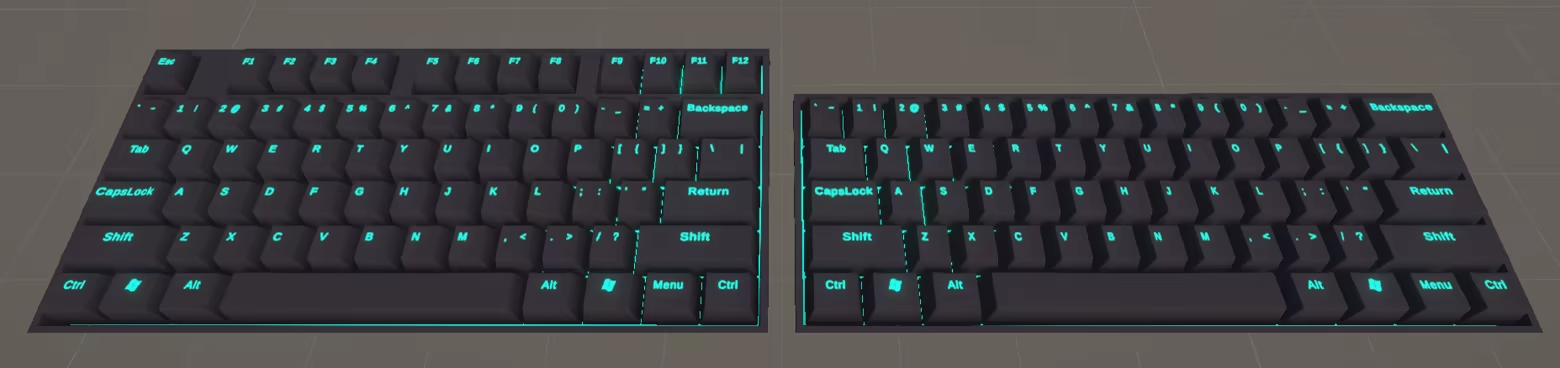
OVRdrop 2 gives you a physical virtual keyboard you can take along with you for quick input anywhere you go. Different customization options are available depending on which keyboard is used, giving you a range of options to put you in control.

Performance

Built from the ground up for speed, OVRdrop 2 takes those performance issues from OVRdrop 1 and throws them in the trash. Full disclose, developer computer is Ryzen 9 9900X, GeForce RTX 5070, 32 GB RAM, but we are able to capture two 2560×1440 + one 3440×1440 + five applications, all running at 150-200 FPS. Performance will vary by hardware, but needless to say OVRdrop 2 performs a lot better than OVRdrop 1.

Anti-Motion Sickness

OVRdrop 2 features experimental anti-motion sickness technology. Some users may find relief when objects are placed physically around them in VR which do not move with the scene in the game they are playing. Some users may find relief when moving quickly by dimming the screen or reducing the field of view. Please let us know if you find any relief!

Limitations

OVRdrop 2 aims to be highly configurable with nearly infinite possible configurations. Some user configuration may be required for all experiences. VR Tracked Controllers are required for most interactions. OVRdrop 2 requires Windows 10 or newer. Not all applications can currently be captured. Some applications may refuse capture due to DRM/DMCA restrictions. Some applications may refuse capture due to technical limitations. Please report any incompatibilities on our Discord and we'll get right on it! OVRdrop 2 runs on SteamVR and can only render to your headset when SteamVR is rendering. If you cannot see the SteamVR Dashboard menu in VR, you will not be able to see OVRdrop 2. The Dashboard does not need to remain open while using OVRdrop 2, but if you can't ever open the Dashboard, SteamVR is not rendering to the headset. Some games will prefer to use native rendering pipelines which prevent OVRdrop 2 from rendering, particularly when using certain HMDs.

系统需求

    最低配置:
    • 操作系统: Windows 10(2019 年 5 月更新或更新版本)、Windows 11
    • 处理器: Intel i5-4590 / AMD Ryzen 5 1500X 或更高
    • 内存: 8 GB RAM
    • 显卡: NVIDIA GTX 1060 / AMD RX 580 或更高
    • DirectX 版本: 11
    • 网络: 宽带互联网连接
    • 存储空间: 需要 1 GB 可用空间
    • 声卡: 可选
    • 支持 VR: 需要 SteamVR;支持的头显包括但不限于 Valve Index、HTC Vive,以及通过 SteamVR 使用的 Oculus(Quest/Rift);支持的控制器包括但不限于 Valve Index 控制器、HTC Vive 控制器和 Oculus Touch;大多数交互需要 VR 追踪控制器。
    • 附注事项: 每 90 天需要联网一次。
    推荐配置:
    • 操作系统: Windows 10 IoT LTSC
    • 处理器: Intel i5-9600K / AMD Ryzen 5 3600 或更高
    • 内存: 16 GB RAM
    • 显卡: RTX 2060 / RX 6600 或更高
    • DirectX 版本: 11
    • 网络: 宽带互联网连接
    • 存储空间: 需要 1 GB 可用空间
    • 声卡: 可选
    • 支持 VR: 需要 SteamVR;支持的头显包括但不限于 Valve Index、HTC Vive,以及通过 SteamVR 使用的 Oculus(Quest/Rift);支持的控制器包括但不限于 Valve Index 控制器、HTC Vive 控制器和 Oculus Touch;大多数交互需要 VR 追踪控制器。
    • 附注事项: 每 90 天需要联网一次。

OVRdrop 2 的顾客评测 关于用户评测 您的偏好

总体评测:
1 篇用户评测 (1 篇评测)


要查看某个日期范围内的评测,请在上方图表中点击并拖动选定的范围或是点击某特定时间柱。


按用户的游戏时间筛选此评测撰写时的评测:


无最低限制无最高限制

按选择的显示顺序显示评测


了解更多
筛选条件
排除跑题评测活动
游戏时间:
大部分在 Steam Deck 上
操作系统:
CPU:
GPU:
设备类型: