A desktop mini engine for playing animated sprites, mini widgets, and music. Place sprites, meme clips, and small widgets on your desktop to create your own atmosphere.

Sign in to add this item to your wishlist, follow it, or mark it as ignored

Early Access Software

Get involved with this software as it develops.

Note: This Early Access software is not complete and may or may not change further. If you are not excited to use this software in its current state, then you should wait to see if it progresses further in development. Learn more

What the developers have to say:

Why Early Access?

“Minisprite Engine is developed by a small team, and some parts
of the experience may still need refinement. We expect that bugs
or usability issues may appear that are difficult to fully identify
through internal testing alone.

Early Access lets us gather real-world feedback from people who
actually live with the app on their desktop, and close the gap
between how we imagined the app being used and how it's actually used.
Our goal is to polish the experience through iteration while listening
closely to community feedback.

What we'll be polishing during Early Access
- Smoother playback for larger, heavier content
- More widgets and more companions
- A friendlier guide and better tools for people who want to mod
- Stability and performance across a wider range of PCs

What may change
- Parts of the UI may be reworked based on community feedback
- New features will keep arriving gradually

What will stay
- The characters and widgets you create will still work after 1.0
- Your Workshop uploads won't be reset
- The price may rise at 1.0 — Early Access is a good time to join in

Come help shape it.”

Approximately how long will this software be in Early Access?

“We currently expect Minisprite Engine to remain in Early Access
for approximately one year.
This timeframe is intended to allow sufficient time for stabilization,
feedback-driven improvements, and gradual refinement of existing systems.
The exact duration may change depending on development progress
and user feedback.

How is the full version planned to differ from the Early Access version?

“At this time, we do not anticipate major changes to the overall
direction or concept of Minisprite Engine.
However, we plan to make adjustments and improvements based on
user feedback, which may influence usability, workflow, and feature details.
We also plan to gradually add things such as smoother playback for
larger videos, more built-in widgets and companions, and improved
tools and guides for people who want to create mods.
The final scope will largely be shaped by how the software is used
in practice and what the community finds most valuable.

What is the current state of the Early Access version?

“The Early Access version includes the core functionality of
Minisprite Engine.
Key features such as animated sprite playback, support for multiple
file formats, desktop interaction options, built-in mini widgets,
the music player, and Steam Workshop integration are already
implemented and usable in everyday use.
While the foundation is in place, some behaviors, interfaces,
or edge cases may still require refinement and improvement over time.

Will this software be priced differently during and after Early Access?

“At the moment, we are not planning to change the price during
Early Access.
However, if significant major updates or expansions are added
in the future, we may consider adjusting the price accordingly.
Any pricing changes would reflect substantial additions rather than
minor updates or fixes.

How are you planning on involving the Community in your development process?

“We plan to involve the community primarily through feedback
and discussion during Early Access.
User feedback will be collected through Steam discussions, bug reports,
and general usage impressions.
This feedback will help us identify usability issues, unexpected
behaviors, and areas that may benefit from improvement.
Rather than following a rigid roadmap, we intend to use community
input as a reference when prioritizing fixes, adjustments, and
quality-of-life improvements.
Our focus is on refining the experience based on how users actually
use Minisprite Engine in real desktop environments.
Read more
This game is not yet available on Steam

Planned Release Date: Q3 2026

Interested?
Add to your wishlist and get notified when it becomes available.
 
See all discussions

Report bugs and leave feedback for this software on the discussion boards

About This Software

Bring your desktop to life

Minisprite Engine lets you place animated sprites, mascots, music, and small widgets directly on your desktop — or behind it, as a living wallpaper.

A quiet, living desktop space — coexisting with your work, not interrupting it.

🎨 Animated Sprites & Videos

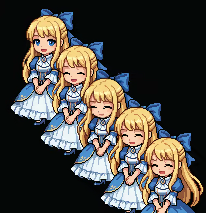
  • Drop in cute mascots, your favorite meme clips, or short funny videos

  • Supports GIF · PNG sequences · Aseprite · MP4 · WebM

  • Place characters anywhere on your desktop, freely

🎵 Music Player

  • Play your favorite tracks straight from your desktop

  • Magnetic mode — a favorite companion follows along beneath the player

  • Work, relax, or just set a mood

🖱️ Effortless Placement

  • Always-on-top, click-through, and free drag

  • Run several of the same companion side by side

  • Multi-monitor aware — companions move freely across screens

🖼️ On Wallpaper Mode

  • Pin sprites and widgets onto your wallpaper — not just on top of it

  • Three layers — Foreground, Mid (above icons, below windows), or Wallpaper (behind your work)

  • Mix freely — some up front, some behind, all at once

🧰 Ready Out of the Box

A black-cat mascot greets you on first launch — your desktop already has a companion.

Six small tools come bundled too — a Pomodoro timer, a sticky note, a calendar, a calculator, tic-tac-toe, and Lippy (a character whose mouth moves with your microphone).

And through Steam Workshop, creators bring clocks, alarms, visualizers, mini-games — many more characters and tools arriving all the time.

🎬 Made for Streaming Setups

  • A companion on your desktop is a companion in your stream — a tiny mascot your viewers will notice

  • Drop a favorite meme clip in the corner and your stream feels more alive

  • A Pomodoro timer or sticky note works as a small live-stream HUD — almost by accident

🌐 Steam Workshop, Built In

  • Search, subscribe, and download — all from inside the app

  • Upload your own characters and widgets just as easily

  • Your collection syncs across PCs

🛠️ Make It Yours

A built-in editor turns any image, GIF, video, or Aseprite file into a Workshop-ready asset — no external tools needed.

If you can imagine it, build it. Share it with everyone else.

🌱 Recommended For

  • People who enjoy customizing their desktop

  • Those who want a character-focused desktop — companions that live on top of your screen, behind it, or anywhere in between

  • Streamers and content creators looking for a small visual touch on screen

  • Anyone who likes keeping favorite memes and short clips around

  • People who want a small, quiet companion next to their work

🚀 Coming Soon

  • Characters that respond to your facial expressions

  • Mods that connect to each other — deeper modding

  • In-app sprite drawing tools

  • A growing, community-driven content ecosystem

Minisprite Engine is not just a background. Let a small world quietly exist on your desktop — or behind it.

AI Generated Content Disclosure

The developers describe how their game uses AI Generated Content like this:

Minisprite Engine was created by a small team using a combination of original work and generative AI tools.

Its mascot and hand-drawn character art were created by our designer, without the use of AI. Generative AI tools were used in creating other visual assets — including UI and store page artwork — and in drafting and localizing text across multiple languages.

All content was reviewed and refined by the team before release.

System Requirements

    Minimum:
    • Requires a 64-bit processor and operating system
    • OS: Windows 10 version 1809 (Build 17763) or later, 64-bit
    • Processor: Dual Core CPU
    • Graphics: Integrated Graphics (Intel HD 4000 or equivalent)
    Recommended:
    • Requires a 64-bit processor and operating system
    • OS: Windows 11 or later
    • Processor: Intel Core i3 or better
    • Graphics: Dedicated GPU recommended (GTX 750 or better)
There are no reviews for this product

You can write your own review for this product to share your experience with the community. Use the area above the purchase buttons on this page to write your review.

Review Filters