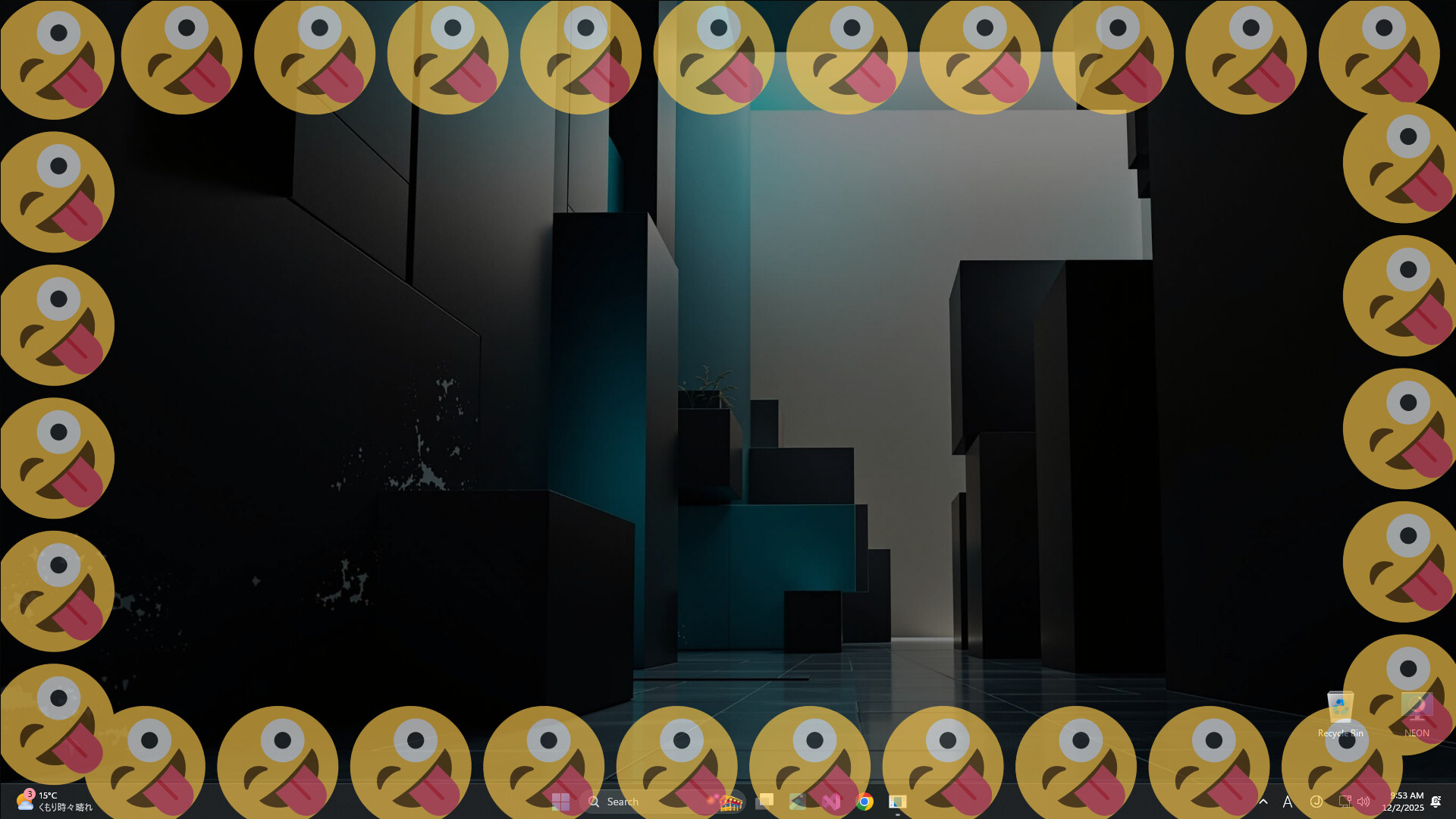
Monitor your system performance with a reactive screen border. Edge Lightning Engine visualizes CPU, GPU, and RAM usage via dynamic ambient lighting. Lightweight, fully customizable, and designed to be a non-intrusive "click-through" overlay for your desktop.

Sign in to add this item to your wishlist, follow it, or mark it as ignored

Early Access Software

Get involved with this software as it develops.

Note: This Early Access software is not complete and may or may not change further. If you are not excited to use this software in its current state, then you should wait to see if it progresses further in development. Learn more

What the developers have to say:

Why Early Access?

“As this is a new venture into desktop accessories, we need your feedback.”

Approximately how long will this software be in Early Access?

“The project will be in Early Access for approximately two months after initial release.”

How is the full version planned to differ from the Early Access version?

“The final version will be an improved version based on user feedback during the Early Access period.
The following features are currently lacking in the Early Access version:
- Multilingual support
- Performance improvements
- Other attractive customization features”

What is the current state of the Early Access version?

“Basic effects editing and settings are available.
Available in English only.”

Will this software be priced differently during and after Early Access?

“Yes, Edge Lightning Engine will go from "Free" to "Paid" upon release.”

How are you planning on involving the Community in your development process?


We will incorporate user reports and feedback on the discussion board into the development process.
https://steamcommunity.com/app/4170560/discussions/

We will post news and other information about the development status on the community bulletin board and share it with users as needed.”
Read more
This game is not yet available on Steam

Planned Release Date: March 2026

Interested?
Add to your wishlist and get notified when it becomes available.
Add to your wishlist
 
See all discussions

Report bugs and leave feedback for this software on the discussion boards

About This Software

Edge Lightning Engine: Ambient System Monitor

Don't just stare at a static desktop. Monitor your system health with style.

Edge Lightning Engine is a lightweight utility that adds a customizable, reactive glowing border to your screen. It visualizes your real-time hardware performance (CPU, RAM, GPU) through dynamic lighting effects.

Designed to work alongside your favorite wallpapers (including Wallpaper Engine), it acts as a non-intrusive "heads-up display" for your PC's status.

Why use Edge Lightning Engine? Keep track of system loads without opening the Task Manager or using clunky overlays. The border acts as a peripheral indicator, letting you know instantly if your system is under stress.

Key Features:

  • Reactive Hardware Monitoring: Visualize load instantly. Assign colors to specific metrics.

    • Example: Border glows Blue at <20% CPU load, but shifts to Pulsing Red when load hits >80%.

    • Supported Metrics: CPU / GPU / RAM usage, Battery level, Network activity.

  • Deep Customization (Not just RGB): Fine-tune the look to match your setup.

    • Styles: Solid lines, Breathing glow, Dashed indicators, Gradient flows.

    • Tuning: Adjust corner radius, thickness, glow intensity, and animation speed.

  • Performance First (Zero-Distraction):

    • Click-Through Overlay: The visuals never block your mouse input.

    • Game Mode: Automatically pauses or dims when a fullscreen game is detected to save resources.

    • Lightweight: Optimized for minimal CPU/RAM footprint.

AI Generated Content Disclosure

The developers describe how their game uses AI Generated Content like this:

The following uses AI-generated content:
#AppDescriptionTranslation
#StoreVideoBGM
#StoreVideoAssets

System Requirements

    Minimum:
    • OS: OS: Windows 10 (64-bit)
    • Processor: Processor: Dual-Core CPU (2.0 GHz or higher)
    • Memory: 4 GB RAM
    • Graphics: GPU capable of running OS desktop composition (Aero/DWM)
    • Storage: 512 MB available space
    • Additional Notes: Requires .NET Desktop Runtime (often installed automatically by Steam).
    Recommended:
    • OS: Windows 10 / Windows 11 (64-bit)
    • Processor: Quad-Core CPU (Intel Core i5 / AMD Ryzen 5 series or better)
    • Memory: 8 GB RAM
    • Graphics: GPU capable of running OS desktop composition (Aero/DWM)
    • Storage: 2 GB available space
    • Additional Notes: This application runs in the background. Recommended specs are based on a typical gaming PC setup to ensure minimal performance impact during gameplay.
There are no reviews for this product

You can write your own review for this product to share your experience with the community. Use the area above the purchase buttons on this page to write your review.