Do you play a game that always needs extra tools running alongside it? Maybe you launch a racing sim with a live telemetry map, or fire up an ARPG with trade helpers, currency overlays, or macro scripts? Echo makes that seamless.

想要将此项目添加至您的愿望单、关注它或标记为已忽略,请先登录

不支持简体中文

本产品尚未对您目前所在的地区语言提供支持。在购买请先行确认目前所支持的语言。

购买 Echo


关于此软件

With Echo, you can automatically monitor for when specific programs or games launch, and have your favorite helper tools or scripts start automatically alongside them.

Do you play a game that always needs extra tools running alongside it?

Maybe you launch a racing sim with a live telemetry map, or fire up an ARPG with trade helpers, currency overlays, or macro scripts?

Echo makes that seamless.

Instead of manually opening multiple programs each time—or juggling batch files and Task Scheduler—Echo automatically launches all your chosen helper tools the moment your game (or any program) starts.

Just tell Echo which game or app to watch for, and what you want to run with it: apps, scripts, websites, files, folders and more, all can be automatically launched.

When you're done playing? Echo can optionally close all those extra tools automatically when the main game exits. 

Features

  • Monitor any programs

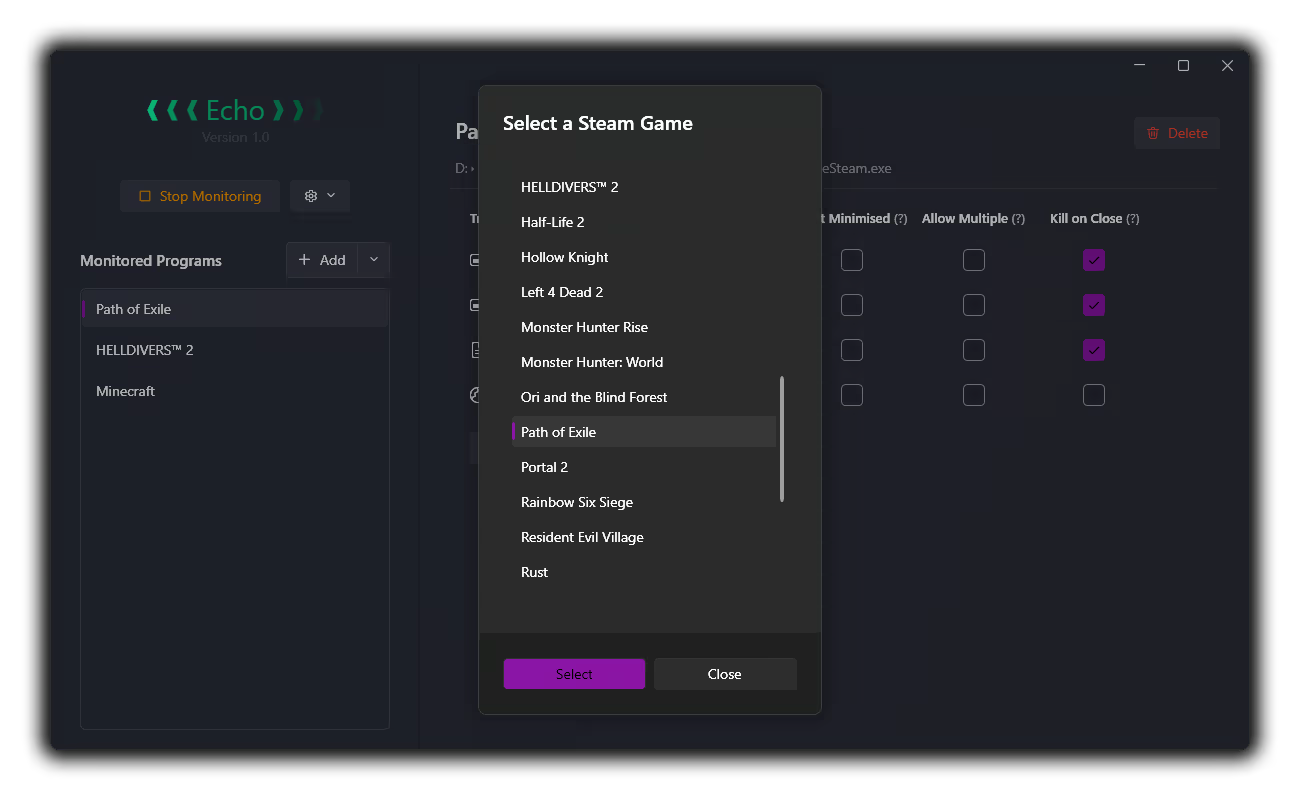
  • Automatically finds and lists all Steam Games for easy adding

  • Any of the following can be added as a triggered launch for each program:

    • Other applications

    • Autohotkey / AutoIt scripts

    • Website URLs

    • Folders

    • Any other files will be launched using whatever the filetype default is set to in Windows. e.g. a Word Document will open in MS Word

    • You can also specify multiple programs to listen for under each heading:

      • For example, you can specify `PathOfExileSteam.exe` and `PathOfExileSteam_64.exe` and both will fire all the helpers specified under the `Path of Exile` entry

  • Config Options

    • Add to Windows Start Menu

    • Run automatically on Windows Startup

Caveats

  • Programs that require admin rights cannot be tracked unless Echo is also run in admin mode

  • Most programs and games can be detected / launched, but some helper programs can't be automatically closed. Specifically, if the triggered process launches sub-processes or redirects to a UWP application, they may not automatically close on exit of the primary program.

  • Websites and folders, which launch through redirection pathways (by opening your browser or Windows Explorer), also can't be automatically closed on exit to avoid causing problems. 

This is why an option to run programs in `Hidden` mode is not included; you will always be able to manually close any programs that are run

Planned (for triggered processes)

- [ ] Run as Admin

- [ ] Delay start

- [X] Custom arguments - (added!)

- [ ] Run triggered process on program exit instead of program startup

系统需求

    最低配置:
    • 操作系统: Windows 10
    • 处理器: Any
    • 内存: 80 MB RAM
    • 显卡: Any
    • 存储空间: 需要 10 MB 可用空间
    • 声卡: N/A

Echo 的顾客评测 关于用户评测 您的偏好

总体评测:
2 篇用户评测 (2 篇评测)


要查看某个日期范围内的评测,请在上方图表中点击并拖动选定的范围或是点击某特定时间柱。


按用户的游戏时间筛选此评测撰写时的评测:


无最低限制无最高限制

按选择的显示顺序显示评测


了解更多
筛选条件
排除跑题评测活动
游戏时间:
大部分在 Steam Deck 上
Operating System:
CPU:
GPU:
Device Type:
无其他评测符合上述筛选条件
调整上方筛选条件以查看其它评测
加载评测中…