Do you play a game that always needs extra tools running alongside it? Maybe you launch a racing sim with a live telemetry map, or fire up an ARPG with trade helpers, currency overlays, or macro scripts? Echo makes that seamless.

Zaloguj się, aby dodać tę pozycję do listy życzeń, zacząć ją obserwować lub oznaczyć jako ignorowaną

Polski język nie jest obsługiwany

Ten produkt nie obsługuje twojego lokalnego języka. Przed zakupem zapoznaj się z listą obsługiwanych języków, która znajduje się poniżej.

Kup Echo


O tym programie

With Echo, you can automatically monitor for when specific programs or games launch, and have your favorite helper tools or scripts start automatically alongside them.

Do you play a game that always needs extra tools running alongside it?

Maybe you launch a racing sim with a live telemetry map, or fire up an ARPG with trade helpers, currency overlays, or macro scripts?

Echo makes that seamless.

Instead of manually opening multiple programs each time—or juggling batch files and Task Scheduler—Echo automatically launches all your chosen helper tools the moment your game (or any program) starts.

Just tell Echo which game or app to watch for, and what you want to run with it: apps, scripts, websites, files, folders and more, all can be automatically launched.

When you're done playing? Echo can optionally close all those extra tools automatically when the main game exits. 

Features

  • Monitor any programs

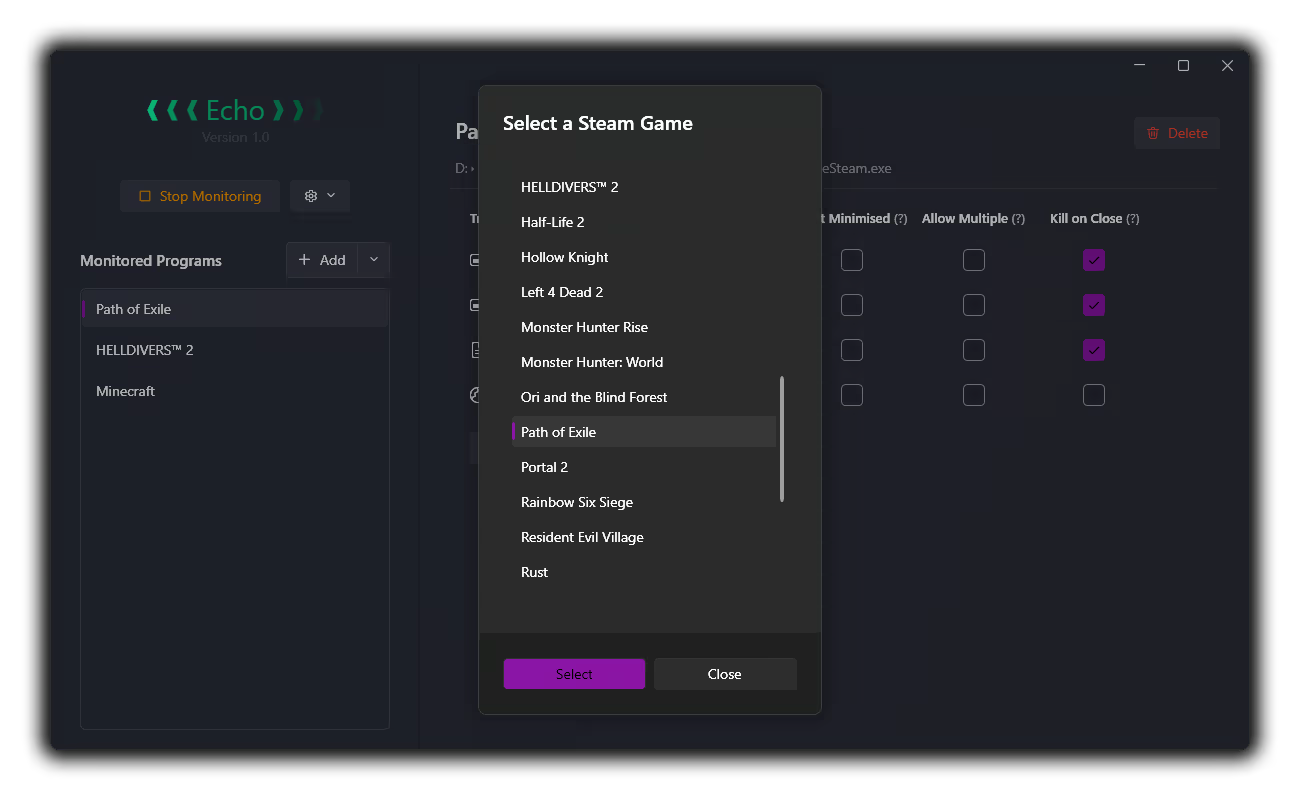
  • Automatically finds and lists all Steam Games for easy adding

  • Any of the following can be added as a triggered launch for each program:

    • Other applications

    • Autohotkey / AutoIt scripts

    • Website URLs

    • Folders

    • Any other files will be launched using whatever the filetype default is set to in Windows. e.g. a Word Document will open in MS Word

    • You can also specify multiple programs to listen for under each heading:

      • For example, you can specify `PathOfExileSteam.exe` and `PathOfExileSteam_64.exe` and both will fire all the helpers specified under the `Path of Exile` entry

  • Config Options

    • Add to Windows Start Menu

    • Run automatically on Windows Startup

Caveats

  • Programs that require admin rights cannot be tracked unless Echo is also run in admin mode

  • Most programs and games can be detected / launched, but some helper programs can't be automatically closed. Specifically, if the triggered process launches sub-processes or redirects to a UWP application, they may not automatically close on exit of the primary program.

  • Websites and folders, which launch through redirection pathways (by opening your browser or Windows Explorer), also can't be automatically closed on exit to avoid causing problems. 

This is why an option to run programs in `Hidden` mode is not included; you will always be able to manually close any programs that are run

Planned (for triggered processes)

- [ ] Run as Admin

- [ ] Delay start

- [X] Custom arguments - (added!)

- [ ] Run triggered process on program exit instead of program startup

Wymagania systemowe

    Konfiguracja minimalna:
    • System operacyjny: Windows 10
    • Procesor: Any
    • Pamięć: 80 MB RAM
    • Karta graficzna: Any
    • Miejsce na dysku: 10 MB dostępnej przestrzeni
    • Karta dźwiękowa: N/A

Recenzje klientów dla produktu Echo O recenzjach użytkowników Twoje preferencje

Ogólne recenzje:
Recenzje użytkowników: 2 (2)


Aby zobaczyć recenzje w wybranym zakresie dat, kliknij i przeciągnij zaznaczenie na powyższym wykresie lub kliknij na wybrany słupek.


Filtruj recenzje według czasu gry użytkownika w momencie publikacji recenzji:


Bez minimum do Bez maksimum

Pokaż recenzje w wybranej kolejności wyświetlania


Dowiedz się więcej
Filtry
Wyłączanie okresów występowania recenzji nie na temat
Czas gry:
Głównie Steam Deck
Brak recenzji pasujących do filtrów ustawionych powyżej
Dostosuj filtry powyżej, by zobaczyć inne recenzje
Wczytywanie recenzji…