Discover the ultimate "Video Converter Supreme" – your reliable companion for fast, easy, and high-quality video conversions!

Войдите, чтобы добавить этот продукт в список желаемого или скрыть его

Не поддерживается русский язык

Этот продукт не поддерживает ваш язык. Пожалуйста, перед покупкой ознакомьтесь со списком поддерживаемых языков.

Купить Video Converter Supreme

СКИДКА ВСЮ НЕДЕЛЮ! Предложение заканчивается 2 марта

-10%
$19.99
$17.99
 

Об этом ПО

Discover the ultimate "Video Converter Supreme" – your reliable companion for fast, easy, and high-quality video conversions!


Would you like to effortlessly convert your videos into the perfect format for any device? Video Converter Supreme makes this possible! With this powerful tool, you can convert your movies into optimal formats in no time, ensuring the best playback on smartphones, tablets, smart TVs, or other devices. You’ll benefit from a user-friendly interface that delights both beginners and professionals.

What can "Video Converter Supreme" do?

  • Resolutions up to 4K

  • Optimal playback for most standard devices

  • Convert to different formats comfortably

  • Excellent quality in all video formats

  • Easy handling

  • Extract audio tracks for e.g. ringtones or other projects

  • Conversion to AVI, MKV, MPEG, WMV, MP4, VOB, MOV

  • Fast conversion using GPU

  • Extract soundtrack to MP3, AAC, FLAC, OGG, WMA

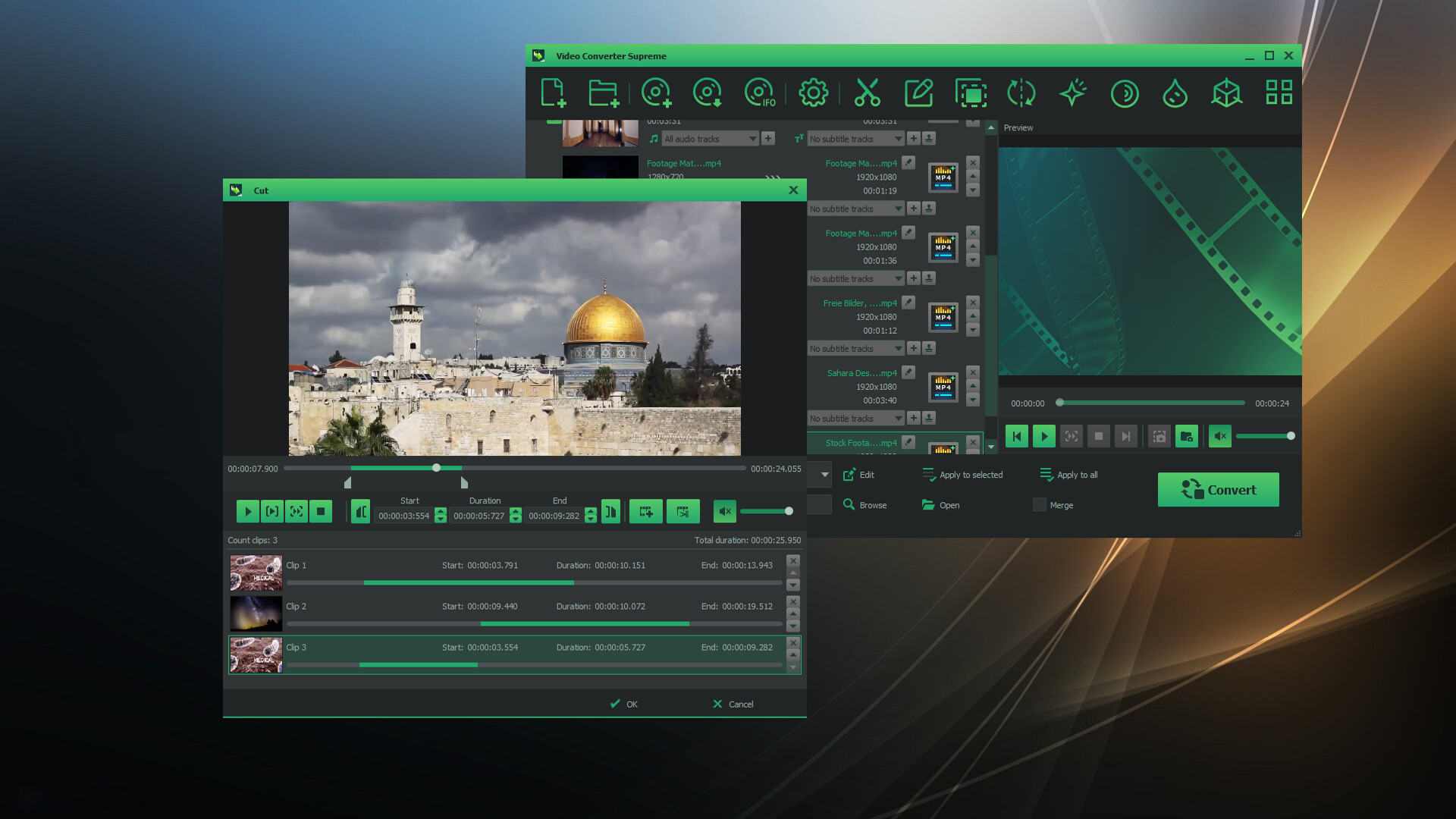
  • Video editing included: brightness, contrast, gamma, sharpness, saturation, flip, rotate, watermark, 3D stereo

  • Video editing with preview and multiple cut tracks

  • Batch processing of various tasks

  • Merge multiple sequences or movies

"Video Converter Supreme" is designed to be user-friendly, making it an ideal tool for both beginners and experts.

The "Video Converter Supreme" is so easy to use that even beginners can operate it effortlessly. Simply add your videos, select the desired clips or settings, start the conversion – and you're done! For professionals, the tool offers advanced features for even greater control.

Easy post-processing

Achieve the best results with smart video editing!
With the integrated video editing features, you can optimize your videos before converting. Too dark? Too bright? No problem! Adjust brightness, contrast, or saturation in just a few clicks. Want to watch your video in 3D? Convert it to a 3D format with just a few steps. Thanks to the live preview, you can see exactly how the final result will look – ensuring perfect results every time.

Системные требования

    Минимальные:
    • 64-разрядные процессор и операционная система
    • ОС *: Windows 8 / 10 / 11
    • Процессор: Intel Core i3
    • Оперативная память: 2 GB ОЗУ
    • Видеокарта: Onboard Graphics card
    • Место на диске: 200 MB
    • Звуковая карта: Onboard Soundcard
    Рекомендованные:
    • 64-разрядные процессор и операционная система
    • ОС *: Windows 8 / 10 / 11
    • Процессор: Intel Core i3
    • Оперативная память: 4 GB ОЗУ
    • Видеокарта: Onboard Graphics card
    • Место на диске: 200 MB
    • Звуковая карта: Onboard Soundcard
* С 1 января 2024 года клиент Steam будет поддерживать только Windows 10 и более поздние версии.

Обзоры пользователей: Video Converter Supreme О пользовательских обзорах Ваши настройки

Все обзоры:
Обзоров пользователей: 2 (всего 2)


Чтобы посмотреть обзоры за определённое время, отметьте промежуток на графике или выберите одну из колонок.


Фильтр обзоров пользователей по их времени в игре в момент написания обзора:


Без минимумаБез максимума

Показать обзоры в выбранном порядке


Подробнее
Фильтры
Исключать обзоры не по теме
Время в игре:
В основном на Steam Deck
Operating System:
CPU:
GPU:
Device Type:
Под выбранные фильтры не подходит ни один обзор
Измените фильтры, чтобы увидеть другие обзоры
Загрузка обзоров…