Discover the ultimate "Video Converter Supreme" – your reliable companion for fast, easy, and high-quality video conversions!

Zaloguj się, aby dodać tę pozycję do listy życzeń, zacząć ją obserwować lub oznaczyć jako ignorowaną

Polski język nie jest obsługiwany

Ten produkt nie obsługuje twojego lokalnego języka. Przed zakupem zapoznaj się z listą obsługiwanych języków, która znajduje się poniżej.

Kup Video Converter Supreme

OFERTA TYGODNIOWA! Oferta kończy się za

-10%
$19.99
$17.99
 

O tym programie

Discover the ultimate "Video Converter Supreme" – your reliable companion for fast, easy, and high-quality video conversions!


Would you like to effortlessly convert your videos into the perfect format for any device? Video Converter Supreme makes this possible! With this powerful tool, you can convert your movies into optimal formats in no time, ensuring the best playback on smartphones, tablets, smart TVs, or other devices. You’ll benefit from a user-friendly interface that delights both beginners and professionals.

What can "Video Converter Supreme" do?

  • Resolutions up to 4K

  • Optimal playback for most standard devices

  • Convert to different formats comfortably

  • Excellent quality in all video formats

  • Easy handling

  • Extract audio tracks for e.g. ringtones or other projects

  • Conversion to AVI, MKV, MPEG, WMV, MP4, VOB, MOV

  • Fast conversion using GPU

  • Extract soundtrack to MP3, AAC, FLAC, OGG, WMA

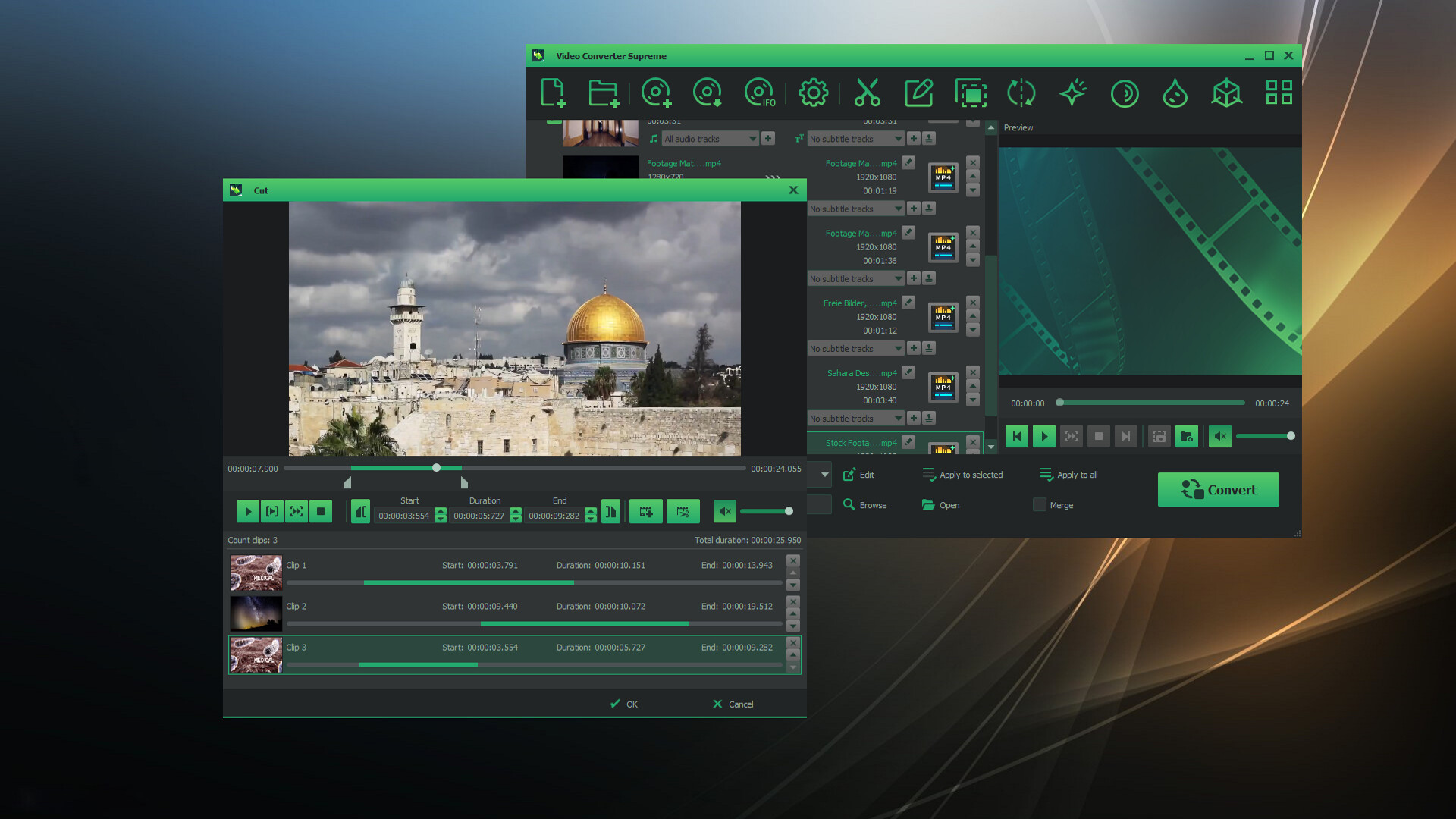
  • Video editing included: brightness, contrast, gamma, sharpness, saturation, flip, rotate, watermark, 3D stereo

  • Video editing with preview and multiple cut tracks

  • Batch processing of various tasks

  • Merge multiple sequences or movies

"Video Converter Supreme" is designed to be user-friendly, making it an ideal tool for both beginners and experts.

The "Video Converter Supreme" is so easy to use that even beginners can operate it effortlessly. Simply add your videos, select the desired clips or settings, start the conversion – and you're done! For professionals, the tool offers advanced features for even greater control.

Easy post-processing

Achieve the best results with smart video editing!
With the integrated video editing features, you can optimize your videos before converting. Too dark? Too bright? No problem! Adjust brightness, contrast, or saturation in just a few clicks. Want to watch your video in 3D? Convert it to a 3D format with just a few steps. Thanks to the live preview, you can see exactly how the final result will look – ensuring perfect results every time.

Wymagania systemowe

    Konfiguracja minimalna:
    • Wymaga 64-bitowego procesora i systemu operacyjnego
    • System operacyjny *: Windows 8 / 10 / 11
    • Procesor: Intel Core i3
    • Pamięć: 2 GB RAM
    • Karta graficzna: Onboard Graphics card
    • Miejsce na dysku: 200 MB dostępnej przestrzeni
    • Karta dźwiękowa: Onboard Soundcard
    Konfiguracja zalecana:
    • Wymaga 64-bitowego procesora i systemu operacyjnego
    • System operacyjny *: Windows 8 / 10 / 11
    • Procesor: Intel Core i3
    • Pamięć: 4 GB RAM
    • Karta graficzna: Onboard Graphics card
    • Miejsce na dysku: 200 MB dostępnej przestrzeni
    • Karta dźwiękowa: Onboard Soundcard
* Począwszy od 1 stycznia 2024, klient Steam będzie obsługiwał wyłącznie system Windows 10 i jego nowsze wersje.

Recenzje klientów dla produktu Video Converter Supreme O recenzjach użytkowników Twoje preferencje

Ogólne recenzje:
Recenzje użytkowników: 2 (2)


Aby zobaczyć recenzje w wybranym zakresie dat, kliknij i przeciągnij zaznaczenie na powyższym wykresie lub kliknij na wybrany słupek.


Filtruj recenzje według czasu gry użytkownika w momencie publikacji recenzji:


Bez minimum do Bez maksimum

Pokaż recenzje w wybranej kolejności wyświetlania


Dowiedz się więcej
Filtry
Wyłączanie okresów występowania recenzji nie na temat
Czas gry:
Głównie Steam Deck
System operacyjny:
CPU:
GPU:
Typ urządzenia:
Brak recenzji pasujących do filtrów ustawionych powyżej
Dostosuj filtry powyżej, by zobaczyć inne recenzje
Wczytywanie recenzji…