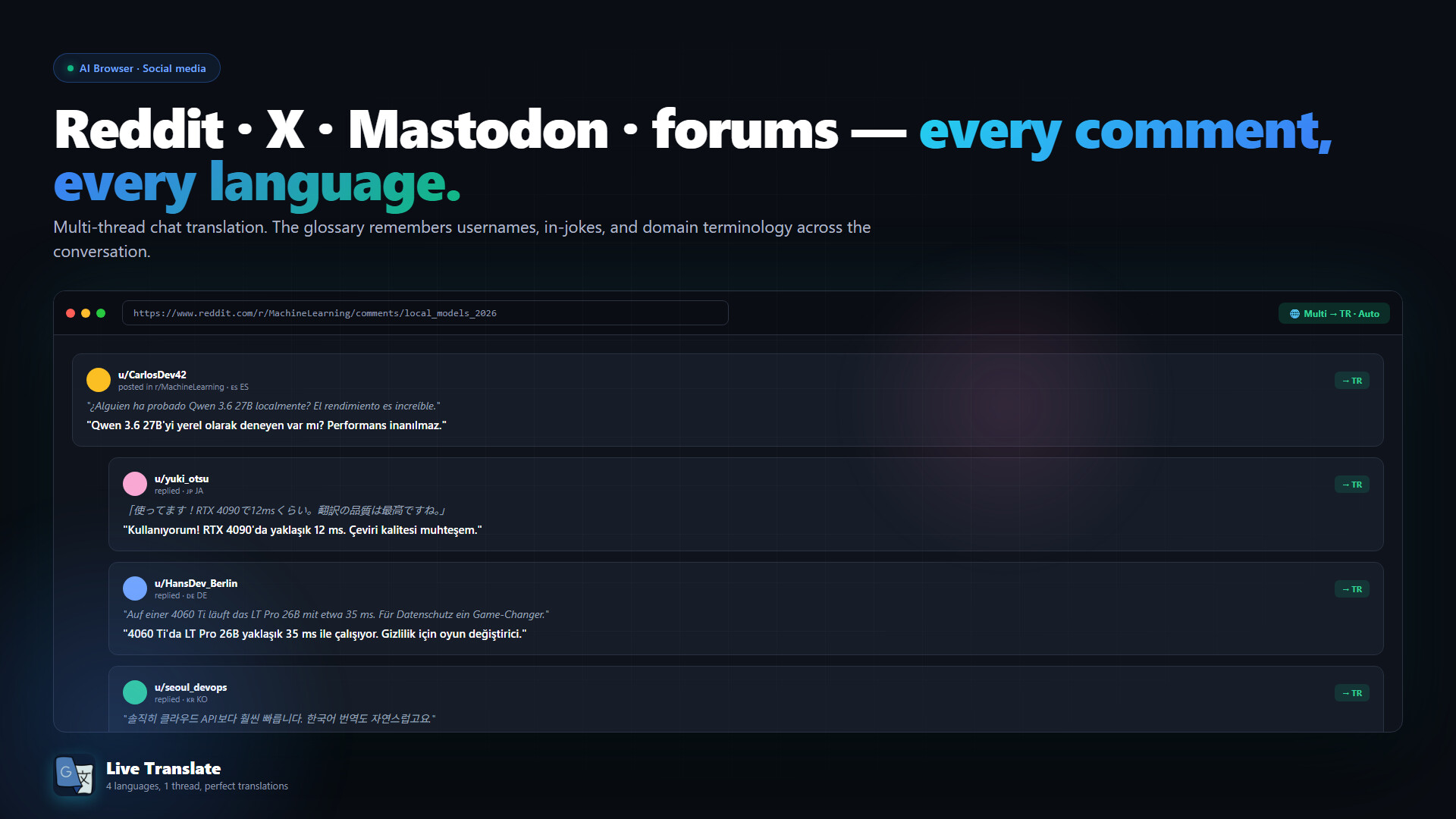
100% offline real-time AI translation in 140+ languages. Live voice overlay, screenshot/image/video translation, AI Browser auto-translates web pages. No cloud, no subscription. Buy once, own forever — all updates free.

Sign in to add this item to your wishlist, follow it, or mark it as ignored

Early Access Software

Get involved with this software as it develops.

Note: This Early Access software is not complete and may or may not change further. If you are not excited to use this software in its current state, then you should wait to see if it progresses further in development. Learn more

What the developers have to say:

Why Early Access?

“Live Translate is currently in Early Access to involve our community directly in its refinement. This allows us to gather invaluable real-world feedback on translation accuracy, performance across diverse system configurations, and overall user experience. Your participation is crucial for identifying bugs, suggesting new features, and helping us prioritize development efforts to create the most robust and user-friendly live translation software possible. We aim for perfection, and your insights are key to achieving it.

Approximately how long will this software be in Early Access?

“We plan for Live Translate to remain in Early Access for approximately 90 days. During this period, we will actively gather user feedback to refine features and ensure the software's stability.

How is the full version planned to differ from the Early Access version?

“The Early Access version provides a stable foundation with the core functionality of Live Translate. For future updates, we plan to explore significant enhancements and additions, shaped by user feedback. We aim to consider improving translation accuracy, expanding compatibility with various platforms and applications, optimizing performance, and ensuring overall stability. New language pairs, advanced customization options, and a more intuitive user interface might be explored in potential future updates. Our goal is to work toward making Live Translate a useful and reliable tool for your daily translation needs, with input from our community. These are possible directions, and development priorities may adjust based on feedback.

What is the current state of the Early Access version?

“The Early Access version of Live Translate offers essential real-time translation capabilities. The application detects speech from your computer, quickly converts it into text, and then translates this text into your chosen language, displaying it in a customizable on-screen window. Users can easily manage the overlay's appearance (opacity, colors, font, size) and settings (e.g., hotkeys, logging options, and application language). While designed for daily use and generally stable, this version is actively under development. We are continuously optimizing its performance, enhancing compatibility with various applications, and improving translation accuracy. Users may occasionally encounter minor bugs or specific edge cases that we are working to address. Your valuable feedback during this phase is crucial for perfecting the software.

Will this software be priced differently during and after Early Access?

“Yes, the pricing for Live Translate will differ between the Early Access period and the full release. The Early Access price is set lower as a special thank you to our early adopters and community members who support us with their invaluable feedback, actively participating in the software's development journey. This discounted price is our way of acknowledging your contribution to shaping Live Translate. Upon full release, the price will increase to reflect the added features, enhanced stability, expanded compatibility, and more comprehensive functionality.

How are you planning on involving the Community in your development process?

“We plan to primarily involve our community in the development process through Steam's discussion forums, announcements, and in-app feedback tools. We will regularly monitor user feedback, encourage bug reporting, and solicit suggestions for new features. Through transparent updates and direct communication, we will shape Live Translate together.
Read more

Buy Live Translate

INTRODUCTORY OFFER! Offer ends June 27

-15%
$14.99
$12.74
 
See all discussions

Report bugs and leave feedback for this software on the discussion boards

New Feature: Explore the Visual World with In-Place Screen Translation

Meet the groundbreaking In-Place Screen Translation feature added to our application! Now, you can translate not only audio but also the text on your screen in real-time. With a single press of a hotkey, you can have the text on your screen replaced with its translated versions while preserving their original positions.

How does this feature work?

When you press the hotkey, our application takes a snapshot of the entire screen, intelligently detects all the text on it, translates it to the target language, and then erases the original text to place the translations in their spot. This way, you'll feel as if the content was in your language from the very beginning.

Unlimited Use Cases:

  • In-Game Translation: Understand game menus, character dialogues, inventory descriptions, and more instantly in your language.

  • Film and Video Translation: Easily comprehend on-screen text in foreign films or documentaries without subtitles.

  • Webtoons, Manga, and Comics: Follow your favorite visual stories without language barriers.

  • Applications and Software: Use the interfaces of foreign programs effortlessly.

Press your hotkey and step into a new world where every text on your screen instantly makes sense!

About This Software

Fully offline, real-time AI translation. Runs entirely on your own GPU. No cloud. No subscription. Buy once, own forever — every future update is free.

Buy once. Own forever.


Live Translate is a single one-time purchase. Every future update and every new feature is free for existing owners. As open AI technology advances, your copy advances with it — no subscription, no recurring fees, no paywalled features.

Early Access — built together with you


Live Translate is in Early Access and receives regular updates. Your feedback directly shapes what we build next — if something does not work or you are missing a feature, tell us in the Steam Community discussions. We read everything and we answer. Early Access pricing rewards early supporters: as new features arrive, the price may increase. Buy today, and every future feature is yours at today's price.

IMPORTANT — PLEASE READ BEFORE BUYING


Optimization improves with every update — a feature that pushes your hardware today will run faster on less tomorrow. Owning it today is preparing for the future: your copy gets faster and more capable with every update.

Real-Time Audio Translation


Capture system audio (games, movies, online meetings) or your microphone and watch the conversation appear translated on a customizable on-screen overlay. Powered by an on-device AI translation model with offline speech recognition through multiple interchangeable engines. The app auto-picks the best one for your source language.

  • Live translation overlay — drag, resize, recolor, set opacity and font
  • Speaker identification separates voices in multi-speaker dialogue
  • Precise Mode lets the AI clean up noisy speech-to-text before translating
  • 140+ target languages, 28 user-interface languages
  • Smart cache — repeated phrases translate instantly

Screenshot Translation


Press a global hotkey to capture any region of your screen.
  • Inpaint mode — the original text is automatically removed and the translation is rendered in the exact same spot, matching the original layout
  • Legacy mode — original and translation shown side-by-side
Works on game UI, manga, scanned documents, signs, social media — anything on your screen.

Batch Image Translation


Drop an entire folder of images and translate them all at once. Designed for manga chapters, comic collections, scanned documents, and screenshot archives. Input and output folder selection, optional sub-folder scanning, side-by-side preview, per-file progress.

Video to Subtitles (Vid2Srt)


Drop any video file and Live Translate produces a polished SRT in your target language. The pipeline:
  • High-accuracy transcription with built-in hallucination filtering
  • Two-pass AI translation — per-segment first, then a full-script coherence review
  • Word-level diff highlighting shows exactly what the AI corrected
  • Reading-speed targeted segmentation (42 characters × 2 lines, broadcast standard)
  • Translate one transcription into multiple target languages without re-running speech recognition
  • Hard-burn into the video with GPU acceleration — NVIDIA NVENC, AMD AMF or Intel QuickSync auto-detected, with CPU fallback
  • Quality report after each run: coverage, average reading speed, gap detection

100% Offline and Private


  • No cloud APIs and no third-party AI service dependencies
  • No telemetry, no analytics, no account login, no required internet connection after install
  • Audio, prompts, images and translations never leave your device
  • Runs locally on your CPU and GPU

Supported Platforms


Windows 10 and Windows 11 (64-bit). Multi-language interface in 28 languages.

AI Generated Content Disclosure

The developers describe how their game uses AI Generated Content like this:

This application uses on-device Generative AI to translate text from your screen or system audio in real time. All translations are generated locally on your own computer. The application is a tool for translating existing text and does not generate new original content (e.g., stories, characters, or images). No cloud service or third-party AI account is required.

System Requirements

    Minimum:
    • Requires a 64-bit processor and operating system
    • OS: Windows 10 64-bit
    • Processor: Intel Core i5-8400 / AMD Ryzen 5 3600 or equivalent
    • Memory: 8 GB RAM
    • Graphics: NVIDIA GeForce GTX 1080 / RTX 2060 / AMD Radeon RX 6600 (8 GB VRAM minimum)
    • DirectX: Version 12
    • Storage: 40 GB available space
    • Sound Card: Standard sound card with microphone support
    • Additional Notes: Runs 100% offline. Requires .NET 8 Runtime (auto-installed by Steam). 8 GB VRAM minimum drives the standard translation model — the app is usable at this level but AI-heavy features may be slow. NVIDIA GPUs are noticeably faster than AMD/Intel at the same VRAM tier.
    Recommended:
    • Requires a 64-bit processor and operating system
    • OS: Windows 11 64-bit
    • Processor: Intel Core i7-12700K / AMD Ryzen 7 5800X or better
    • Memory: 16 GB RAM
    • Graphics: NVIDIA GeForce RTX 4070 / AMD Radeon RX 7800 XT (12 GB+ VRAM, NVIDIA recommended for best speed)
    • DirectX: Version 12
    • Storage: 60 GB available space
    • Sound Card: DirectX compatible sound card
    • Additional Notes: NVIDIA RTX cards use NVENC hardware video encoding; AMD uses AMF; Intel uses QuickSync. SSD storage dramatically improves model loading times. Fully offline — no internet, no cloud APIs, no telemetry.

Customer reviews for Live Translate About user reviews Your preferences

Overall Reviews:
3 user reviews (3 reviews)


To view reviews within a date range, please click and drag a selection on a graph above or click on a specific bar.


Filter reviews by the user's playtime when the review was written:


No minimum to No maximum

Show reviews in selected display order


Learn More
Filters
Excluding Off-topic Review Activity
Playtime:
Played Mostly on Steam Deck
Operating System:
CPU:
GPU:
Device Type:
Review Filters