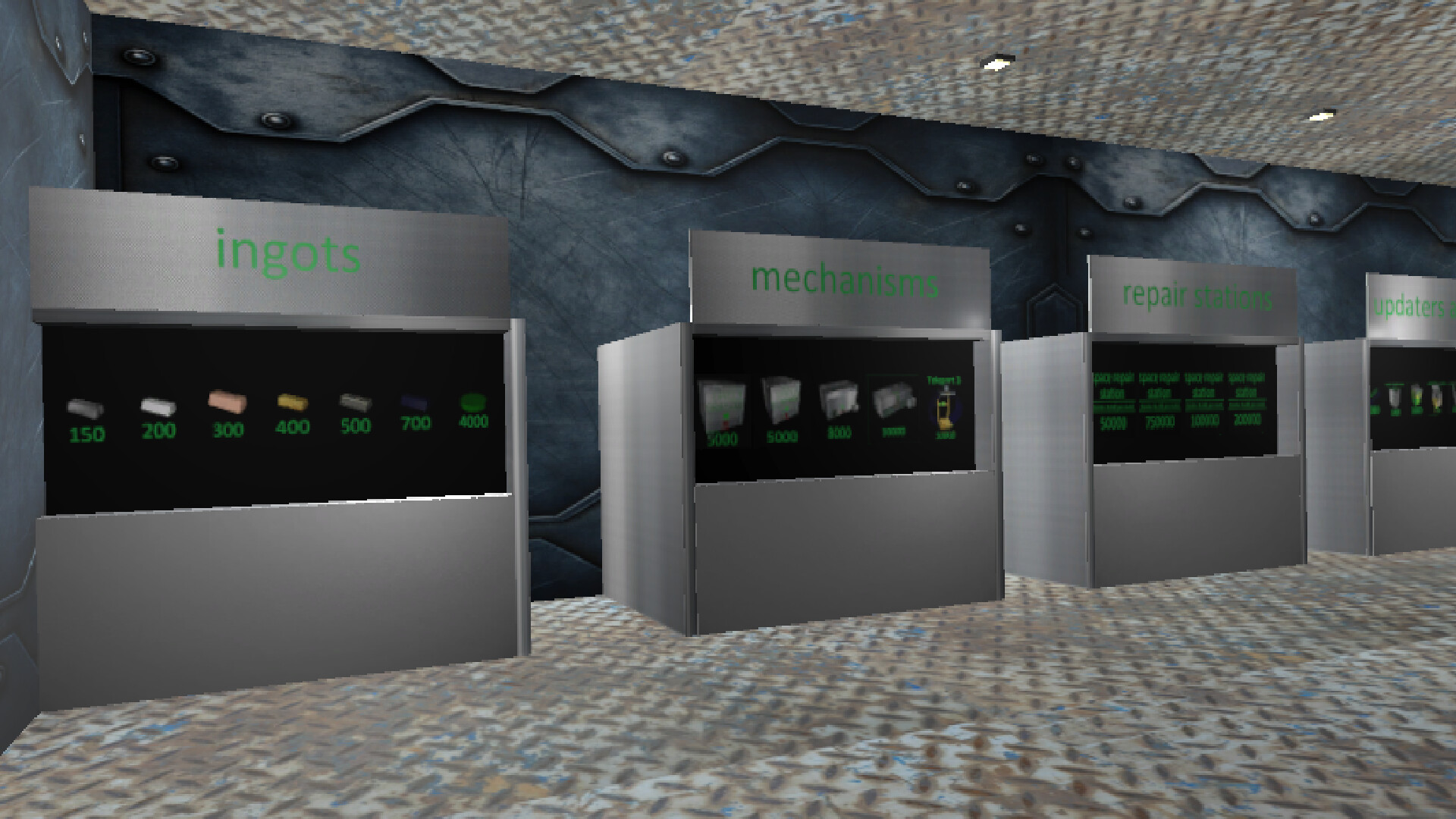
In "Space Mechanics: Repair | Hiring | Craft" you are the owner of a space repair station in which you have to work. Repair spaceships, get money for it, hire them and create items for sale or for your own purposes.

登入以將此項目新增至您的願望清單、關注它,或標記為已忽略

不支援繁體中文

本產品尚不支援您的目前所在地的語言。購買前請先確認語言支援清單。

購買 Space Mechanics


關於此遊戲

Space Mechanics: repair | hiring | crafting is a space simulator of an engineer in the future.

repairing: Spaceships that need to be repaired will be delivered to you. Using standard welding and broken parts in the spaceship, you will be able to fix it and you will be paid for it. There are 13 types of spaceships in the game, in order for the gate to open and the spaceship to fly in, you need to press the button next to the gate. After the ship has arrived, you need to close the gateway and inspect the spaceship for malfunctions, and also replace parts or use welding, depending on the situation. After you have fixed everything, you need to press the same button, but if you have not fixed all the problems, the button will not work.

hiring: You can hire spaceships for the money you earn, they will mine minerals, there are 12 spaceships that can be hired: 2 to find ore, 1 cheap miner, 1 ordinary miner, 1 upgraded miner, 3 ordinary defenders, 3 upgraded defenders and 1 superluminal spaceship. There can be a total of 6 squads in the game, 5 ships each, for each squad you need to hire 1 spaceship to find ore, miners and defenders, but you can use a superluminal spaceship as defenders, 1 superluminal spaceship = 2 upgraded defenders = 4 regular defenders. The more units are formed, the greater the chance to find the best ore. The ores will be spawned in a box called "ores".

crafting: You can create alloys, melting furnaces, and higher-level crafters in a regular crafter that you can buy. inside the crafter, instructions will be given on what resources are needed for crafting, after you put the necessary ingots in the right places, you need to close the hatch of the crafter and wait about 15 seconds, after that the item will appear in the crafter, if it is an improved crafter or an improved melting furnace, then it will appear in the room. There are 3 types of crafters, 1 uranium factory and 3 types of melting furnaces in the game. There are 5 types of ores in the game: iron, silver, gold, titanium and uranium. If any of these metals are melted down, its value will increase, and if an alloy is made from the melted ingots, the value will become even greater.

other: during the game, most likely your light will turn off, press the F button, go to the store and click on the picture with a light bulb, this way you will buy a light.By clicking on the picture with a light bulb, you can multiply in a row, thereby increasing the duration of the lighting.

goal: get rich, build an interstellar spaceship and fly to the best place.

Controls: w - forward, s - backward, a - left, d - right, q - turn left, e - turn right, space - up, ctrl - down. By holding down the LMB on an object, you can move it. By using the mouse wheel, you can drag objects towards or away from you. By using the RMB, you can rotate an object.

系統需求

    最低配備:
    • 作業系統 *: Windows 7 64bit
    • 處理器: Intel Core i3-7300 / AMD Ryzen 3 1300X
    • 記憶體: 1 GB 記憶體
    • 顯示卡: Nvidia GT 1030 / AMD Vega 11
    • DirectX: 版本:10
    • 儲存空間: 100 MB 可用空間
    • 音效卡: Yes
    • VR 支援: No
* 自 2024 年 1 月 1 日(PT)起,Steam 用戶端僅支援 Windows 10 及更新版本。

Space Mechanics: repair | hiring | crafting 的顧客評論 關於使用者評論 您的偏好設定

整體評論:
5 篇使用者評論 (5 篇評論)


如欲檢視特定日期範圍內的評論,請在上方圖表框選一段日期範圍,或點擊直條。


依照使用者撰寫評論當時的遊戲時數篩選:


不限最低時數不限最高時數

以所選顯示順序顯示評論


進一步了解
篩選條件
排除離題評論活動
遊戲時數:
主要在 Steam Deck 上遊玩
作業系統:
CPU:
GPU:
裝置類型: