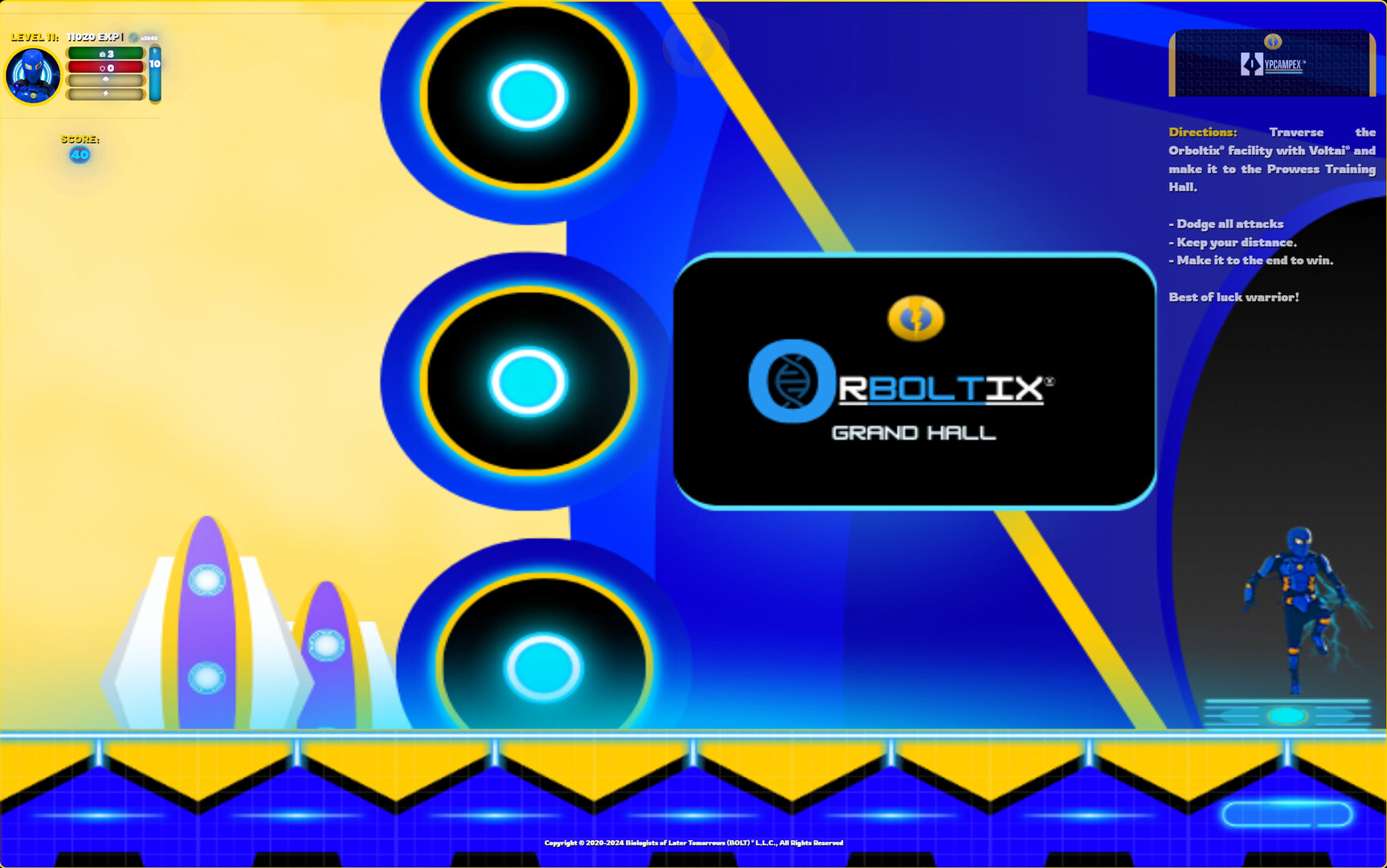
Set during the events of the prologue, Hypcampex® GO, join Electrex Bolt® as he traverses to the Orboltix® facility with Voltai® to initiate his post-mission training. Will Electrex Bolt® be able to face what awaits him in the facility?

เข้าสู่ระบบ เพื่อเพิ่มผลิตภัณฑ์นี้ลงในสิ่งที่อยากได้ของคุณ ติดตาม หรือทำเครื่องหมายเป็นถูกละเว้น

ไม่รองรับภาษาไทย

ผลิตภัณฑ์นี้ไม่รองรับภาษาท้องถิ่นของคุณ โปรดตรวจสอบรายชื่อภาษาที่รองรับก่อนทำการสั่งซื้อ

เดโมฟรี

เล่น Circuit Thunder® Demo

ตรวจดูเกมตัวเต็ม


เกี่ยวกับเดโมนี้

Traverse through the Fovea® virtual reality simulation as Electrex Bolt® and master his abilities of lightning. 

ความต้องการระบบ

Windows
macOS
SteamOS + Linux
    ขั้นต่ำ:
    • ระบบปฏิบัติการ: 64-bit Windows 10
    • โปรเซสเซอร์: Core i7 6700 or Ryzen 5 1600
    • หน่วยความจำ: แรม 12 MB
    • กราฟิกส์: GeForce GTX 1060 6GB or Radeon RX 580 8GB or Arc A380
    • DirectX: เวอร์ชัน 11
    • เครือข่าย: การเชื่อมต่ออินเทอร์เน็ตแบบบรอดแบนด์
    • พื้นที่จัดเก็บข้อมูล: พื้นที่ว่างที่พร้อมใช้งาน 2 GB
    • หมายเหตุเพิ่มเติม: Clear cache for best performance. Utilize SSD for faster performance. This game contains flashes and visual effects that could trigger seizures. Please consult with your doctor before playing if you are prone to seizures or epilepsy. STEAM DECK: To play on Steam Deck, select the game > settings > properties > compatibility > force use + Proton 9.0. Next, select the Deck right menu > Performance > Use per-game profile > Disable Frame Limit
    ขั้นต่ำ:
    • ระบบปฏิบัติการ: macOS 12 or newer
    • โปรเซสเซอร์: Apple M1
    • หน่วยความจำ: แรม 8 GB
    • กราฟิกส์: Apple M1
    • เครือข่าย: การเชื่อมต่ออินเทอร์เน็ตแบบบรอดแบนด์
    • พื้นที่จัดเก็บข้อมูล: พื้นที่ว่างที่พร้อมใช้งาน 2 GB
    • หมายเหตุเพิ่มเติม: Clear cache for best performance. Utilize SSD for faster performance. This game contains flashes and visual effects that could trigger seizures. Please consult with your doctor before playing if you are prone to seizures or epilepsy. STEAM DECK: To play on Steam Deck, select the game > settings > properties > compatibility > force use + Proton 9.0. Next, select the Deck right menu > Performance > Use per-game profile > Disable Frame Limit
* ตั้งแต่วันที่ 15 กุมภาพันธ์ 2024 เวลาแปซิฟิก เป็นต้นไป ไคลเอนต์ Steam จะไม่รองรับเกม 32 บิต รวมทั้ง macOS 10.14 และต่ำกว่า
    ขั้นต่ำ:
    • ระบบปฏิบัติการ: Ubuntu 12.04 and Newer
    • โปรเซสเซอร์: Intel Core 2 Duo 2.1 ghz or equivalent
    • หน่วยความจำ: แรม 2 GB
    • กราฟิกส์: 2nd Generation Intel Core HD Graphics (2000/3000), 512MB
    • เครือข่าย: การเชื่อมต่ออินเทอร์เน็ตแบบบรอดแบนด์
    • พื้นที่จัดเก็บข้อมูล: พื้นที่ว่างที่พร้อมใช้งาน 2 GB
    • หมายเหตุเพิ่มเติม: Clear cache for best performance. Utilize SSD for faster performance. This game contains flashes and visual effects that could trigger seizures. Please consult with your doctor before playing if you are prone to seizures or epilepsy. STEAM DECK: To play on Steam Deck, select the game > settings > properties > compatibility > force use + Proton 9.0. Next, select the Deck right menu > Performance > Use per-game profile > Disable Frame Limit
ไม่พบบทวิจารณ์สำหรับผลิตภัณฑ์นี้

คุณสามารถเขียนบทวิจารณ์ของคุณเองสำหรับผลิตภัณฑ์นี้เพื่อแบ่งปันประสบการณ์ของคุณให้กับชุมชน ใช้พื้นที่ด้านบนของปุ่มซื้อในหน้านี้เพื่อเขียนบทวิจารณ์ของคุณ