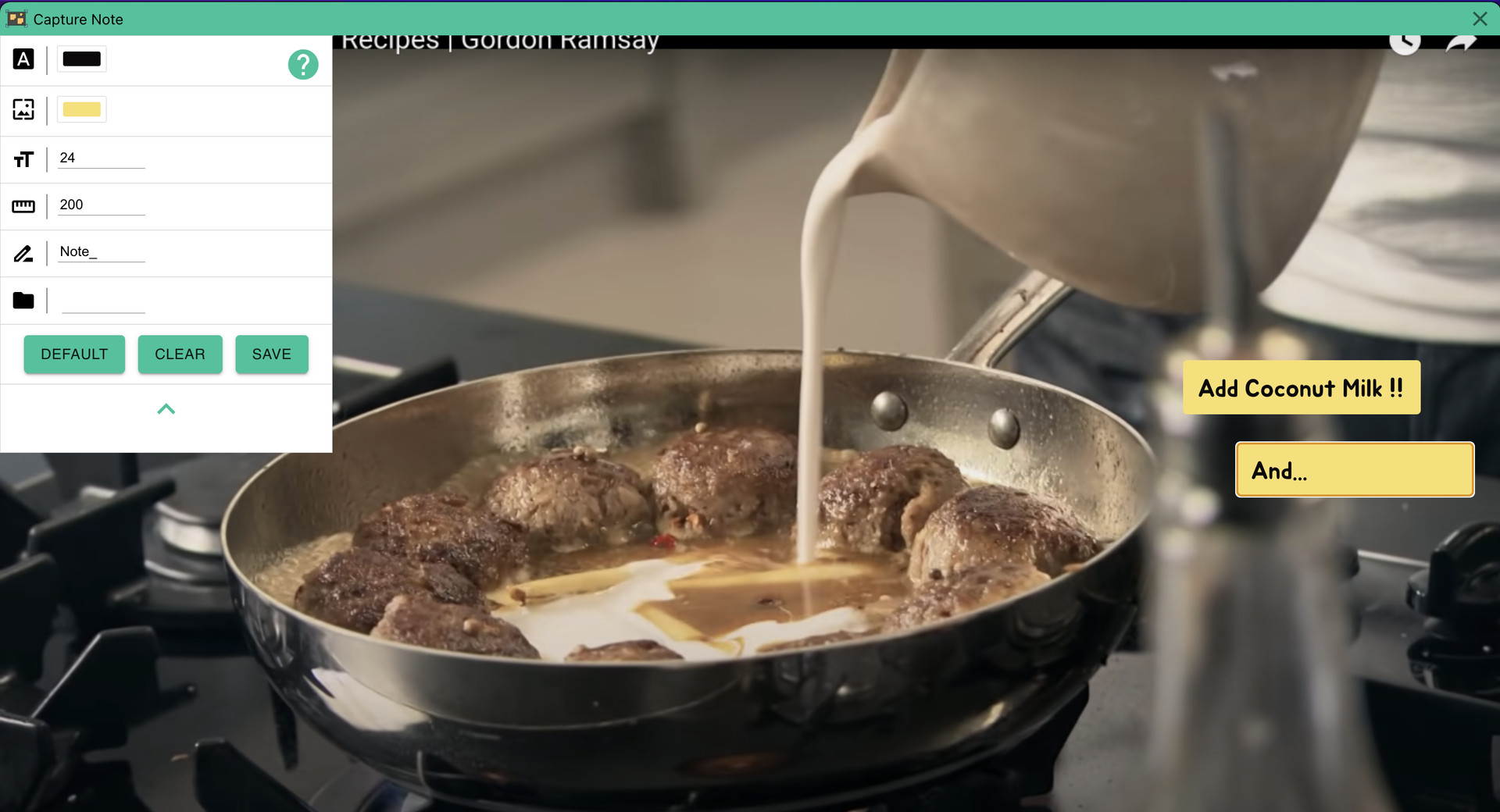
Super fast notes on screenshots. Just take screenshot and add note and save it.

Login untuk menambahkan item ini ke wishlist-mu, mengikutinya, atau mengabaikannya

Bhs. Indonesia tidak didukung

Produk ini tidak didukung dalam bahasamu. Silakan tinjau daftar bahasa yang didukung di bawah ini sebelum melakukan pembelian.

Beli Capture Note


Tentang Software Ini

Capture Note is an app that makes the process of taking a screenshot and typing on it to save it as an image quickly and easily.

Since video media such as Youtube became mainstream, we receive almost all information through video. And as you get information, you will naturally need to take notes. In this case, we manually type in everything we need and sometimes add screenshots. However, in this process, there is a waste of re-entering information included in the video, or there is a hassle of saving and attaching screenshots. With Capture Note, you can take notes without this waste.

Capture Note can help you complete the three steps of taking a screenshot, adding a note, and saving it with minimal input.

Persyaratan Sistem

    Minimum:
    • Prosesor 64-bit dan OS diperlukan
    • OS: Windows 10
    • Prosesor: x64
    • Grafis: nVidia GT1030
    • Penyimpanan: 500 MB ruang tersedia
    Direkomendasikan:
    • Prosesor 64-bit dan OS diperlukan

Ulasan pelanggan untuk Capture Note Tentang ulasan pengguna Preferensimu

Ulasan Umum:
1 ulasan pengguna (1 ulasan)


Untuk melihat ulasan dalam rentang tanggal tertentu, klik dan seret pilihan pada grafik di atas atau klik bilah spesifik.


Ulasan filter berdasarkan waktu bermain pengguna saat ulasan ditulis:


Tidak ada minimum sampai Tidak ada maksimum

Tampilkan ulasan dalam urutan tampilan yang dipilih


Pelajari Lebih Lanjut
Filter
Tidak Termasuk Aktivitas Ulasan Keluar Topik
Waktu bermain:
Seringnya Dimainkan di Steam Deck
Tidak ada ulasan lainnya yang cocok dengan filter di atas
Sesuaikan filter di atas untuk melihat ulasan lainnya
Memuat ulasan...