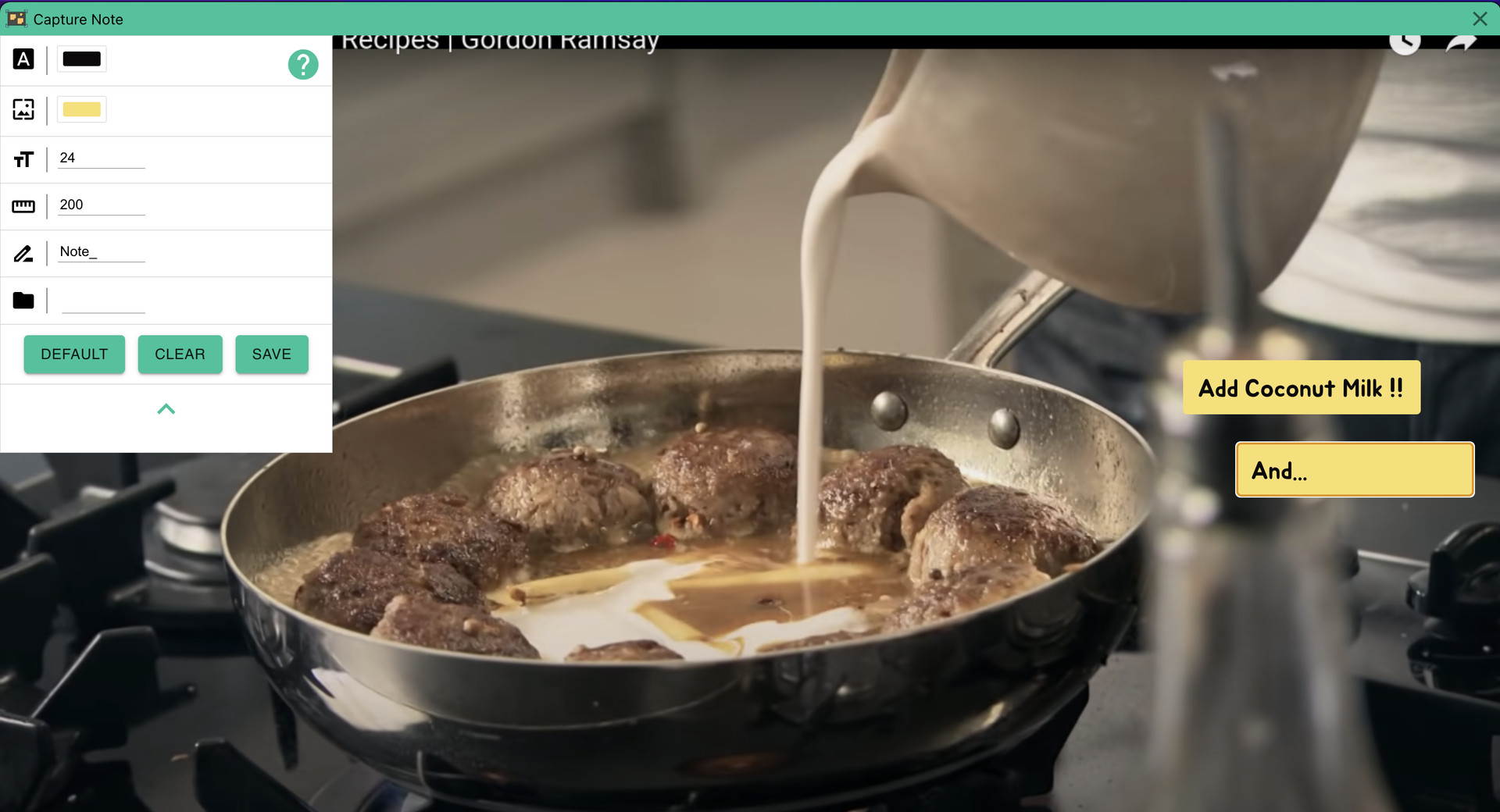
Super fast notes on screenshots. Just take screenshot and add note and save it.

Melden Sie sich an, um dieses Produkt zu Ihrer Wunschliste hinzuzufügen, zu abonnieren oder als „Ignoriert“ zu markieren.

Capture Note kaufen


Über diese Software

Capture Note is an app that makes the process of taking a screenshot and typing on it to save it as an image quickly and easily.

Since video media such as Youtube became mainstream, we receive almost all information through video. And as you get information, you will naturally need to take notes. In this case, we manually type in everything we need and sometimes add screenshots. However, in this process, there is a waste of re-entering information included in the video, or there is a hassle of saving and attaching screenshots. With Capture Note, you can take notes without this waste.

Capture Note can help you complete the three steps of taking a screenshot, adding a note, and saving it with minimal input.

Systemanforderungen

    Mindestanforderungen:
    • Setzt 64-Bit-Prozessor und -Betriebssystem voraus
    • Betriebssystem: Windows 10
    • Prozessor: x64
    • Grafik: nVidia GT1030
    • Speicherplatz: 500 MB verfügbarer Speicherplatz
    Empfohlen:
    • Setzt 64-Bit-Prozessor und -Betriebssystem voraus

Nutzerrezensionen für Capture Note Über Nutzerrezensionen Ihre Einstellungen

Alle Rezensionen:
1 Nutzerrezensionen (1 Rezensionen)


Zum Anzeigen von Rezensionen in einem bestimmten Zeitraum, markieren Sie diesen bitte in einem der obigen Graphen oder klicken Sie auf einen einzelnen Balken.


Filtern Sie Rezensionen nach der Spielzeit des Spielers zum Zeitpunkt der Rezension:


Kein Minimum bis Kein Maximum

Rezensionen in ausgewählter Reihenfolge anzeigen


Weitere Informationen
Filter
Rezensionen ohne Themenbezug ausschließen
Spielzeit:
Zumeist auf dem Steam Deck gespielt
Es gibt keine weiteren Rezensionen, die Ihren Filterkriterien entsprechen
Passen Sie oben die Filter an, um andere Rezensionen anzuzeigen
Rezensionen werden geladen …