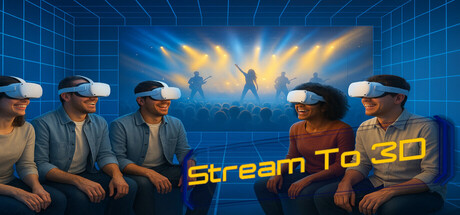
Windows software for playing, streaming and converting ordinary 2D video as stereoscopic 3D. Use video files, PC screens, cameras and capture devices with Temporal or AI-assisted Depth Guided conversion for compatible VR/XR headsets, 3D displays and media players.

Sign in to add this item to your wishlist, follow it, or mark it as ignored

Buy Stream to 3D


About This Software

Stream to 3D is Windows software for playing, streaming and converting ordinary 2D video as stereoscopic 3D.

Use video files, PC screens, cameras and capture devices, then view the result through compatible VR and PCVR headsets, XR and video glasses, 3D televisions and monitors, stereoscopic projectors, and desktop or headset media players.

Your video processing takes place locally on your PC.

Play, Stream and Convert

Play

Watch compatible 2D video with stereoscopic conversion applied during playback. You can begin watching without first waiting for an entire converted file to be rendered.

Stream

Convert and send stereoscopic output across your local network to a compatible receiving player or viewing device. This is useful when the Windows PC performing the conversion is separate from the headset, display or media player used for viewing.

Convert

Create reusable stereoscopic 3D video files for later viewing. Individual and batch conversion can be used to retain converted copies, prepare content for another player or device, build a personal 3D video library, or process several files with consistent settings.

Two complementary conversion methods

Temporal is the efficient method and provides the broadest route to real-time Play and Stream across Windows hardware. Its adjustable depth and stabilization controls suit video containing useful motion. Temporal conversion does not require a high-end AI-capable GPU.

Depth Guided uses local AI-assisted depth estimation to construct stereoscopic views from visual depth cues in each selected frame. It includes Quality and Performance processing modes, can also create depth in static and low-motion material, and requires a compatible Windows GPU.

Neither method is universally best. The result depends on the source material, selected settings, Windows hardware, player, display route and viewing preference.

Configuration Wizard

The Configuration Wizard assists with selecting settings for the source, Windows PC, selected workflow, output layout and resolution, intended viewing device, and quality or performance objective.

For real-time Play and Stream, it can measure a quality-ranked set of Temporal and available Depth Guided configurations using the selected source and complete processing route. It recommends a suitable configuration and shows the nearest measured alternative. Users who do not want to wait for comparative proving can select Temporal or Depth Guided directly. Convert has no real-time deadline, so a Depth Guided file conversion can complete more slowly than the source video's running time.

The Wizard also provides source-video analysis, workflow-appropriate defaults, stereoscopic layout and output-resolution selection, and a final summary of the selected configuration.

Nominal per-eye output-resolution presets are provided for a broad selection of established and current VR headsets and XR glasses. Device families represented in the available presets include products from Meta, Valve, PICO, HTC and VIVE, Sony, Pimax, Bigscreen, Samsung, Apple, Varjo, HP, XREAL, VITURE, Rokid, RayNeo and Epson.

A device preset configures Stream to 3D's stereoscopic output resolution. It does not connect to or configure the viewing device itself. Depending on the workflow, viewing may require a compatible stereoscopic media player, a suitable headset player and network connection, a desktop-to-XR viewing route, or the correct 3D mode on a television, monitor or projector.

Video files and Live Sources

Video files are supported throughout Play, Stream and Convert. Reusable Live Sources can also be created for:

  • webcams and video cameras;

  • USB, HDMI and compatible DirectShow capture devices;

  • an entire PC display or selected screen region; and

  • associated live audio inputs.

Live Source controls include source format, resolution, frame rate, conversion sample rate, audio source, audio sample rate and audio delay. A Live Source can be selected for Play, Stream or Convert when the applicable feature and workflow are enabled.

This supports workflows such as watching desktop or browser content in 3D, converting a camera feed, capturing compatible live input as a stereoscopic file, or sending converted live video to another device.

Flexible stereoscopic output

Common output layouts include:

  • Full Side-by-Side;

  • Half Side-by-Side;

  • Full Top-and-Bottom;

  • Half Top-and-Bottom;

  • upscaled half-resolution formats; and

  • colour anaglyph.

Available conversion controls include, as applicable, stereoscopic layout, output resolution, frame rate, conversion method, depth and viewing comfort, encoding and output quality, audio-track selection, subtitle-track selection, and destination or player behaviour.

Release 6 also improves eye-view presentation for affected cinematic aspect ratios in compatible desktop-to-XR viewing routes. Converted files can be retained, moved and replayed through compatible headset players, stereoscopic desktop players, XR glasses, 3D televisions, monitors and projectors.

Designed for hardware you already own

Stream to 3D is hardware-neutral and is not tied to a particular headset, glasses brand or display manufacturer. Compatibility depends on the complete viewing route: the Windows PC and drivers, source format and codec, selected settings, media player, connection method, and headset or stereoscopic display.

Real-time performance depends on the source codec, resolution and frame rate; selected conversion method and settings; output layout; player; and Windows hardware. Higher resolutions and frame rates, file encoding and network streaming benefit from more capable hardware. Network Stream additionally depends on encoder, local-network and receiving-device performance.

The Configuration Wizard's complete-graph measurements are more useful than a generic hardware list because they assess the selected media and processing route on the current PC. Manual settings remain available for experienced users and for experimentation.

Local and private video processing

Source video, live input and converted output are processed locally on your Windows PC. Stream to 3D does not upload your media for cloud conversion or remote video analysis, and customer media is not used for model training.

An internet connection is required for Steam account, licence, feature-entitlement and update checks. Limited account, product, licence, installation, device and connection information is used for those purposes and to apply installation limits. It is not used to inspect the content of customer video.

What kind of 3D does it create?

Stream to 3D creates stereoscopic output from ordinary 2D source material. It adds a configurable sense of separation and depth for compatible viewing systems. It does not reproduce footage captured with two physical cameras or professionally authored as native stereoscopic cinema.

Temporal depth and stabilization controls allow its result to be adjusted for the material, screen size, viewing distance and personal preference. Depth Guided provides Quality and Performance modes. Comfortable stereoscopic viewing is subjective, so users should begin with suitable settings and adjust conservatively.

Documentation and support

Detailed documentation covers installation, settings, Play, Stream, Convert, individual and batch conversion, Live Sources, the Configuration Wizard, output layouts, supported viewing routes, performance, network and firewall setup, troubleshooting, application logs, licensing and feature access.

Context-sensitive help is available in the application. Support is available through the I Want A Holodeck website, the Stream to 3D Discord community and email.

Stream to 3D has been commercially available and actively developed since 2023. It is developed and published by IWAHDK LTD in the United Kingdom and is used by more than 1,000 customers across its stores in over 60 countries.

Purchase and feature access

Current eligible Steam purchases include:

  • real-time Play;

  • Network Stream;

  • individual and batch file conversion;

  • Live Sources, including PC-screen, camera and capture-device sources;

  • the Configuration Wizard; and

  • Temporal and Depth Guided conversion.

Some features were introduced after earlier customers purchased Stream to 3D. Earlier owners may require the corresponding feature upgrade. Only open the Stream to 3D Item Store when the application reports that a feature is locked. Do not purchase an upgrade for a feature that Stream to 3D already reports as enabled for the Steam account.

Application maintenance updates are delivered through Steam. Purchase and use remain subject to Steam's store rules, applicable statutory rights and the IWAHDK LTD Software Download Terms and Conditions presented with the product.

AI Generated Content Disclosure

The developers describe how their game uses AI Generated Content like this:

Stream to 3D includes an optional AI-assisted Depth Guided conversion method. A fixed depth-estimation model runs locally on the user’s Windows PC to derive stereoscopic views from video files, PC screens, cameras and capture devices selected by the user. Source media is not uploaded, retained remotely or used for training. The feature has no prompt interface and does not generate unrelated content.

System Requirements

    Minimum:
    • Requires a 64-bit processor and operating system
    • OS: Windows 10 - 64 Bit
    • Processor: i7 or AMD equivalent
    • Memory: 16 GB RAM
    • Graphics: GeForce GTX 750 (for H.264 and H.265 GPU Accelerated encoding)
    • Network: Broadband Internet connection
    • VR Support: Real-time viewing supports headsets with a compatible on-device player or desktop-to-XR route. Converted stereoscopic files can be used with any headset or display that has a compatible 3D media player. The Configuration Wizard applies output-resolution presets; it does not configure the headset.
    • Additional Notes: Minimum system requirements will not support real-time viewing/streaming of videos > 720p. Off-line conversion would be supported.
    Recommended:
    • Requires a 64-bit processor and operating system
    • OS: Windows 11 - 64 Bit
    • Processor: Recent Intel Core i7 or AMD Ryzen 7 processor
    • Memory: 16 GB RAM
    • Graphics: Recent NVIDIA (recommended) or AMD GPU
    • Network: Broadband Internet connection
    • VR Support: Real-time viewing supports headsets with a compatible on-device player or desktop-to-XR route. Converted stereoscopic files can be used with any headset or display that has a compatible 3D media player. The Configuration Wizard applies output-resolution presets; it does not configure the headset.
Review Filters