A real-time MIDI and MPE visualizer, MIDI monitor and MPE synth. See every note with its pressure, pitch bend and timbre as visuals, keys and notation. Draw MPE notes, hear them on the built-in synth, record MIDI and export video. DRIFT adds MPE movement to any MIDI keyboard.

Sign in to add this item to your wishlist, follow it, or mark it as ignored

Buy MPE Insight


About This Software

MPE Insight is a real-time MIDI and MPE visualizer, MIDI monitor and MPE synth. It shows what you play on a MIDI keyboard: every note with its pressure, pitch bend and timbre, as visuals, keys, notation and raw MIDI data. It draws MPE notes, plays them on a built-in synth, records MIDI and exports video and audio.

No MPE controller needed. Any MIDI keyboard works, and so do your computer keyboard and the mouse.

Every module reads the same playing at the same moment. Place them side by side, open one twice, close what you do not need. Made for performers, composers and visual artists.

Falling notes, in 2D or 3D

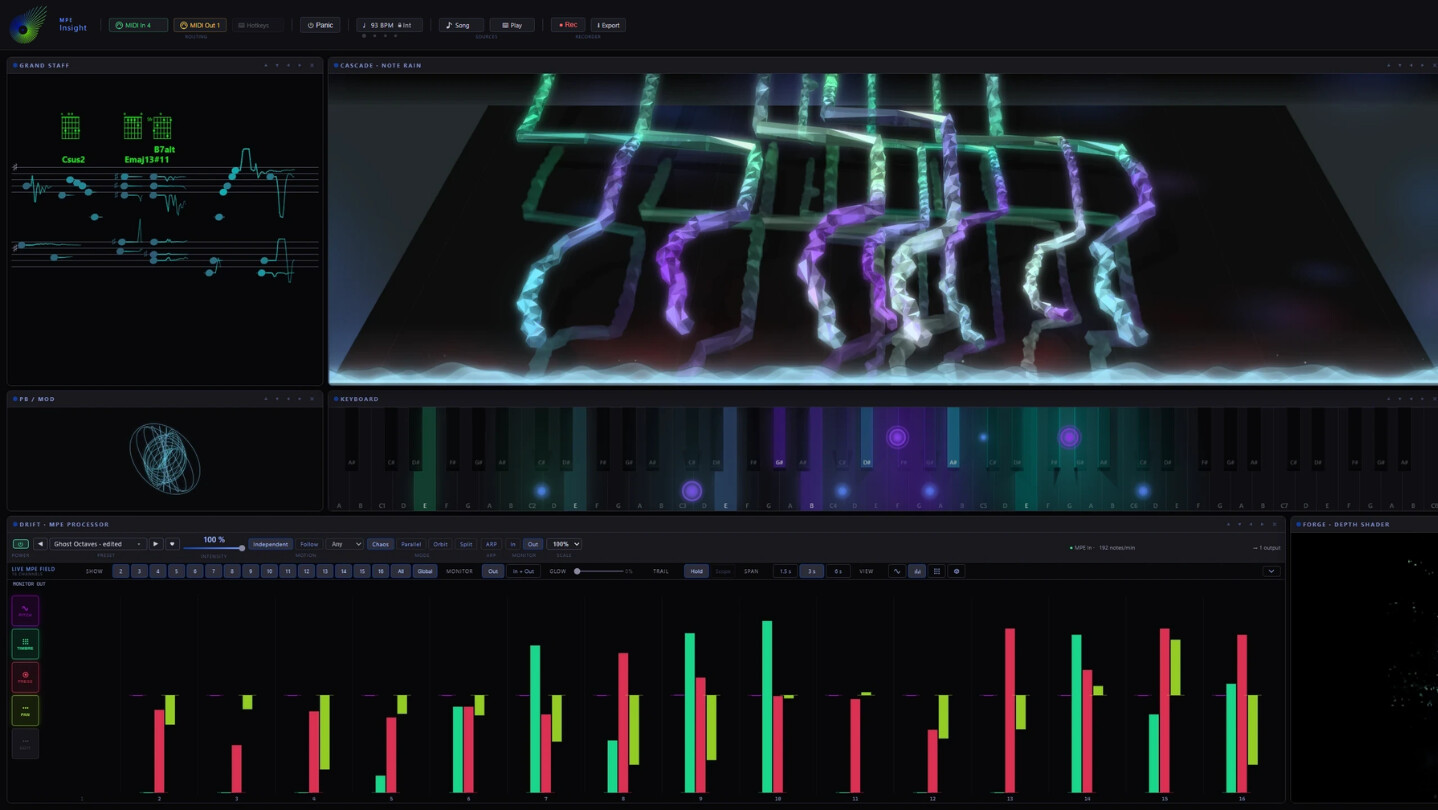
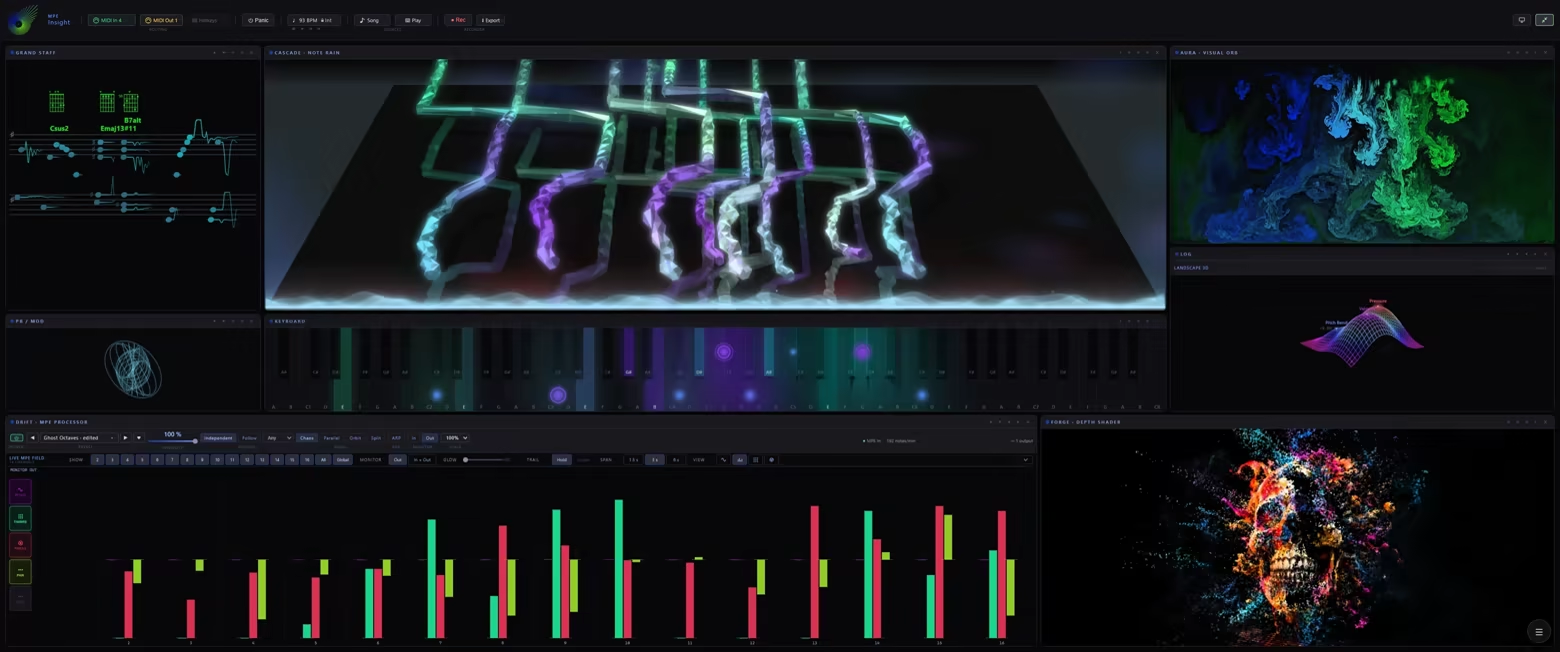
CASCADE. Every note becomes a body that leaves the strike line and travels away. Pitch bend moves it sideways, CC74 lifts it, pressure makes it thicker. With 3D Tilt the floor tips back, with shadow, reflection and an optional sky. Impact effects and a glow bar react at the strike line.

Draw a note. It bends.

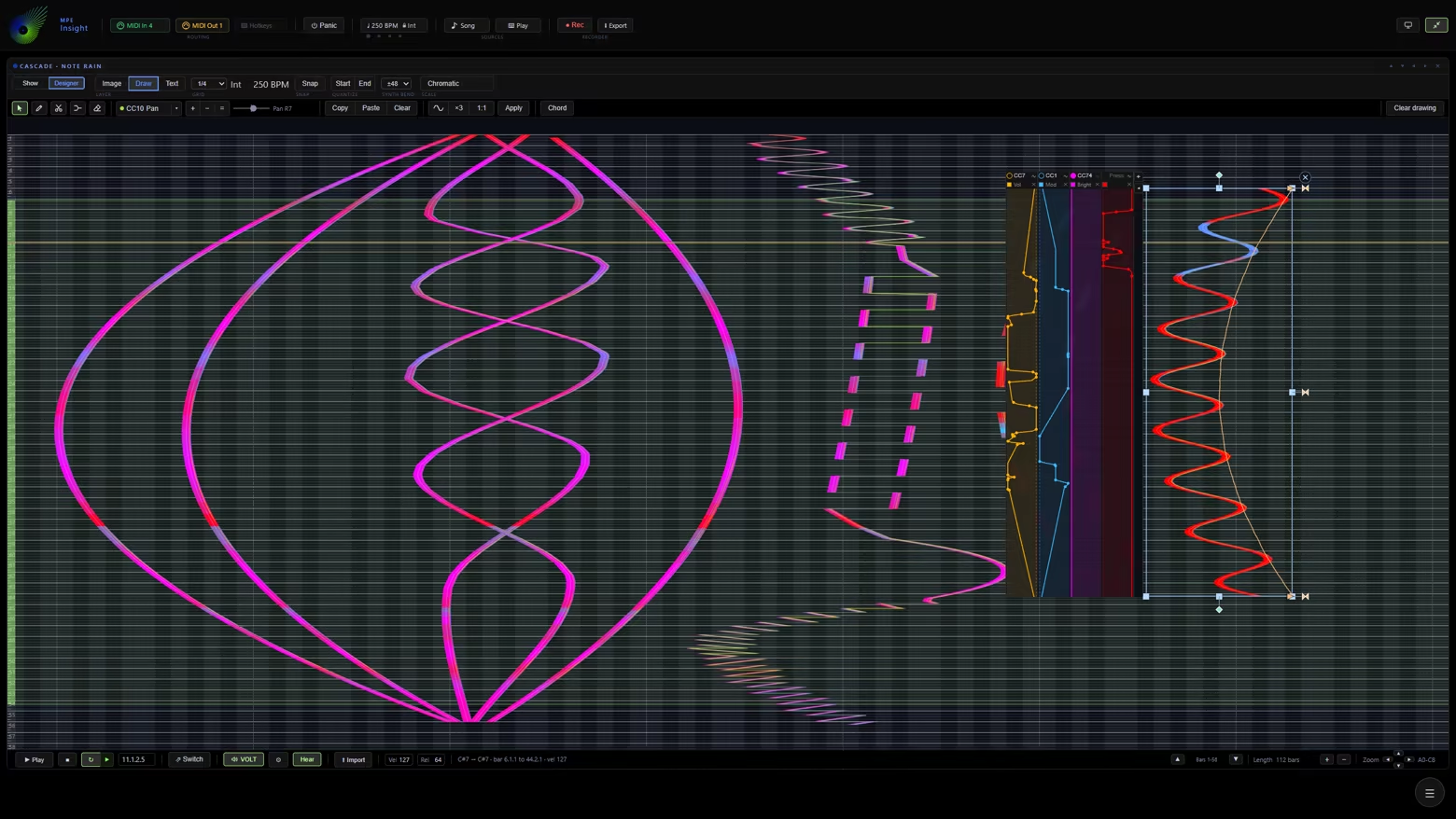
MPE Designer. A pen stroke is a note: its curve is the pitch bend, and pressure and timbre are painted into it. What you draw plays in every module, in time with the app.

  • Draw. Click for a note, drag for a glide.

  • Edit. Select, cut, copy, weld and quantize on a grid that follows a scale.

  • Shape. Pressure and controller lanes on each note.

  • Play and record. Set a loop, play the drawing, or record your playing straight into it.

  • Import and export. Import a MIDI file onto the pad, export your drawing as an MPE MIDI file, or render it as a video.

Hear it without a DAW

VOLT. A built-in MPE synth plays everything the app sends: your keyboard, the Designer, MIDI files, Typing Keys, the mouse and DRIFT, with a metronome click. MIDI out reaches any other synth.

One field, many styles

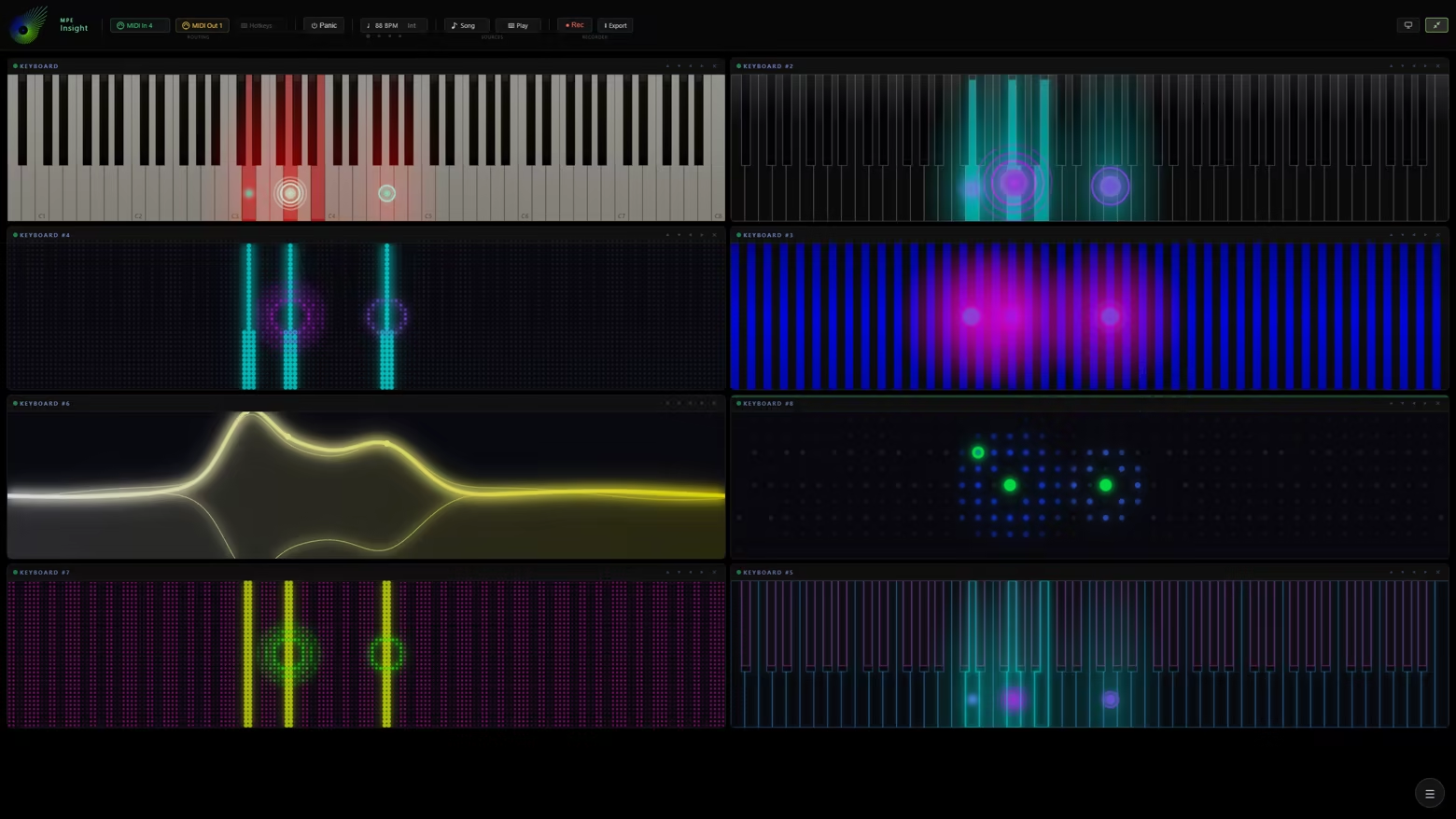
AURA. Styles include ink in water, smoke, breaking glass, a starfield, a black hole, and the notes you play written out as words. Pressure, pitch bend and timbre each drive a different part of the style, per note.

Images and video with depth

FORGE. An image, a video, the webcam or another module becomes a scene with depth. Notes distort, light and color it, move a virtual camera or turn it into a point cloud. Depth for still images is computed locally.

Lit by pressure and bend

Keyboard. A key lights with pressure and velocity. A dot sits on the pitch the note really sounds, so bends move it across the keys, and rings grow with CC74. Piano designs, a fingerboard, an LED grid and a microtonal keyboard, with note names on the keys.

Sheet music, as you play

Grand Staff. Writes what you hold in the key you set, names the chord, and shows the bend on each note. Or read it scrolling in time, as ribbons, on an interval field, or as guitar tab.

Every MIDI message

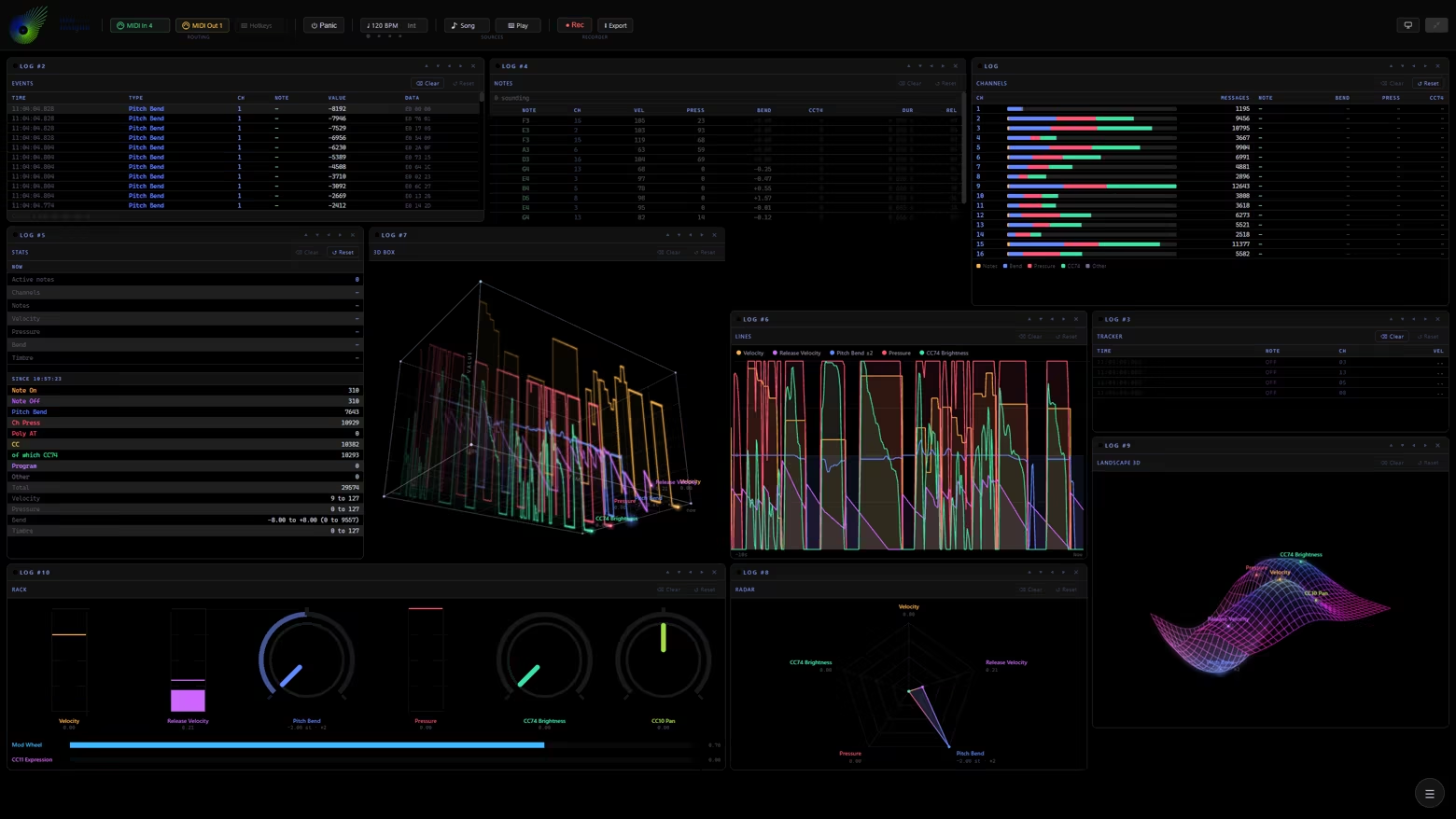
LOG. Every message as a live table, with the raw bytes decoded. Or the same playing drawn as lines, a 3D box, a radar or a landscape. Export what the table shows as CSV.

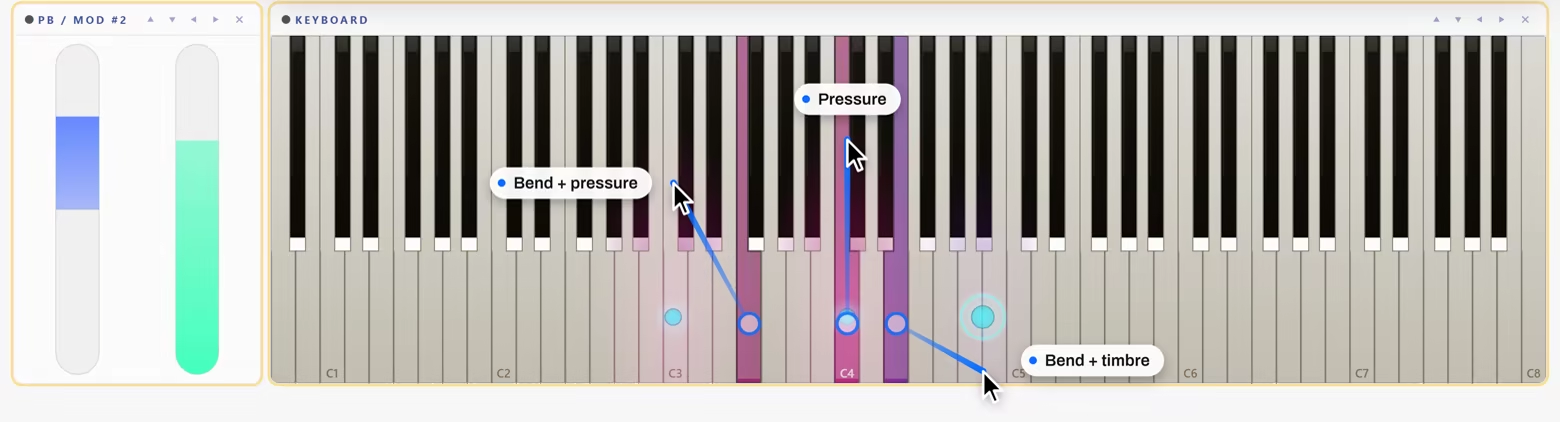
PB / Mod. The wheels of your keyboard as sliders or rings, both MPE zones side by side, or an Expression Pad you play with the mouse.

Any keyboard. Or none.

An MPE controller sends pitch, pressure and timbre for every note. An ordinary MIDI keyboard sends the notes, and DRIFT adds the movement. No keyboard on the desk? Then one of these:

  • Typing Keys. Two manuals under your hands on the computer keyboard, with the sharps on the row above. Those are key positions, not letters, so QWERTY, QWERTZ and AZERTY fall under the same fingers. Space is the sustain pedal.

  • Mouse Mode. Click or touch a key to send a real MPE note. Drag sideways for pitch bend, up for pressure, down for timbre. Each pointer gets its own member channel, so chords on a touchscreen work.

  • A MIDI file. Drop a .mid anywhere in the window and every module plays it like live input, with the built-in synth as its sound.

  • Demo. Plays on its own with nothing connected and steps through the presets, for setting up a look before anyone is watching.

  • Hotkeys. The other direction: notes and controllers from your MIDI hardware press real computer keys in whatever app is in front, so a pedal can arm the recording in your DAW.

Plain MIDI in, MPE out

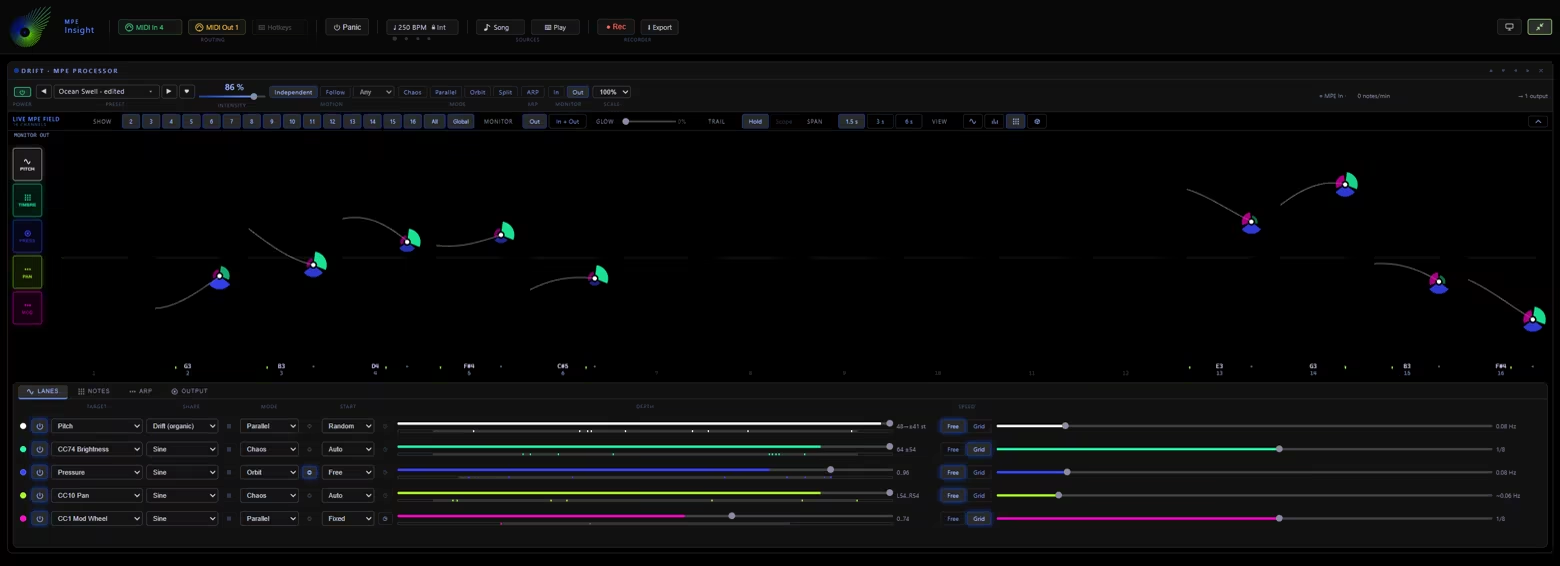
DRIFT gives every note you hold on an ordinary MIDI keyboard its own motion in pitch, pressure and timbre, for every module and for your synth. Lanes with their own shape and speed, octave layers, a chord machine and an arpeggiator.

Specifications

  • Input: any MIDI device, several at once, MPE optional, bend range read from the instrument

  • Sound: VOLT, a built-in MPE synth, plus MIDI out and Thru to any other

  • Recording: MIDI Type 0 or Type 1 with tempo map, CSV, a notation sheet as PNG pages

  • Video and audio: MP4 in 16:9, 9:16 or 1:1, HD or 4K, 30 or 60 fps, with your logo and text. The sound alone as WAV, 48 kHz, 24 bit

  • Tempo: internal or MIDI Clock, tap tempo, count-in, bar lines

  • Keyboard range: 88, 61, 49 or 25 keys, plus a printable key strip for behind your keys

  • Stage and stream: Stage View hides the interface, every module except FORGE can sit on a transparent background, and looks switch from a pedal or a MIDI control

  • DAW: runs next to your DAW, follows its MIDI Clock, and what you record goes back in as a MIDI file

  • Graphics: WebGL2 for 3D

System Requirements

    Minimum:
    • Requires a 64-bit processor and operating system
    • OS: Windows 10 / 11
    • Processor: Requires a 64-bit processor and operating system
    • Memory: 8 GB RAM
    • Graphics: NVIDIA GTX 1060 / AMD RX 580 (or higher)
    • Storage: 750 MB available space
    • Sound Card: -
    • VR Support: -
    • Additional Notes: Works with any MIDI keyboard, MPE optional. Without one, the computer keyboard and the mouse play it.
    Recommended:
    • Requires a 64-bit processor and operating system
    • OS: Windows 10 / 11
    • Processor: Intel Core i5 (or higher), AMD Ryzen 5 (or higher)
    • Memory: 16 GB RAM
    • Graphics: NVIDIA GTX 1060 / AMD RX 580 (or higher)
    • Storage: 750 MB available space
    • Sound Card: -
    • VR Support: -
    • Additional Notes: Works with any MIDI keyboard, MPE optional. Without one, the computer keyboard and the mouse play it.
Review Filters