FPS Monitor – hardware in-game & desktop overlays
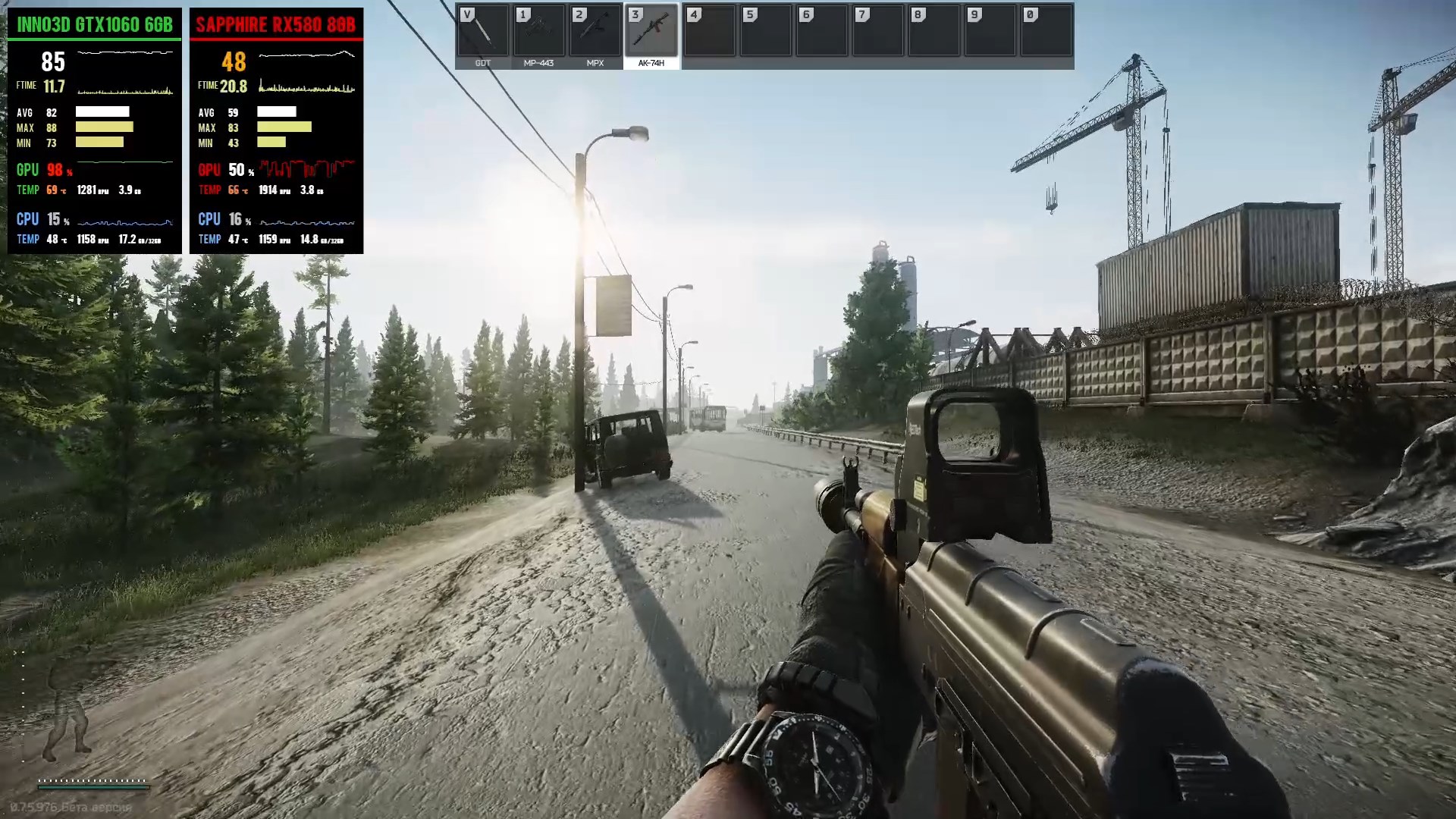
FPS Monitor tracks your PC's hardware state and displays this information as an overlay in-game or over desktop. Does not require configuration, it works immediately after installation.

Daftar masuk untuk menambah item ini ke senarai hajat anda, ikuti atau tandakannya sebagai diabaikan

Bahasa Bahasa Melayu tidak disokong

Produk ini tidak menyokong bahasa tempatan anda. Sila semak senarai bahasa yang disokong di bawah sebelum membuat pembelian

Beli FPS Monitor


Tentang Perisian Ini

FPS Monitor tracks your PC's hardware state and displays this information as an overlay in-game. You no longer need to switch to desktop or attach a second display to control your hardware status. FPS Monitor will show all valuable information in-game.

FPS Monitor is the very first special software tool that not only shows an FPS counter similar to good old Fraps™, but can also display a lot of other parameters. This gives a clear overview of how your hardware is performing while you're gaming.

FPS Monitor does not require configuration and displays all the most useful information immediately after installation, as well as has a rich functionality for those who prefer to configure everything as he likes.

Core features

  • Supports games based on DirectX 9, 10, 11, 12, OpenGL and Vulkan.
  • Supports rendering to a desktop widget
  • Can show detailed real time information about CPU, GPU, RAM, Network, hard drives, etc.
  • Can show detailed real time information about any other sensor like temperatures, voltages, cooler speeds, etc.
  • Can show realtime hardware information in various graphical form (2D graph as example).
  • Hardware alerts - software will warn you in the overlay when your hardware is running in a dangerous state or close to critical.
  • Of course it can calculate and show actual Frame rate, its min/max/average values, frame time, 0.1%/1% Low FPS values.

Convenience

  • You can configure the font, size, style, colors and other rendering options for each sensor value right in the program (WYSIWYG).
  • You can add text, images and filled rectangles and clock in a scene.
  • You can prepare a set of different scenes and switch between them even during playing game.
  • You can take screenshots from games.
  • FPS Lock feature.

FPS Monitor is compatible with well known anti-cheats: Valve Anti-Cheat, EasyAntiCheat, PunkBuster, BattlEye and many others.

Keperluan Sistem

    Minimum:
    • OS *: Windows 7
    • Memori: 1 GB RAM
    • Grafik: Intel/AMD/NVidia graphics card
    • DirectX: Versi 11
    • Storan: 15 MB ruang tersedia
    • Nota Tambahan: Administrator rights to run software are mandatory.
* Mulai 1 Januari 2024, Steam Client hanya akan menyokong Windows 10 dan versi yang lebih baharu.

Ulasan pelanggan untuk FPS Monitor – hardware in-game & desktop overlays Lihat pecahan bahasa Tentang ulasan pengguna Pilihan anda

Keseluruhan Ulasan:
Sangat Positif (2,098 ulasan)
Ulasan dalam Bahasa Melayu: 0


Bahasa dengan bilangan ulasan yang mencukupi untuk menjana skor ulasan khusus bahasa telah diasingkan di bawah bagi memudahkan penapisan.


Untuk melihat ulasan dalam sesuatu jangka masa tarikh, sila klik dan seret pilihan pada graf di atas atau klik pada bar tertentu.


Tapis ulasan mengikut masa bermain pengguna semasa ulasan ditulis:


Tiada minimum hingga Tiada maksimum

Tunjuk ulasan dalam susunan paparan yang dipilih


Ketahui Lebih Lanjut
Penapis
Tidak termasuk Aktiviti Ulasan di Luar Topik
Masa bermain:
Kerap Dimainkan di Steam Deck
Operating System:
CPU:
GPU:
Device Type:
Penapis Ulasan