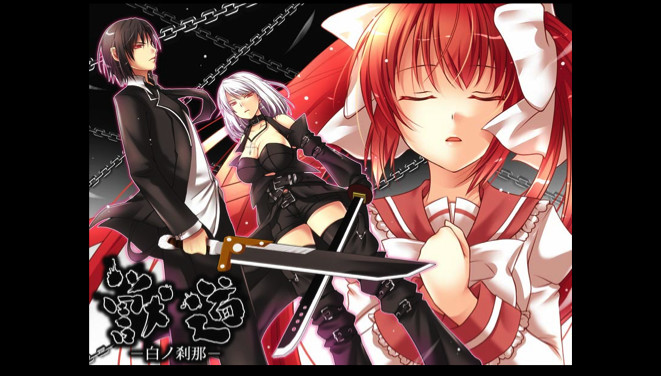
Adventure novel game. (English subtitles) Story synopsis: Large sword in hand, a man plans his escape from the organization. Running from his pursuers, he is forced to wander. Then, before his eyes… a girl appears. In the silver-haired girl’s hand, a long sword that seems otherworldly.

想要将此项目添加至您的愿望单、关注它或标记为已忽略,请先登录

不支持简体中文

本产品尚未对您目前所在的地区语言提供支持。在购买请先行确认目前所支持的语言。

购买 Kemonomichi-White Moment-


更新备注

[Some programs protrude from the screen and displayed]
Sorry for bothering with this phenomenon.

After disabling multi-monitor support, some programs may be displayed out of the screen.

Cause)
This phenomenon may occur if the program was displayed on a monitor other than the primary monitor before disabling multi-monitor support.

Solution)
To solve this problem, use one of the following methods.

Method 1)
Start the program.
Right-click the program on the task bar and click Maximize.
Right-click a blank area on the task bar and click [Overlay].
Change the window of the program to the appropriate size.

Method 2)
Start the program.
Right-click the program on the task bar and click [Move].
Move the mouse pointer to the center of the screen.
Use the arrow keys on the keyboard to move the program's window to the screen display area.
Press the Enter key.
Change the size of the window as necessary.

Method 3)
Note: The following method can not be used if the display adapter of the secondary monitor has been deleted from the computer.
Click the [Start] button, point to [Settings], click [Control Panel], and double-click [Display].
Click the Settings tab.
In the Display box, click the secondary display adapter.
Deselect the Allow Windows desktop to move on this monitor check box and click OK.


This phenomenon may also occur when you change the placement of the monitor on the [Settings] tab of [Display Properties].

关于此游戏

Adventure novel game.
(English subtitles)

Story synopsis:
Large sword in hand, a man plans his escape from the organization.
Running from his pursuers, he is forced to wander.
Then, before his eyes… a girl appears.
In the silver-haired girl’s hand, a long sword that seems otherworldly.
The moment she sees him, she attacks at blinding speed.

Despite his artificially enhanced body, the girl’s attacks move with god-like speed
slowly closing in on him…
One can only wonder why she is after him
as she glares with glowing red eyes that pierce the shadows…

“Kemono Michi” is the story of a man who lost his memory
and his grueling fight against a sinister organization.
※“Kemono Michi” means beast road.


Software Usage Instruction Manual:
————————————————————————
We would like to thank you very much
for purchasing “Kemonomichi ~White Moment~”.
————————————————————————
Game functions and explanations:
————————————————————————
Upon game start:
-NEW GAME — Select to start a new game.
-LOAD GAME — Select to continue your game (from a save point).
-EXIT — Select to quit the game.
During game play (Click on the icon in the lower right to access the options):
-Save — Saves your progress.
-Load — Quit your current game and restart from a save point.
-Hide the Messages — Temporarily hides the message window. (When viewing CG sequences.)
-Skip Reading — Will automatically skip past scenarios that you have already read.
-Return to Top Menu — Quit your current game and return to the top menu.
*Click on the X button in the upper right corner of the menu to return to the game.
Buttons within the game window:
-SAVE button — Allows you to access the Save menu screen.
-LOG button — Allows you to look over dialogue you’ve already read. This will allow you to read anything you may have accidentally skipped.
-AUTO button — Allows you to progress through the game without clicking. The game will pause at selection screens until a choice has been made.

---------------------------------------------------------------

[Some programs protrude from the screen and displayed]

After disabling multi-monitor support, some programs may be displayed out of the screen.

Cause)
This phenomenon may occur if the program was displayed on a monitor other than the primary monitor before disabling multi-monitor support.

Solution)
To solve this problem, use one of the following methods.

Method 1)
Start the program.
Right-click the program on the task bar and click Maximize.
Right-click a blank area on the task bar and click [Overlay].
Change the window of the program to the appropriate size.

Method 2)
Start the program.
Right-click the program on the task bar and click [Move].
Move the mouse pointer to the center of the screen.
Use the arrow keys on the keyboard to move the program's window to the screen display area.
Press the Enter key.
Change the size of the window as necessary.

Method 3)
Note: The following method can not be used if the display adapter of the secondary monitor has been deleted from the computer.
Click the [Start] button, point to [Settings], click [Control Panel], and double-click [Display].
Click the Settings tab.
In the Display box, click the secondary display adapter.
Deselect the Allow Windows desktop to move on this monitor check box and click OK.


This phenomenon may also occur when you change the placement of the monitor on the [Settings] tab of [Display Properties].

系统需求

    最低配置:
    • 操作系统 *: Windows 7/8/8.1/10
    • 处理器: Intel Core i3 2GHz or better
    • 内存: 2 GB RAM
    • 显卡: Intel HD Graphics 5000, Geforce 9500GT, Radeon HD 3650 or above
    • DirectX 版本: 9.0c
    • 存储空间: 需要 1000 MB 可用空间
    • 声卡: DirectSound compatible
* 2024 年 1 月 1 日(PT)起,Steam 客户端将仅支持 Windows 10 及更新版本。

Kemonomichi-White Moment- 的顾客评测 关于用户评测 您的偏好

总体评测:
2 篇用户评测 (2 篇评测)


要查看某个日期范围内的评测,请在上方图表中点击并拖动选定的范围或是点击某特定时间柱。


按用户的游戏时间筛选此评测撰写时的评测:


无最低限制无最高限制

按选择的显示顺序显示评测


了解更多
筛选条件
排除跑题评测活动
游戏时间:
大部分在 Steam Deck 上
无其他评测符合上述筛选条件
调整上方筛选条件以查看其它评测
加载评测中…