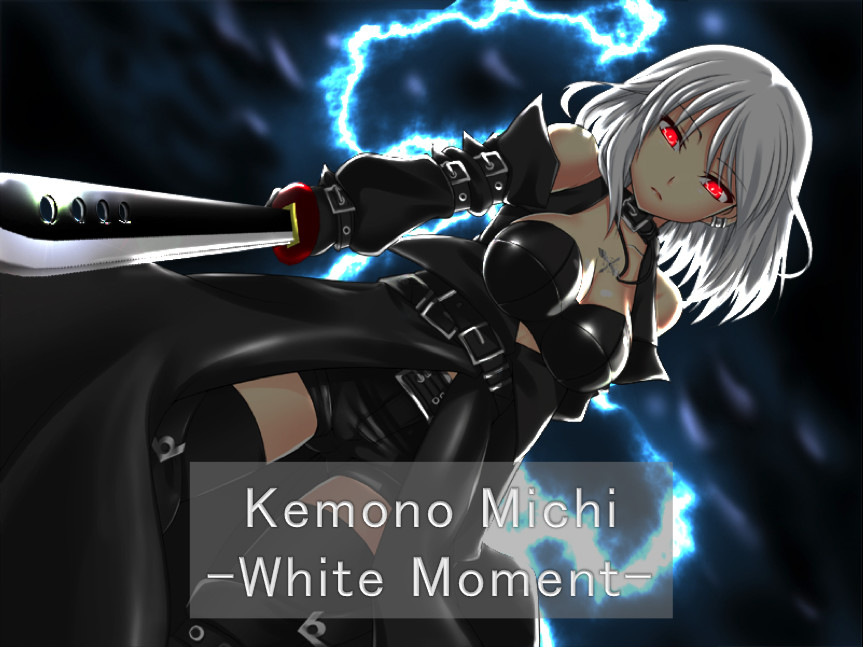
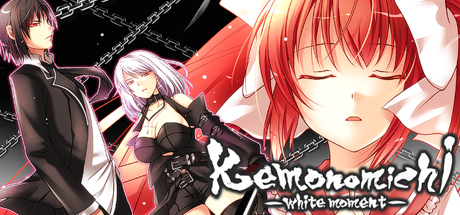
Adventure novel game. (English subtitles) Story synopsis: Large sword in hand, a man plans his escape from the organization. Running from his pursuers, he is forced to wander. Then, before his eyes… a girl appears. In the silver-haired girl’s hand, a long sword that seems otherworldly.

로그인하셔서 게임을 찜 목록에 추가하거나, 팔로우하거나 또는 제외로 지정하세요.

한국어(을)를 지원하지 않습니다

이 제품은 귀하의 로컬 언어를 지원하지 않습니다. 구매하기 전에 아래에 있는 지원하는 언어 목록을 확인해주세요.

Kemonomichi-White Moment- 구매

특별 할인! 종료일: 2026년 2월 27일


업데이트 알림

[Some programs protrude from the screen and displayed]
Sorry for bothering with this phenomenon.

After disabling multi-monitor support, some programs may be displayed out of the screen.

Cause)
This phenomenon may occur if the program was displayed on a monitor other than the primary monitor before disabling multi-monitor support.

Solution)
To solve this problem, use one of the following methods.

Method 1)
Start the program.
Right-click the program on the task bar and click Maximize.
Right-click a blank area on the task bar and click [Overlay].
Change the window of the program to the appropriate size.

Method 2)
Start the program.
Right-click the program on the task bar and click [Move].
Move the mouse pointer to the center of the screen.
Use the arrow keys on the keyboard to move the program's window to the screen display area.
Press the Enter key.
Change the size of the window as necessary.

Method 3)
Note: The following method can not be used if the display adapter of the secondary monitor has been deleted from the computer.
Click the [Start] button, point to [Settings], click [Control Panel], and double-click [Display].
Click the Settings tab.
In the Display box, click the secondary display adapter.
Deselect the Allow Windows desktop to move on this monitor check box and click OK.


This phenomenon may also occur when you change the placement of the monitor on the [Settings] tab of [Display Properties].

게임 정보

Adventure novel game.
(English subtitles)

Story synopsis:
Large sword in hand, a man plans his escape from the organization.
Running from his pursuers, he is forced to wander.
Then, before his eyes… a girl appears.
In the silver-haired girl’s hand, a long sword that seems otherworldly.
The moment she sees him, she attacks at blinding speed.

Despite his artificially enhanced body, the girl’s attacks move with god-like speed
slowly closing in on him…
One can only wonder why she is after him
as she glares with glowing red eyes that pierce the shadows…

“Kemono Michi” is the story of a man who lost his memory
and his grueling fight against a sinister organization.
※“Kemono Michi” means beast road.


Software Usage Instruction Manual:
————————————————————————
We would like to thank you very much
for purchasing “Kemonomichi ~White Moment~”.
————————————————————————
Game functions and explanations:
————————————————————————
Upon game start:
-NEW GAME — Select to start a new game.
-LOAD GAME — Select to continue your game (from a save point).
-EXIT — Select to quit the game.
During game play (Click on the icon in the lower right to access the options):
-Save — Saves your progress.
-Load — Quit your current game and restart from a save point.
-Hide the Messages — Temporarily hides the message window. (When viewing CG sequences.)
-Skip Reading — Will automatically skip past scenarios that you have already read.
-Return to Top Menu — Quit your current game and return to the top menu.
*Click on the X button in the upper right corner of the menu to return to the game.
Buttons within the game window:
-SAVE button — Allows you to access the Save menu screen.
-LOG button — Allows you to look over dialogue you’ve already read. This will allow you to read anything you may have accidentally skipped.
-AUTO button — Allows you to progress through the game without clicking. The game will pause at selection screens until a choice has been made.

---------------------------------------------------------------

[Some programs protrude from the screen and displayed]

After disabling multi-monitor support, some programs may be displayed out of the screen.

Cause)
This phenomenon may occur if the program was displayed on a monitor other than the primary monitor before disabling multi-monitor support.

Solution)
To solve this problem, use one of the following methods.

Method 1)
Start the program.
Right-click the program on the task bar and click Maximize.
Right-click a blank area on the task bar and click [Overlay].
Change the window of the program to the appropriate size.

Method 2)
Start the program.
Right-click the program on the task bar and click [Move].
Move the mouse pointer to the center of the screen.
Use the arrow keys on the keyboard to move the program's window to the screen display area.
Press the Enter key.
Change the size of the window as necessary.

Method 3)
Note: The following method can not be used if the display adapter of the secondary monitor has been deleted from the computer.
Click the [Start] button, point to [Settings], click [Control Panel], and double-click [Display].
Click the Settings tab.
In the Display box, click the secondary display adapter.
Deselect the Allow Windows desktop to move on this monitor check box and click OK.


This phenomenon may also occur when you change the placement of the monitor on the [Settings] tab of [Display Properties].

시스템 요구 사항

    최소:
    • 운영 체제 *: Windows 7/8/8.1/10
    • 프로세서: Intel Core i3 2GHz or better
    • 메모리: 2 GB RAM
    • 그래픽: Intel HD Graphics 5000, Geforce 9500GT, Radeon HD 3650 or above
    • DirectX: 버전 9.0c
    • 저장 공간: 1000 MB 사용 가능 공간
    • 사운드카드: DirectSound compatible
* 2024년 1월 1일부터 Steam 클라이언트는 Windows 10 이상 버전만 지원합니다.

Kemonomichi-White Moment-에 대한 사용자 평가 사용자 평가 정보 환경 설정

종합 평가:
사용자 평가 2개 (평가 2개)


특정 날짜 범위에 속하는 평가를 보려면, 위의 그래프에서 선택 항목을 클릭한 후 드래그하거나 원하는 바를 클릭하세요.


평가를 작성한 시점의 사용자 플레이 시간을 기준으로 평가를 필터링:


최소 시간 없음 ~ 최대 시간 없음

선택한 표시 순서로 평가 보기


자세한 정보
필터
게임과 관련없는 평가 활동 제외
플레이 시간:
주로 Steam Deck에서 플레이
운영 체제:
CPU:
GPU:
기기 유형: