Twine3D is a third person view control path craft game. Control: Move forward:default keyboard button w; Move back:default keyboard button s; Move left:default keyboard button a; Move right:default keyboard button d; Move up:default keyboard button space; Move down:default keyboard button q; Long click mouse left button to rotate the...

Zaloguj się, aby dodać tę pozycję do listy życzeń, zacząć ją obserwować lub oznaczyć jako ignorowaną

Polski język nie jest obsługiwany

Ten produkt nie obsługuje twojego lokalnego języka. Przed zakupem zapoznaj się z listą obsługiwanych języków, która znajduje się poniżej.

Kup Twine3D


O tej grze

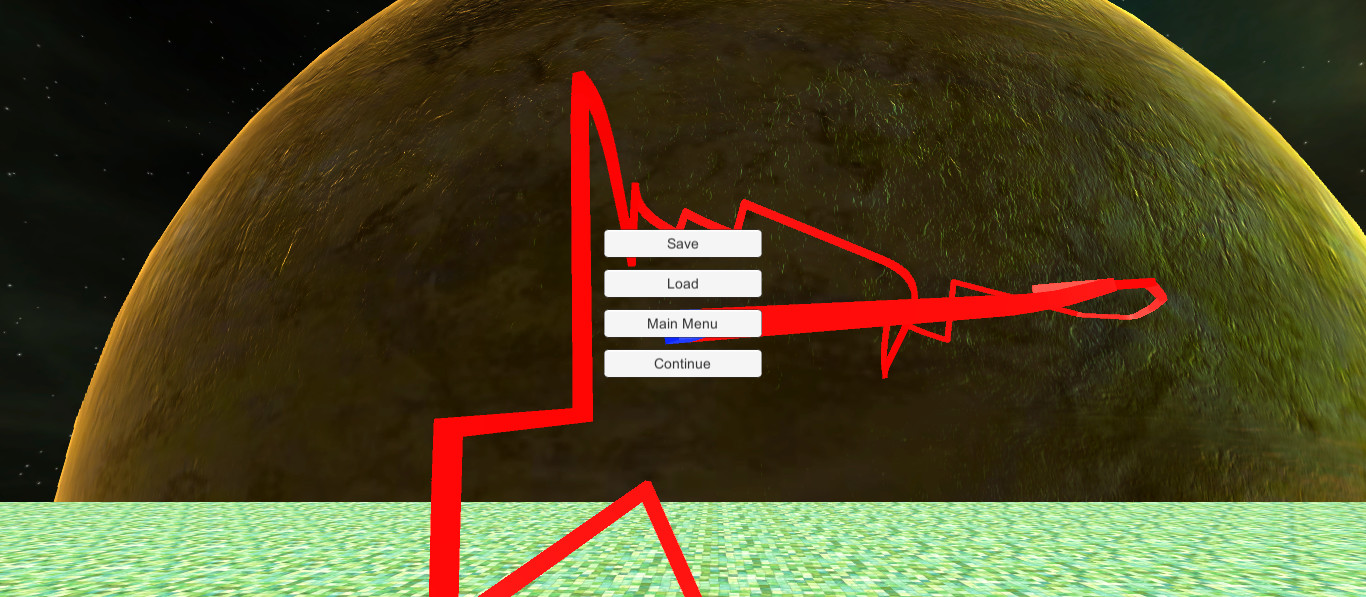
Twine3D is a third person view control path craft game.
Control:
Move forward:default keyboard button w;
Move back:default keyboard button s;
Move left:default keyboard button a;
Move right:default keyboard button d;
Move up:default keyboard button space;
Move down:default keyboard button q;
Long click mouse left button to rotate the camera;
Long click mouse right button to rotate the player cube;

Two Game Mode:Creative and Chase.

Game Mode Creative:free to move.Player can save the scene as a Twine3D file, and load a Twine3D file to
create the scene.

Game Mode Chase:control the player cube to chase the AICube.Dodge the AICube path and walls,twine the AICube until win.

Wymagania systemowe

    Konfiguracja minimalna:
    • System operacyjny: Windows 10
    • Procesor: Intel Pentium G3260
    • Pamięć: 1000 MB RAM
    • Miejsce na dysku: 200 MB dostępnej przestrzeni
    Konfiguracja zalecana:
    • System operacyjny: Windows 10
    • Procesor: Intel Core i3
    • Pamięć: 2000 MB RAM
    • Miejsce na dysku: 200 MB dostępnej przestrzeni
Filtry recenzji