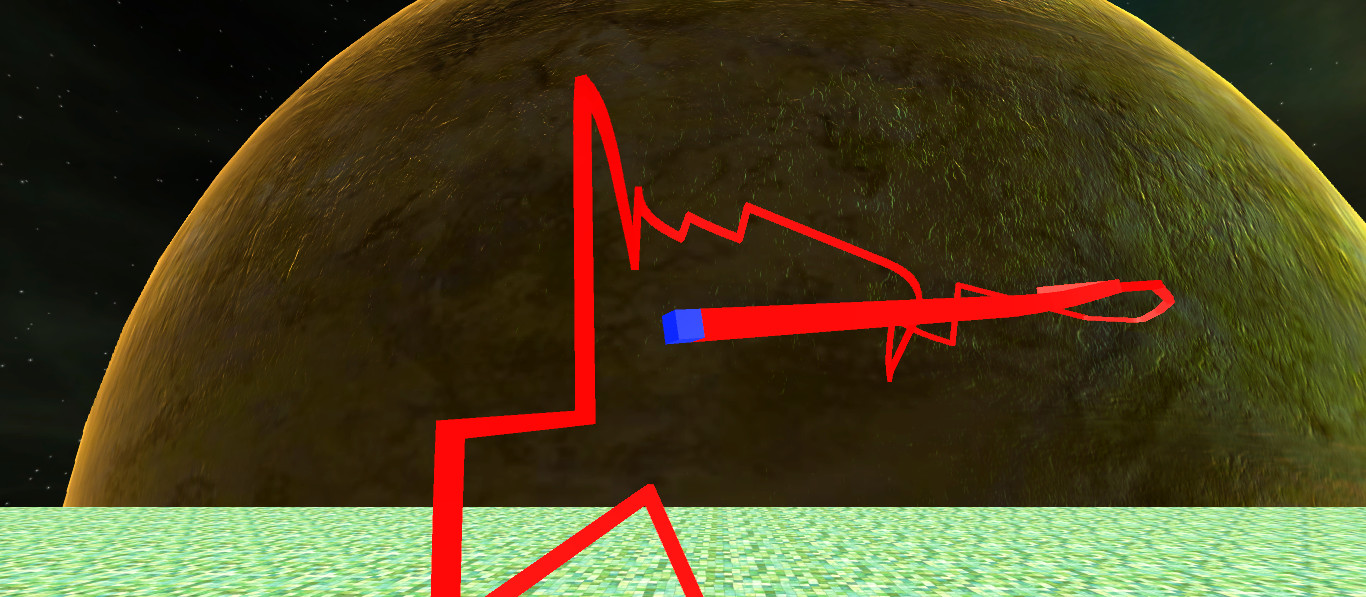
Twine3D is a third person view control path craft game. Control: Move forward:default keyboard button w; Move back:default keyboard button s; Move left:default keyboard button a; Move right:default keyboard button d; Move up:default keyboard button space; Move down:default keyboard button q; Long click mouse left button to rotate the...

Melden Sie sich an, um dieses Produkt zu Ihrer Wunschliste hinzuzufügen, zu abonnieren oder als „Ignoriert“ zu markieren.

Twine3D kaufen

SONDERANGEBOT! Angebot endet in

75 % Rabatt. $1.99 regulär, reduziert auf $0.49
 

Infos zum Spiel

Twine3D is a third person view control path craft game.
Control:
Move forward:default keyboard button w;
Move back:default keyboard button s;
Move left:default keyboard button a;
Move right:default keyboard button d;
Move up:default keyboard button space;
Move down:default keyboard button q;
Long click mouse left button to rotate the camera;
Long click mouse right button to rotate the player cube;

Two Game Mode:Creative and Chase.

Game Mode Creative:free to move.Player can save the scene as a Twine3D file, and load a Twine3D file to
create the scene.

Game Mode Chase:control the player cube to chase the AICube.Dodge the AICube path and walls,twine the AICube until win.

Systemanforderungen

    Mindestanforderungen:
    • Betriebssystem: Windows 10
    • Prozessor: Intel Pentium G3260
    • Arbeitsspeicher: 1000 MB RAM
    • Speicherplatz: 200 MB verfügbarer Speicherplatz
    Empfohlen:
    • Betriebssystem: Windows 10
    • Prozessor: Intel Core i3
    • Arbeitsspeicher: 2000 MB RAM
    • Speicherplatz: 200 MB verfügbarer Speicherplatz
Filter überprüfen