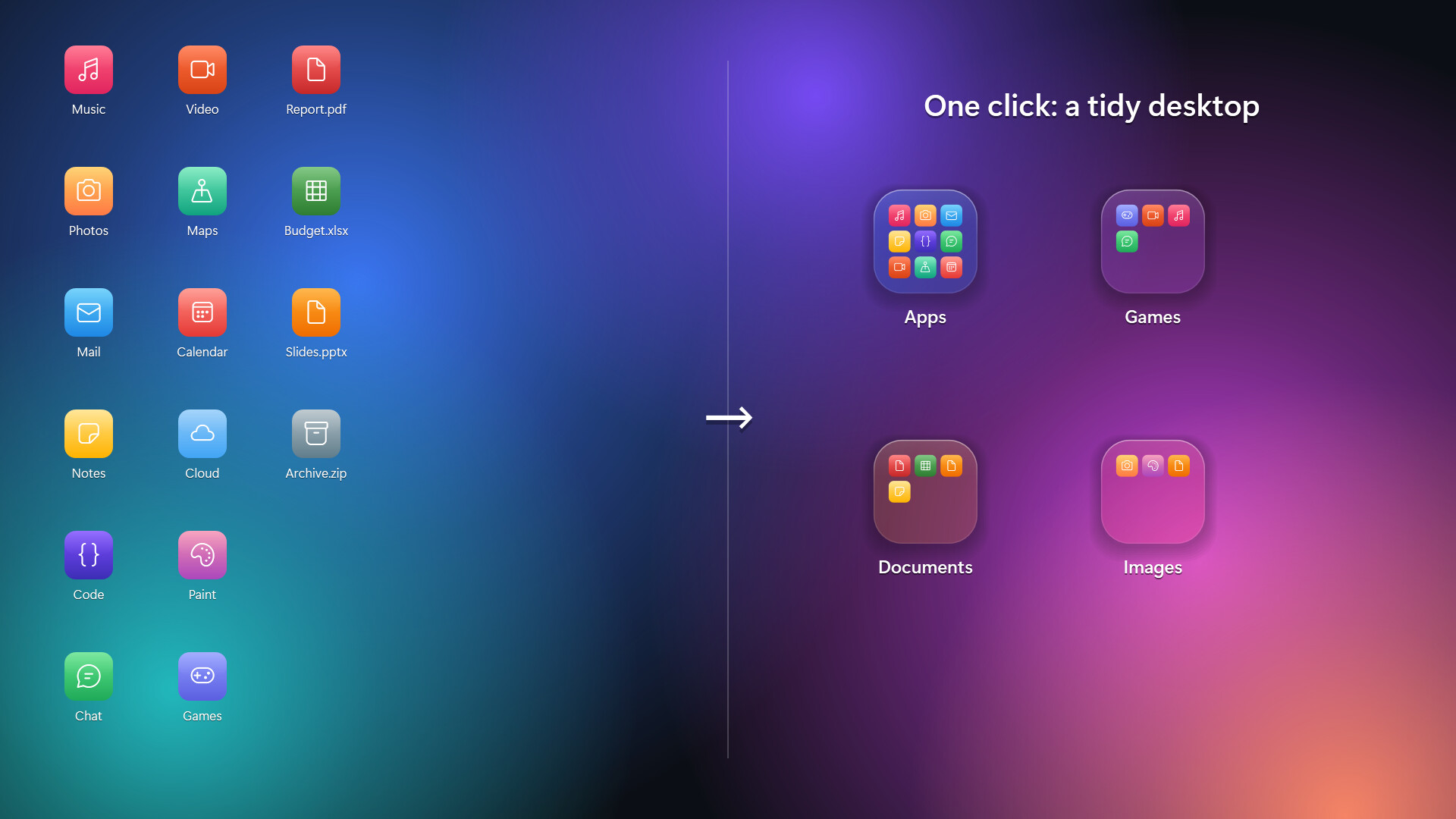
Group your desktop icons into folders, just like on your phone. Click a folder and the screen softly blurs as it springs open. Crystal and frosted glass styles, animated wallpaper see-through, auto-organize, and a clean uninstall that puts every file back.
Дата выхода:
Скоро выйдет
Разработчик:
Издатель:
Метки

Войдите, чтобы добавить этот продукт в список желаемого или скрыть его

Не поддерживается русский язык

Этот продукт не поддерживает ваш язык. Пожалуйста, перед покупкой ознакомьтесь со списком поддерживаемых языков.

Эта игра ещё не доступна в Steam

Скоро выйдет

Заинтересовала игра?
Добавьте её в список желаемого и получите уведомление, когда она выйдет
 

Об этой программе

[h2]A tidy desktop, the way your phone does it[/h2]

DeskFolders turns a cluttered Windows desktop into a few neat folders. Drop files onto a folder, click it, and it springs open over a softly blurred screen. Click outside or press Esc to close.

[h2]Features[/h2]

[list]

[*][b]Phone-style folders[/b]: drag files and folders onto a folder tile to add them. Click an icon inside to open it.

[*][b]Auto-organize[/b]: sort your whole desktop into Apps, Games, Documents, Images and more in one click. Undo it any time.

[*][b]Two glass styles[/b]: Crystal (clear, with light bending at the edges) or Frosted (soft, milky glass).

[*][b]Animated wallpaper see-through[/b]: with Wallpaper Engine or Lively Wallpaper running, your moving background shows through the folders.

[*][b]Glass desktop icons[/b]: optionally show every desktop item as a matching glass icon.

[*][b]Quick search[/b]: type inside a folder and press Enter to launch.

[*][b]Recycle Bin tile[/b]: drop files on it, click to restore or empty.

[*][b]Grid snapping[/b], multi-select with Ctrl+click, and double-click the empty desktop to hide or show all folders.

[*][b]Multi-monitor & high-DPI[/b] aware.

[*]English and Korean.

[/list]

[h2]Your files stay yours[/h2]

Files you move into a folder are kept in a plain folder in your user profile (%USERPROFILE%\DeskFolders), one subfolder per desktop folder. Open it in Explorer and move things around; the desktop updates instantly.

Uninstalling from Steam (or Settings › Prepare to uninstall) puts every file back on your desktop and restores Windows' own settings.

[h2]Notes[/h2]

[list]

[*]Windows 10 (version 2004 or later) or Windows 11, 64-bit.

[*]While animated wallpaper see-through is on, folder tiles don't appear in screenshots or recordings. You can turn this off in Settings.

[/list]

Системные требования

    Минимальные:
    • 64-разрядные процессор и операционная система
    • ОС: Windows 10 64-bit (version 2004) / Windows 11
    • Процессор: Any 64-bit CPU
    • Оперативная память: 2 GB ОЗУ
    • DirectX: версии 9.0
    • Место на диске: 50 MB
    • Дополнительно: .NET Framework 4.8 (included with Windows 10/11)
    Рекомендованные:
    • 64-разрядные процессор и операционная система
    • ОС: Windows 10 64-bit (version 2004) / Windows 11
    • Процессор: Any 64-bit CPU
    • Оперативная память: 2 GB ОЗУ
    • DirectX: версии 9.0
    • Место на диске: 50 MB
    • Дополнительно: .NET Framework 4.8 (included with Windows 10/11)
Фильтры обзоров