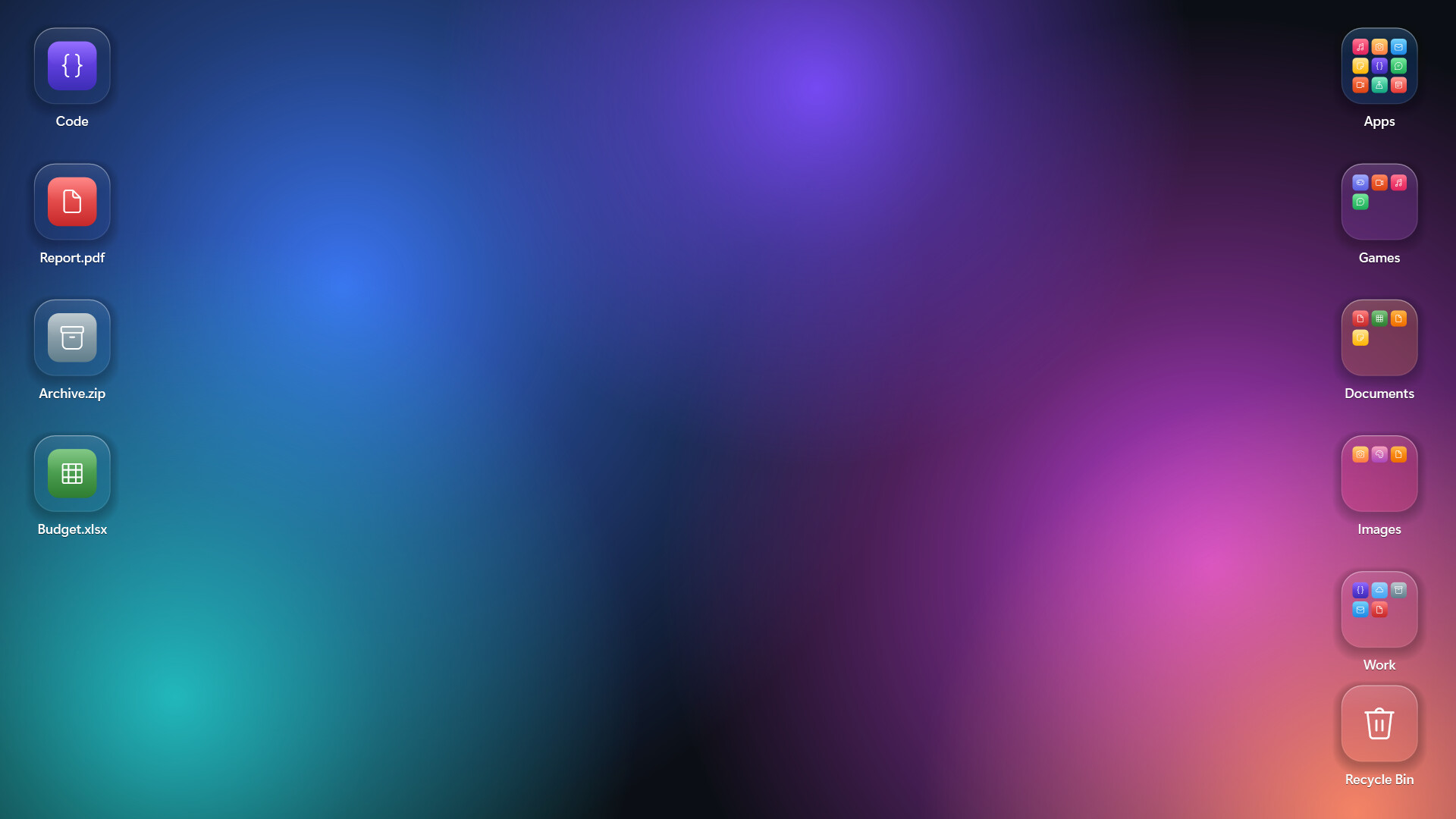
Group your desktop icons into folders, just like on your phone. Click a folder and the screen softly blurs as it springs open. Crystal and frosted glass styles, animated wallpaper see-through, auto-organize, and a clean uninstall that puts every file back.
Tarikh Keluaran:
Akan datang
Pembangun:
Penerbit:
Tag

Daftar masuk untuk menambah item ini ke senarai hajat anda, ikuti atau tandakannya sebagai diabaikan

Bahasa Bahasa Melayu tidak disokong

Produk ini tidak menyokong bahasa tempatan anda. Sila semak senarai bahasa yang disokong di bawah sebelum membuat pembelian

Permainan ini belum tersedia di Steam lagi

Akan datang

Berminat?
Tambah ke senarai hajat anda dan terima pemberitahuan apabila permainan sudah tersedia.
 

Tentang Perisian Ini

[h2]A tidy desktop, the way your phone does it[/h2]

DeskFolders turns a cluttered Windows desktop into a few neat folders. Drop files onto a folder, click it, and it springs open over a softly blurred screen. Click outside or press Esc to close.

[h2]Features[/h2]

[list]

[*][b]Phone-style folders[/b]: drag files and folders onto a folder tile to add them. Click an icon inside to open it.

[*][b]Auto-organize[/b]: sort your whole desktop into Apps, Games, Documents, Images and more in one click. Undo it any time.

[*][b]Two glass styles[/b]: Crystal (clear, with light bending at the edges) or Frosted (soft, milky glass).

[*][b]Animated wallpaper see-through[/b]: with Wallpaper Engine or Lively Wallpaper running, your moving background shows through the folders.

[*][b]Glass desktop icons[/b]: optionally show every desktop item as a matching glass icon.

[*][b]Quick search[/b]: type inside a folder and press Enter to launch.

[*][b]Recycle Bin tile[/b]: drop files on it, click to restore or empty.

[*][b]Grid snapping[/b], multi-select with Ctrl+click, and double-click the empty desktop to hide or show all folders.

[*][b]Multi-monitor & high-DPI[/b] aware.

[*]English and Korean.

[/list]

[h2]Your files stay yours[/h2]

Files you move into a folder are kept in a plain folder in your user profile (%USERPROFILE%\DeskFolders), one subfolder per desktop folder. Open it in Explorer and move things around; the desktop updates instantly.

Uninstalling from Steam (or Settings › Prepare to uninstall) puts every file back on your desktop and restores Windows' own settings.

[h2]Notes[/h2]

[list]

[*]Windows 10 (version 2004 or later) or Windows 11, 64-bit.

[*]While animated wallpaper see-through is on, folder tiles don't appear in screenshots or recordings. You can turn this off in Settings.

[/list]

Keperluan Sistem

    Minimum:
    • Memerlukan pemproses 64-bit dan sistem pengendalian
    • OS: Windows 10 64-bit (version 2004) / Windows 11
    • Pemproses: Any 64-bit CPU
    • Memori: 2 GB RAM
    • DirectX: Versi 9.0
    • Storan: 50 MB ruang tersedia
    • Nota Tambahan: .NET Framework 4.8 (included with Windows 10/11)
    Dicadangkan:
    • Memerlukan pemproses 64-bit dan sistem pengendalian
    • OS: Windows 10 64-bit (version 2004) / Windows 11
    • Pemproses: Any 64-bit CPU
    • Memori: 2 GB RAM
    • DirectX: Versi 9.0
    • Storan: 50 MB ruang tersedia
    • Nota Tambahan: .NET Framework 4.8 (included with Windows 10/11)
Penapis Ulasan