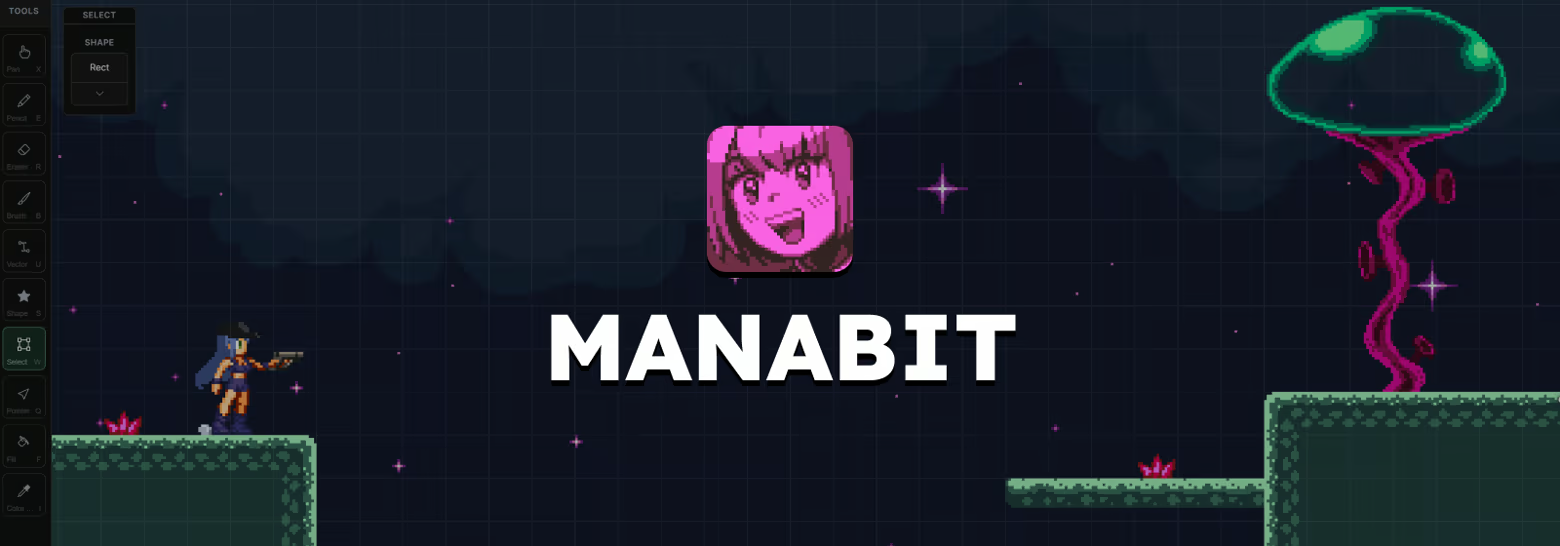
Manabit is a pixel art studio for artists and game designers. Draw sprites, animate, design 2D levels with Map Builder, and use editable shapes like rounded rectangles, stars, and isometric shapes with modern non-destructive modifiers.

Sign in to add this item to your wishlist, follow it, or mark it as ignored

This game is not yet available on Steam

Coming soon

Interested?
Add to your wishlist and get notified when it becomes available.
 

About This Software

Manabit — Pixel Art Studio for Sprites, Tiles & Animation

Professional pixel art editor for sprites, tile maps, animation, and multi-stage projects — one app for the full pipeline, in the browser and on Windows desktop.

Full Pixel Art Editor

Manabit is a full pixel art editor with all the tools and functions you need to draw, shade, select, fill, and finish your work — Pencil, Eraser, Fill, Select, Brush, Color Picker, Pointer, Pan, layers, palettes, and more in one focused interface.

Vector Drawing

Draw and edit vector paths on any layer — click to place points, drag curves, tune stroke, fill, and width, then Apply when you're ready to bake clean pixels. Fill respects vector boundaries so you can block in color before committing lines. Rough sketches stay flexible until the silhouette is right.

Editable Shapes

Pick from editable vector presets — squares, ovals, stars, cubes, and isometric blocks — then drag them out on the layer. Tune width, height, depth, stroke, and fill while the geometry stays live, and Apply when you're ready to bake clean pixels. Block out characters, props, and UI without redrawing from scratch when the silhouette shifts.

Map Builder

Grab a tile from your canvas, drop it in the library, then stamp it with the Brush — your tiles become brushes. Sketch grass, paint a whole floor, and when you fix a tile later, push that update across the map. No bouncing between a pixel editor and a separate map tool.

Hue Shifter

Built-in hue shifting for shading and lighting. Lock an anchor color and Manabit builds a strip of darker and lighter hues for you — click a step and paint. Tune how much each step shifts hue, saturation, and lightness, and which direction they go. On-hue shadows for skin, cloth, metal, grass — not muddy grays.

Modifiers

Recolor or outline a layer (or a named slice) without flattening your pixels. Color modifier for hue, sat, light, contrast; Outline for clean edges with width and placement. Toggle them on and off while you work — try a palette swap without committing forever.

Animations

Game asset-based animation — different objects get different animation sets. A player's idle, walk, and attack aren't the same clips as a water tile's loop, even when they share a canvas. Each layer owns its own animations; Sync them when you want body, gear, and FX playing as one asset, then export GIF or strips for your engine.

Stages

Built for game designers. Use stages for levels, characters, tilesets, and UI in one project — transfer or copy items from one stage to another instead of juggling files. Resize when a level needs more room; your pixels stay put. Scaling your game is easier when the whole pipeline lives here.

Repeat Tile Mode

Select a tile, turn on Repeat, and watch it tile while you draw — every stroke updates every copy. Catch bad seams and broken rhythm before they hit your map. Set X/Y counts for a tight close-up or a wide floor preview, then send it to Map Builder.

Independent Navigator

A live preview that works with stages and synced animation. Keep a reference stage in view while you paint, or loop a clip in the navigator while you edit frames on the main canvas — so you can judge timing and silhouette without leaving your drawing.

Also Included

  • Pixel-Perfect Lines — clean 1px strokes without chunky corners

  • Selection Slices — named regions you can bookmark and target with modifiers

  • Custom Palettes — import, edit, and export .gpl, .pal, and images

  • Import & Export — open Aseprite, PSD, GIF, and images; export PNG, GIF, and animation strips

  • Layers — stack art, keep clips per layer, and edit without flattening

  • Clip Masks — paint on a layer and keep pixels inside the shape below

  • Pixel Shift — nudge selections and art by exact pixels for clean alignment

  • Grids — snap and guide your work for tilesets and sprite sheets

System Requirements

    Minimum:
    • OS: Windows 10 64-bit (version 1809 or later) or Windows 11
    • Processor: Dual-core 64-bit CPU (Intel Core i3 / AMD equivalent or better)
    • Memory: 4096 MB RAM
    • Graphics: DirectX 11–compatible GPU with updated drivers; integrated graphics supported
    • Storage: 500 MB available space
    Recommended:
    • OS: Windows 11 64-bit
    • Processor: Quad-core 64-bit CPU (Intel Core i5 / AMD Ryzen 5 or better)
    • Memory: 8192 MB RAM
    • Graphics: Dedicated GPU with 2 GB VRAM or better
    • Storage: 1024 MB available space
Review Filters