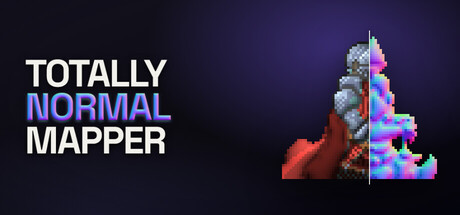
Normal maps for 2D sprites that keep their shape. Most tools read brightness as height, which fails on drawn art. This one solves for a surface that fits the silhouette, then lets you paint in what the picture cannot say. Exports for Unity, Godot, Unreal, and raw OpenGL or DirectX.

Sign in to add this item to your wishlist, follow it, or mark it as ignored

This game is not yet available on Steam

Planned Release Date: December 2026

Interested?
Add to your wishlist and get notified when it becomes available.
 

About This Software

Totally Normal Mapper generates normal maps for pixel art and painted sprites.

Brightness is a poor stand-in for height

Most generators treat brightness as height. Bright means high, dark means low. On a photo of stone, dark really can mean recessed. On a drawing, dark is often just paint. A generator that cannot tell those apart will carve your shading into the mesh and ignore the shape you drew.

This tool starts from the silhouette: where the artwork ends, the surface has turned away. From that boundary it builds a surface that fits, and it reads your line work as folds. Then you paint the rest: an arm in front of a body, a flat wall, a fold that is only ink.

What it does

  • Painted lighting stays in the color. Line detection uses color, so a dark wash is not read as an inked fold. Edges are found without blurring the sprite.
  • Sharp at the sprite's own size. A 32x32 sprite exports as a 32x32 normal map. The pixels stay hard.
  • A preview you can light. Drag lights across the artwork. Switch between art, lit, normal, height, AO, spec, and split before you export.
  • Several sprites, each its own object. Import them as layers. Each is solved separately, with its own hints and settings, then stacked. A prop in front of a character is two silhouettes, not one asked to invent a relationship.
  • Height, AO, and specular from the same solve. Inspect them as grayscale views. Optionally fold them into the lit preview. Export them beside the normal map. Unity 2D has no spec slot, so AO and spec pack into one Mask Map: red is spec, green is AO.
  • Consistent animation frames. Load every frame together. Settings stay shared so the frames agree, hints stay per frame, and one export writes the set.
  • Photoshop and Aseprite import. Open a PSD or .aseprite file and assign each layer as artwork, as a hint, or skip it. Edit the file and re-read it instead of tracing the same masks again.
  • A batch tool in the install. Dial in the look on one sprite, then apply it to a folder of two hundred with tnmap, the command-line tool installed beside the editor. Same solver, same presets, same export targets.

Paint the overlaps the outline gets wrong

An overlapping arm looks like a crease in one surface. A hint is extra information you give the solver: you paint a region, and the solver has to honor it. There are eleven hint layers. After the first pass, hints are most of the work.

Export that matches your engine

Green-up versus green-down is a single bit, and the wrong one makes every bump look like a dent. Choose the engine on export:
  • Unity: green up, no flip needed. AO and spec write as one Mask Map (_MaskTex): red is spec, green is AO, empty canvas is black
  • Godot 4: green up, invert off
  • Unreal Engine 5: green down, already flipped in the file
  • OpenGL: raw green up, matching Blender and most offline renderers
  • DirectX: raw green down, matching 3ds Max and Source 2

A folder at a time

A scenery set is two hundred sprites that have to match. Tune the look on one of them, then hand the same settings to tnmap, the command-line tool Steam installs beside the editor. Edit > Copy batch command gives you the line to paste, or save a preset and point tnmap at it. It writes a normal map for every sprite in the folder, for the same engines, with height, AO and specular maps if you ask for them. Photoshop and Aseprite files bring their hint layers with them: name a layer hint: front, or hide a layer named for its hint. Steam has to be running while it works.

What it is not

It is not a height map painter and not a 3D modeller. It will not turn a sprite into a lit scene on its own. It produces a normal map your engine can use, at the resolution you drew at, and can write height, occlusion and specular from that same solve.

Windows. macOS and Linux builds are planned.

System Requirements

    Minimum:
    • Requires a 64-bit processor and operating system
    • OS: Windows 10 64-bit, version 1809 or later
    • Processor: Any 64-bit x86 processor
    • Memory: 4 GB RAM
    • Graphics: Any GPU with WebGPU support, which in practice means Direct3D 12. Without one the solver runs on the processor: same output, slower.
    • Storage: 1500 MB available space
    • Additional Notes: 64-bit only. Minimum window size 1024x700. No network connection required at any point.
    Recommended:
    • Requires a 64-bit processor and operating system
    • OS: Windows 11 64-bit
    • Processor: Four cores or more
    • Memory: 8 GB RAM
    • Graphics: A discrete GPU with Direct3D 12
    • Storage: 2 GB available space
    • Additional Notes: A display of 1600x1000 or larger, which is the application's default window size.
Review Filters