This content requires the base game Taskbar Armory on Steam in order to play.

Release Date:
Oct 5, 2026
Developer:
Publisher:
Tags

Sign in to add this item to your wishlist, follow it, or mark it as ignored

Downloadable Content

This content requires the base game Taskbar Armory on Steam in order to play.

This content is not yet available on Steam

Planned Release Date: Oct 5, 2026

This content plans to unlock in approximately 2 weeks

Interested?
Add to your wishlist and get notified when it becomes available.
 

About This Content

A little extra character for your forge

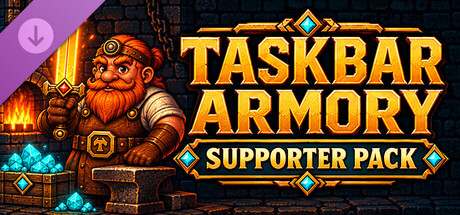
Give your dwarven workshop a personal touch and support Taskbar Armory’s development. The Supporter Pack brings new looks for your heroes, companions to keep them company, and decorations to make your corner of the desktop feel like home.

Inside the Supporter Pack

  • Two workshop themes — Dress your forge in Royal Gilded or Moonstone.

  • Three dwarf outfit palettes — Give your hardworking crew a fresh look.

  • 28 extra party character looks — Customize both expedition parties as their slots unlock through gameplay.

  • Seven companions — Choose a cat, baby dragon, snail, raven, mimic, mushroom friend or ember salamander. Place companions independently around your forge.

  • Six expedition portal styles — Give every departure a different backdrop.

  • 18 furnishings — Decorate with the Enchanted Woodland, Royal Workshop and Haunted Armory sets.

  • Six ornate weapon-display frames — Give your favorite creations a fitting place of honor.

  • A supporter banner — Add the finishing touch to your workshop.

  • Four desktop wallpapers — Enjoy Hearthstone, Moonstone, Royal Gilded and Hearthlit Forge beyond the game.

All charm. No production advantage.

The Supporter Pack is entirely cosmetic. It does not increase production, improve expedition rewards or speed up progression.

All gameplay, automation and equipment collecting remain available in the free base game. Expedition party slots unlock through gameplay.

Finding your wallpapers

Once the DLC is installed, right-click Taskbar Armory in your Steam Library and select Manage > Browse local files. Open the Wallpapers folder to find your four images.

Requires the free Taskbar Armory base game.

Thank you for supporting the forge.

AI Generated Content Disclosure

The developers describe how their game uses AI Generated Content like this:

Taskbar Armory features artwork developed with generative AI.

System Requirements

    Minimum:
    • OS: Windows 11
    • Processor: Intel i3 4th Gen / AMD FX-8300
    • Memory: 1 GB RAM
    • Graphics: 1GB Video Memory
    • Storage: 1 GB available space
    • Sound Card: N/A
Review Filters