A motion-sickness relief tool for 3D games. Draw a one-point-perspective tunnel mask around your screen center to stabilize your vision, scale any game window freely, and simulate a 24-inch esports monitor on any display. Hotkeys, gamepad, presets, and profiles included.
Date de parution :
8 oct. 2026
Développement :
TJH
Édition :
TJH

Connectez-vous pour ajouter cet article à votre liste de souhaits, le suivre ou l'ignorer

Français non disponible

Ce produit n'est pas disponible dans votre langue. Veuillez consulter la liste des langues disponibles ci-dessous avant de l'acheter.

Acheter CaveTunnel AntiMotion

OFFRE DE LANCEMENT ! La promotion se termine le 15 octobre

20 % de réduction. Prix habituel : $3.99. Après remise : $3.19
 

Évaluations

10 – TJH

À propos de ce logiciel

What is CaveTunnel AntiMotion?

CaveTunnel AntiMotion is a lightweight Windows utility that reduces motion sickness (3D眩晕) while playing 3D games — and doubles as a powerful window-scaling tool for stretched-resolution play styles.

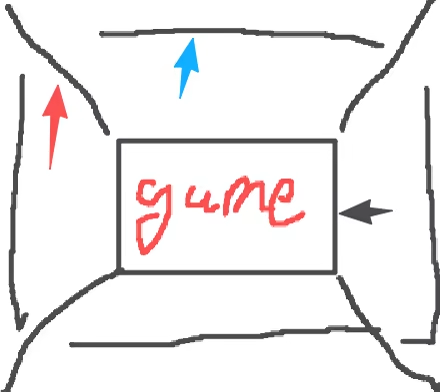
It draws a one-point-perspective "tunnel" mask around the center of your screen: the center stays fully transparent so you see the game, while the surroundings fade into a soft dark tunnel with converging depth lines. This stable visual frame anchors your peripheral vision, which is exactly what your brain needs to stop feeling sick during fast camera movement.

Key Features

  • Perspective tunnel mask — fully customizable: mask opacity, soft edge, corner radius, line color/width, corner lines, inner frame, 5 center shapes (rounded rect / circle / ellipse / arch / octagon), and multi-layer depth sections with gradient.

  • Window scaling & stretching — scale any windowed game to any size or aspect ratio without touching in-game resolution. Perfect for the classic CS stretched look, vertical stretching, or filling your whole monitor.

  • 24-inch esports simulation (beta) — replicate the exact geometry of a professional 24-inch monitor on your 27-inch (or any) display. The tool scales the play area by physical monitor size, so the crosshair geometry feels identical to what pros use.

  • Free drag-resize — drag the 8 handles on the mask to resize your game window in real time, like resizing a webpage. The internal resolution never changes.

  • Presets & game profiles — 10 built-in presets (deep anti-sickness, light, cinema vignette, esports, night ops, retro arcade, and more), save your own, import/export, and auto-apply per-game profiles by window title.

  • Global hotkeys — toggle the mask, open settings, and switch presets instantly. Fully rebindable.

  • Full gamepad support — navigate settings, virtual keyboard, and color picker entirely with an Xbox controller.

  • Breathing guide (beta) — gentle synchronized brightness waves on mask elements to calm your focus.

  • Custom image masks — overlay a crosshair PNG or use a full-frame image (e.g. cockpit) as your mask.

  • Available in 30+ languages — switch anytime from the tutorial welcome page or settings.

How to use

  • Run the game in windowed or borderless mode (fullscreen cannot be scaled).

  • Press Ctrl+Shift+O to enable the tunnel mask — it auto-locks onto the active window.

  • Adjust everything live from the settings window (Ctrl+Shift+P).

CaveTunnel AntiMotion is 100% local, offline, and non-intrusive: it reads nothing from the game, injects nothing, and changes no game files. It only manages windows and draws its own overlay.

Notification de contenu généré par IA

L'équipe de développement décrit l'utilisation de contenu généré par IA dans le jeu comme suit.

This software used generative AI assistance during development and publishing: programming code development assistance (large language models such as DeepSeek), store page promotional artwork generated with ChatGPT, and localization of the interface languages. The software does NOT use any AI at runtime, does not generate any AI content while running, and does not connect to any external AI service.

Configuration requise

    Minimale :
    • Système d'exploitation : Windows 10 1903 or later (64-bit)
    • Processeur : Any dual-core x64 processor
    • Mémoire vive : 2048 MB de mémoire
    • Graphiques : Any graphics card with DirectX 11 support
    • DirectX : Version 11
    • Espace disque : 500  MB d'espace disque disponible
    • Carte son : Not required
    • Prise en charge VR:
    • Notes supplémentaires : Game must run in windowed or borderless mode. If the game runs as administrator, run this tool as administrator too.
    Recommandée :
    • Système d'exploitation : Windows 11(64-bit)
    • Processeur : Any dual-core x64 processor
    • Mémoire vive : 2048 MB de mémoire
    • Graphiques : Any graphics card with DirectX 11 support
    • DirectX : Version 11
    • Espace disque : 500  MB d'espace disque disponible
    • Carte son : Not required
    • Prise en charge VR:
    • Notes supplémentaires : Game must run in windowed or borderless mode. If the game runs as administrator, run this tool as administrator too.
Filtres d'évaluations