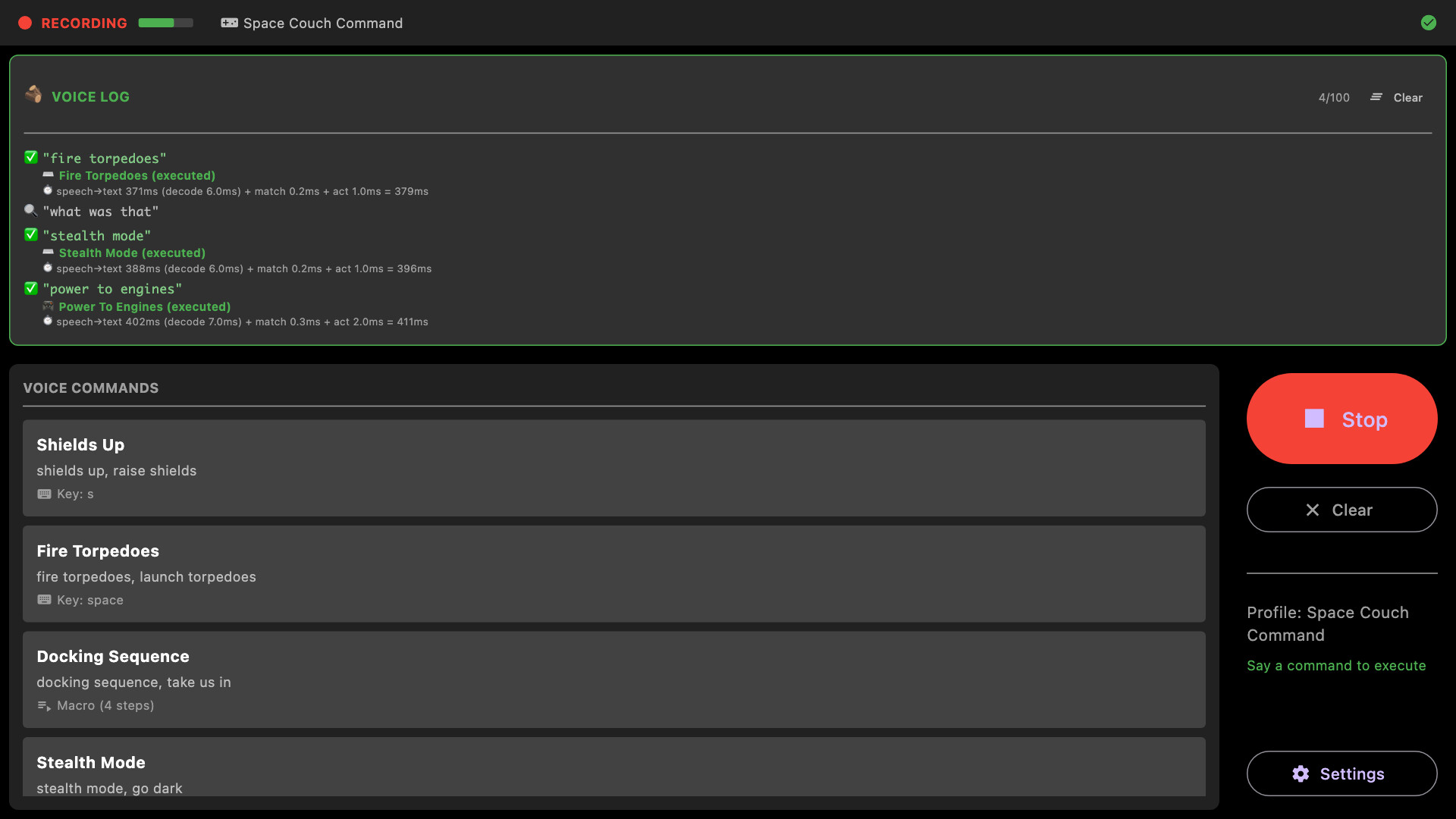
Speak a phrase, your game reacts. VoiceCmd turns spoken commands into the keystrokes, holds and macros your games already understand — recognised entirely on your own machine, with no internet connection, no account, and nothing sent anywhere.
發行日期:
即將推出
開發人員:
標籤

登入以將此項目新增至您的願望清單、關注它,或標記為已忽略

不支援繁體中文

本產品尚不支援您的目前所在地的語言。購買前請先確認語言支援清單。

此遊戲尚未在 Steam 上發售

即將推出

感興趣嗎?
將這款遊戲加入願望清單,以便在發售時收到通知。
 

關於此軟體

Your voice is another controller

VoiceCmd listens for phrases you choose and turns them into input your games already understand: key presses, held keys, mouse actions, typed text and multi-step macros. There is no plugin to install and no game integration to wait for. If it responds to a keyboard, it responds to VoiceCmd.

Nothing leaves your machine

Speech recognition runs on your own hardware. No cloud service, no account, no sign-in, no telemetry. Pull the network cable out and it behaves exactly the same.

Built for the way people actually talk

  • Fuzzy matching forgives a rushed or half-swallowed word.
  • Sound-alikes are handled, so "reload four me" fires the same command as "reload for me".
  • Push-to-talk when you want control, or a toggle hotkey when you want your hands free.
  • An optional wake word, so ordinary conversation does not set things off.

A profile for every game

Keep a separate command set per game and switch between them in a click. Individual commands can be switched off while you tune them, so a half-finished idea never fires mid-match.

What one command can do

  • Press, hold or release any key or combination
  • Click, move or scroll the mouse
  • Type a line of text
  • Chain steps into a macro with timed pauses
  • Play a sound, or speak a confirmation back to you
  • Launch an application or open a page

Windows, macOS and Linux

One purchase covers all three. On Linux, VoiceCmd can drive input through uinput as well as X11, which lets it reach native Wayland windows that many tools cannot.

系統需求

Windows
macOS
SteamOS + Linux
    最低配備:
    • 需要 64 位元的處理器及作業系統
    • 作業系統: Windows 10 (64-bit) or later
    • 處理器: 64-bit x86 processor; quad-core recommended
    • 記憶體: 4 GB 記憶體
    • 儲存空間: 500 MB 可用空間
    • 備註: A microphone is required. Speech recognition runs locally on the CPU — no internet connection is used at any point. VoiceCmd sends input to other applications, which some anti-cheat software may restrict.
    建議配備:
    • 需要 64 位元的處理器及作業系統
    最低配備:
    • 作業系統: macOS 10.15 Catalina or later
    • 處理器: Apple Silicon or 64-bit Intel
    • 記憶體: 4 GB 記憶體
    • 儲存空間: 500 MB 可用空間
    • 備註: A microphone is required. Speech recognition runs locally on the CPU — no internet connection is used at any point. macOS will ask for Microphone and Accessibility permission; Accessibility is what allows VoiceCmd to send keystrokes to other applications.
    建議配備:
      最低配備:
      • 作業系統: Ubuntu 22.04 or later, or any distribution with glibc 2.34+
      • 處理器: 64-bit x86 processor; quad-core recommended
      • 記憶體: 4 GB 記憶體
      • 儲存空間: 500 MB 可用空間
      • 備註: A microphone is required. Speech recognition runs locally on the CPU — no internet connection is used at any point. Works on X11 and, via XWayland, on Wayland desktops. To send input to native Wayland windows, VoiceCmd uses /dev/uinput, which needs a one-time udev rule.
      建議配備:
      評論篩選條件