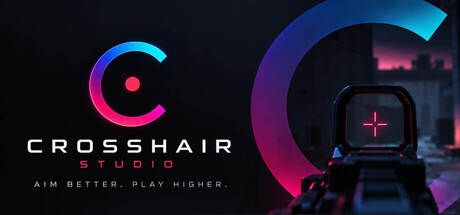
Design a custom crosshair, or describe one and let AI draft it, then overlay it on any PC game. Get better at using it with a built-in aim trainer that tracks accuracy and reaction time session over session. Works in CS2, Apex Legends, Fortnite, Rust and more.
Release Date:
Coming soon
Developer:
Publisher:
Tags

Sign in to add this item to your wishlist, follow it, or mark it as ignored

This game is not yet available on Steam

Coming soon

Interested?
Add to your wishlist and get notified when it becomes available.
 

About This Software

Your crosshair. Every game.

Design a reticle that works for you and put it on screen in any PC game — including the ones that give you nothing to aim with. Control shape, size, colour, thickness, outline, opacity, gap, rotation, glow and gradient, then save it and switch between designs whenever you want.

Works with CS2, Apex Legends, Fortnite, Rust and most PC shooters. Check your game's terms — some publishers don't permit third-party overlays.

Or just describe it.

Type what you want in plain English — "small green dot with a thin gap cross" — and Crosshair Studio generates three variations for you to compare. Press Tab to cycle through them live, tell it what to change, and save the one you like. Nothing to set up and no account needed.

Or start from someone else's.

Browse the community library and apply a ready-made crosshair in one click. Share your own designs with a code — no account, no upload, just a string you can paste anywhere.

Then get better at using it.

Most crosshair tools stop at the overlay. Crosshair Studio includes a built-in trainer so the crosshair you designed is the one you practice with.

  • Sniper Training — targets appear, you put the dot on them and click. Precision and speed under a timer.
  • Reflex — pure reaction speed. React to the signal as fast as your brain can process it.
  • Track — hold your crosshair on a target moving unpredictably. The skill that separates good players from great ones.
  • Recoil — hold the pattern under sustained fire. Control the climb instead of fighting it.

Every session is recorded. Accuracy, reaction time, hits and misses — all of it tracked so you can see whether you're actually improving instead of guessing.

Ten thousand hours, counted.

Mastery tracking follows your total time trained toward the 10,000 hour mark. Long-term progress, not just today's score.

Hype pop-ups for streamers.

Fire a celebration on screen whenever you want — after a clutch kill, or just because. It draws over your game, so it lands in your capture with nothing to configure in OBS. Position it wherever you like.

Made for your stream.

Add Crosshair Studio as a Browser Source in OBS and the pop-ups render straight into your stream on a transparent background, whatever capture mode you use. Assign a crosshair to each game and it switches automatically when the game launches, then switches back when it closes.

Built to stay out of the way.

Crosshair Studio draws on top of your screen and nothing more. It doesn't read game memory, inject code, or touch the games you play. It lives in your tray and gets out of the way until you need it.

AI Generated Content Disclosure

The developers describe how their game uses AI Generated Content like this:

Crosshair Studio uses generative AI to create crosshair designs from text descriptions. When you describe a crosshair, the app sends your text to an API to generate a crosshair configuration. No other content in the app is AI-generated.

System Requirements

    Minimum:
    • Requires a 64-bit processor and operating system
    • OS: Windows 10 64-bit or later
    • Processor: Any modern x64 processor
    • Memory: 4 GB RAM
    • Graphics: DirectX 11 compatible
    • Storage: 250 MB available space
    Recommended:
    • Requires a 64-bit processor and operating system
Review Filters