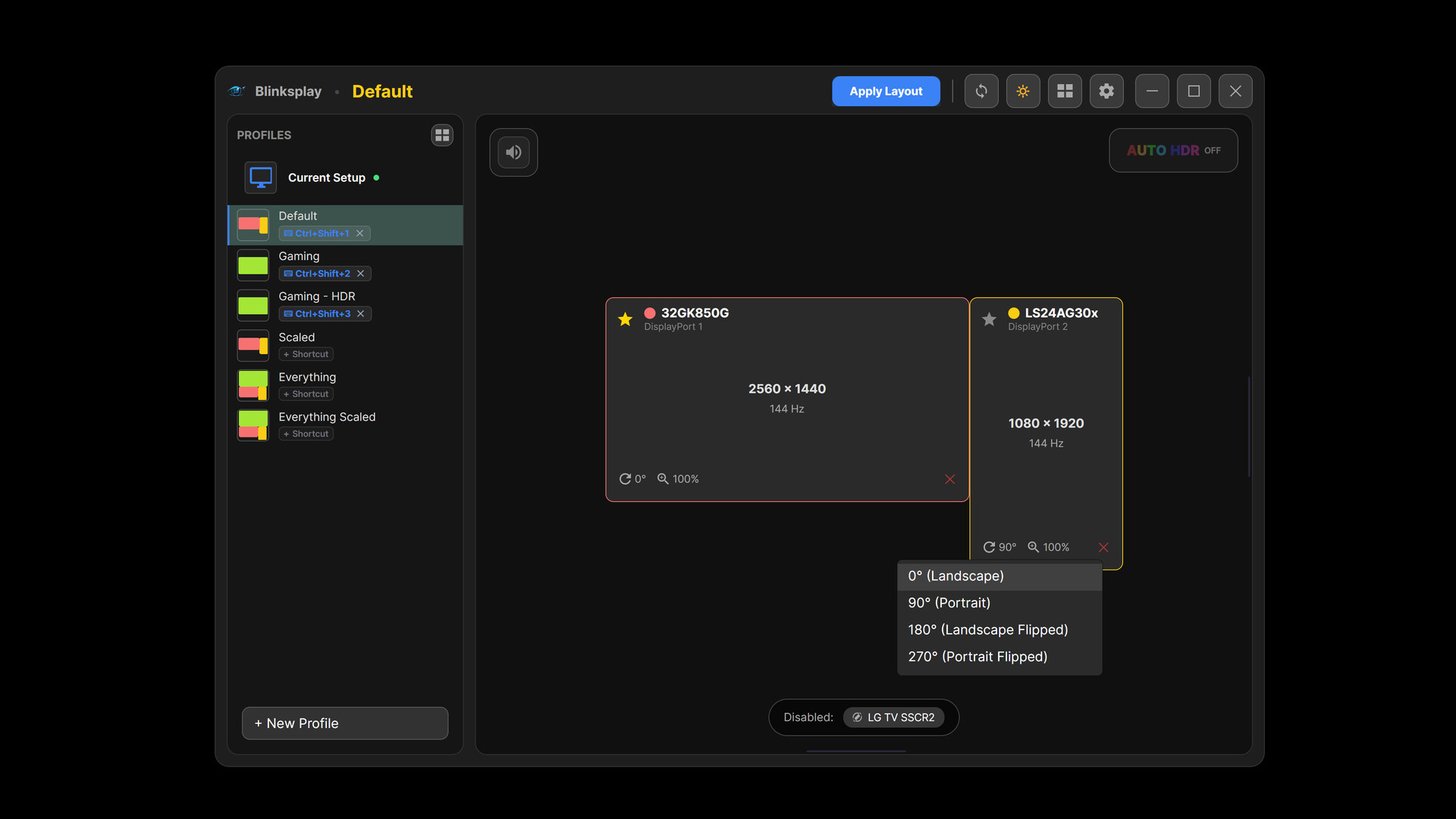
Blinksplay is a multi-monitor layout and audio profile switcher for Windows. Effortlessly rearrange displays, toggle per-monitor HDR, set profile-wide Auto HDR, and bind complete workspace setups to global hotkeys.
Release Date:
Coming soon
Tags

Sign in to add this item to your wishlist, follow it, or mark it as ignored

This game is not yet available on Steam

Coming soon

Interested?
Add to your wishlist and get notified when it becomes available.
 

About This Software

Blinksplay is a Windows utility for managing multi-monitor layouts, display settings, and audio routing.

Instead of manually adjusting screen positions, refresh rates, HDR toggles, and sound outputs every time you switch between tasks or screens, Blinksplay lets you save custom layout profiles and easily swap between them.

Key Features

  • Custom Display Layout Profiles: Save complete multi-monitor arrangements including screen positions, primary display assignment, refresh rates, orientation, resolutions, and scaling.

  • Global Hotkeys & Quick Switcher Overlay: Switch profiles instantly using customizable global shortcuts or summon the on-screen switcher overlay ([WASD] / Arrow key / Gamepad friendly).

  • Unified Audio Routing: Pair specific default audio playback and recording devices to each profile.

  • Per-Monitor HDR & Profile Auto HDR: Toggle HDR individually per monitor and enforce Windows Auto HDR settings globally across specific gaming profiles.

  • Interactive Visual Canvas: Visually arrange and fine-tune your monitor layout.

  • Hardware Capability Scanner: Detects and caches capabilities across all connected and standby screens.

System Requirements

    Minimum:
    • Requires a 64-bit processor and operating system
    • OS: Windows 10 64-bit (Version 2004 / Build 19041 or newer) / Windows 11
    • Processor: Intel Core i3-4130 / AMD FX-4300 (Dual-Core 1.8 GHz+ or equivalent)
    • Memory: 512 MB RAM
    • Graphics: DirectX 11 or OpenGL 3.3 compatible GPU (Intel HD Graphics 4000, AMD Radeon Vega / HD 7000, NVIDIA GeForce 600 series or newer)
    • DirectX: Version 11
    • Storage: 150 MB available space
    • Additional Notes: 64-bit OS required. Administrator privileges may be required when applying certain display topology changes. Two or more monitors are recommended to take full advantage of multi-layout profiles.
    Recommended:
    • Requires a 64-bit processor and operating system
    • OS: Windows 11 (Version 25H2 / Build 26200)
    • Processor: Intel Core i5-8400 / AMD Ryzen 5 2600 (Quad-Core 2.5 GHz+ or equivalent)
    • Memory: 2 GB RAM
    • Graphics: DirectX 12 compatible GPU with WDDM 2.0+ and HDR support
    • DirectX: Version 12
    • Storage: 250 MB available space
    • Additional Notes: 64-bit OS required. Administrator privileges may be required when applying certain display topology changes. Two or more monitors are recommended to take full advantage of multi-layout profiles.
Review Filters