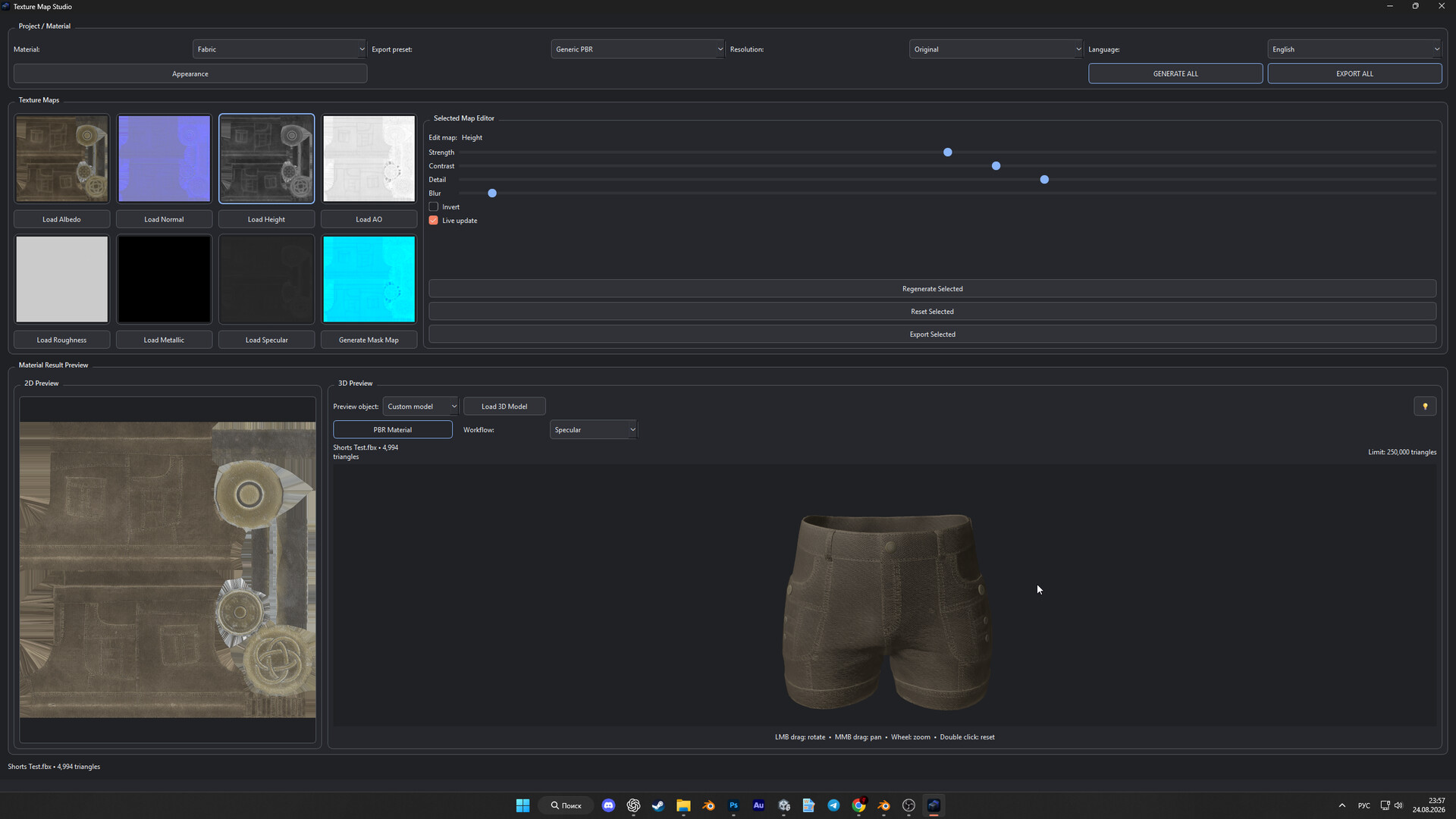
Texture Map Studio is a fast PBR texture tool that generates Normal, Height, AO, Roughness, Metallic, Specular, and Mask Maps from Albedo. Edit maps independently and preview the result on your own 3D models.

Sign in to add this item to your wishlist, follow it, or mark it as ignored

This game is not yet available on Steam

Planned Release Date: Sep 6, 2026

This application will unlock in approximately 1 day and 10 hours

Interested?
Add to your wishlist and get notified when it becomes available.
 

About This Software

Texture Map Studio is a simple and fast tool for creating and editing PBR texture maps.

Load an Albedo texture and the application can automatically generate a complete set of material maps for use in game engines, 3D software, and other material workflows.

Supported maps include:

Normal, Height, Ambient Occlusion, Roughness, Metallic, Specular, and Mask Map.

Each map can be edited independently without affecting the others. Adjust strength, contrast, detail, blur, and other parameters, then instantly preview the result.

For material inspection, Texture Map Studio includes both a 2D preview and an interactive 3D preview. Use the built-in cube or load your own 3D model in FBX, OBJ, GLB, or glTF format to see how the material looks directly on your asset.

The 3D preview supports model rotation, zoom, lighting, and quick switching between the original Albedo and the full PBR material.

Texture Map Studio also supports both Metallic and Specular workflows, and finished maps can be exported individually or as a complete set.

Export options are available for Unity URP, Unreal Engine, and Generic PBR workflows.

Main features:

  • Automatic PBR map generation from Albedo

  • Independent editing for each map

  • Mask Map generation

  • Material preview on custom 3D models

  • FBX, OBJ, GLB, and glTF support

  • Metallic and Specular workflows

  • OpenGL / DirectX Normal Map support

  • Drag-and-drop export for individual maps

  • Full map set export

  • High-resolution texture support

  • Customizable interface

  • Multiple interface languages

Texture Map Studio is designed for artists, game developers, and 3D creators who need a fast and straightforward way to prepare PBR materials without a complicated workflow.

System Requirements

    Minimum:
    • Requires a 64-bit processor and operating system
    • OS: Windows 10 64-bit
    • Processor: 64-bit dual-core Intel or AMD processor
    • Memory: 8 GB RAM
    • Graphics: OpenGL 3.3 compatible GPU with 1 GB VRAM
    • Storage: 1 GB available space
    • Additional Notes: 64-bit operating system required. Large 4K/8K textures and complex 3D models may require additional RAM and VRAM.
    Recommended:
    • Requires a 64-bit processor and operating system
    • OS: Windows 10 / Windows 11 64-bit
    • Processor: Quad-core Intel Core i5 / AMD Ryzen 5 or better
    • Memory: 16 GB RAM
    • Graphics: OpenGL 3.3 compatible GPU with 2 GB VRAM or better
    • Storage: 2 GB available space
    • Additional Notes: 16 GB RAM is recommended for working with 4K/8K textures and custom 3D models.
Review Filters