Release Date:
Aug 20, 2026
Developer:
Publisher:

Sign in to add this item to your wishlist, follow it, or mark it as ignored

Buy ECHO Pro


About This Content

ECHO Pro is ECHO's advanced signal-conversion, audio-processing, and connectivity upgrade. Its centerpiece is the ECHO SRC and PCM-to-SDM workbench: a host-backed path for listeners who want deliberate control over sample-rate conversion, FIR filtering, 1-bit modulation, and the format ultimately presented to a compatible output device.

This is an entitlement-only DLC. No separate application or content download is required: after Steam verifies ownership, the Pro workspaces and controls already included in ECHO unlock automatically in the same installation.

ECHO SRC — prepare music for your DAC at a higher sample rate

In simple terms, ECHO SRC upsamples PCM audio before it reaches a compatible output device. This gives you control over how ECHO prepares the signal instead of leaving every conversion decision to the driver or DAC. The work is performed by the Native Audio Host, and ECHO shows the rate and processing path that actually became active.

  • Original, 2×, 4×, or 8× — choose how far to upsample. Where supported, 44.1 kHz music stays in the 44.1 kHz family and 48 kHz music stays in the 48 kHz family.
  • Choose the character of the conversion — Transparent favors accuracy, Balanced is the everyday choice, and Low Latency reduces processing delay. Advanced users can also set the first and later FIR stages separately.
  • Use the compute path that is really available — ECHO can run long FIR filters on the native CPU or a supported CUDA backend and reports which one is actually in use.
  • No pretend success — the requested and actual device rates, filter plan, and any fallback reason remain visible.

PCM-to-SDM — convert PCM music to a 1-bit stream in real time

For a compatible DSD-capable DAC, ECHO Pro can convert PCM playback into a real 1-bit SDM stream, then send it through DoP or a supported ASIO Native DSD path. Put simply: ECHO performs the conversion during playback; it does not merely rename high-rate PCM as DSD.

  • Choose the target — DSD64, DSD128, and DSD256 are available on supported routes. Generated DSD512 requires a compatible ASIO Native DSD path and enough realtime performance.
  • Choose quality and sound profile — Safe, HiFi, Reference, and Insane change the conversion workload; Linear, Transient, and Smooth change the FIR filter design. They are choices, not a promise that every listener will hear an improvement.
  • Optional ECHO Extra — adds a more demanding 1-bit decision step when the system has enough realtime headroom.
  • Stability comes first — before playback starts, ECHO checks the complete FIR + DSP + SDM workload. If the computer, driver, or DAC cannot sustain the selected mode, ECHO rejects it or reports a supported fallback instead of risking broken audio.
  • See what is actually active — target rate, DoP / Native transport, quality profile, compute backend, headroom, and fallback reason come from Audio Core and the Native Audio Host.

From everyday listening to system tuning

  • Keep mixed libraries comfortable — use ReplayGain, DSP headroom, compressor controls, and protection limiting to manage level differences and preserve safety margin.
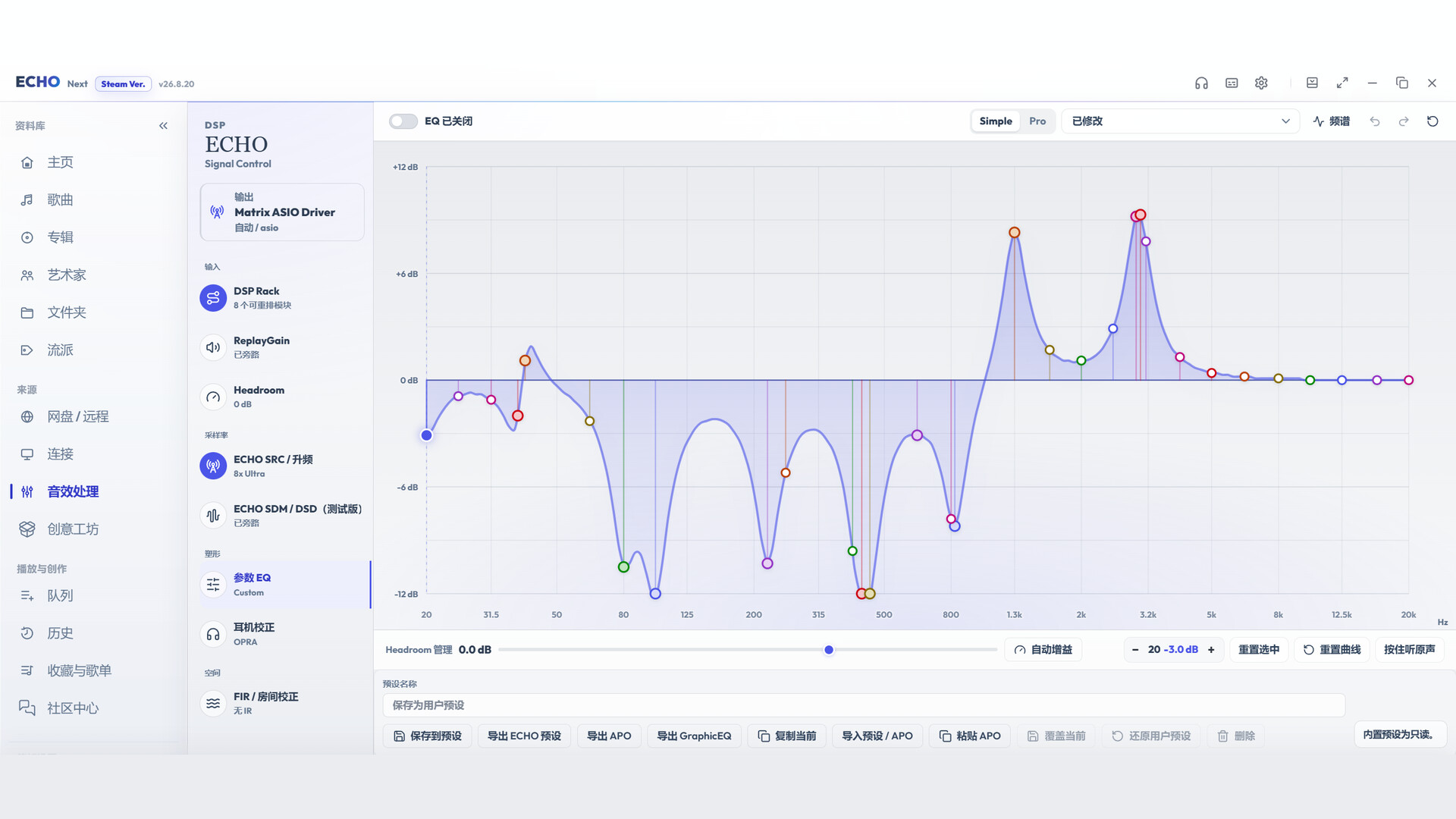
  • Shape the sound — use parametric EQ, crossfeed, stereo-field controls, channel balance, and channel matrix tools for personal listening preferences and unusual channel layouts.
  • Match headphones and rooms — apply supported headphone profiles or room-correction / FIR filters, with clear bypass and status reporting.
  • Prepare the output format — configure PCM dither, ECHO SRC sample-rate conversion, and PCM-to-SDM options when the active hardware, driver, and output path support them.

A complete optional signal-processing workspace

  • Gain and tone — ReplayGain, DSP headroom, and equalization.
  • Dynamics and safety — compressor controls and protection limiting.
  • Stereo and channel tools — crossfeed, stereo-field controls, channel balance, delay, mono handling, and channel matrix.
  • Correction — headphone correction and room correction / FIR processing.
  • Format processing — PCM dither, ECHO SRC, and supported PCM-to-SDM target-rate, quality, filter, sound-profile, and compute options.

Remote and Connect

  • Remote workspace — browse and play from supported libraries that you configure and control, including WebDAV / AList, Jellyfin, Emby, SMB, and Subsonic-compatible services such as Navidrome.
  • Connect workspace — discover and use supported local-network renderers and companion workflows, including compatible DLNA devices, HQPlayer setups, and ECHO Link controls.
  • Pro personalization — use the Pro theme presets included with ECHO.
  • ECHO Pet — place a transparent always-on-top pixel companion on the desktop, drag it to a comfortable position, and adjust its size.

Remote and Connect do not include third-party subscriptions, accounts, servers, hardware, or network access. You provide and configure the services and devices you choose to use.

How unlocking works

ECHO Pro requires the base ECHO application. Purchase the DLC on the Steam account that owns ECHO, then launch ECHO through Steam. When Steam ownership verification succeeds, Pro unlocks automatically; there is no separate installer, executable, or activation key.

A refund, revocation, loss of ownership, or temporary inability to verify ownership may lock Pro features again. This does not delete the local library, playlists, playback history, or settings stored by the base application.

What stays in the ECHO base edition

Local-library import and playback, metadata, albums and artists, playlists, lyrics, playback history, decoding, and output-device selection remain available without this DLC. DSD file playback, DoP, and supported ASIO Native DSD passthrough also remain base-edition playback / passthrough paths rather than Pro signal processing. Acrylic window customization remains included in the base ECHO installation on supported Windows systems.

Compatibility and an honest signal path

Available formats, target sample rates, acceleration methods, correction filters, network features, and device modes depend on the connected hardware, manufacturer driver, operating system, selected output path, network environment, and compatible third-party software. Purchasing ECHO Pro does not guarantee that every option will work with every device.

ECHO reports the signal path that is actually active. Unsupported requests are rejected clearly or fall back to a safe supported configuration instead of displaying a renderer-only success. Optional processing changes the audio signal and may prevent bit-perfect output while active.

AI Generated Content Disclosure

The developers describe how their game uses AI Generated Content like this:

我们使用AI进行本地化和一些文本补充

Review Filters