StreamSpook is a suite of tools for streamers that also provides real-time analytics. In addition to features for streaming, as well as production tools and fun features, it offers functions to adjust volume during streams, and allows you to analyze your PC’s performance while streaming.

Daftar masuk untuk menambah item ini ke senarai hajat anda, ikuti atau tandakannya sebagai diabaikan

Bahasa Bahasa Melayu tidak disokong

Produk ini tidak menyokong bahasa tempatan anda. Sila semak senarai bahasa yang disokong di bawah sebelum membuat pembelian

Permainan ini belum tersedia di Steam lagi

Akan datang

Berminat?
Tambah ke senarai hajat anda dan terima pemberitahuan apabila permainan sudah tersedia.
 

Tentang Perisian Ini

You no longer need to launch a bunch of tools before going live. This one tool does it all.

StreamSpook is a suite of tools for streamers that also provides real-time analytics.

In addition to basic features for streaming—such as translations, bots, and chat displays—it allows you to use tools to liven up your screen and create animated loading screens. All feature list is below.

It also includes numerous handy tools for streamers, such as viewer analytics when you’re not streaming and automatic microphone filter adjustments.

StreamSpook itself is designed to be as lightweight as possible to ensure it doesn’t impact your streaming performance.

Tells you what you can't catch yourself

The stretch where you went quiet. The moment your connection or your PC started struggling. Clipping. The app flags what you can't notice mid-stream, with the cause and what to do about it. Audio balance is a one-click fix, and your mic gets measured and tuned for you. After the stream, anything worth knowing comes back as feedback.

Afterwards, it's all in analytics

Everything recorded while you were live is there to look back on. Leave a note on a new follower or a first-time viewer, and it comes up when they show up again. Drop-off points get found for you, with the VOD from that moment one click away. It records a lot, and stays light enough to keep out of your stream's way.

Features

Overlays & Effects

  • Channel Point Effects — Trigger sounds, images, text, videos, clips, text-to-speech, chat posts, and more when viewers redeem rewards. Animations and effects are fully customizable. You can even create and edit the rewards themselves right from the app.

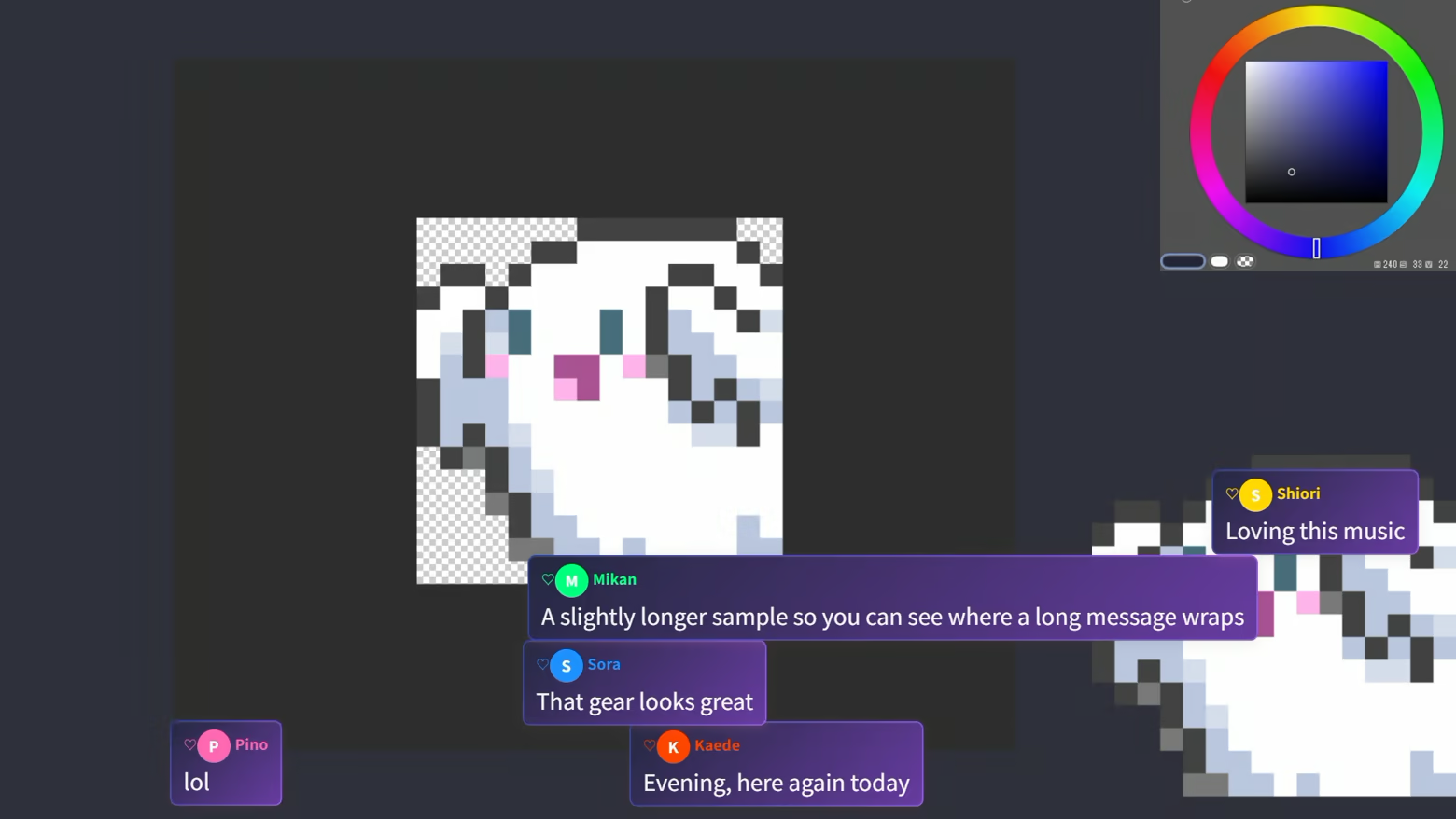
  • Chat Overlay — Put chat on your stream. Lots of animated styles and display formats to choose from. Fine-tune everything down to balloon background images, borders, fonts, and shadows.

  • Emote Particles — Emotes burst out of the screen whenever a message contains them. Five motion styles, including bouncing around, raining down, and merging together to grow.

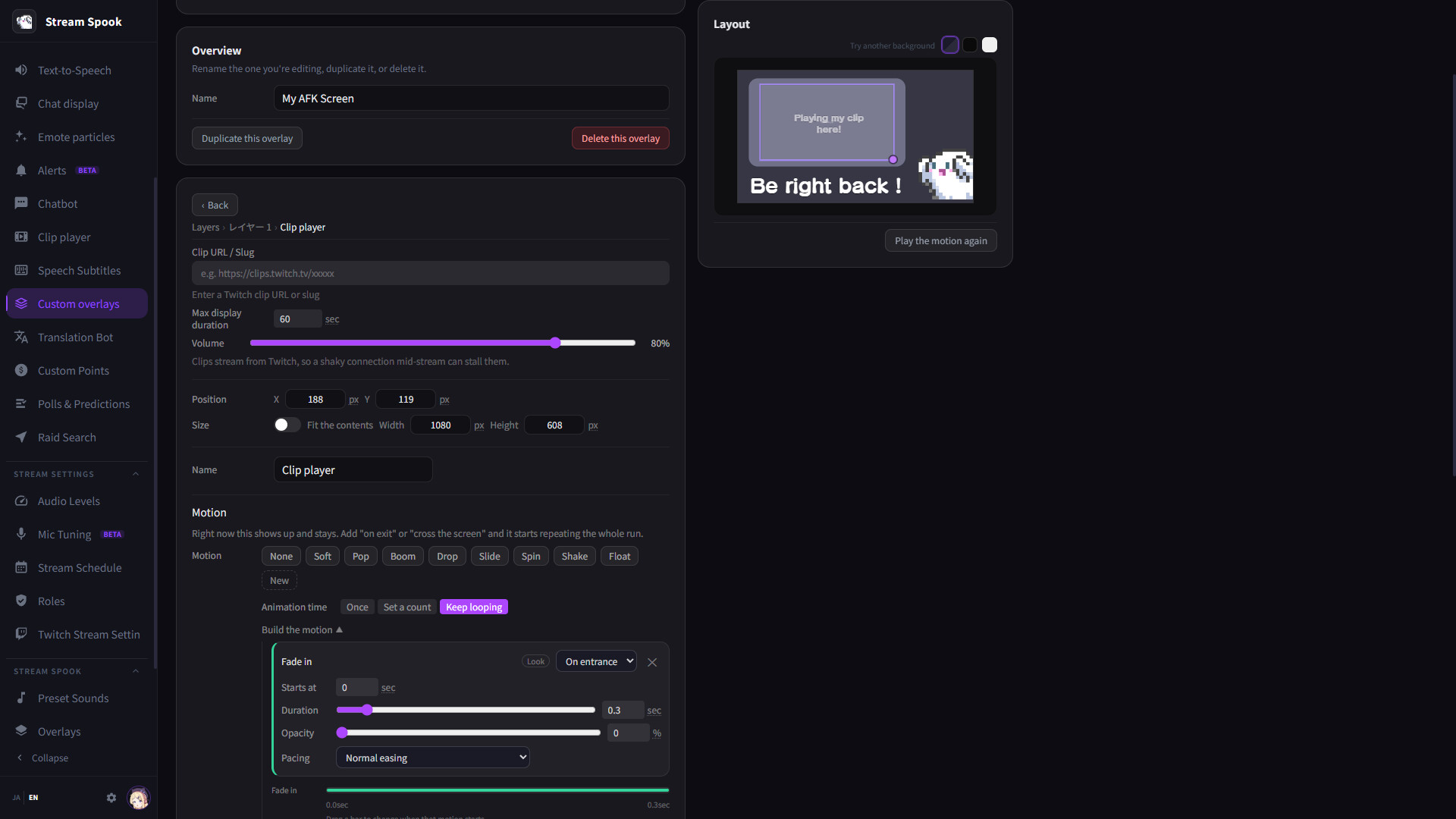
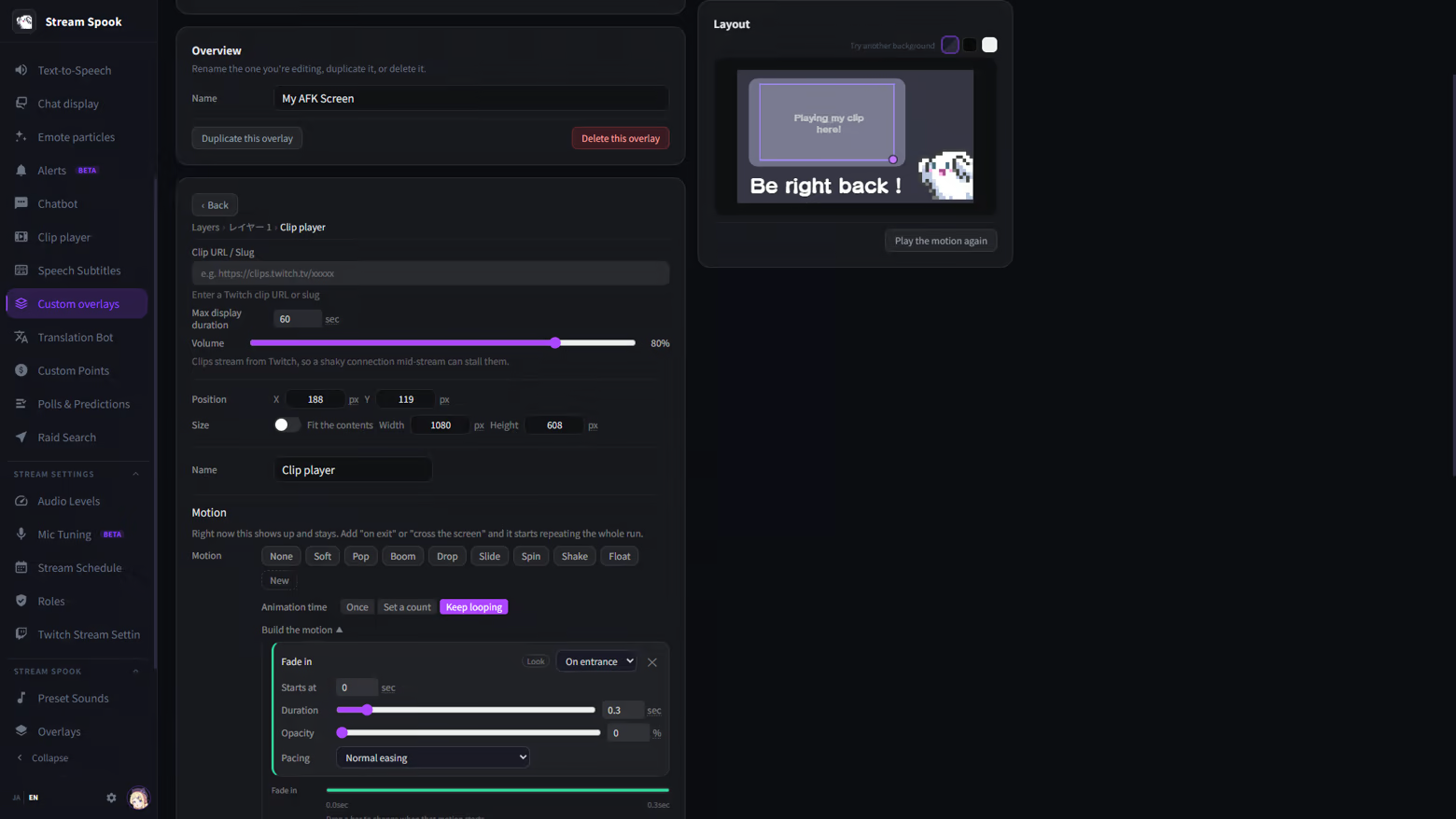
  • Custom Overlays — Build BRB screens, starting-soon screens, and announcement banners with a GUI. Layer text, solid colors, shapes, images, videos, and clips, with animation support.

  • Clip Player — Play clips from your own channel on stream when someone posts them in chat. Control who can play them, plus cooldowns, queueing, a block list, and interrupt playback.

  • Chat Text-to-Speech — Read chat aloud with TTS. Adjust the voice, speed, pitch, and intonation; set up a pronunciation dictionary, blocked words and users, emote-only sound effects, and a special notification sound for first-time chatters.

  • Speech-to-Text Captions — Transcribe your voice in real time and show it on stream. It uses Chrome's on-device recognition, so neither your voice nor the text ever leaves your machine.

  • Translation Bot — Translate foreign-language comments and post them to chat. Translation runs entirely on your device (using Edge's built-in translation engine) — no cloud translation APIs or API keys needed. Supports 12 languages, with optional TTS for translated messages.

  • Chatbot — Automatically post recurring messages. Supports rotation, waiting for someone to chat before posting, and announcement-style posts.

  • Custom Points — Your own point economy, separate from Twitch Channel Points. Tiered rewards based on chat activity, flexible tracking periods (lifetime / per-stream / daily / weekly / monthly), and manual balance edits.

  • Polls & Predictions — Start and end Twitch polls and predictions from the app. Reuse past setups from your history.

  • Raid Finder — Find where to raid at the end of your stream, searching from channels you follow or by category. Sorted by recommendation based on who has raided you, chat history, and similar channel size.

  • Role Management / Twitch Stream Settings — Appoint and remove moderators and VIPs, and change chat settings like followers-only, slow mode, and shield mode directly from the app.

Stream Records & Review

  • Live Dashboard — Concurrent viewers, chat momentum, and the viewer list on a single screen. Spot audio clipping and dropped frames the moment they happen.

  • Pre-Stream Checklist — Check your title, category, OBS connection, mic, and TTS engine before going live. Warns you if the title is still the same as last stream. Title and category can be changed on the spot.

  • Silence & Stream Quality Alerts — Get notified with the cause and the fix when you've been quiet too long, or when your connection or PC can't keep up.

  • Stream Review — A timeline overlaying viewer count and chat, drop-off points, highlight detection (turn them straight into clips), per-viewer watch time, follower changes, and the full chat log.

  • Analytics (BETA) — Day-of-week × time-of-day heatmaps, per-category performance, return rate and first-visit follow rate, raid analysis, chat analysis, and sub analysis.

  • Viewer Profiles — "When does this person show up, and what do they talk about?" — all on one card. Leave notes so you have a conversation starter the next time you see them.

  • Stream Schedule — Edit your Twitch schedule on a calendar, and overlay planned versus actual streams to see how you're keeping up.

Audio

  • Volume Control — Adjust OBS's audio mixer with level meters. Compares each source against target levels by category (mic / game / BGM / SFX), rates it as good / too loud / too quiet / clipping, and applies a fix with one click.

  • Mic Setup (BETA) — Take the hassle out of mic tuning with a wizard that records and measures your actual voice. Instead of writing in one-size-fits-all recommended values, it produces settings tailored to your mic.

  • Preset Sounds — A large built-in library of sounds you can use in your effects.

Quality of Life

  • Japanese and English support, switchable instantly from the sidebar

  • Lives in the system tray — recording keeps going even when you close the window

  • Steam Cloud support — carry your settings over to another PC. Viewer personal data and login credentials are structurally excluded from sync

  • Data handling — Your stream records and viewer data are all stored on your own PC. Nothing is uploaded to external servers (aside from settings sync via Steam Cloud). You can also delete data per viewer, or wipe all Twitch-related data entirely.

Before you start

  • Windows only

  • A Twitch account is required

  • Showing things on your stream requires OBS Studio 28 or later

  • Chat text-to-speech requires VOICEVOX, installed separately (it's not bundled with this app, and is distributed for free)

  • Speech-to-text captions require Chrome 139 or later; the Translation Bot requires Microsoft Edge 148 or later

Pendedahan Kandungan Dihasilkan AI

Pembangun menerangkan cara permainan mereka menggunakan Kandungan Dihasilkan AI seperti berikut:

The English interface text in this application was translated from the Japanese original with AI translation tools then reviewed and corrected by the developer.

Keperluan Sistem

    Minimum:
    • Memerlukan pemproses 64-bit dan sistem pengendalian
    • OS: Windows 11
    • Memori: 16 GB RAM
    • Storan: 1 GB ruang tersedia
    Dicadangkan:
    • Memerlukan pemproses 64-bit dan sistem pengendalian
    • OS: Windows 11
    • Memori: 32 GB RAM
    • Storan: 1 GB ruang tersedia
Penapis Ulasan