VoIPVault is instant replay for audio. Keep a rolling buffer of your mic, games, Discord, or system sound, then save the moment after it happens. Trim clips, balance separate tracks, build soundboards, assign hotkeys, and control it all from Stream Deck.

Daftar masuk untuk menambah item ini ke senarai hajat anda, ikuti atau tandakannya sebagai diabaikan

Bahasa Bahasa Melayu tidak disokong

Produk ini tidak menyokong bahasa tempatan anda. Sila semak senarai bahasa yang disokong di bawah sebelum membuat pembelian

Permainan ini belum tersedia di Steam lagi

Tarikh Keluaran Dirancang: 1 Sep, 2026

Aplikasi ini akan dibuka dalam kira-kira 11 hari

Berminat?
Tambah ke senarai hajat anda dan terima pemberitahuan apabila permainan sudah tersedia.
 

Tentang Perisian Ini

Basically, instant replay, but for audio.

I made VoIPVault because my friends say some truly wild things while we are playing games, and half the time nobody is recording when it happens.

VoIPVault keeps a rolling buffer of your audio. When something funny, weird, or worth keeping happens, hit save and grab the part that already happened. You can keep a quick moment or reach back through a much longer buffer without recording hours of video just to save one conversation. That is the entire reason I started this project two years ago.

Record your mic and whatever you are listening to

Capture a specific application, all of your system audio, or an audio mix from something like Wave Link.

When you record your microphone and application audio together, VoIPVault can preserve them as two separate tracks in a WAV file. If your microphone is too loud, Discord is too quiet, or somebody is eating their microphone, you can adjust the tracks later instead of being stuck with one combined mess.

Cut out the part you actually want

The Clip Editor lets you open a recording, highlight the good part, adjust each track, and save it as a new clip. You can zoom into longer recordings, choose where playback starts, mute either track, and send the finished clip directly to a soundboard page.

It is not trying to replace a full audio workstation. There is a very specific workflow being built here: find the part where your friend lost his mind, cut it out, name it, and move on with your life.

There is a soundboard too

Organize clips into different pages, move buttons around, change their names and colors, adjust individual volume levels, and assign hotkeys. There is also a smaller pop-out soundboard when you do not want the entire application open while you are playing.

Soundboard routing note: VoIPVault plays through the Windows audio output you select. If you want other people in voice chat to hear it, route that output through Wave Link, VB-Audio, or the audio setup you already use. VoIPVault does not install its own virtual audio device.

Stream Deck support

VoIPVault includes a Stream Deck plugin. Play sounds, save the current buffer, start or stop recording, stop soundboard playback, or pull VoIPVault back to the front without tabbing out of whatever you are doing.

You can also create Stream Deck profiles from your soundboard pages. This was my first Stream Deck plugin too. It was fun.

Your files are your files

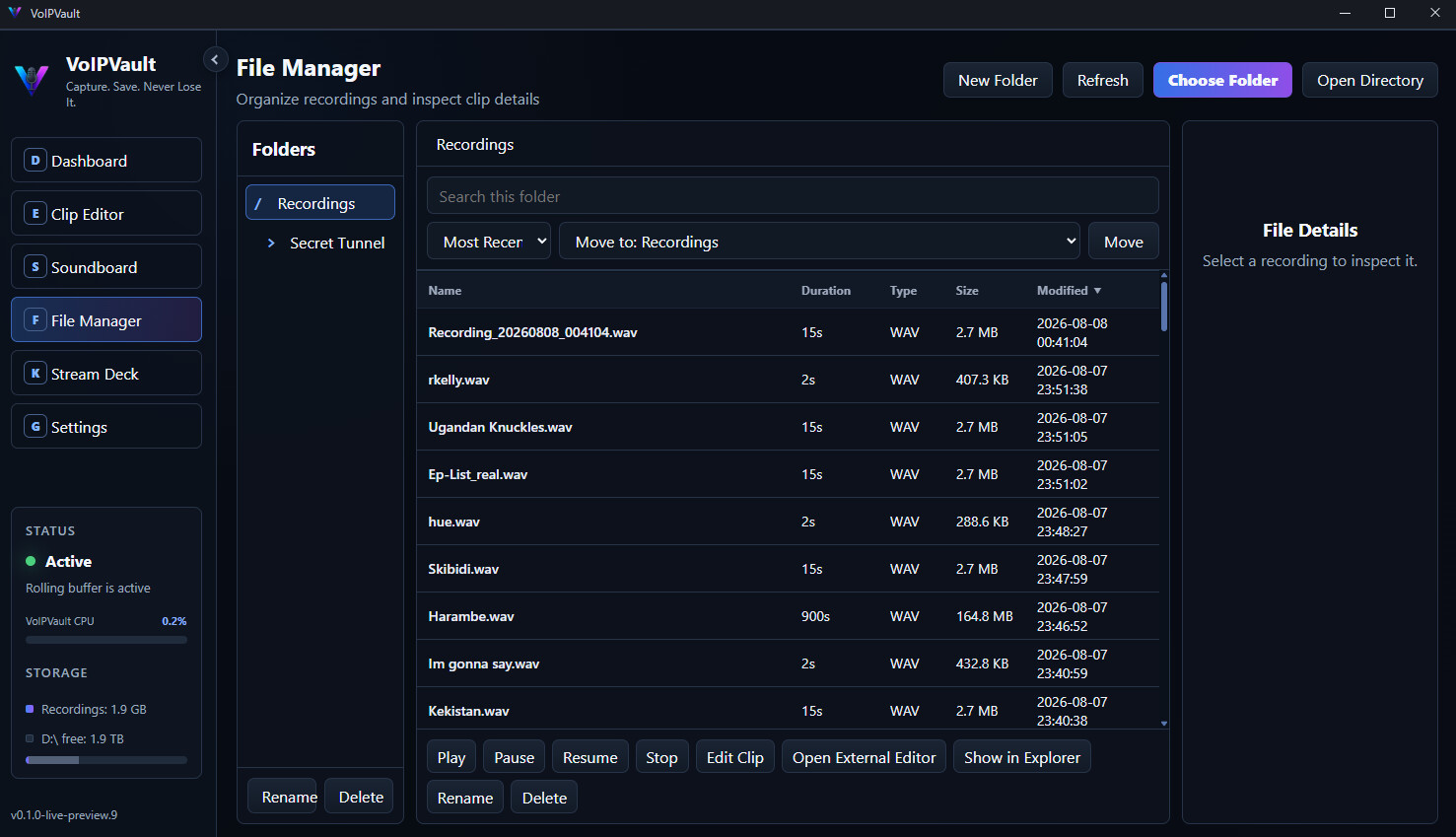
Recordings are stored locally in a normal folder on your computer. There is no separate VoIPVault account, no required cloud service, and no weird proprietary audio format holding your clips hostage.

The File Manager handles sorting, folders, renaming, previewing, and organizing everything once your collection of terrible decisions starts getting out of hand.

That is pretty much VoIPVault. Start the buffer, forget about it, and save the moment after it happens. I tried to make it as easy as possible.

Keperluan Sistem

    Minimum:
    • Memerlukan pemproses 64-bit dan sistem pengendalian
    • OS: Windows 11 64-bit
    • Pemproses: 64-bit dual-core processor, 2.0 GHz or faster
    • Memori: 4096 MB MB RAM
    • Grafik: Windows 11-compatible integrated or dedicated graphics
    • Storan: 500 MB ruang tersedia
    • Kad Bunyi: Windows-compatible audio input and output device
    • Nota Tambahan: Additional storage is required for saved recordings. A microphone is optional. Advanced soundboard routing may require virtual audio routing software such as Wave Link or VB-Audio. Stream Deck integration requires Elgato Stream Deck software.
    Dicadangkan:
    • Memerlukan pemproses 64-bit dan sistem pengendalian
    • OS: Windows 11 64-bit
    • Pemproses: 64-bit quad-core processor, 3.0 GHz or faster
    • Memori: 8192 MB RAM
    • Grafik: Windows 11-compatible integrated or dedicated graphics
    • Storan: 1000 MB ruang tersedia
    • Kad Bunyi: Windows-compatible audio input and output device
    • Nota Tambahan: Additional storage is required for saved recordings. A microphone is optional. Advanced soundboard routing may require virtual audio routing software such as Wave Link or VB-Audio. Stream Deck integration requires Elgato Stream Deck software.
Penapis Ulasan