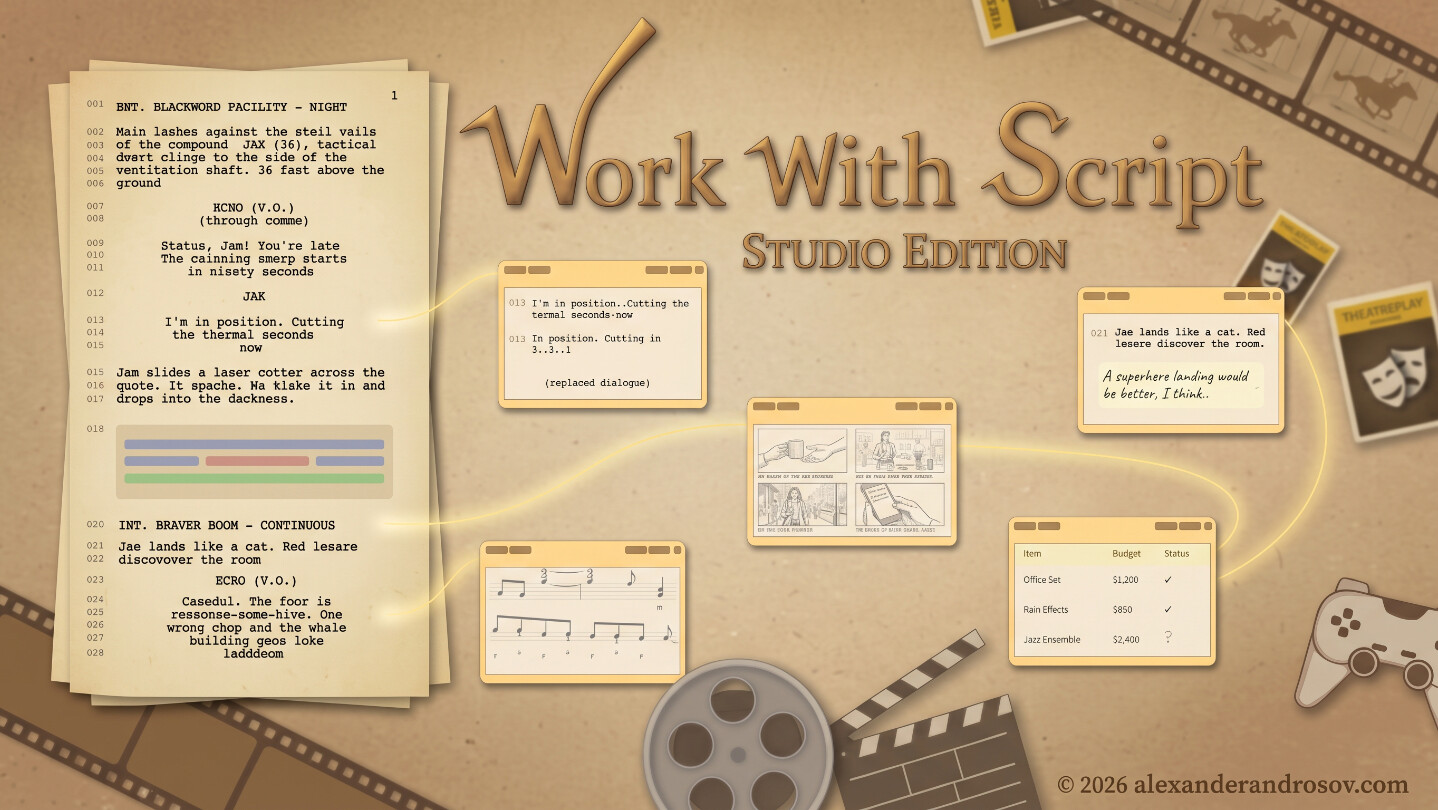
Work With Script is screenplay-centered production software for film, video games, and theatre. Write, plan, collaborate, compose, budget, and organize your entire production around the story — all in one focused creative workspace.

想要将此项目添加至您的愿望单、关注它或标记为已忽略,请先登录

不支持简体中文

This product does not have support for your local language. Please review the supported language list below before purchasing

此游戏尚未在 Steam 上推出

计划发行日期: 2026 年第四季度

感兴趣吗?
将此游戏添加至您的愿望单,以便在游戏推出时收到通知。
 

关于此软件

Work With Script is screenplay-centered production software for film, video game, and theatre creators.

Built around the script, it brings writers, directors, producers, composers, designers, and other departments into one shared production workflow — keeping the story at the center from pre-production through production and post-production.

Get started with Tutorials here:

Build your production around the story

Work With Script turns your screenplay into an interactive production workspace. Instead of separating writing, planning, visual development, music, budgeting, and collaboration across disconnected applications, the tools remain connected directly to the relevant parts of the script.

Write, revise, and collaborate

Highlight and annotate your screenplay, add comments for your team, rewrite dialogue or action using Script Injections, and keep removed material accessible through the Archive.

Your script can evolve without losing track of previous creative decisions.

Plan visually

Attach images and videos directly to the screenplay, organize visual references, create storyboards, and draw floor plans without leaving your project.

Board tools are designed for directors, cinematographers, production designers, game developers, and other visually focused departments.

Compose alongside the script

Write sheet music directly inside your project, attach audio files, connect your own VST3 instruments, and record performances using MIDI hardware.

Music Injections allow composers and sound designers to develop ideas in direct context with the scenes they are scoring.

Organize production

Use dedicated sheets for:

  • Budgeting

  • Film production planning

  • Game production planning

  • Rehearsals

  • Costumes

  • Call sheets

  • Continuity

  • Custom production workflows

Production information stays close to the screenplay instead of becoming disconnected from it.

Keep the team on the same page

Comments, notes, visual references, production planning, music, and script changes all remain connected to the story they relate to.

Work With Script is designed to reduce unnecessary context switching and help different departments understand not only what they are making, but why it belongs in the story.

Designed for focused creative work

The interface is built around an ergonomic workflow intended to reduce unnecessary eye travel, cognitive load, and repetitive switching between tools.

Projects can also be kept offline, giving you direct control over where your production data is stored.

One screenplay. One production. One shared story.

Whether you are developing a film, video game, stage production, or an independent project, Work With Script provides a unified workspace for taking a story from the page into production.

The tools, one line each

  • Write Mode — A focused writing environment built for screenplay formatting. Just you, your idea, and your keyboard.
  • Notes Injection — Review and refine your screenplay with clear highlights and collaborative comments during pre-production.
  • Event Notes — Promote any note into an independent, titled, colour-coded event object — arrange, connect and review it without returning to the page it came from.
  • The Script Itself — Revise whole passages, sculpt narrative design, and break down complex scenes and characters.
  • Board Injection — Drop in reference videos, attach mood images, and organize storyboards and grids — without leaving the page.
  • Draw Board — Sketch floor plans and scene blocking with freehand drawing, shapes, text layers, and character and camera symbols; game developers can map out levels and level blocking right beside the script.
  • Thumbnail Board — Build high-impact thumbnails with masking, effects, text layers, and blocking, then test how they read in a live feed preview.
  • Music Injection — Compose and attach audio files right where the scene lives in the script.
  • Sheet Injection — Schedule the project and manage production finances with purpose-built spreadsheet templates.
  • Shipping Plan — Coordinate video distribution, platform metadata, Shorts, and approved thumbnail deliverables anchored to your screenplay.
  • Teleprompter — Deliver lines hands-free with real-time speech tracking, smooth speed controls, and eye-friendly palettes.

AI 生成内容披露

开发者对其游戏如何使用 AI 生成内容的描述如下:

Work With Script includes pre-generated visual assets created with generative AI: the MIDI keyboard artwork, the feather icon used for Writer Mode, and eight example thumbnails included as starting-point references for creators in the Thumbnail Board. The application contains no AI features — no content is generated during use, and the application does not connect to external AI services.

系统需求

Windows
macOS
    最低配置:
    • 需要 64 位处理器和操作系统
    • 操作系统: Windows 10 64-bit
    • 处理器: 64-bit dual-core Intel or AMD processor
    • 内存: 4 GB GB RAM
    • 显卡: DirectX 11-compatible integrated graphics
    • DirectX 版本: 11
    • 存储空间: 需要 1 GB GB 可用空间
    • 声卡: Windows-compatible audio output device
    • 附注事项: Minimum display resolution: 1280 × 720. Third-party VST3 plug-ins may require additional system resources.
    推荐配置:
    • 需要 64 位处理器和操作系统
    • 操作系统: Windows 11 64-bit
    • 处理器: Intel Core i5 or AMD Ryzen 5 or better
    • 内存: 8 GB RAM
    • 显卡: Modern integrated or dedicated graphics
    • DirectX 版本: 11
    • 存储空间: 需要 2 GB 可用空间
    • 声卡: Windows-compatible audio output device
    • 附注事项: Recommended display resolution: 1920 × 1080. Third-party VST3 plug-ins may require additional system resources.
    最低配置:
    • 操作系统: macOS 12 Monterey
    • 处理器: Apple M1 or 64-bit Intel processor
    • 内存: 4 GB RAM
    • 显卡: Metal-capable integrated graphics
    • 声卡: Core Audio-compatible audio output device
    • 附注事项: Minimum display resolution: 1280 × 720. Third-party Audio Unit and VST3 plug-ins may require additional system resources.
    推荐配置:
    • 操作系统: macOS 14 Sonoma or later
    • 处理器: Apple M1 or Intel Core i5 or better
    • 内存: 8 GB RAM
    • 显卡: Apple Silicon GPU or dedicated Metal-capable graphics
    • 声卡: Core Audio-compatible audio output device
    • 附注事项: Recommended display resolution: 1920 × 1080. Third-party Audio Unit and VST3 plug-ins may require additional system resources.
评测筛选条件