Build custom pixel-art, dithering, CRT, VHS and glitch effects with a flexible non-destructive pipeline. Combine 40+ processing stages, save reusable presets, process multiple images and automate workflows through the included CLI.

Sign in to add this item to your wishlist, follow it, or mark it as ignored

This game is not yet available on Steam

Planned Release Date: 2026

Interested?
Add to your wishlist and get notified when it becomes available.
 

About This Software

Turn images into pixel art, retro graphics, ASCII artwork, CRT displays, VHS footage, print textures, and experimental digital art.

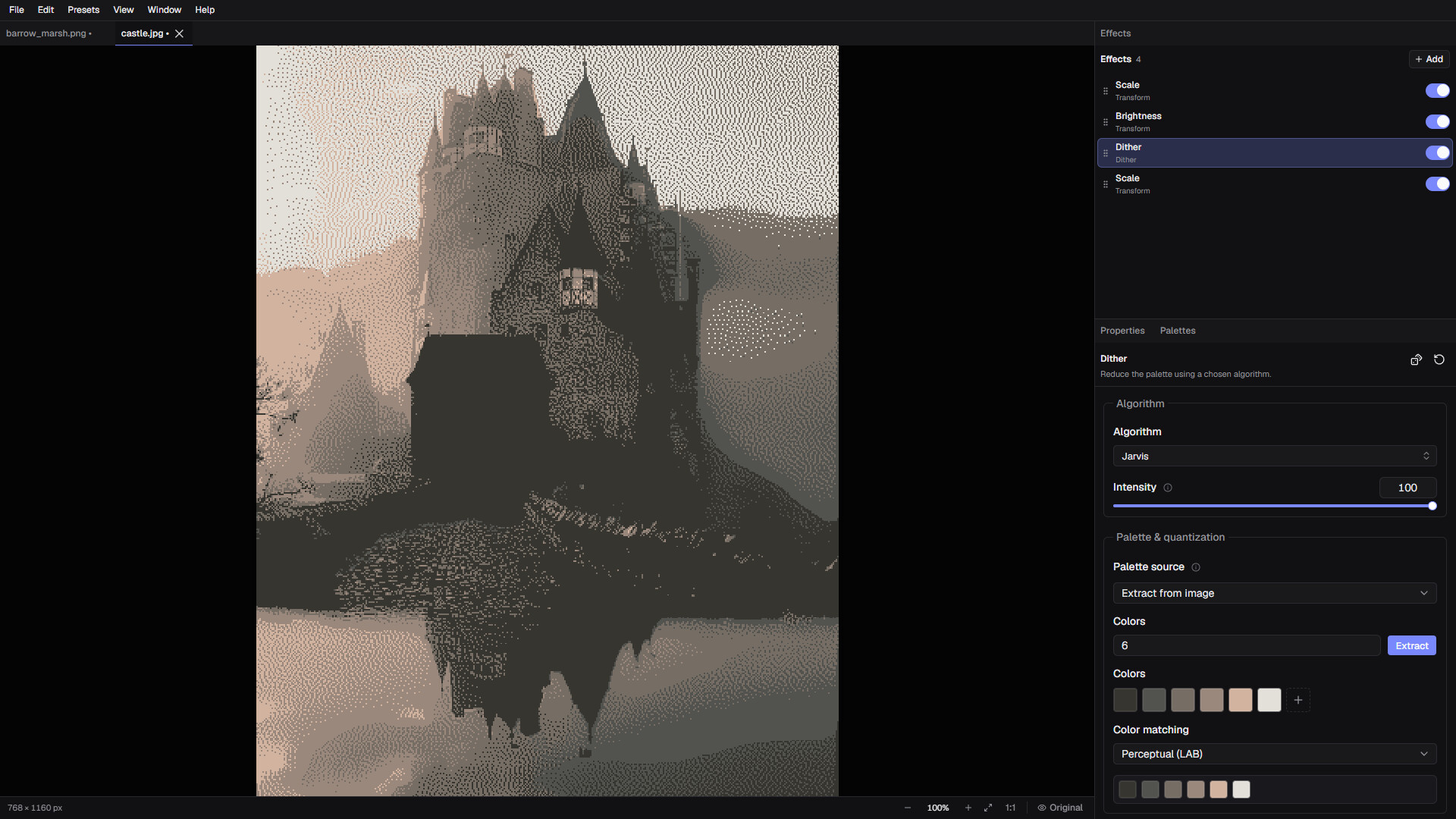
DitherMaster Studio is a standalone image-processing tool built around a flexible, non-destructive effect pipeline.
Combine effects in any order, fine-tune every stage, save your setups as presets, and create anything from nostalgic retro hardware looks to completely unpredictable glitch art.

⊂ One image, unlimited combinations...

⊂ Build your own image pipeline

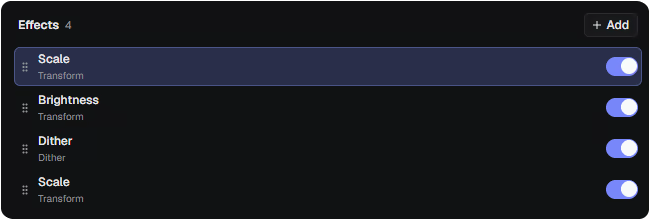
Instead of applying a single fixed filter, Studio lets you stack, reorder, duplicate, disable, reset, randomize, and configure individual processing stages in a chain. From simple dither to complex CRT effect chains. The same pipeline can be previewed interactively, saved as a reusable preset and applied to multiple images. Even running from the command line is possible. Be creative!

⊂ Effects and Processing Stages

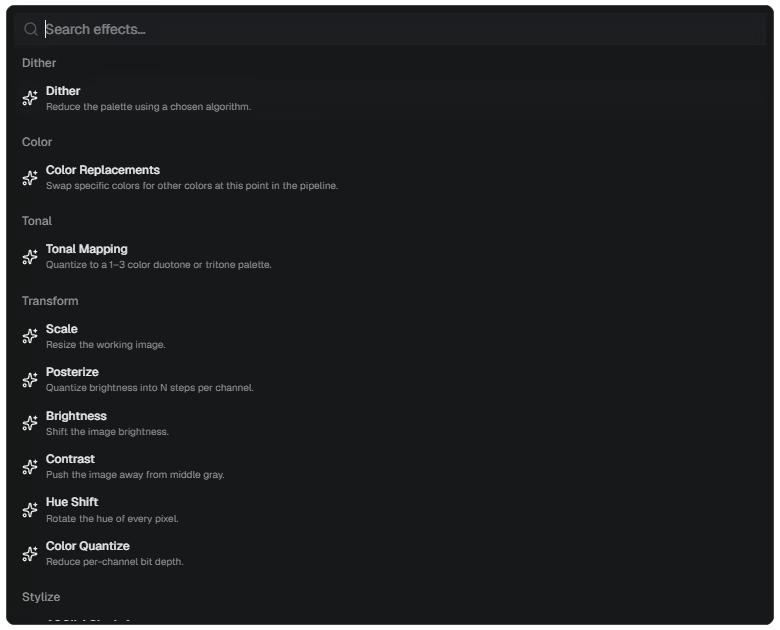
Studio includes 40+ configurable image-processing stages.

Highlights include:

  • Basic transformations including scaling, cropping, rotation, inversion, blur, sharpening, levels, per-channel adjustments, and channel operations

  • Brightness, contrast, hue, saturation, posterization, thresholding, and color quantization

  • Edge detection and simple static background removal

  • Monotone, duotone, and tritone tonal mapping

  • ASCII and glyph-based image rendering

  • Custom text overlays

  • Color replacement and palette-based processing

  • Film grain, monochrome noise, blur, sharpening, vignette, halation, and other analog treatments

  • CRT warp, phosphor glow, RGB subpixels, aperture grille, shadow mask, screen glare, and scanline curvature

  • Pixel sorting, scanline glitches, RGB shifting, and simulated datamoshing

  • VHS color distortion, chroma delay, tracking noise, and tape dropout

  • Print-inspired effects such as Risograph, newsprint, and E-Ink simulation

  • Canvas and color workflow tools including custom color replacements and per-channel operations

Every stage can be adjusted independently, allowing you to create and save highly specific visual workflows.

⊂ Dithering Algorithms

Choose from 30+ dithering algorithms across several different styles, including:

  • Classic error diffusion, such as Floyd-Steinberg, Atkinson, Jarvis-Judice-Ninke, and Sierra

  • Ordered dithering with Bayer and Void-and-Cluster patterns

  • Halftone and scanline techniques

  • Modulation-based patterns for CRT, grid, and directional effects

  • Experimental pattern dithers, including noise, dots, knit, star, circuit, and cyber-inspired designs

Control dithering intensity, palette behavior, tonal mapping, and resolution to create anything from smooth monochrome shading to bold, chunky pixel-art patterns.

⊂ Advanced Features

  • Need scripting? The tool comes with a CLI. If you need to transform many images with the same effect pipeline you can use the CLI to embed these in your automation pipelines.

System Requirements

Windows
macOS
    Minimum:
    • Requires a 64-bit processor and operating system
    • OS: Windows 10 64-bit
    • Processor: 64-bit dual-core processor
    • Memory: 4 GB RAM
    • Graphics: DirectX 11-compatible integrated graphics
    • DirectX: Version 11
    • Storage: 100 MB available space
    • Additional Notes: Microsoft Edge WebView2 Runtime required
    Recommended:
    • Requires a 64-bit processor and operating system
    • OS: Windows 11 64-bit
    • Processor: Modern 64-bit quad-core processor
    • Memory: 8 GB RAM
    • Graphics: Modern integrated or dedicated graphics
    • DirectX: Version 11
    • Storage: 250 MB available space
    • Additional Notes: Microsoft Edge WebView2 Runtime required
    Minimum:
    • OS: macOS 11 Big Sur
    • Processor: 64-bit Intel or Apple Silicon
    • Memory: 4 GB RAM
    • Graphics: Metal-capable integrated graphics
    • Storage: 500 MB available space
    • Additional Notes: Universal build supports Apple Silicon and Intel Macs
    Recommended:
    • OS: macOS 13 Ventura or later
    • Processor: Apple M1 or newer
    • Memory: 8 MB RAM
    • Graphics: Apple Silicon or modern dedicated graphics
    • Storage: 700 MB available space
    • Additional Notes: Universal build supports Apple Silicon and Intel Macs
Review Filters