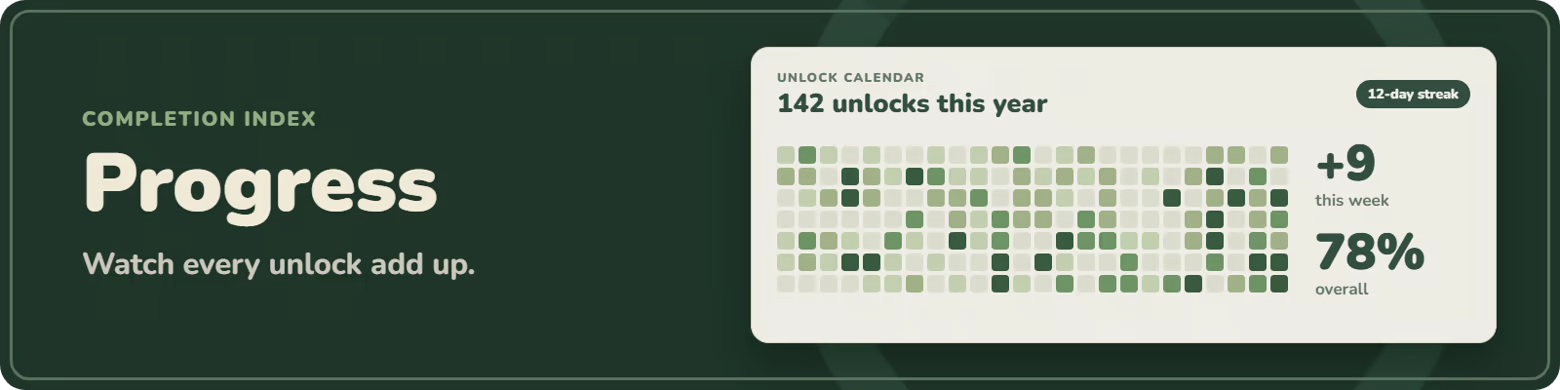
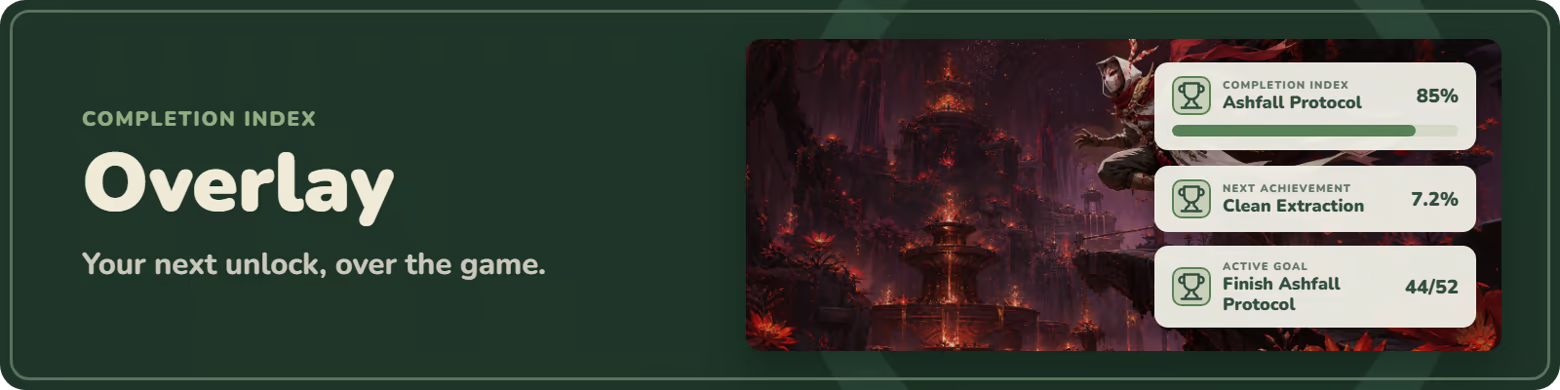
Conquer your Steam backlog one achievement at a time. Set goals, sort games into smart collections, and track every unlock. Make it yours with a home screen you lay out, a click-through overlay styled your way, and custom achievement popups you design yourself. Steam and game files stay untouched.

Sign in to add this item to your wishlist, follow it, or mark it as ignored

This game is not yet available on Steam

Coming soon

Interested?
Add to your wishlist and get notified when it becomes available.
 

About This Software

Completion Index turns your Steam library into a private, organized completion workspace.

  • Track achievements, completion percentages, and recent unlocks.

  • Set goals, build collections, and watch your progress over time.

  • Keep the next achievement in view with an in-game overlay and custom unlock popups.

  • Keep it private: goals, notes, collections, layouts, and preferences stay on your PC.

Completion Index never locks or unlocks achievements or changes Steam game statistics.


Start each session with a dashboard built around what matters most.

  • See your current quest, active goals, and recent achievements.

  • Add, remove, move, and resize widgets.

  • Save named layouts for different play styles.

Quickly decide which game or achievement to tackle next.
Browse your Steam games and achievements in one organized place.

  • Search, filter, and sort installed or cached games.

  • See rarity, unlock dates, completion percentages, and DLC achievement sets.

  • Search every achievement in your library at once with Ctrl+K.

  • Pin achievements to a hunt list, add private notes, and export lists to CSV.

  • Launch installed games through Steam.

Turn the games and achievements you want to finish into focused objectives.

  • Create achievement, game-completion, or collection goals.

  • Add personal titles, targets, and optional due dates.

  • Progress updates on its own as you unlock achievements.

  • Keep short challenges and long-term projects together.

Organize your backlog into groups that are useful to you.

  • Create manual collections with the games you pick.

  • Build smart collections from progress, install, or achievement rules.

  • Smart collections update themselves as you play.

  • Turn any collection into a multi-game completion goal.

See how your completion journey develops over time.

  • Review completion health, unlock trends, and recent achievements.

  • Look back over a 12-month unlock calendar and your streaks.

  • See your recent play sessions and what you earned in each.

  • Find the games closest to being finished.

  • Private history built from local snapshots, with no public profiles or leaderboards.

Keep important achievement information visible while you play.

  • Show progress, goals, pinned achievements, or the next one to earn.

  • Move, scale, and arrange cards, and save presets for each game.

  • Opens when a game starts and hides when it closes.

  • Click-through mode keeps it out of your way.

  • Get a short recap of what you earned when a session ends.

  • Works with windowed and borderless games, with no injection or graphics hooks.

Get a popup the moment you unlock an achievement, styled your way.

  • Choose the position, size, shape, colors, and animation.

  • Use a solid color, your own image, or the current game's art as the background.

  • Add your own unlock sound.

  • Preview and test it before you play.

Turn your completion progress into an image you can share.

  • Pick a period: last 7 days, last 30 days, or all time.

  • Choose what the card shows: completion, unlocks, top games, and recent achievements.

  • Light or dark, widescreen or square.

  • Saved as a PNG on your PC. Nothing is uploaded.

Shape Completion Index around your desktop and the way you play.

  • Pick from ten color themes, follow Windows light or dark mode, or make your own.

  • Adjust interface density, scale, motion, and achievement preferences.

  • Keep it running quietly in the system tray, or start it hidden.

  • Export or restore your profile, with automatic daily backups.

Completion Index reads locally cached Steam information. It does not lock or unlock achievements, modify Steam files, access game memory, or inject code into games.

AI Generated Content Disclosure

The developers describe how their game uses AI Generated Content like this:

Generative AI was used for the trailer, the fictional game art, and coding help. Nothing is AI-generated while the app runs.

System Requirements

    Minimum:
    • OS: Windows 10 64-bit (version 1803 or newer)
    • Processor: 2 GHz dual-core processor
    • Memory: 4 GB RAM
    • Graphics: DirectX 11-compatible integrated graphics
    • DirectX: Version 11
    • Storage: 250 MB available space
    • Additional Notes: Keep Steam running for the freshest locally cached achievement data.
    Recommended:
    • OS: Windows 11 64-bit
    • Processor: 2.5 GHz quad-core processor
    • Memory: 8 GB RAM
    • Graphics: DirectX 11-compatible graphics with hardware acceleration
    • DirectX: Version 11
    • Storage: 500 MB available space
    • Additional Notes: Keep Steam running for the freshest locally cached achievement data.