A compact Windows utility for repeatable mouse and keyboard input. Configure cadence, sequences, limits, safety zones and process rules, then control every run with a global hotkey. Includes presets, Steam Cloud and an optional Cookie mode.

เข้าสู่ระบบ เพื่อเพิ่มผลิตภัณฑ์นี้ลงในสิ่งที่อยากได้ของคุณ ติดตาม หรือทำเครื่องหมายเป็นถูกละเว้น

ไม่รองรับภาษาไทย

ผลิตภัณฑ์นี้ไม่รองรับภาษาท้องถิ่นของคุณ โปรดตรวจสอบรายชื่อภาษาที่รองรับก่อนทำการสั่งซื้อ

ซื้อ Woodpecker


เกี่ยวกับซอฟต์แวร์นี้

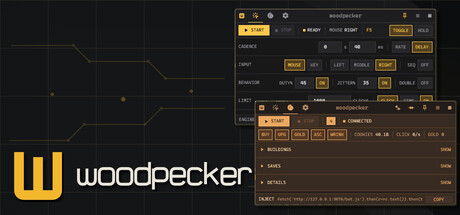
Woodpecker handles repetitive input without turning the setup into a job of its own. Choose a mouse or keyboard action, set the cadence, and control the run from anywhere with a global hotkey.

CONTROL THE RUN

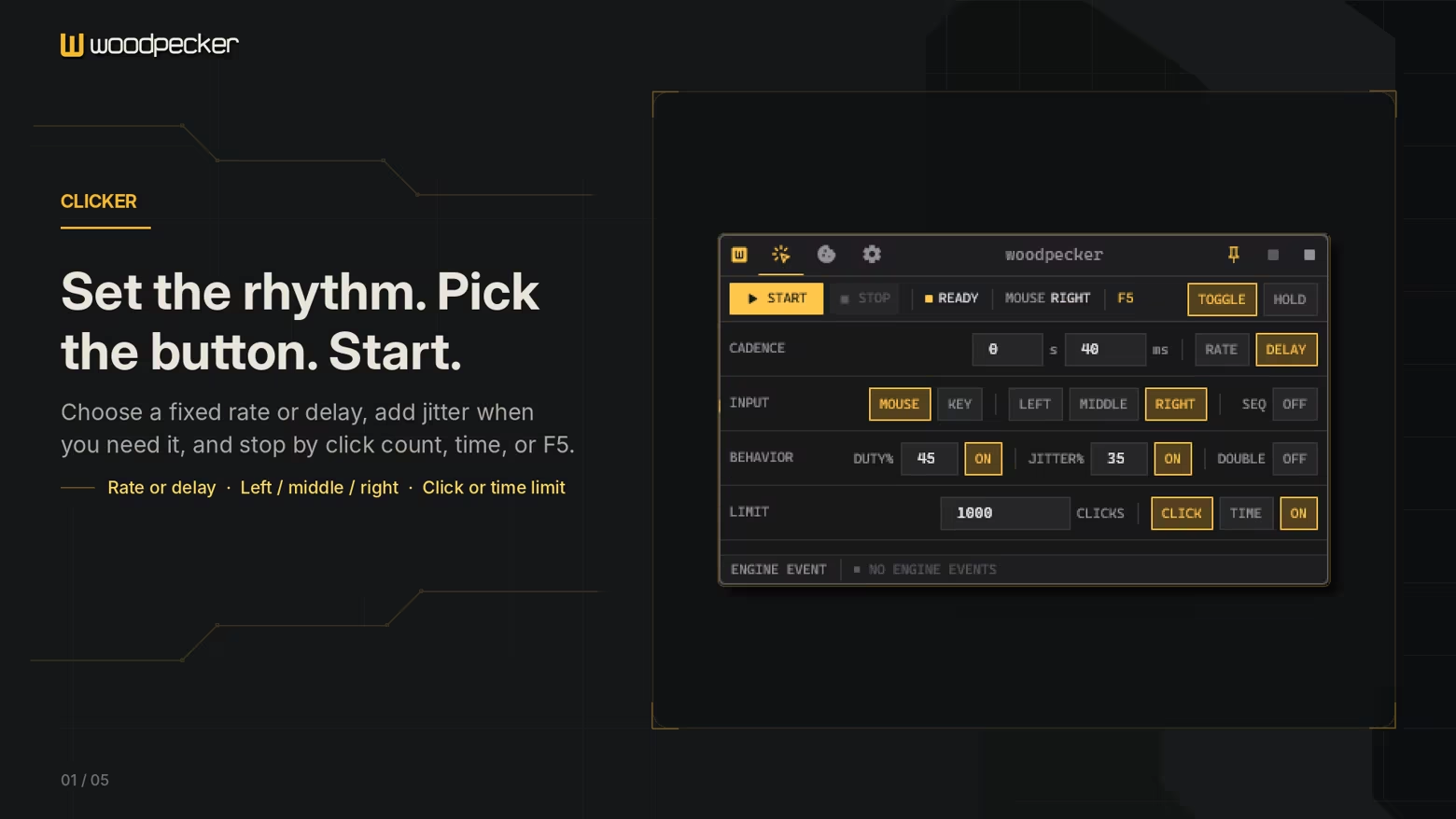
Set clicks per second or work from a fixed delay. Adjust press duration, timing variation and double-click behaviour, then stop after a chosen number of inputs or amount of time.

For more structured work, create a sequence of screen positions and give each point its own click count. Woodpecker keeps the sequence visible while you build it, so the result is easy to inspect before it runs.

SAFETY THAT TRAVELS WITH THE RUN

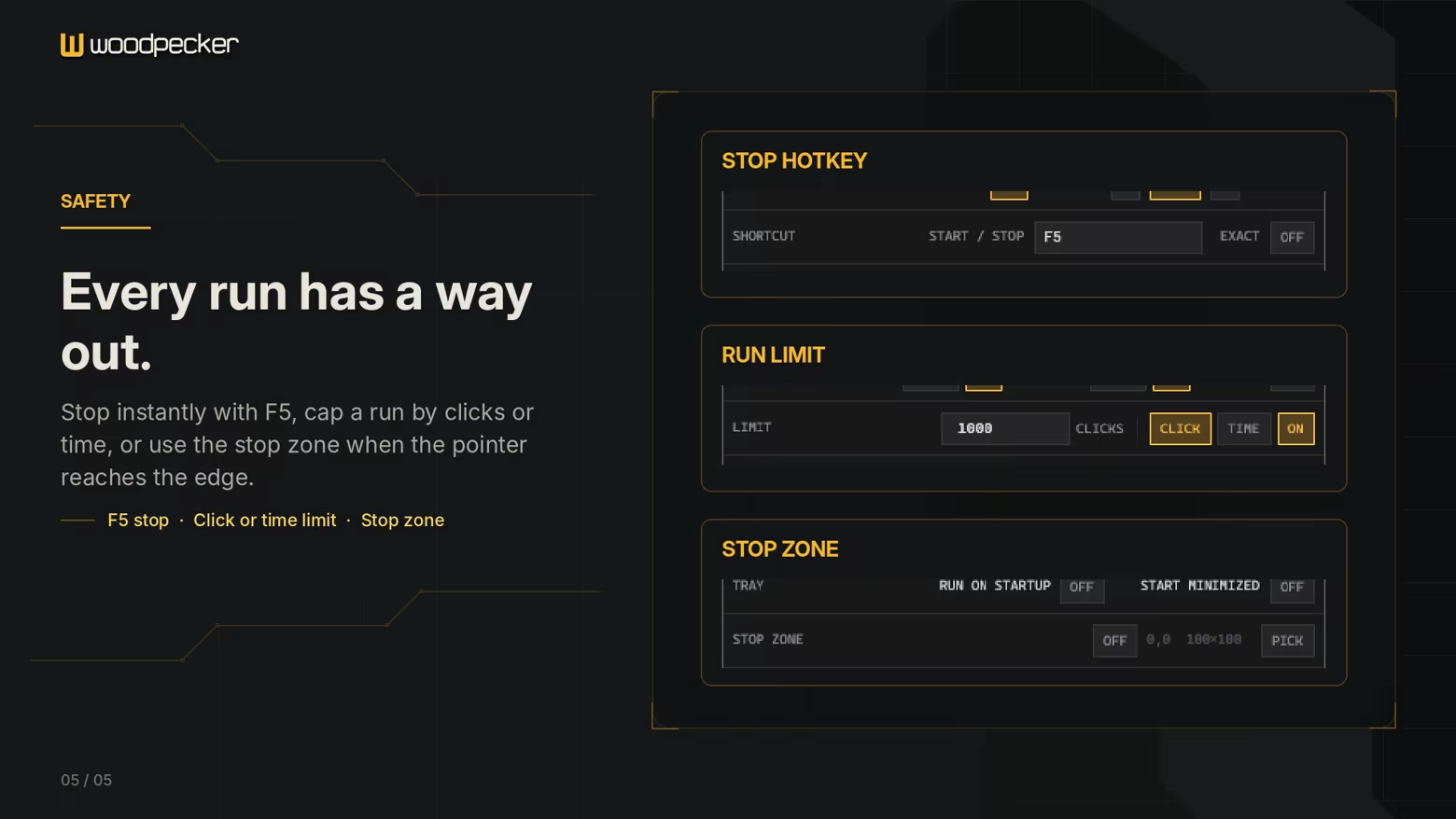
Automation should stop when its assumptions are no longer true. Woodpecker can react to protected corners and edges, a custom stop zone, task switching and foreground-process rules.

These controls are part of the native engine rather than a separate warning layer. When a safety condition clears, Woodpecker can resume according to the selected behaviour.

BUILT TO STAY OUT OF THE WAY

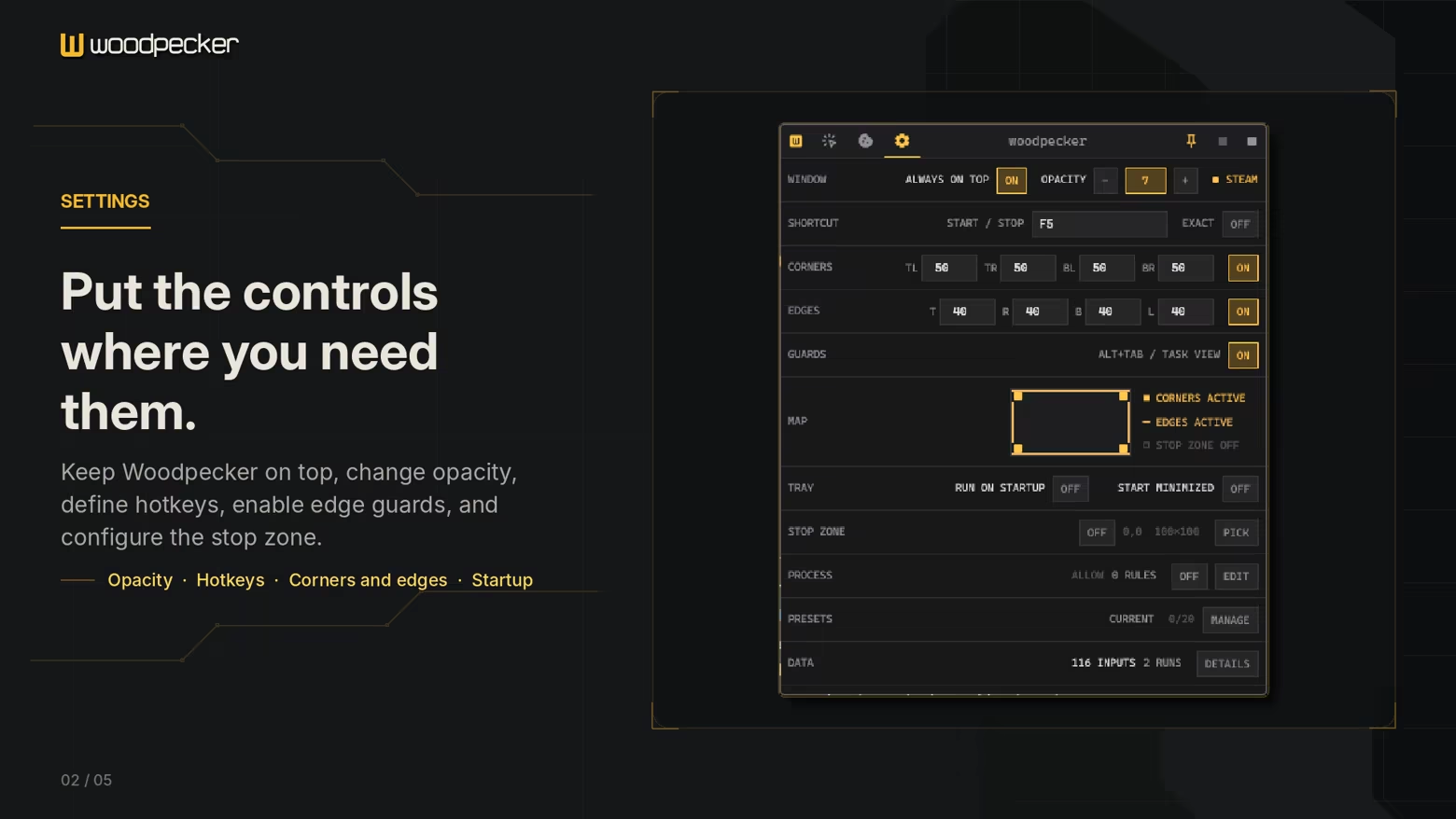
Woodpecker has a compact interface, a configurable global hotkey and a system-tray mode. Keep it pinned above another window when needed, or leave it running quietly in the background.

Named presets retain complete configurations for jobs you return to. Settings, presets and run statistics can follow you through Steam Cloud.

COOKIE MODE

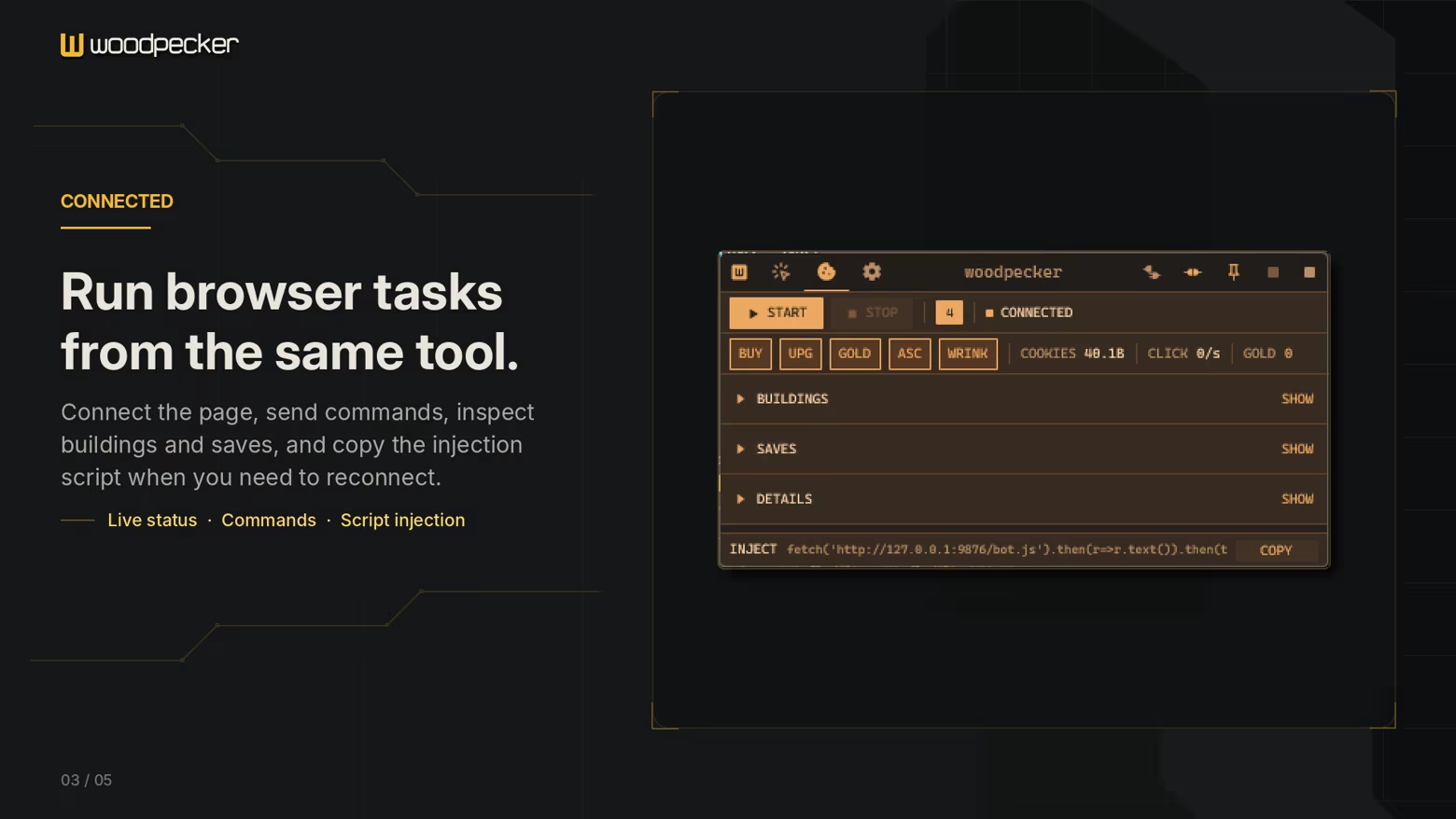
Cookie mode is a separate local browser companion for Cookie Clicker. It provides controls for purchases, saves, ascension and long-running automation through a connection that stays on your computer. It can be used for incremental browser play. It provides controls for purchases, saves and long-running automation through a connection that stays on your computer.

Pro: Woodpecker is a small Windows utility with predictable timing, explicit limits and no subscription or external account.

ความต้องการระบบ

    ขั้นต่ำ:
    • ต้องการโปรเซสเซอร์และระบบปฏิบัติการแบบ 64 บิต
    • ระบบปฏิบัติการ: Windows 10 64-bit
    • โปรเซสเซอร์: 64-bit dual-core processor
    • หน่วยความจำ: แรม 512 MB
    • กราฟิกส์: DirectX 11-compatible graphics
    • DirectX: เวอร์ชัน 11
    • พื้นที่จัดเก็บข้อมูล: พื้นที่ว่างที่พร้อมใช้งาน 100 MB
    • หมายเหตุเพิ่มเติม: Requires the Steam client and a standard Windows desktop session.
    แนะนำ:
    • ต้องการโปรเซสเซอร์และระบบปฏิบัติการแบบ 64 บิต
    • ระบบปฏิบัติการ: Windows 11 64-bit
    • โปรเซสเซอร์: 64-bit dual-core processor
    • หน่วยความจำ: แรม 1 GB
    • กราฟิกส์: `DirectX 11-compatible graphics
    • DirectX: เวอร์ชัน 11
    • พื้นที่จัดเก็บข้อมูล: พื้นที่ว่างที่พร้อมใช้งาน 150 MB
    • หมายเหตุเพิ่มเติม: Requires the Steam client and a standard Windows desktop session.
ไม่พบบทวิจารณ์สำหรับผลิตภัณฑ์นี้

คุณสามารถเขียนบทวิจารณ์ของคุณเองสำหรับผลิตภัณฑ์นี้เพื่อแบ่งปันประสบการณ์ของคุณให้กับชุมชน ใช้พื้นที่ด้านบนของปุ่มซื้อในหน้านี้เพื่อเขียนบทวิจารณ์ของคุณ

ตัวกรองบทวิจารณ์