DraFG adds generated frames to games without modifying them. Choose low-latency extrapolation or cleaner interpolation across six models. Native on Windows, Linux and Apple Silicon macOS.
Release Date:
Q4 2026
Developer:
Publisher:
Tags

Sign in to add this item to your wishlist, follow it, or mark it as ignored

This game is not yet available on Steam

Planned Release Date: Q4 2026

Interested?
Add to your wishlist and get notified when it becomes available.
 

About This Software

Generate smoother motion without modifying the game

DraFG captures the picture produced by a game, generates additional frames for every real frame, and presents the combined stream through its own window or overlay.

When the selected model and GPU can complete each frame in time, a stable 30 fps capture can be presented at approximately 60 fps, or 60 fps at approximately 120 fps.

DraFG runs outside the game process through normal operating-system capture APIs. It requires no mods, engine hooks, code injection, or per-game integration.

Two timing modes

  • Extrapolate predicts half a frame interval beyond the newest captured frame. It adds no buffered frame of latency and is the default mode for gameplay.

  • Interpolate generates a frame between the two newest real frames. Having both temporal anchors generally gives the model a cleaner motion problem, but adds one captured frame of latency.

Both modes can be changed while DraFG is running. A built-in A/B control switches directly between generated output and unmodified passthrough.

A higher and steadier source frame rate generally gives the models less motion to reconstruct. For best results, use a frame-rate cap the game can hold consistently.

Six models, two approaches

DraFG includes six models divided between the Rush and Flow families.

Rush — sharp and efficient

Rush uses a compact learned motion model together with guards that pull uncertain regions back toward captured pixels. It prioritizes sharper presentation and lower generation cost.

  • Rush Lite — lowest-cost Rush model

  • Rush Base — default and recommended starting point

  • Rush Max — largest and most demanding Rush model


Flow — smoother motion

Flow estimates motion from coarse structure down to fine detail and uses temporal stability to decide where generated motion is useful. Flow Max can also choose between multiple motion candidates when one answer does not describe the scene well.

  • Flow Lite — lightest entry into the Flow family

  • Flow Base — balanced Flow option

  • Flow Max — most capable and demanding Flow model


Rush and Flow are different visual approaches rather than one six-step quality ladder. Rush generally looks sharper and costs less GPU time. Flow prioritizes smoother motion and can look softer.

Both families follow the same principle: a generated pixel should earn its place. When the motion estimate becomes unreliable, DraFG can fall back toward captured image data instead of forcing a warped prediction everywhere.

Designed around real-time deadlines

A generated frame is useful only if it arrives before its display slot.

DraFG keeps real frames as the foundation of the stream and treats generated frames as deadline-bound work. If a generated frame is late, it is dropped instead of interrupting presentation.

The Stats screen shows captured and presented rates, generation-time percentiles, frame-budget use, pacing history, and missed deadlines. These measurements make it clear when a model or generation resolution is too demanding for the available GPU time.

Tune it while it runs

DraFG can be controlled from its toggleable overlay without restarting the application:

  • Switch between Rush and Flow models

  • Change interpolation or extrapolation

  • Compare generated output with A/B passthrough

  • Select native, 720p, or 540p generation

  • Configure spatial upscaling and sharpening

  • Change guard behavior where the selected model permits it

  • Switch capture sources

  • Save settings for the current source

  • Inspect live performance statistics

Global shortcuts toggle the overlay, menus, and A/B comparison while another application has focus.

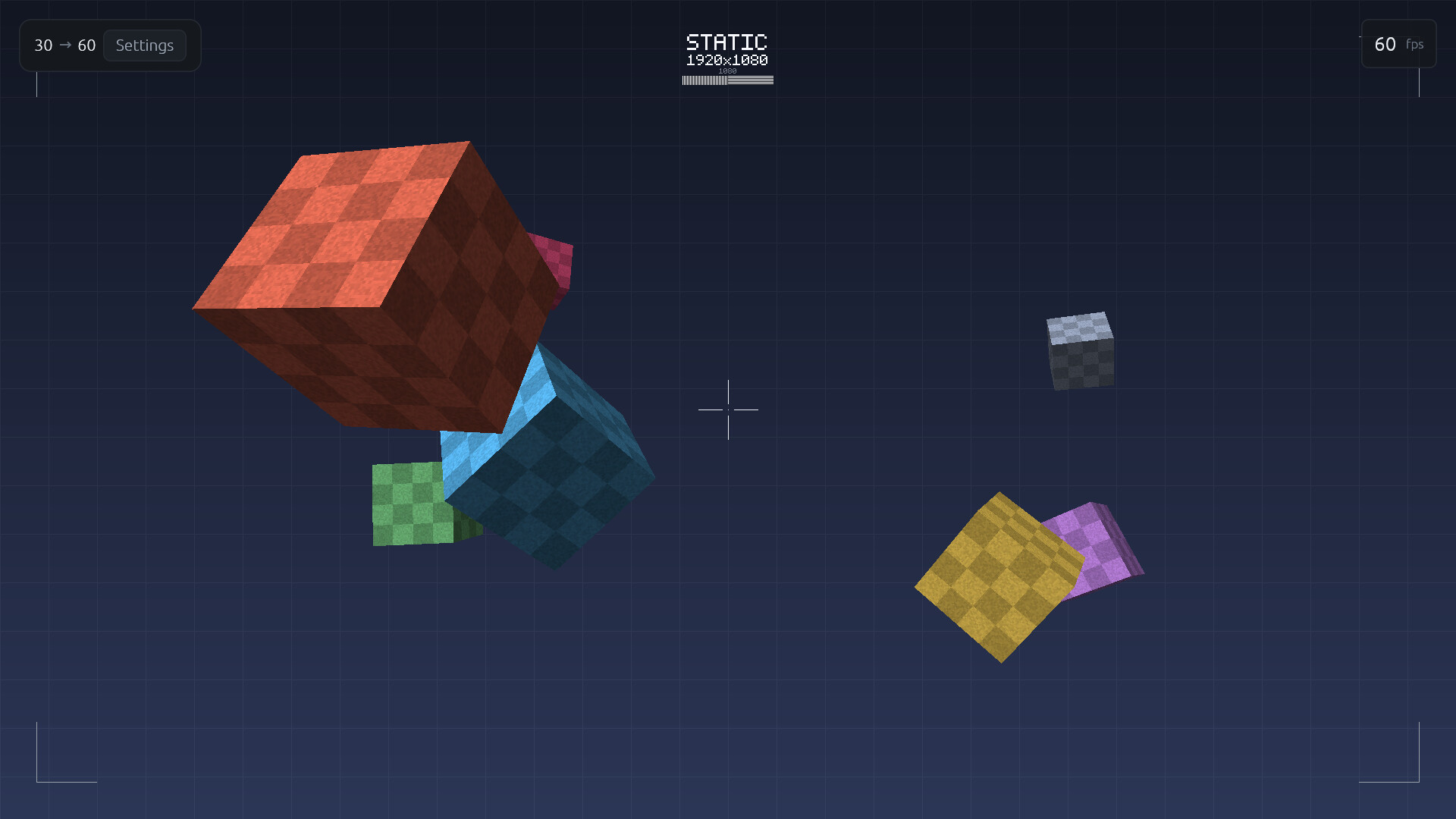
A built-in animated 3D test scene exercises rotation, perspective, occlusion, fast motion, surface detail, and static HUD elements, allowing the complete pipeline to be checked before launching a game.

Native engine and client

The DraFG client and inference engine are written in Rust as one native application. Model execution, GPU dispatch, capture, pacing, presentation, upscaling, and the interface are built together.

There is no Python environment or general-purpose machine-learning framework to install.

DraFG has native builds for:

  • Windows — CUDA, Vulkan

  • macOS — Metal on Apple Silicon

  • Linux — CUDA, Vulkan on KDE Plasma Wayland

System Requirements

Windows
macOS
SteamOS + Linux
    Minimum:
    • Requires a 64-bit processor and operating system
    • OS: Windows 10 64-bit
    • Processor: x64 dual-core CPU
    • Memory: 4 GB RAM
    • Graphics: GTX 1660 / RTX 2060 / RX 5600 XT or newer (Vulkan 1.2 required)
    • Storage: 1 GB available space
    Recommended:
    • Requires a 64-bit processor and operating system
    • OS: Windows 10/11 64-bit
    • Processor: x64 quad-core CPU
    • Memory: 8 GB RAM
    • Graphics: RTX 4060 / RX 7600 or better
    • Storage: 1 GB available space
    Minimum:
    • Requires an Apple processor
    • OS: macOS 13 Ventura
    • Processor: Apple M1
    • Memory: 8 GB RAM
    • Graphics: Metal-compatible GPU
    • Storage: 1 GB available space
    • Additional Notes: Native Metal, Apple Silicon only. Actively cooled Macs are recommended for long sessions.
    Recommended:
    • Requires an Apple processor
    • OS: macOS 14 or newer
    • Processor: Apple M-series with active cooling
    • Memory: 16 GB RAM
    • Graphics: Metal-compatible GPU
    • Storage: 1 GB available space
    • Additional Notes: Native Metal, Apple Silicon only. Actively cooled Macs are recommended for long sessions.
    Minimum:
    • OS: Ubuntu 22.04 or equivalent
    • Processor: x64 dual-core CPU
    • Memory: 4 GB RAM
    • Graphics: GTX 1660 / RTX 2060 / RX 5600 XT or newer (Vulkan 1.2 required)
    • Storage: 1 GB available space
    • Additional Notes: KDE Plasma 6.6.3+ and Wayland is required.
    Recommended:
    • OS: up-to-date distribution
    • Processor: x64 quad-core CPU
    • Memory: 8 GB RAM
    • Graphics: RTX 4060 / RX 7600 or better
    • Storage: 1 GB available space
    • Additional Notes: KDE Plasma 6.6.3+ and Wayland is required.
Review Filters