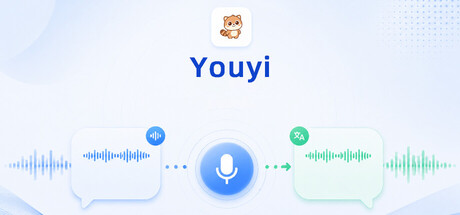
Youyi is a Windows real-time voice translation and speech relay tool for games, voice chat, and cross-language teamwork.It translates your speech and incoming voice, then returns the result as subtitles, playback, or virtual microphone output.
Release Date:
Q3 2026
Developer:
Publisher:
Tags

Sign in to add this item to your wishlist, follow it, or mark it as ignored

Early Access Software

Get involved with this software as it develops.

Note: This Early Access software is not complete and may or may not change further. If you are not excited to use this software in its current state, then you should wait to see if it progresses further in development. Learn more

What the developers have to say:

Why Early Access?

“Youyi is a real-time voice translation and speech relay tool that has to work across a wide range of real-world setups: different microphones, sound cards, virtual audio drivers, games, voice chat apps, online AI routes, and local model workflows. Early Access gives us a practical way to ship a usable version now, collect feedback from people using these setups in real sessions, and keep improving the product based on how it behaves outside a controlled test environment.

We are using Early Access because the core product is already functional and useful, but this category benefits heavily from iteration with an active community. We want player feedback to help us refine onboarding, device setup, workflow clarity, compatibility, stability, and the balance between online and local translation routes.”

Approximately how long will this software be in Early Access?

“We expect Youyi to remain in Early Access for around 6 to 12 months. That said, we care more about reaching a stable and well-supported release than hitting a fixed date, so the exact timing may change based on feedback, compatibility work, and overall product readiness.”

How is the full version planned to differ from the Early Access version?

“We plan for the full version to be a more polished, more stable, and more broadly compatible version of the current product. Our main goals are to improve the first-run experience, reduce setup friction, strengthen recovery around device and service failures, and make advanced workflows easier to understand and use.

We also plan to continue refining bidirectional workflows, subtitle and routing behavior, quality-of-life tools such as Text Speak and terminology support, and the broader local workflow. That includes making the local toolchain easier to understand, improving performance and reliability across more hardware profiles, and reducing the amount of manual setup needed for users who want more advanced use cases.”

What is the current state of the Early Access version?

“The current Early Access build already supports the core use cases of the product. Players can use real-time microphone translation, Text Speak, desktop subtitles, virtual microphone routing, incoming voice translation, and bidirectional workflows. The product also supports multiple routes, including online services such as Qwen and Doubao, as well as a local experimental path.

The Steam package already includes the main runtime dependencies needed to run the application, along with the local ASR runtime, Qwen3-ASR-0.6B, and the default CosyVoice3 GGUF voice models. At the same time, some advanced workflows still depend on the user's hardware, drivers, target apps, and system audio environment. Certain features may require VB-CABLE, online routes require the user's own third-party credentials and service access, and a fully local translation backend may still require extra setup.”

Will this software be priced differently during and after Early Access?

“We currently expect the price to stay the same during Early Access. If the product's scope, polish, and supported workflow depth grow significantly over time, we may review pricing closer to full release, but we do not currently plan a sudden pricing change as part of Early Access itself.”

How are you planning on involving the Community in your development process?

“We plan to use community feedback as a direct input into development priorities. We will pay close attention to workflow pain points, setup failures, compatibility issues, translation quality feedback, and reports from players using different hardware and voice app combinations. For a product like Youyi, this kind of real usage feedback is especially valuable because many of the most important issues only appear in real sessions.

We plan to stay active through Steam community channels, release notes, update announcements, and direct player feedback collection. We also expect to keep adjusting priorities based on which use cases are helping people most, which advanced routes cause the most confusion, and which stability or onboarding issues are blocking players from getting value quickly.”
Read more
English language not supported

This product does not have support for your local language. Please review the supported language list below before purchasing

This game is not yet available on Steam

Planned Release Date: Q3 2026

Interested?
Add to your wishlist and get notified when it becomes available.
 
See all discussions

Report bugs and leave feedback for this software on the discussion boards

About This Software

Youyi is not designed for offline text translation. It is designed for live voice communication.

You can use it for several common situations:

- you can hear others speaking, but you cannot process it fast enough to respond

- you want to talk with overseas players without forcing yourself to speak a language on the spot

- you want to type first and let the software speak for you

- you want to switch back to your original voice for quick callouts or short replies

- you want to isolate incoming voice from a specific game, voice app, or browser and translate only that source

- you want to switch into music mode and route audio from a selected app into the same voice chain

Instead of working like a traditional subtitle utility or a chat assistant, Youyi tries to fit translation, speech relay, subtitles, and audio routing into the voice setup you are already using.

Key Features

- Real-time microphone translation  

  Speak into your physical microphone, translate in real time, and route the result into a virtual microphone for in-game voice chat or other voice apps.

- Text Speak  

  Type first, then let Youyi generate speech and send it through the existing translation chain. Useful when you do not want to speak directly or want more controlled wording.

- Original Voice Passthrough and Open-Mic Original Voice  

  Temporarily bypass translation and send your real microphone voice directly when you need quick callouts, short confirmations, or untranslated speech.

- Incoming voice translation  

  Capture voice from teammates or selected applications, transcribe it, and translate it in real time.

- Desktop lyrics window and bilingual display  

  Show translations as desktop subtitles, with bilingual display available for side-by-side understanding while you play or chat.

- Bidirectional mode  

  Run both sides at once: send your speech out in translation while translating incoming voice back to you.

- Selected app capture and isolated voice routing  

  In supported scenarios, focus on a target game, voice app, or browser instead of mixing in all system audio.

- Music mode / audio relay  

  Route audio from a selected music app into the virtual microphone for social rooms, joke moments, or vibe-heavy sessions. Compatibility still depends on how the target game or voice app handles virtual microphone input.

- Terminology and local memory  

  Improve consistency for map callouts, character names, ability names, team slang, and recurring recognition mistakes.

- Multiple translation routes and Local Experimental features  

  Supports Qwen, Doubao, and Local Experimental pipelines. The current Steam package already ships with the local ASR runtime, `Qwen3-ASR-0.6B`, and the default `CosyVoice3 GGUF` models (`Q5_K_M + Q6_K`). You can still extend the setup with your own local translation backend or higher-tier model choices.

Who It Is For

- Players who regularly queue with teammates speaking different languages

- Users who want to translate their own speech out and incoming voice back in

- People who prefer typing first and using Text Speak instead of forcing live foreign-language speech

- Advanced users who want desktop subtitles, selected-app translation, and finer audio-routing control

Important Notes

- Windows only.

- Some features, especially virtual microphone output, selected app capture, bidirectional mode, original voice passthrough, and music mode, may require the `VB-CABLE` virtual audio driver.

- Online translation routes such as Qwen and Doubao require your own third-party accounts, keys, or API access. These service costs are not included in the Steam purchase price.

- The current Local Experimental package already includes the local ASR runtime, `Qwen3-ASR-0.6B`, and the default `CosyVoice3 GGUF` models (`Q5_K_M + Q6_K`). A fully local translation backend still requires separate model setup.

- Speaker mode, bidirectional mode, and music mode depend more heavily on your hardware, drivers, noise suppression, target app microphone handling, and overall system audio environment.

Recommended First Run

Start with `Microphone Mode + Speech + Text` first to confirm your outgoing translation flow works.  

After that, move on to `Text Speak`, `Desktop Lyrics`, `Selected App Capture`, `Bidirectional Mode`, and `Music Mode`.

One-Sentence Summary

Youyi is not just about translating text. It is about helping you understand others faster, send your own words out in translation, type and let the tool speak for you when needed, and stay inside the voice room you are already in.

AI Generated Content Disclosure

The developers describe how their game uses AI Generated Content like this:

This software uses generative AI to transcribe speech, translate live voice and text between languages, and optionally generate translated speech output. Depending on the mode selected by the user, these features may run through third-party online AI services or local models included with or configured for the software.

System Requirements

    Minimum:
    • Requires a 64-bit processor and operating system
    • OS: Windows 10 64-bit (version 1809 or later)
    • Processor: Intel Core i3 / AMD Ryzen 3 or equivalent
    • Memory: 4 GB RAM
    • Graphics: NVIDIA GeForce GTX 750 Ti / AMD Radeon R7 265 or equivalent (2 GB VRAM)
    • DirectX: Version 11
    • Network: Broadband Internet connection
    • Storage: 12 GB available space
    • Sound Card: DirectX-compatible sound device with system audio playback and recording support
    • Additional Notes: Includes the main runtime dependencies required by the application, so no separate .NET or Python installation is needed. The main Steam package also includes the local ASR runtime, `Qwen3-ASR-0.6B`, and the default `CosyVoice3 GGUF` voice models (`Q5_K_M + Q6_K`). If you want the full local translation backend, additional local translation models or services are still required. A microphone is recommended for voice translation, bidirectional translation, and local experimental features. Some advanced modes require the `VB-CABLE` virtual audio driver.
    Recommended:
    • Requires a 64-bit processor and operating system
    • OS: Windows 10/11 64-bit (21H2 or later)
    • Processor: Intel Core i5 / AMD Ryzen 5 or equivalent
    • Memory: 8 GB RAM
    • Graphics: NVIDIA GeForce RTX 3060 / AMD Radeon RX 6700 XT or equivalent (12 GB VRAM)
    • DirectX: Version 11
    • Network: Broadband Internet connection
    • Storage: 16 GB available space
    • Sound Card: Dedicated or highly compatible onboard sound device with WASAPI support (16-bit, 44.1kHz or higher)
    • Additional Notes: SSD recommended. The local ASR runtime, `Qwen3-ASR-0.6B`, and the default local voice models required for Local Experimental features are included in the package. If you want the full local translation pipeline, the local translation backend still needs to be prepared separately. For bidirectional translation and local voice scenarios, at least 8 GB VRAM is recommended, with 12 GB VRAM recommended for a more stable experience.
There are no reviews for this product

You can write your own review for this product to share your experience with the community. Use the area above the purchase buttons on this page to write your review.

Review Filters