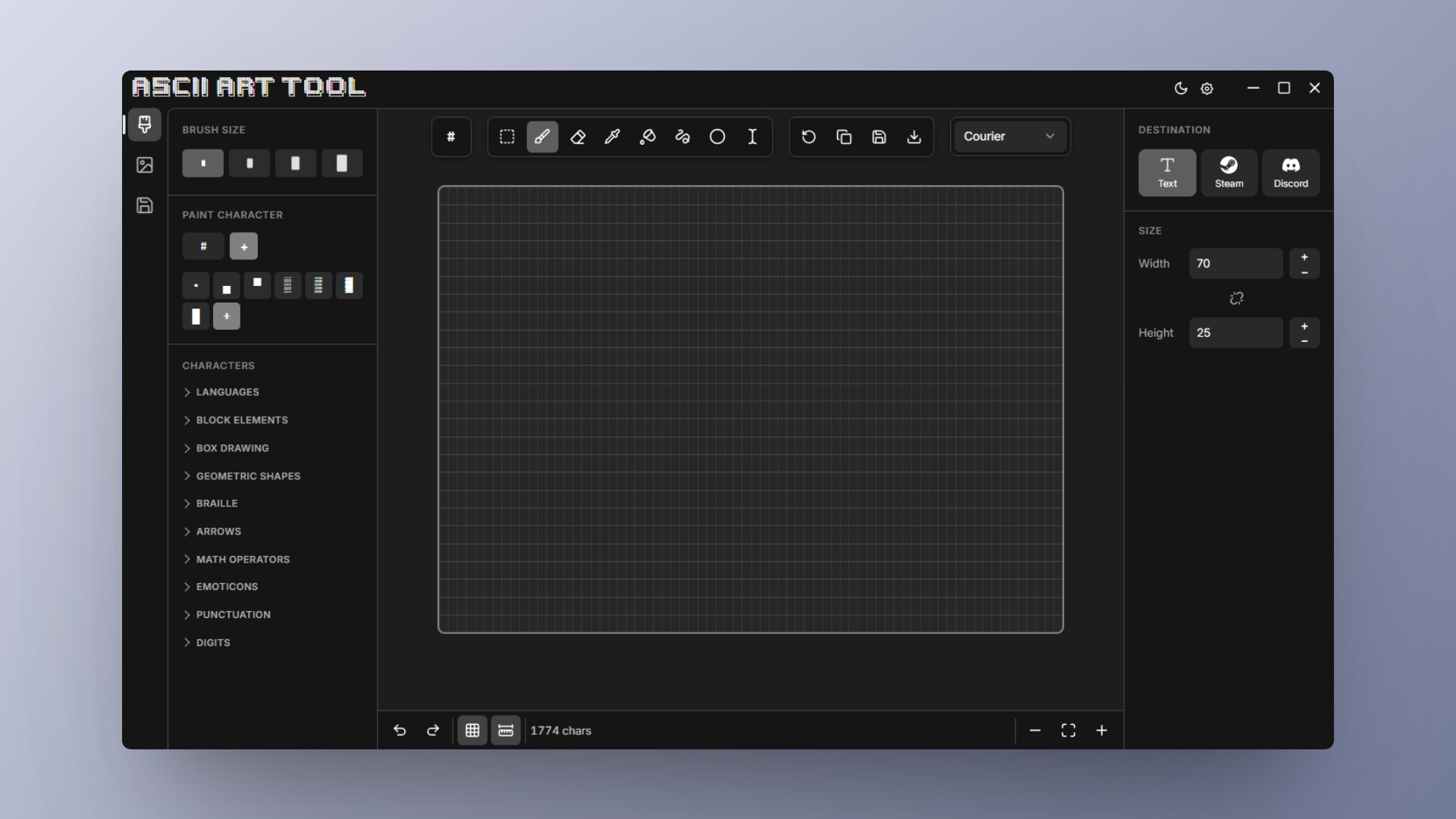
Turn any image into ASCII art instantly, or draw your own from scratch. A complete desktop ASCII editor with multiple character sets, freehand drawing tools, direct canvas editing, project saving, and one-click formatting for Steam and Discord.

Sign in to add this item to your wishlist, follow it, or mark it as ignored

Buy ASCII Art Tool


About This Software

Ascii Art Tool is a complete desktop editor for ASCII art. Convert a photo into text art in a single click, or build something character by character from scratch. A full editing environment, with drawing tools, full canvas control, and one-click formatting for Steam and Discord.

Key Features

  • Freehand drawing tools: A full set of drawing tools for freehand ASCII, built specifically for characters rather than pixels.

  • Canvas editing: Keep full control over your work. Edit, replace, or adjust individual characters directly on the canvas.

  • Exporting and Formatting: One-click output presets for plain text, Discord, and Steam ensure your art pastes cleanly without formatting issues.

  • Turn Any Image Into ASCII: Import any photo, logo, or drawing and transform it into text art in a single step.

  • Multiple character sets: Different character sets to adjust density and style, from fine gradients to chunky blocks.

  • Project Management and saving: Save projects directly within the app to organize your files and maintain your progress across sessions.

System Requirements

    Minimum:
    • Requires a 64-bit processor and operating system
    • OS: Windows 10
    • Processor: 2GHz Dual Core processor
    • Memory: 2 GB RAM
    • Graphics: Modern integrated graphics
    • Storage: 20 MB available space
    Recommended:
    • Requires a 64-bit processor and operating system
    • OS: Windows 11
    • Processor: 2GHz Dual Core processor
    • Memory: 2 GB RAM
    • Graphics: Modern integrated graphics
    • Storage: 20 MB available space
Review Filters