Stream Toolkit - 直播工具箱與聊天室即時翻譯
A streaming toolbox built for content creators. Features real-time chat translation, translation subtitles, live polls, giveaways, goal bars, donation tools, timers, and more. Supports Steam Workshop themes and full CSS customization, with a dedicated OBS URL for every feature.
Release Date:
September 2026
Developer:
Publisher:
Tags

Sign in to add this item to your wishlist, follow it, or mark it as ignored

This game is not yet available on Steam

Planned Release Date: September 2026

Interested?
Add to your wishlist and get notified when it becomes available.
 

About This Software

Stream Toolkit is an all-in-one streaming toolbox built for content creators, helping you avoid constantly switching between multiple websites.

  • Real-Time Translation: Built-in chat and speech translation makes it easy to communicate with viewers around the world.

  • All-in-One Features: Polls, giveaways, goal bars, donation alerts, and the Media Board are integrated into a single application.

  • Customization: Supports CSS customization and Steam Workshop themes so you can freely change the appearance.

  • Easy Setup: Generate overlay URLs with a single click and simply paste them into OBS.

🌍 Real-Time Chat Translation

Integrate Twitch and YouTube chat messages into one place.

Automatically translate foreign-language messages and communicate more easily with viewers around the world.

Supports avatars, badges, platform icons, full CSS customization, and Steam Workshop theme sharing.

🎙️ Translation Subtitles

Hold a hotkey to start recording.

Automatically translate your speech into the target language and display it on your stream, making your content easier to understand for viewers who speak different languages.

🎨 Steam Workshop Themes

Download community-created themes or create your own overlay style.

From chat overlays to goal bars, donation alerts, and timers, you can freely customize appearances and animations to make your stream truly unique.

Supports Steam Workshop sharing and downloads.

🎮 All Your Streaming Tools in One Place

Built-in streaming tools include:

  • Spin Wheel

  • Live Polls / Giveaways

  • Twitch Goal Bar

  • Donation Goal Bar / Donation Alerts / Donation Board

  • Timer

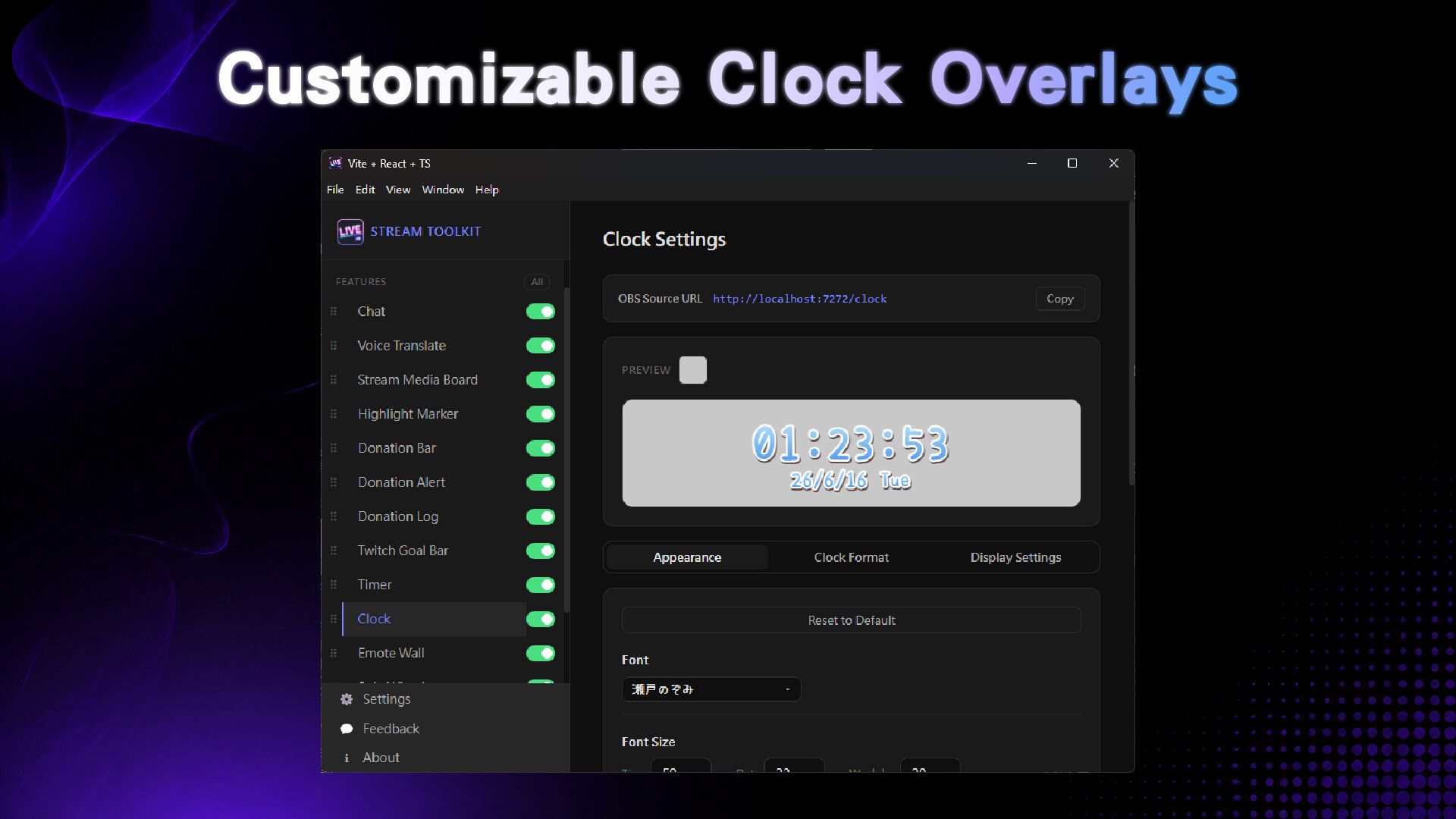
  • Clock

  • Song Requests

  • Media Board (Images / Videos / Sounds)

  • Emote Wall

  • Highlight Marker

No more installing multiple plugins or opening several web-based tools.

⚡ Designed for OBS

Every feature provides its own OBS URL, allowing you to copy and paste it directly into OBS.

Chat overlays, goal bars, timers, donation alerts, and other components can run independently, so you only enable what you need without affecting performance.

Spend less time switching between websites, plugins, and tools, and focus more on streaming.

🔗 Supported Platforms and Services (More Coming Soon)

Streaming Platforms:

  • Twitch

  • YouTube Live

Translation Services:

  • DeepL

  • MyMemory

Speech Recognition:

  • Whisper (Local Offline Model)

Donations and Payments:

  • Twitch Bits

  • YouTube Super Chat & Super Stickers

  • PayPal

  • O'Pay

  • ECPay

System Requirements

    Minimum:
    • OS: Windows 10 64-bit
    • Processor: Intel Core i3 Dual-Core / AMD Ryzen 3 or equivalent
    • Memory: 4096 MB RAM
    • Graphics: Integrated graphics (Intel HD Graphics or equivalent)
    • Network: Broadband Internet connection
    • Storage: 500 MB available space
    • Sound Card: Standard audio device
    • Additional Notes: Requires OBS Studio to display local overlays through OBS Browser Source. Requires a Twitch or YouTube account connection. Speech translation features may run slower on this configuration.
    Recommended:
    • OS: Windows 10 64-bit / Windows 11
    • Processor: Intel Core i5 Quad-Core / AMD Ryzen 5 or equivalent or better
    • Memory: 8192 MB RAM
    • Graphics: Integrated or dedicated graphics card
    • Network: Broadband Internet connection
    • Storage: 1024 MB available space
    • Sound Card: Standard audio device
    • Additional Notes: Requires OBS Studio to display local overlays through OBS Browser Source. Requires a Twitch or YouTube account connection. Recommended specifications provide smoother speech translation and multimedia video playback.
There are no reviews for this product

You can write your own review for this product to share your experience with the community. Use the area above the purchase buttons on this page to write your review.

Review Filters