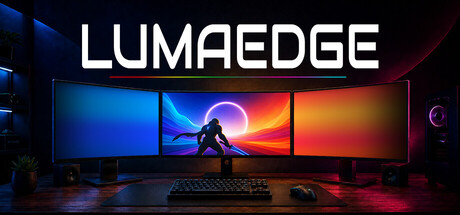
Immersive ambiance - no hardware required. Transform your extra monitors into dynamic ambient lighting that reacts to games, movies, streams, and more. No LED strips. No hubs. Just your existing displays.

Sign in to add this item to your wishlist, follow it, or mark it as ignored

This game is not yet available on Steam

Planned Release Date: October 2026

Interested?
Add to your wishlist and get notified when it becomes available.
 

About This Software

Luma Edge

Triple-monitor gaming sounds incredible… until you actually try it. The performance hit is rough, HUD elements end up on side screens, every game needs its own setup, and even then there's no guarantee it'll work the way you hoped. For many players, the dream of a more immersive setup just isn't worth the frustration.

A DIFFERENT approach

Instead of stretching your game across three displays, LumaEdge captures the edges of your main monitor in real time and projects matching colour gradients onto your side monitors as seamless, borderless overlays.

Dense forests seem to extend beyond your screen, neon city lights wash across your entire setup, and bright explosions fill your desk with light. The action doesn't stop at the bezel. It flows naturally across your displays, delivering a bigger, more immersive experience without the performance hit or setup headaches of traditional multi-monitor gaming.


No additional hardware required.

No LED strips. No capture cards.

No hubs, controllers, adapters, or anything else to buy.

LumaEdge is software. It runs quietly in the background and transforms the monitors you already own. If you already have multiple displays, you're ready to go.

Works with your games, movies, and streams 

Games. Movies. Streams. ANYTHING.

Whatever is on your screen drives the colour. No game integration. No title-specific support. No per-game setup. If your monitor can display it, Luma Edge can react to it.
(Designed for borderless and windowed modes, where it shines across nearly everything you run.) 

Reads your screen, not your game 

Luma Edge uses the same screen capture method as taking a screenshot. It never reads or touches game memory and never injects into game processes, the behaviors anti-cheat systems are built to catch. It simply watches what's already on your display.

Make it yours 

Dial in exactly how you want it: gradient reach, colour intensity, softness, sampling speed, per-monitor settings, and more. Whether you want a subtle atmospheric glow or your whole desk bathed in colour, Luma Edge gives you the controls to get there.

AI Generated Content Disclosure

The developers describe how their game uses AI Generated Content like this:

LumaEdge does NOT contain generative AI.

LumaEdge was born in an RV going down the oregon coast (legit, lol), and its real-world test setup is not quite Steam-capsule material.

Generative AI was used to help create and composite some multi-monitor environments shown in LumaEdge's trailers and the Steam store artwork (capsules, etc). All reactive gradients displayed within those environments were captured using LumaEdge itself and composited into those images. No LumaEdge gradient, on any image, was generated by AI.

LumaEdge contains no generative AI features. No generative AI content is delivered with, or created by LumaEdge at any time.

System Requirements

    Minimum:
    • Requires a 64-bit processor and operating system
    • OS: Windows 10/11 64-bit
    • Processor: Dual-Core CPU, 2.0GHz or better
    • Memory: 4 GB RAM
    • Graphics: GPU with desktop composition support
    • Storage: 200 MB available space
    • Sound Card: Any
    Recommended:
    • Requires a 64-bit processor and operating system
    • OS: Windows 10/11 64-bit
    • Processor: Quad-Core CPU, 3.0GHz or better
    • Memory: 8 GB RAM
    • Graphics: Dedicated GPU or modern integrated GPU
    • Storage: 500 MB available space
    • Sound Card: Any
Review Filters