HagiCode is an all-in-one development workspace that combines AI coding, proposal workflows, cross-repository collaboration, knowledge management, commit organization, and gamified feedback to help you move from project understanding to planning and delivery in one platform.

Sign in to add this item to your wishlist, follow it, or mark it as ignored

Early Access Software

Get involved with this software as it develops.

Note: This Early Access software is not complete and may or may not change further. If you are not excited to use this software in its current state, then you should wait to see if it progresses further in development. Learn more

What the developers have to say:

Why Early Access?

“Hagicode already provides a usable core experience, and
Early Access allows us to improve it with feedback from real
users in real development workflows. The current version
already supports onboarding, project setup, AI-assisted
sessions, proposal-driven work, and multi-agent workflows,
but we are still refining stability, usability, and the
overall product experience. Releasing in Early Access helps
us validate priorities with the community while continuing
to improve the software in the open.”

Approximately how long will this software be in Early Access?

“ We currently expect Hagicode to remain in Early Access for
approximately 12 months. That may change depending on
development progress and community feedback.”

How is the full version planned to differ from the Early Access version?

“ We plan for the full version to offer a more complete and
polished experience across onboarding, workflow clarity,
stability, and feature depth. We also plan to continue
improving multi-agent collaboration, project management
workflows, customization, platform support, and the
software’s game-inspired systems. Our goal is to make the
full version more robust for everyday use while keeping the
experience easier to understand and more consistent overall.”

What is the current state of the Early Access version?

“ The Early Access version is already functional and usable.
Players can install the desktop application, complete
onboarding, create or import a project, choose a supported
Agent CLI, start read-only or edit sessions, use proposal-
driven workflows, and access features such as AI-assisted
commit generation and multi-agent project organization.
However, the product is still under active development. Some
workflows, integrations, and game-inspired systems are still
being refined, and certain supported tools may require
separate local installation, authentication, or external AI
service access.”

Will this software be priced differently during and after Early Access?

“ We plan to keep pricing stable during Early Access. If the
scope and feature set expand significantly over time, we may
review pricing closer to full release, but we do not
currently plan a major pricing change.”

How are you planning on involving the Community in your development process?

“ Community feedback will play an important role in shaping
Hagicode during Early Access. We plan to gather feedback
through Steam discussions, community channels, livestreams,
GitHub, and direct user reports. We are especially
interested in feedback on onboarding, workflow design,
multi-agent collaboration, usability, and overall product
direction. We want development priorities to be informed by
how people actually use the software.”
Read more
This game is not yet available on Steam

Planned Release Date: 2026

Interested?
Add to your wishlist and get notified when it becomes available.

Downloadable Content For This SoftwareBrowse all (1)

 
See all discussions

Report bugs and leave feedback for this software on the discussion boards

About This Software

Hello, creators. I'm Yu Kun, the creator of HagiCode.
On this page, I want to explain more directly what kind of product I want HagiCode to become.
When you first hear the name HagiCode, a few questions usually come up right away:
  • Is HagiCode an AI coding tool?
  • Is HagiCode a game?
  • Is HagiCode an IDE?
In a way, the answer to all of them is yes.
HagiCode was never meant to be just another chat box that happens to generate code. The goal is to bring AI into the full software development process. You can use it to understand repositories, write proposals, split tasks, modify code, organize commits, manage multiple repositories, build a knowledge base, and see achievements, reports, throughput, and themed interfaces in the same workspace.
If I had to describe HagiCode in one sentence, it would be this:
HagiCode is a product that combines an AI coding tool, a gamified feedback system, and a full development workspace into one platform.

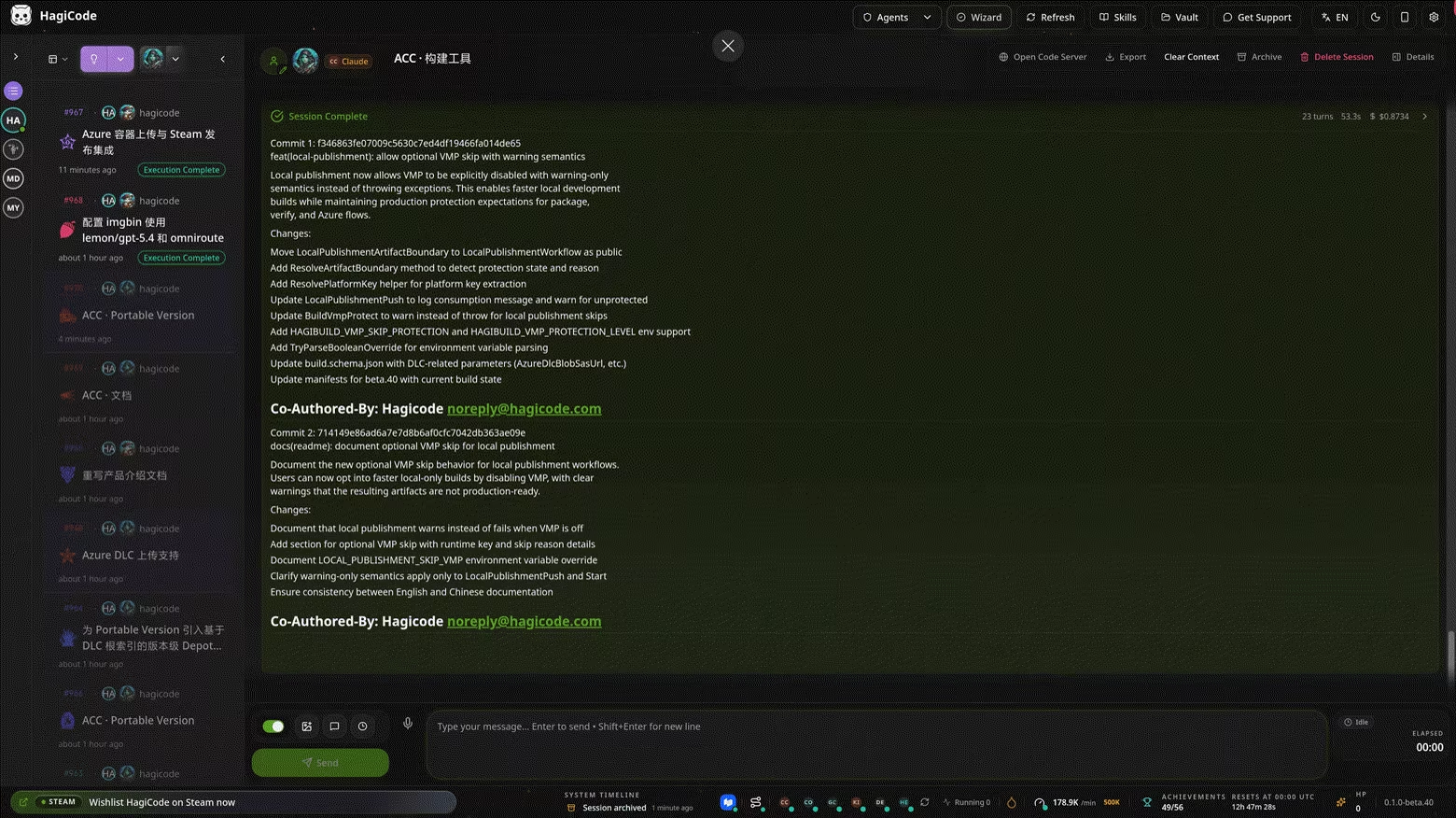
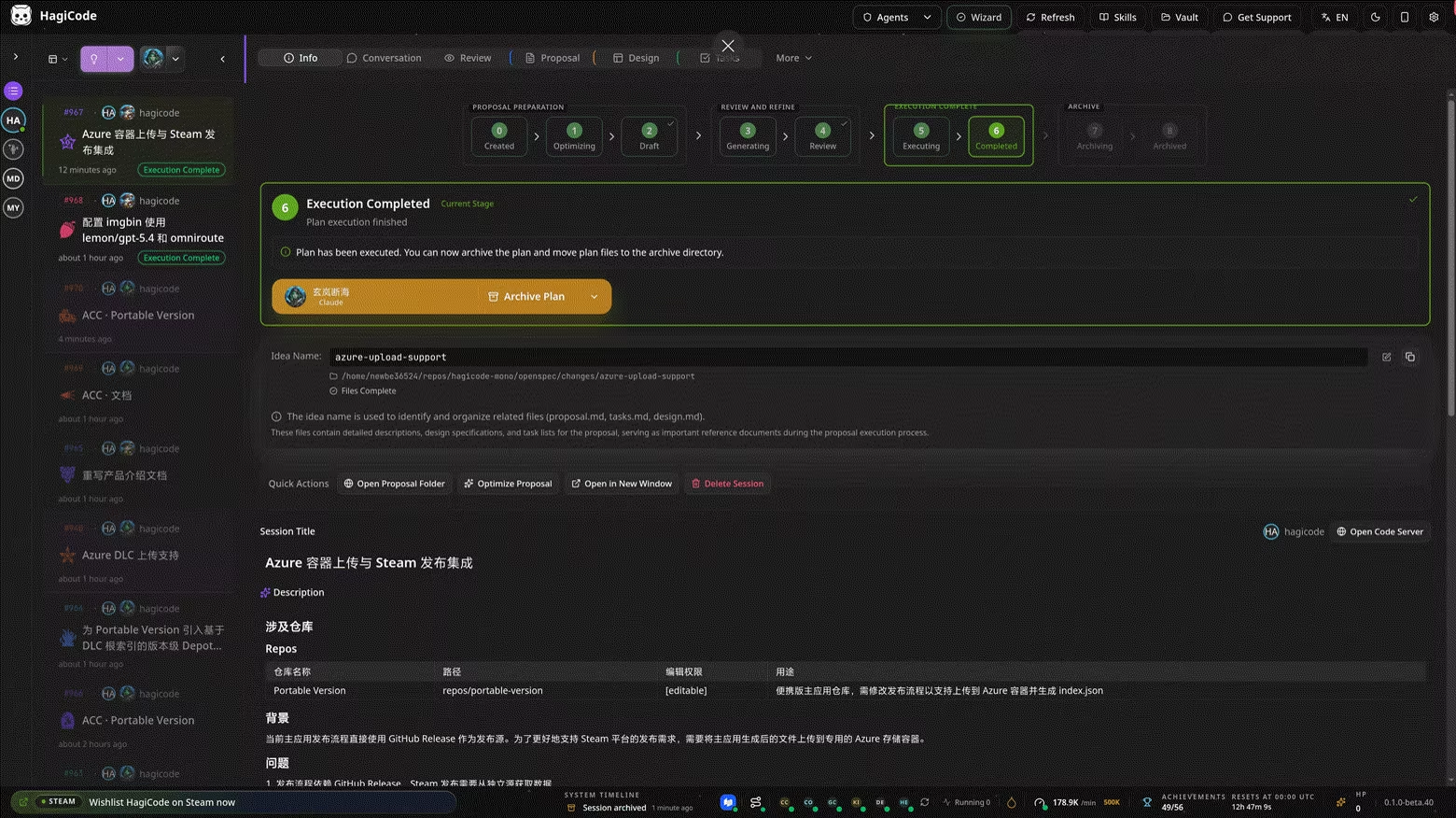
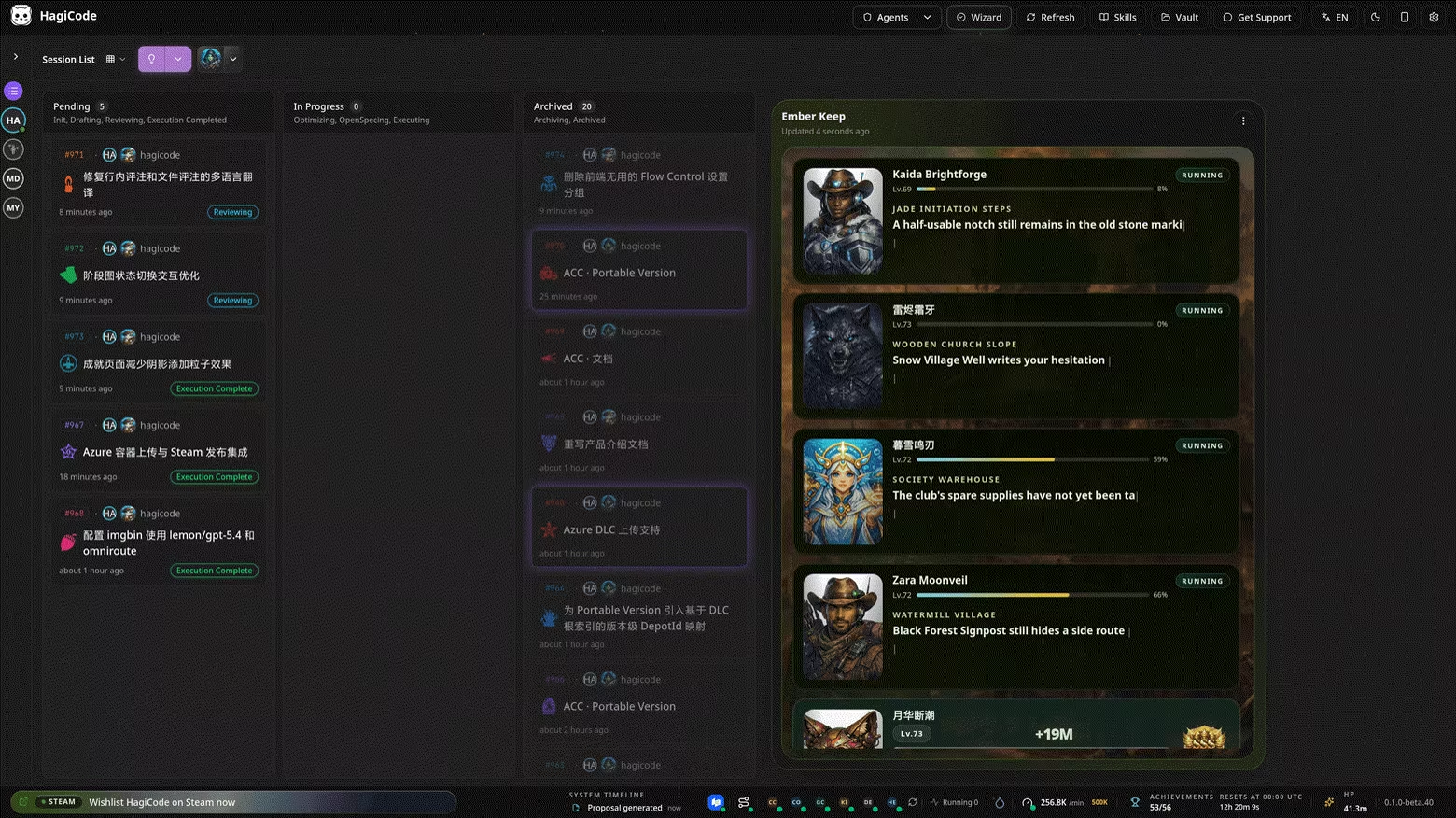
That image already explains a lot. HagiCode does not put a lonely chat box in the center of the screen. It brings sessions, status, workflow, metrics, and actions into the same workspace. You do not open it just to ask AI for one answer. You open it to keep an entire development process moving forward.

Why HagiCode is different from traditional AI coding tools

Traditional AI coding tools often focus on generation. HagiCode cares more about staying on track, shipping real work, and leaving a clear trail behind.
That means the product is designed around real development flow instead of one-off Q&A:
  • Understand the repository before changing code
  • Clarify the goal before execution starts
  • Define scope and boundaries before AI edits files
  • Keep not only the result, but also the process and reasoning
That is the foundation of HagiCode's three identities. It is an AI coding tool, a gamified workspace, and a platform that connects multiple development capabilities together.

1. HagiCode as an AI coding tool

If you only look at the AI coding layer, HagiCode is not trying to make AI write flashier code. It is trying to make AI write more reliably.

1. It organizes the work before it generates code

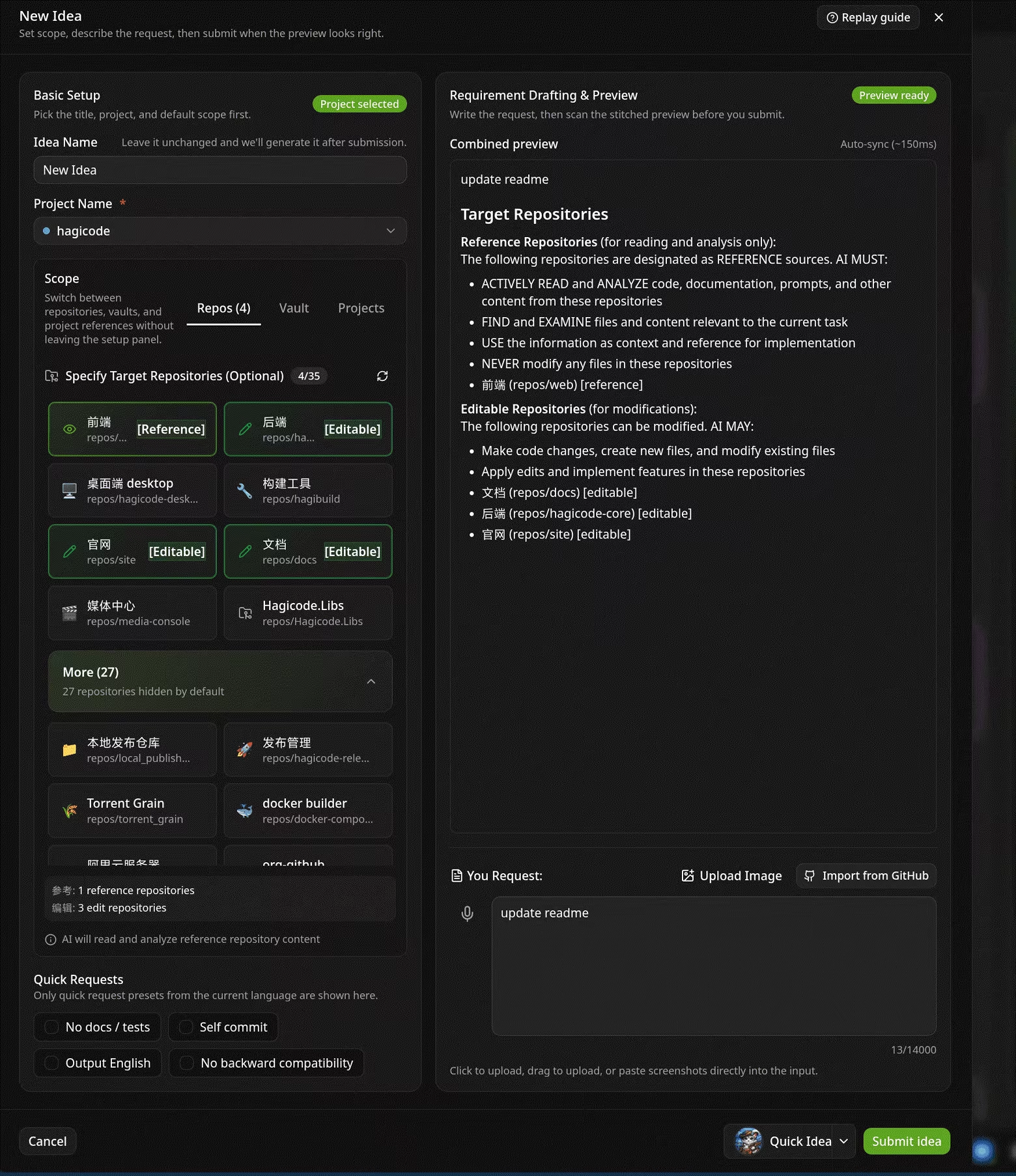
HagiCode includes the OpenSpec workflow. For anything beyond a trivial request, AI does not jump straight into editing files. It first turns the request into a proposal, tasks, impact scope, and validation plan.
Many AI coding tools feel unreliable not because they cannot generate code, but because they act too quickly with too little context. HagiCode tries to reverse that:
  • Clarify the problem first
  • Confirm which modules will be affected
  • Split work into tasks and acceptance checks
  • Only then move into implementation
The direct result is that AI is less likely to make random edits in a complex codebase. HagiCode is not chasing the shortest path. It is chasing a more reliable path.

2. It emphasizes project-level understanding, not just finishing one task

Today, many IDEs can already edit multiple files and even update multiple directories in one session. That means HagiCode cannot be summarized simply as "more than single-file autocomplete."
What matters more is that HagiCode aims for a project-wide perspective. It cares not only about which files need to change, but also about higher-level questions:
  • What problem is this project solving as a whole?
  • How does this repository relate to other repositories?
  • Will this change affect frontend, backend, docs, deployment, or scripts?
  • What similar decisions were made before, and why?
  • How can today's proposal, commits, and knowledge be reused later?
In other words, HagiCode is not only trying to finish a task for you. It is trying to bring AI into the perspective of long-term participation in a real project.
Under that perspective, one task is only the surface. More important is how these capabilities connect together:
  • Switching and coordinating across multiple projects
  • Building a consistent understanding across multiple repositories
  • Preserving proposal history, commit history, and knowledge over time
  • Turning repeated conversations into long-term project context
That is why HagiCode is designed as a workspace instead of a simple chat window. It wants AI to see not just one isolated request, but where the entire project is heading.

3. It supports multiple major Agent CLIs and separates the CLI from the model

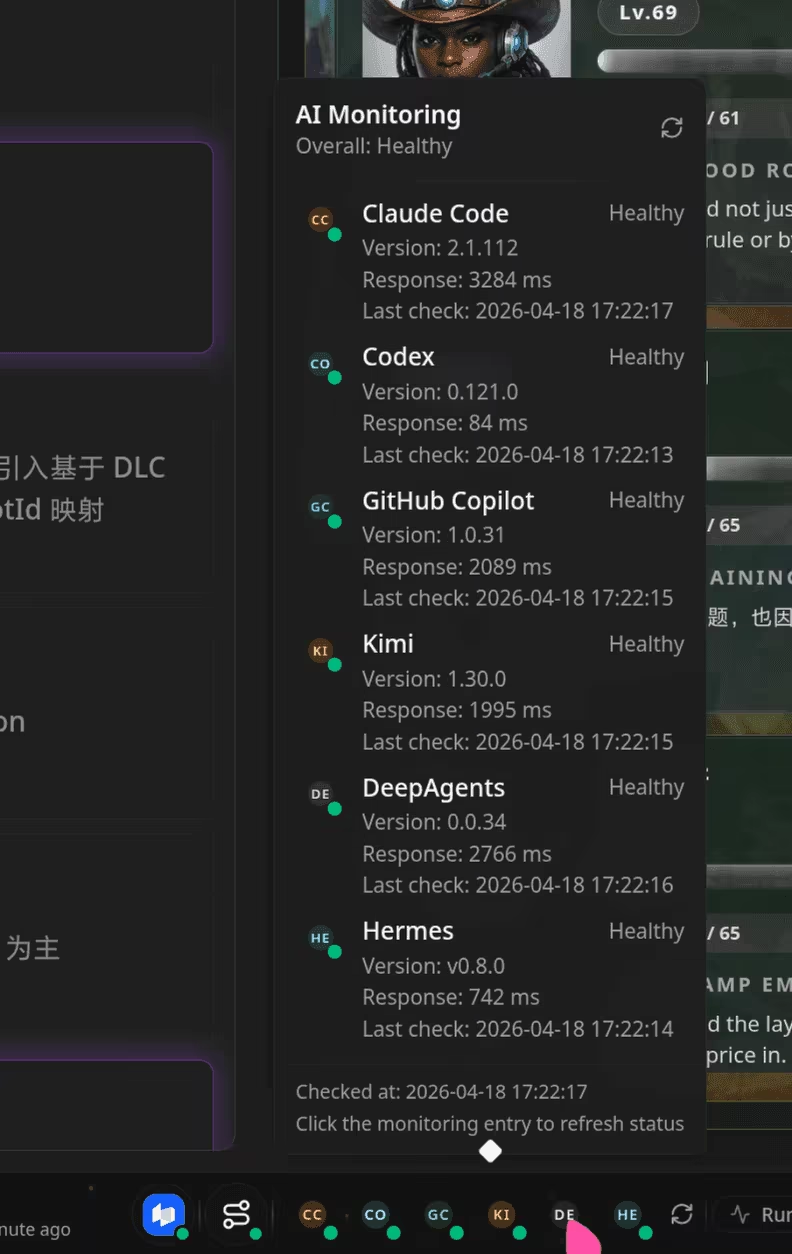
HagiCode actively supports multiple mainstream Agent CLIs, including:
  • Codex
  • Claude Code
  • GitHub Copilot
  • OpenCode
  • Hermes
  • QoderCLI
  • Kiro
  • Kimi
  • Gemini
  • DeepAgents
  • Codebuddy
One point here matters a lot: the CLI and the model are not tightly bound together.
Many products treat "which CLI you use" and "which model subscription you use" as the same choice. HagiCode does not.

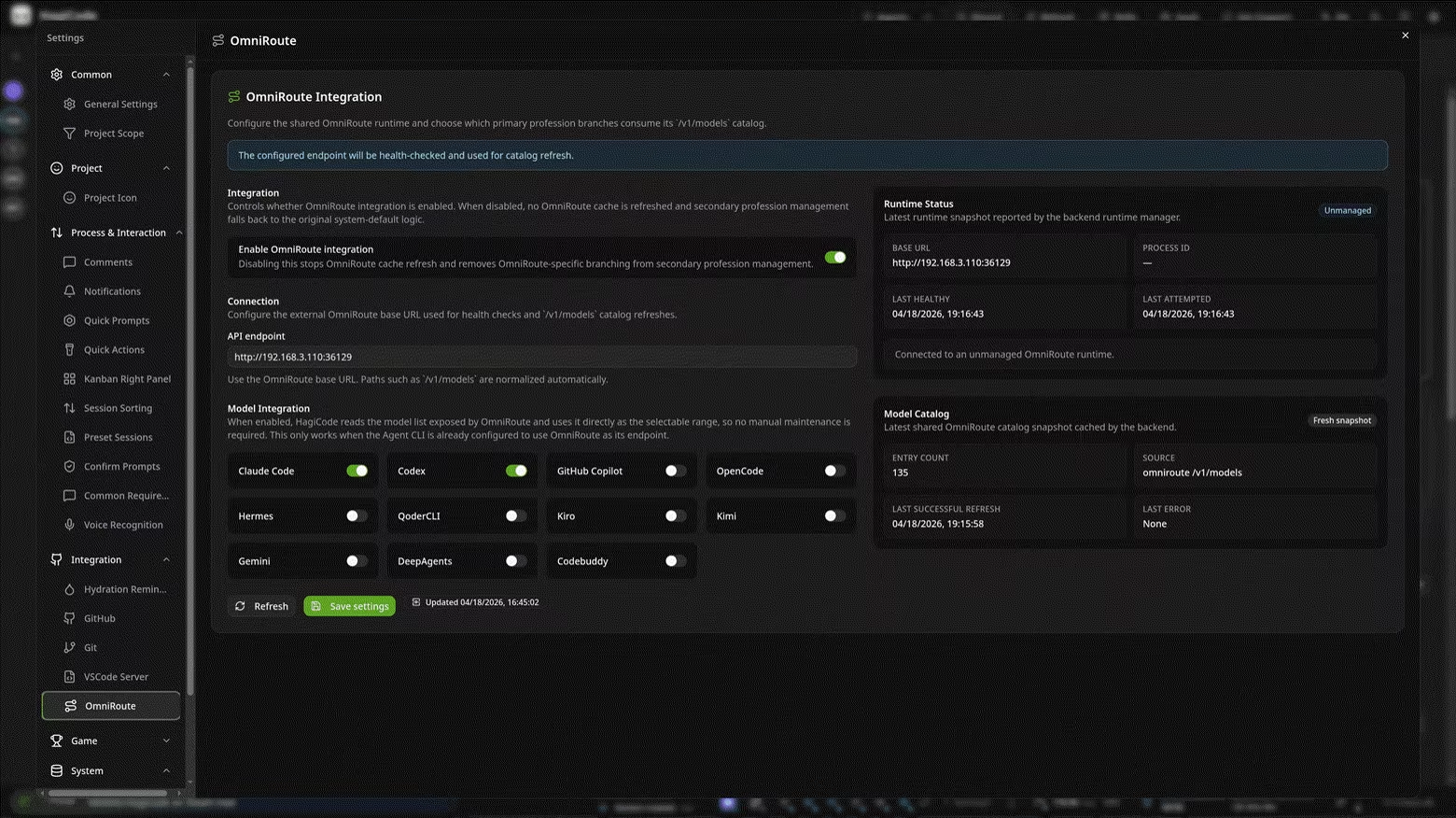
4. OmniRoute separates models from CLIs and makes routing more flexible

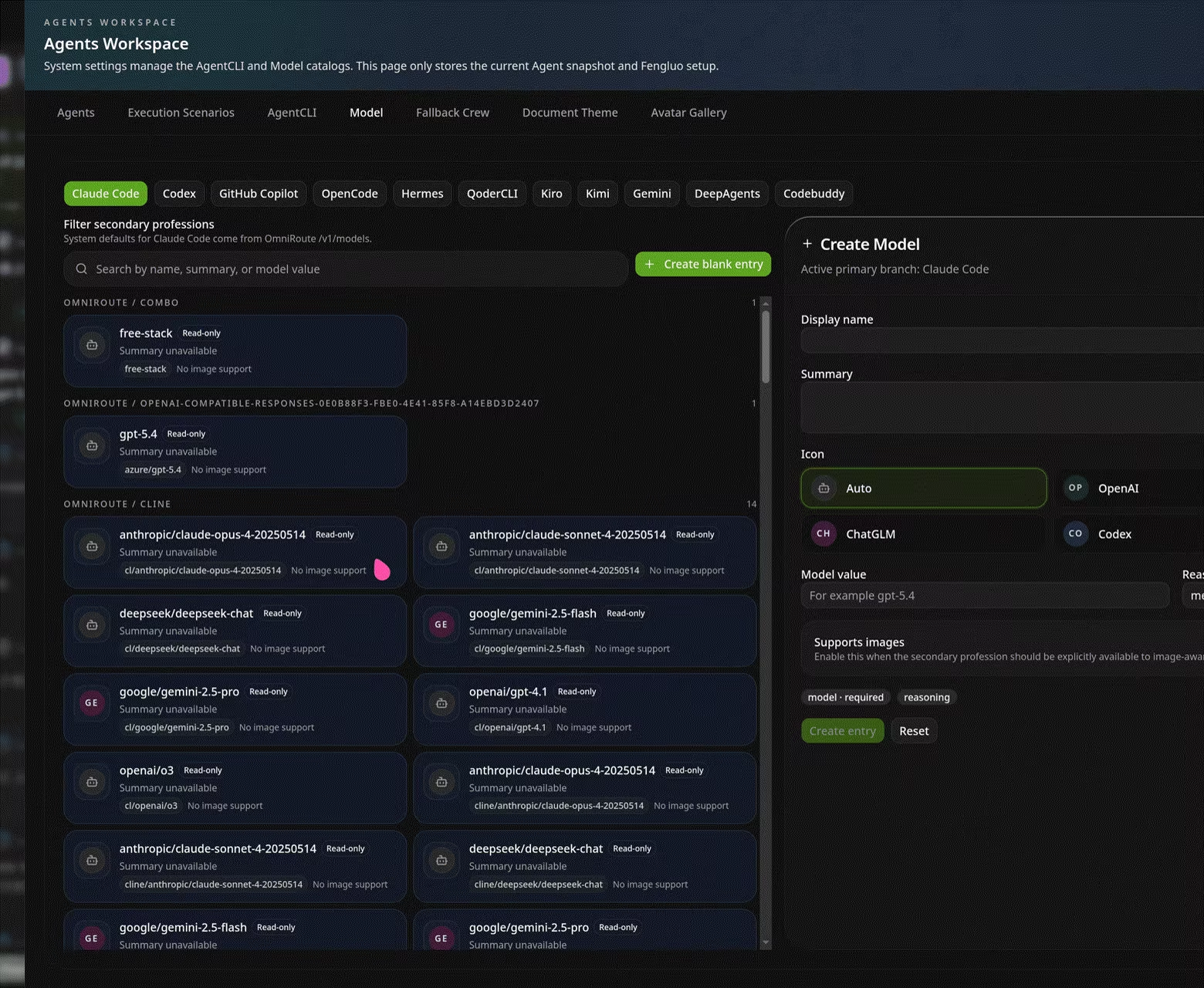
HagiCode integrates OmniRoute to make model access a dedicated infrastructure layer. That means the CLI handles the interaction style you prefer, while the model and subscription can be selected through a unified routing layer.
This has immediate benefits:
  • Keep using the CLI you already like
  • Avoid being locked to the default model subscription of one CLI
  • Manage model selection, model catalogs, and endpoints in one place
  • Reuse the same model access strategy across different CLIs
So even if you prefer Claude Code as the CLI, you can still connect it to another model source or subscription through OmniRoute. Your CLI choice should be about interaction style. Your model choice should be about cost, capability, and availability. Those should not be forced into one decision.

2. HagiCode as a full AI development platform

If the first part answers "Can it help with coding?", this part answers: Why does it feel like a platform, and in some ways even more than a traditional IDE?
The answer is that HagiCode does not only provide chat, and it does not only provide proposals. It brings together capabilities that are usually scattered across different tools and turns them into one continuous system.

1. MonoSpecs makes cross-repository development less fragmented

In real teams, one requirement rarely stays inside one repository. Frontend, backend, documentation, scripts, and deployment config often need to change together.
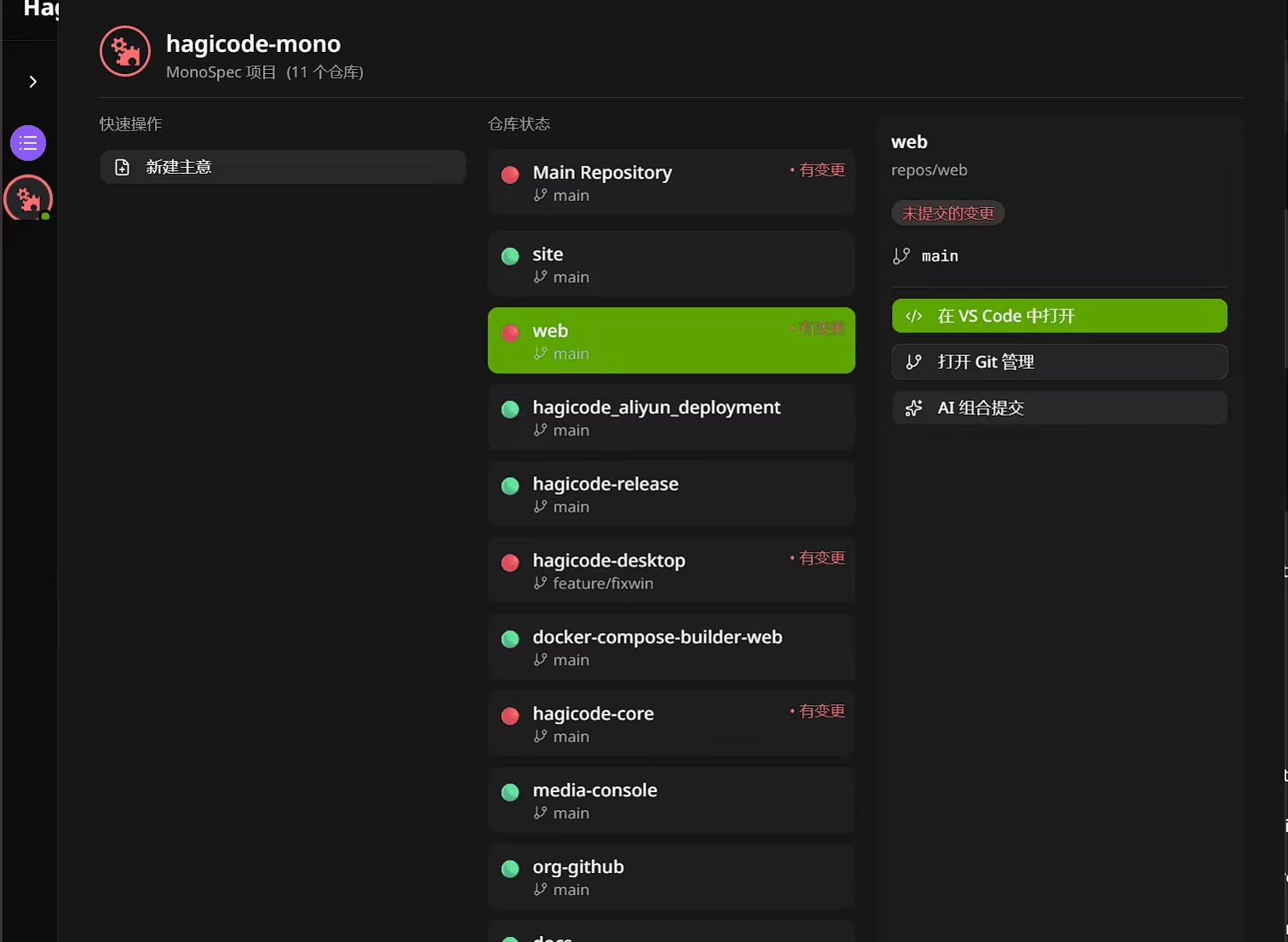
HagiCode introduces MonoSpecs to bring that kind of cross-repository work back into one unified view. You can maintain repository lists, proposal scope, and archival rules inside the same project, while AI understands changes across broader boundaries.

2. The Skills system lets the platform keep growing

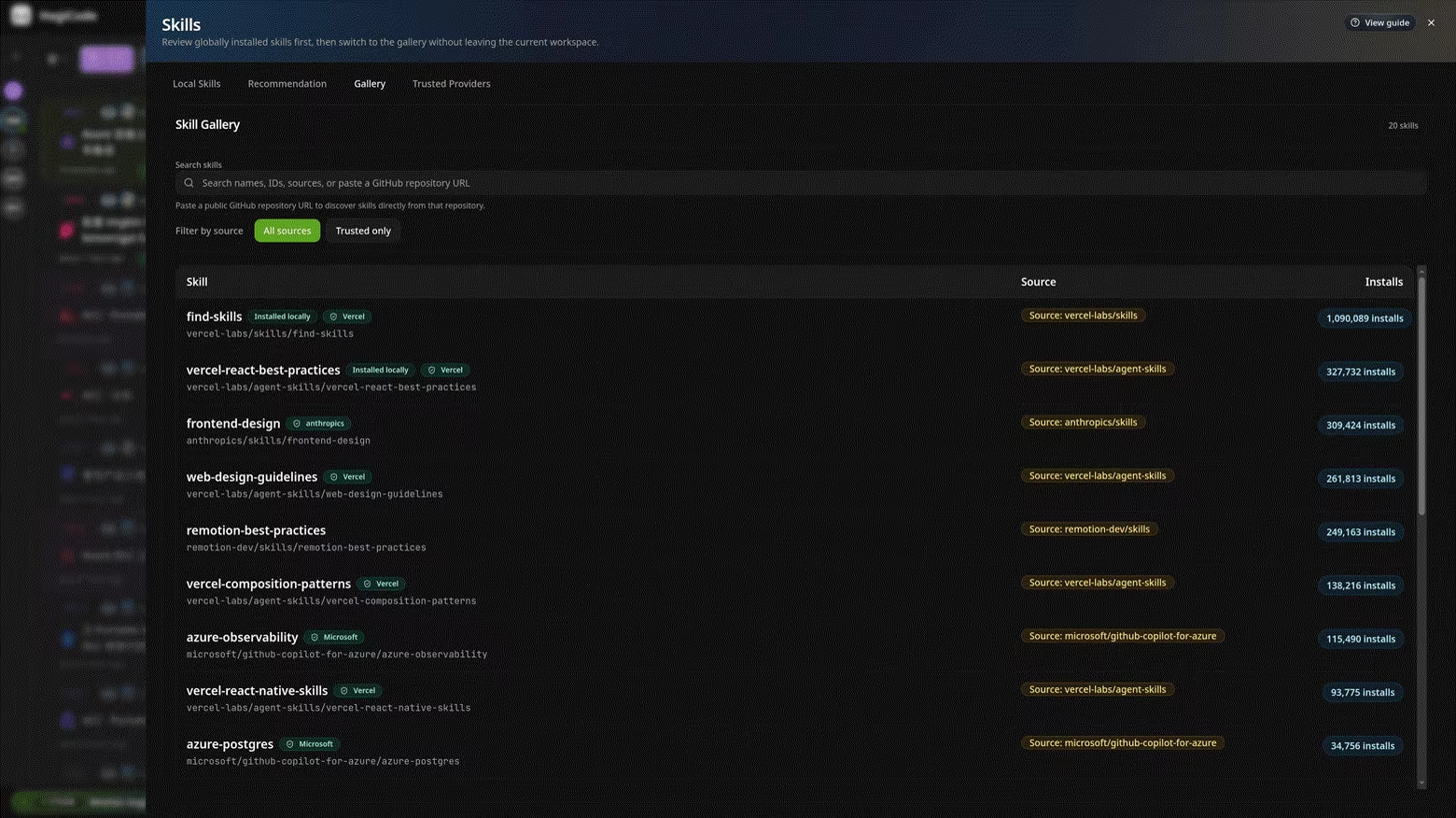
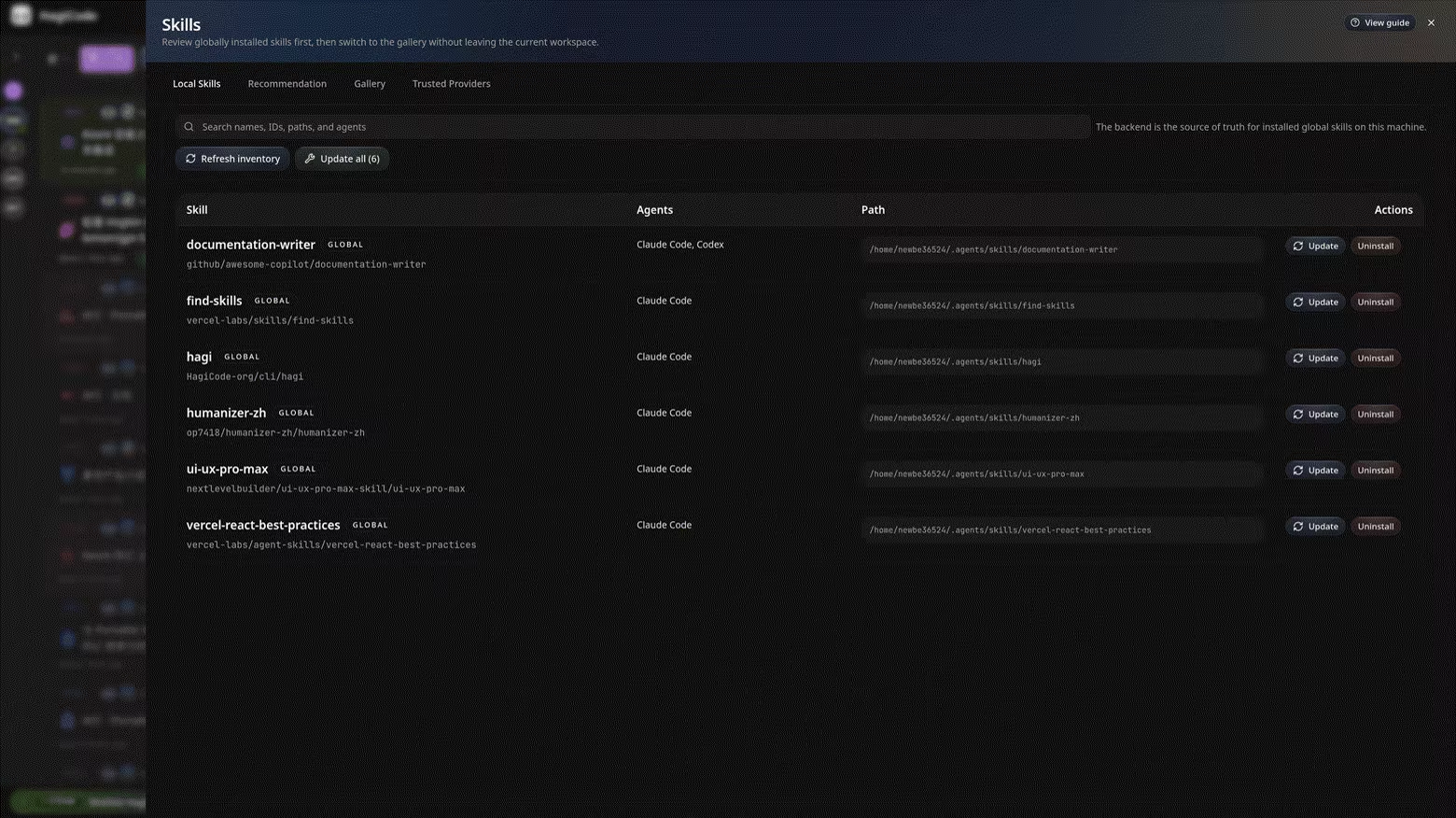
Many AI products handle extensibility in a rough way. Either you wait for official updates, or you make users work in the command line by hand. HagiCode treats Skills as a first-class module.
Inside HagiCode, you can:
  • View installed local skills
  • Search skill repositories
  • Get recommendations based on the current project
  • Review skill details, install commands, and trust state
  • Update local skills in batches


That means HagiCode is not a closed product. It is more like a shell that can keep absorbing new skills, workflows, and capabilities over time.

3. Vault keeps knowledge from being scattered everywhere

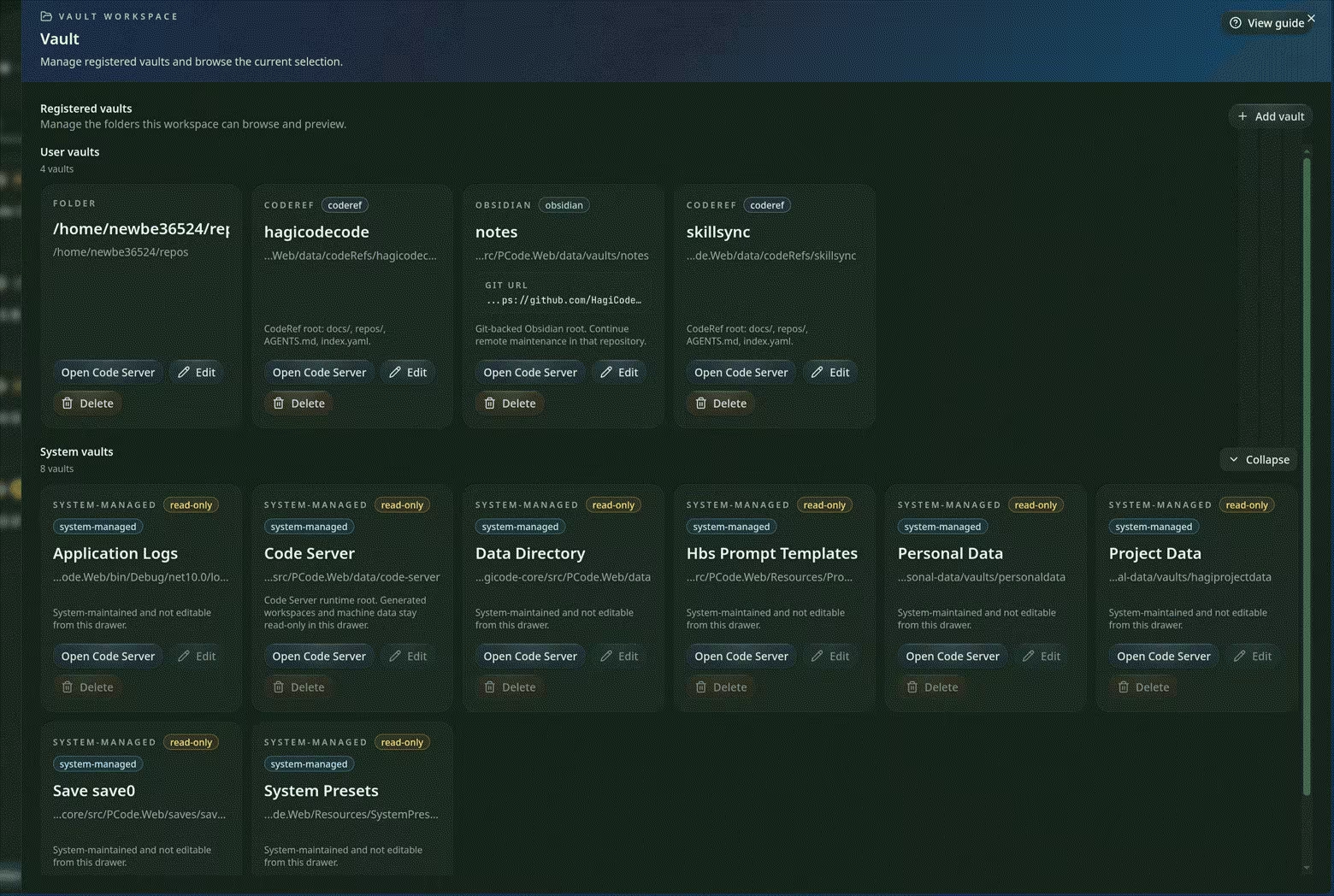
You can think of Vault as HagiCode's knowledge storage layer. It can bring different kinds of materials into one platform, including:
  • Reference code repositories
  • Regular folders
  • Obsidian vaults
  • System-managed directories
That means the analysis notes, reference code, and design records you accumulate in one project do not vanish after a single session. They can be cited, reorganized, and reused as future context.

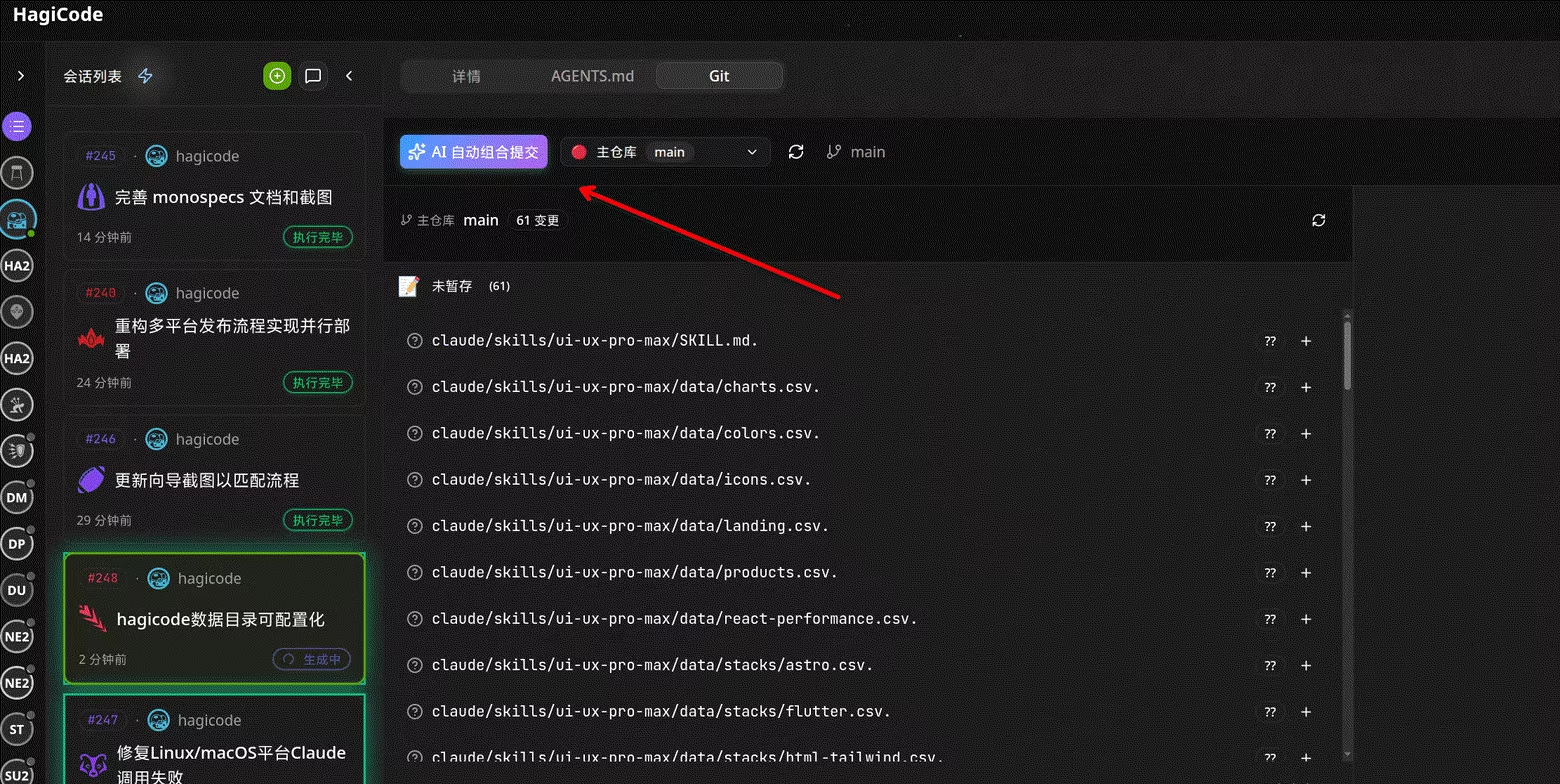
4. AI Compose Commit extends the workflow from coding into commit writing

For many teams, the pain point is not just coding. It is the last step: the code is done, but nobody wants to write a proper commit message.
HagiCode includes AI Compose Commit so commit writing becomes part of the workflow too.
  • No need to recall every change line by line
  • No need to draft a rushed summary by hand
  • Let AI organize commit messages based on actual diffs
  • Configure custom
    Co-Authored-By
    identity rules in the Turbo Engine workflow

5. Code Server integration makes local and remote editing smoother

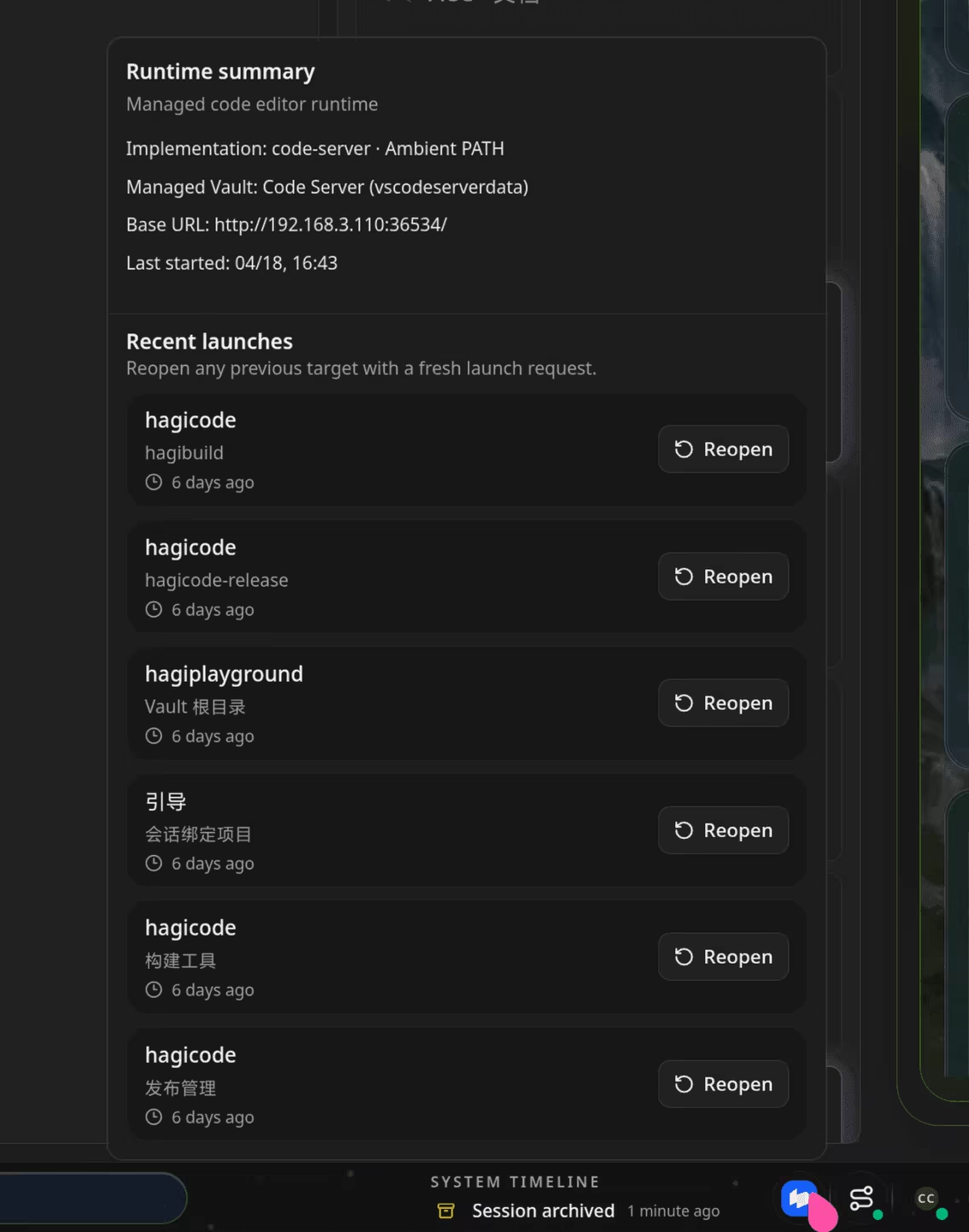
HagiCode also integrates browser-based editing through code-server. Whether your project lives locally, on a server, inside a container, or in a remote runtime, you can jump into editing more easily.
That makes HagiCode feel more like a real development platform instead of just a front-end screen that analyzes code. Once AI has already helped you find the right file, switching to another tool just to continue working breaks the flow. Code Server integration removes that break.

6. Convenience features are treated as real product capabilities

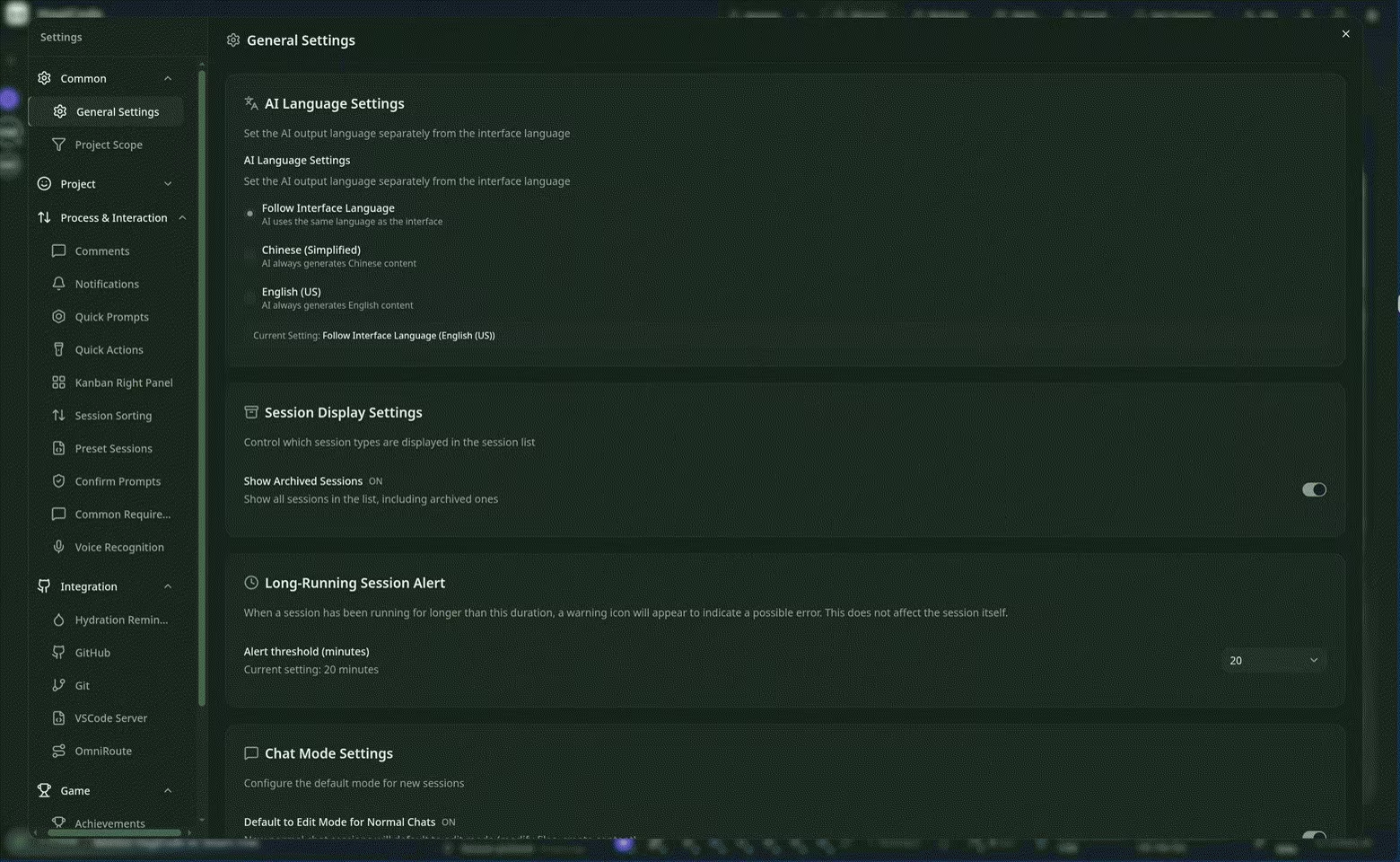
Beyond proposals, execution, skills, and knowledge management, HagiCode also includes practical features that shape day-to-day experience:
  • GitHub integration
  • Speech recognition
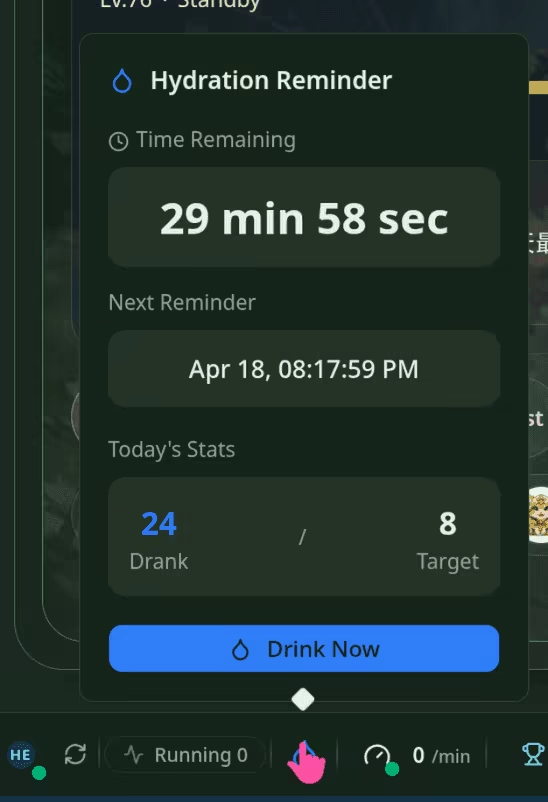
  • Hydration reminders
  • Themes and interface customization
  • Reports and metrics entry points
They may look like small features, but they decide whether a platform is pleasant enough to keep open every day. HagiCode does not treat them as leftovers. It tries to make them complete, visible, and configurable parts of the product.

3. HagiCode as a gamified workspace

The gamified design in HagiCode is not decoration. It is there to make long-term use of an AI development platform more visible, more rhythmic, and easier to sustain.

1. You can see progress, not just chat history

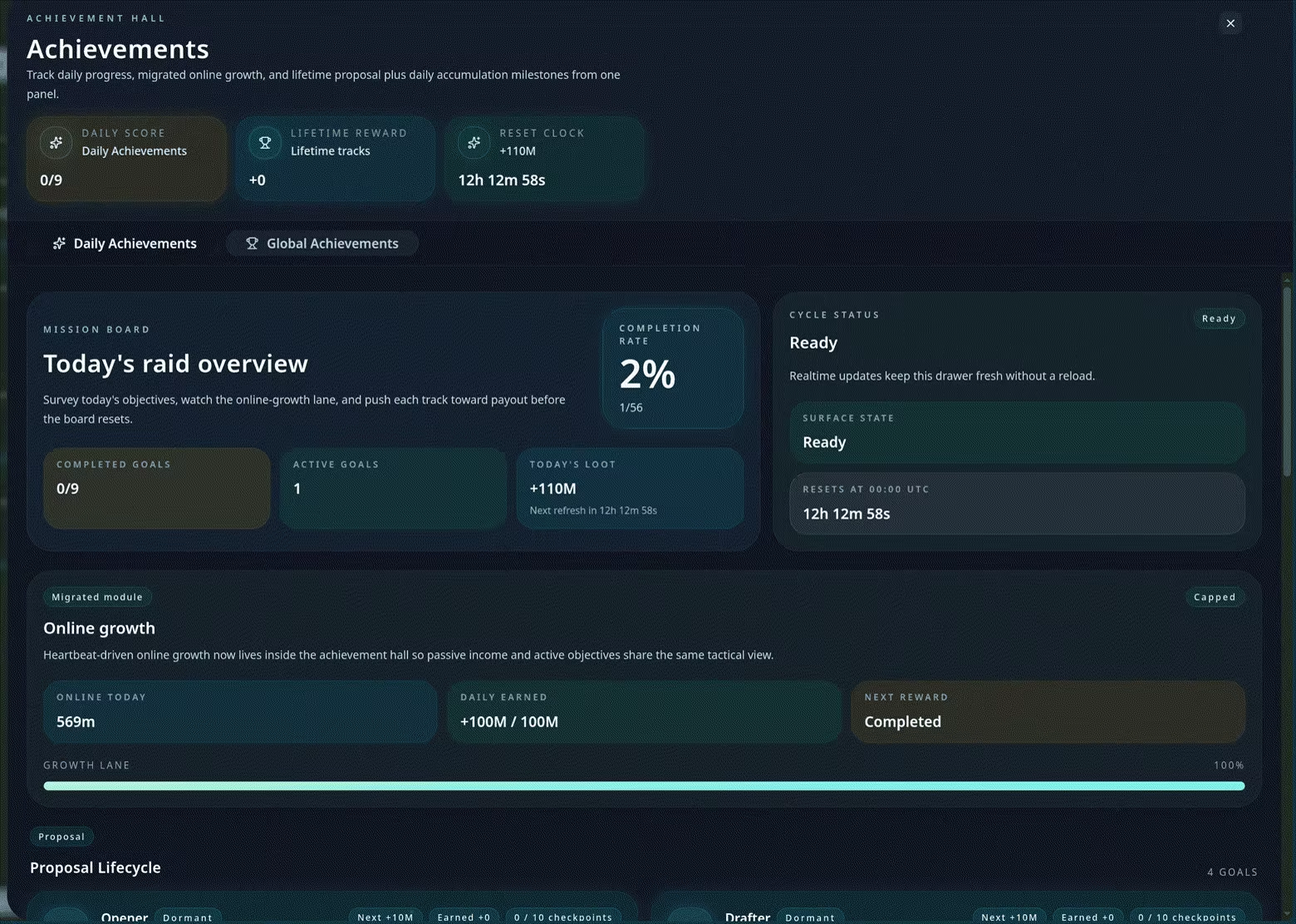
In HagiCode, many actions are turned into visible progress signals. Creating sessions, sending messages, executing plans, switching projects, and adding review comments are not just one-off actions. They accumulate into daily achievements, staged progress, and completion records.
That matters not because it is "fun," but because it makes it easier to feel what you actually moved forward in a day. For many long-term developers, lack of feedback is more draining than the workload itself. HagiCode tries to restore that feedback loop.

2. It provides not only achievements, but also reports and efficiency feedback

Beyond achievements, HagiCode also uses daily reports to tell you what you actually accomplished, how those points were calculated, and how your usage rhythm is evolving. It also visualizes runtime duration, AI time cost, efficiency multipliers, and concurrency patterns so "efficiency" becomes a visible metric instead of a slogan.

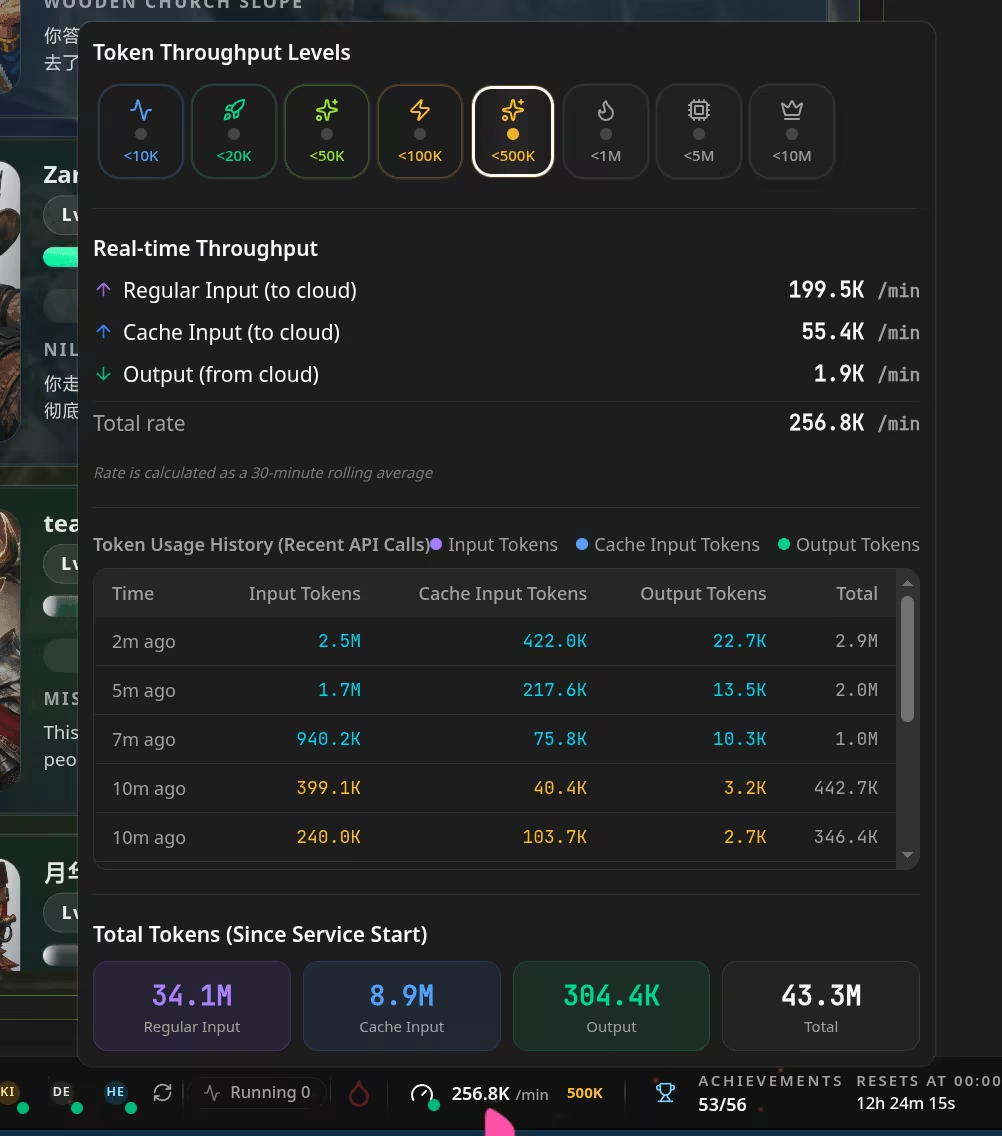
3. It even turns token usage into something you can feel immediately

If you are a heavy AI user, this matters a lot. Cost and performance problems usually do not first appear at the end of the month. They appear while a session is still running.
HagiCode shows input tokens, output tokens, total volume, and throughput tiers directly in the interface. That gives you a more immediate feel for how heavy a session is, whether the current model is under load, and whether the conversation has become too bloated.

4. Heroes, roles, and levels are workflow metaphors, not gimmicks

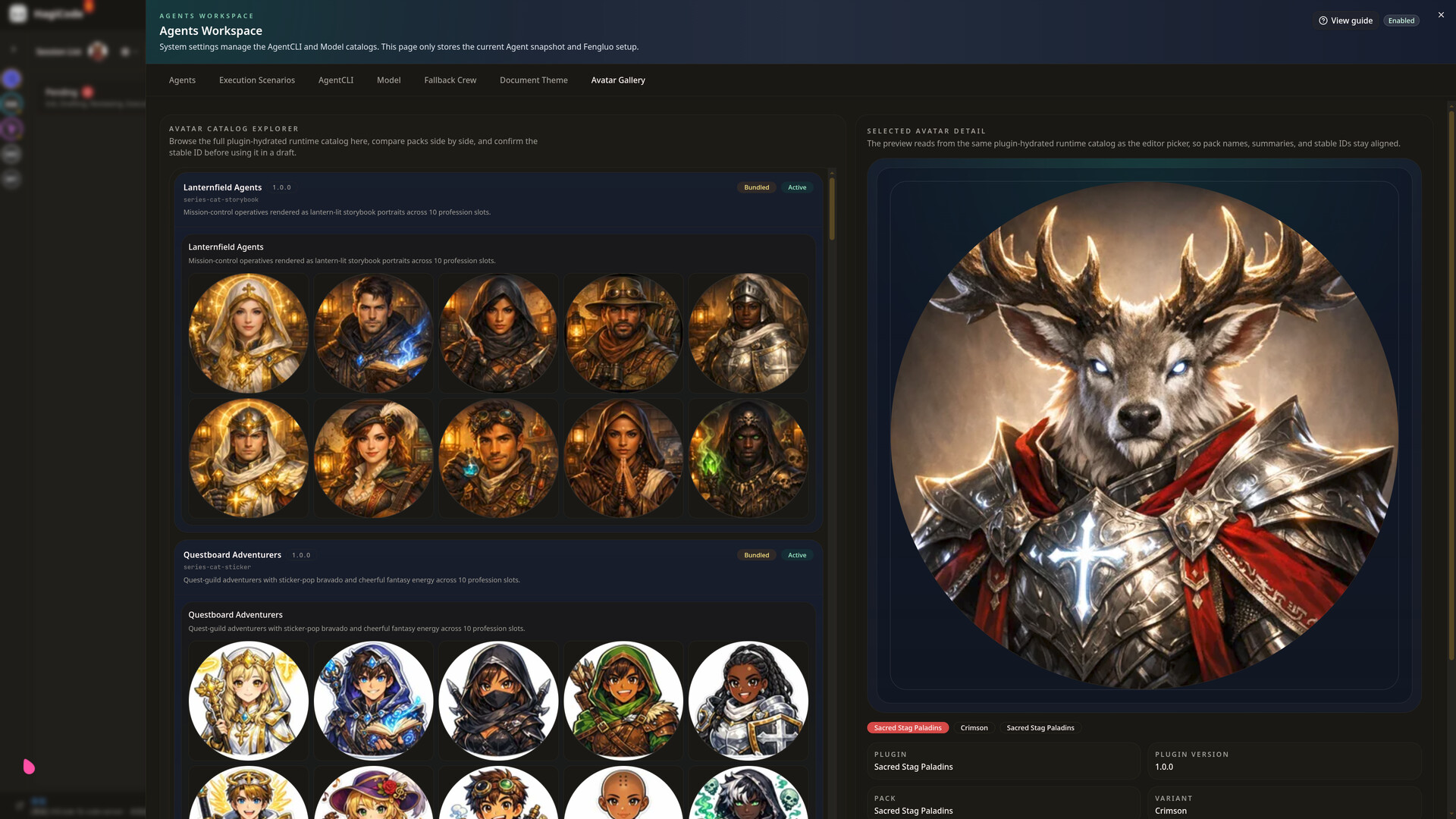
HagiCode includes a full presentation layer around heroes, roles, workload, and progression. This is not just a cosmetic rename. It is a way to map different Agents, responsibilities, and runtime states into interface language that is easier to understand and manage.
That makes multi-Agent collaboration, role switching, and multi-model management feel less abstract. You are not just looking at a setting. You are looking at what a specific hero is doing, what their main and secondary roles are, and how their state is progressing.

Who HagiCode is for

HagiCode is especially easy to understand if you belong to one of these groups:
  • New engineers who want to understand repositories, process, and context faster
  • Daily developers who want proposals, coding, commits, and metrics in one workflow
  • Technical leads who want decisions and knowledge to stay traceable through OpenSpec, MonoSpecs, and Vault
  • Multi-repository teams who need one system for coordinated changes across frontend, backend, docs, and scripts
  • Heavy AI users who want clearer control over models, throughput, efficiency, and long-term usage rhythm

Back to the opening questions

Is HagiCode an AI coding tool?
Yes, and it focuses on being more grounded, more reliable, and more ready to ship.
Is HagiCode a game?
Also yes, because achievements, reports, multipliers, heroes, roles, and feedback systems are treated as serious parts of the workspace.
Is HagiCode an IDE?
In some ways, it is even broader. It does not just cover the editor. It connects proposals, sessions, skills, knowledge, cross-repository collaboration, commit organization, and browser-based editing into one continuous flow.
So in the end, HagiCode is not trying to promote one isolated feature. It is trying to promote a new way of working:
Upgrade AI development from "ask once, answer once" into a full chain of understanding, planning, execution, knowledge capture, and feedback.

AI Generated Content Disclosure

The developers describe how their game uses AI Generated Content like this:

Hagicode is a software tool for code development that interfaces with third-party CLI tools. Accordingly, it invokes third-party CLI tools for content generation. These CLI tools, including Claude Code, Codex, Gemini CLI and others, are installed and used by users on their own computers independently.
Users utilizing these CLI tools are generally professional developers. Hagicode does not invoke any third-party AI generation services other than the aforementioned CLI tools. It merely acts as a caller to coordinate and display outputs returned by the CLI tools.
Therefore, Hagicode shall not be liable for the generated results and content. Hagicode is not the actual generator and implementer, but only a caller.

System Requirements

Windows
SteamOS + Linux
    Minimum:
    • Requires a 64-bit processor and operating system
    • OS: Windows 10
    • Processor: 4
    • Memory: 4 GB RAM
    • Network: Broadband Internet connection
    • Storage: 1 GB available space
    Recommended:
    • Requires a 64-bit processor and operating system
    • OS: Windows 11
    • Processor: 16
    • Memory: 32 GB RAM
    • Network: Broadband Internet connection
    • Storage: 10 GB available space
    Minimum:
    • OS: Linux 6.9
    • Processor: 4
    • Memory: 4 GB RAM
    • Network: Broadband Internet connection
    • Storage: 2 GB available space
    Recommended:
    • OS: Linux 6.9
    • Processor: 16
    • Memory: 32 GB RAM
    • Network: Broadband Internet connection
    • Storage: 10 GB available space
There are no reviews for this product

You can write your own review for this product to share your experience with the community. Use the area above the purchase buttons on this page to write your review.