A premier note software: auto-hides at edges and summons on hover. Notes bind to specific games for unique records. Includes quick tools like calculators and to-dos. Features an integrated Workshop to share/download notes and real-time in-game chat with fellow players.
發行日期:
2026 年 7 月 14 日
開發人員:
ZGQ
發行商:
ZGQ
標籤

登入以將此項目新增至您的願望清單、關注它,或標記為已忽略

不支援繁體中文

本產品尚不支援您的目前所在地的語言。購買前請先確認語言支援清單。

下載 互联便签引擎 Demo

此遊戲尚未在 Steam 上發售

預計發行日期: 2026 年 7 月 14 日

此應用程式將大約於 8 週後解鎖

感興趣嗎?
將這款遊戲加入願望清單,以便在發售時收到通知。
 

關於此軟體

Other languages will be supported after the software stabilizes.

Let's build the largest note-sharing platform together! Imagine downloading others' experience notes when you encounter difficulties in a game, or instantly sharing a beautiful landscape you've captured for others to enjoy.

Worried about messy notes from different games? No need. The Interlink Engine ensures that all notes you see and search for are only related to the game currently open!

Overview

It offers three main functions: Note Recording, Note Sharing, and Real-time Communication.

You can use it purely as a note-taking tool; it is sufficiently convenient.

You can also become a sharer, giving others a hand by sharing your recorded guides, beautiful images, and sounds.

Or, simply use it as a tool to communicate with others while gaming.

Once you open a game, all the notes you record will belong exclusively to that game.

Similarly, the notes you share are bound to that game, meaning they will be seen and utilized by players of the same game.

Of course, you can also enjoy the work of other sharers. Remember to give them a like.

If you get stuck in a game, you can send an inquiry via the real-time communication feature.

This message will be sent to players of the same game, who might be able to help you.

It was originally a paid software, but to expand the community of sharers, it is now permanently free.

Key Highlights

Note Recording

To ensure it's always within reach, it stays hidden at the edge of the screen.

Simply move your mouse over it to call it out.

---

To eliminate manual categorization, recorded notes are automatically bound to the current game and are only visible when that game is active.

---

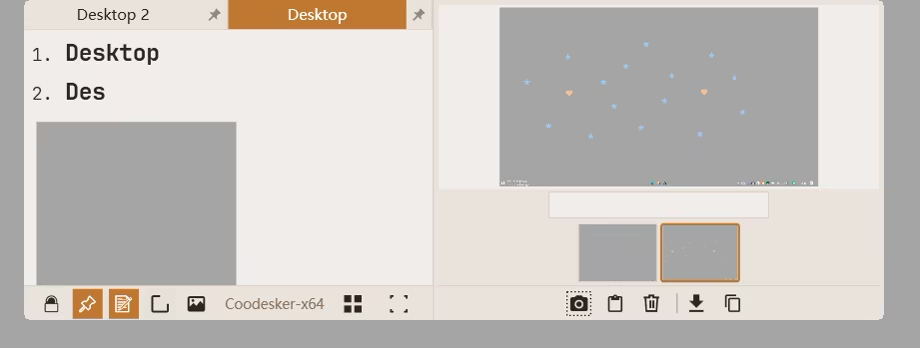
Gamers often need to save game footage, so every note has its own gallery to store unlimited images.

Need to mark a specific location? Use the image annotation tool to add marks (stamps, arrows, rectangles, etc.) to gallery images.

---

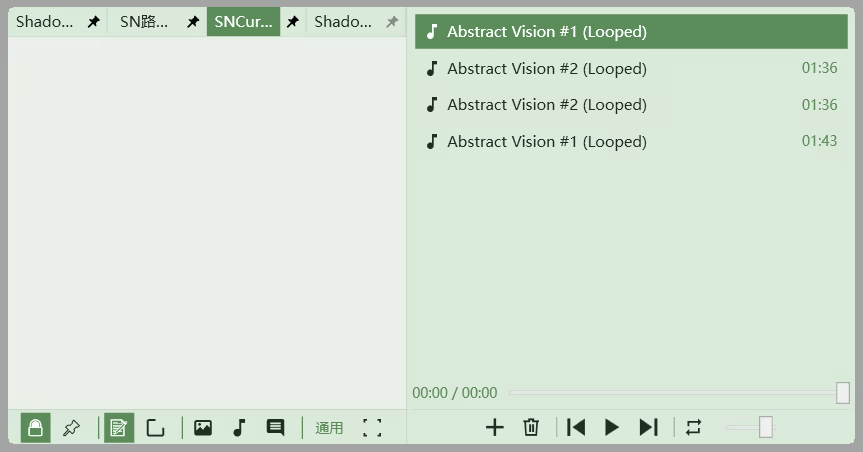
Tired of the in-game background music? You can load and play audio files from your local drive.

Note Sharing

Just finished a note? Click a button, fill in a title and description, and it’s instantly shared to the Workshop.

---

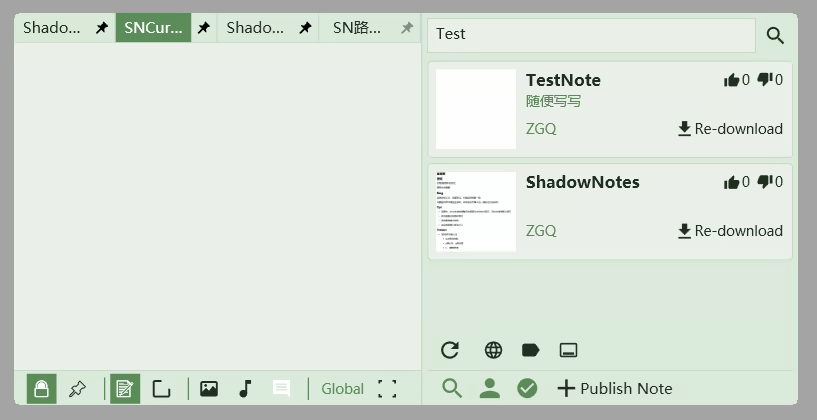
Stuck in a game? You can search for guide notes shared by others and download them for use.

To maintain immersion, the notes you see are only related to the current game.

Please upvote what you like and downvote what you don't.

(A note's content consists of text, an image gallery, and an audio gallery.)

Real-time Communication

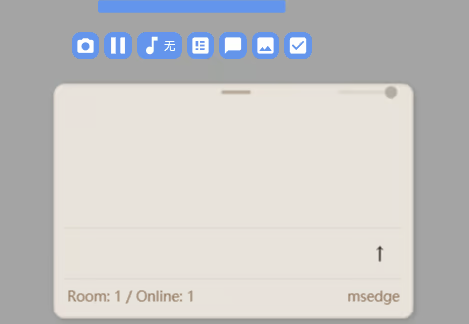
The Interlink Engine gathers players of the same game into one room, where you can send and receive messages.

Communicate and share with each other in a friendly environment.

Quick Tools

While gaming, you can open these quick tools with one click.

Currently available: One-click Screenshot, Live Chat window, To-Do list window, Image Display window, Calculator, and Quick Music Switcher.

Detailed Feature Showcase

Mouse & Shortcut Access

Game-Specific Content Binding

Slash Commands: Keyboard-driven Layout & Note Switching

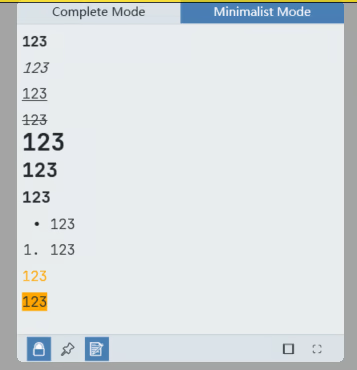
Formatting

Note Switching

One-click Screenshot (Capture & Edit) and Game Pause

Gallery: Capture Game Screens and Mark Key Areas

(Every note has its own gallery; the number of galleries matches the number of notes per game.)

Audio Gallery: Play Local Audio While Gaming

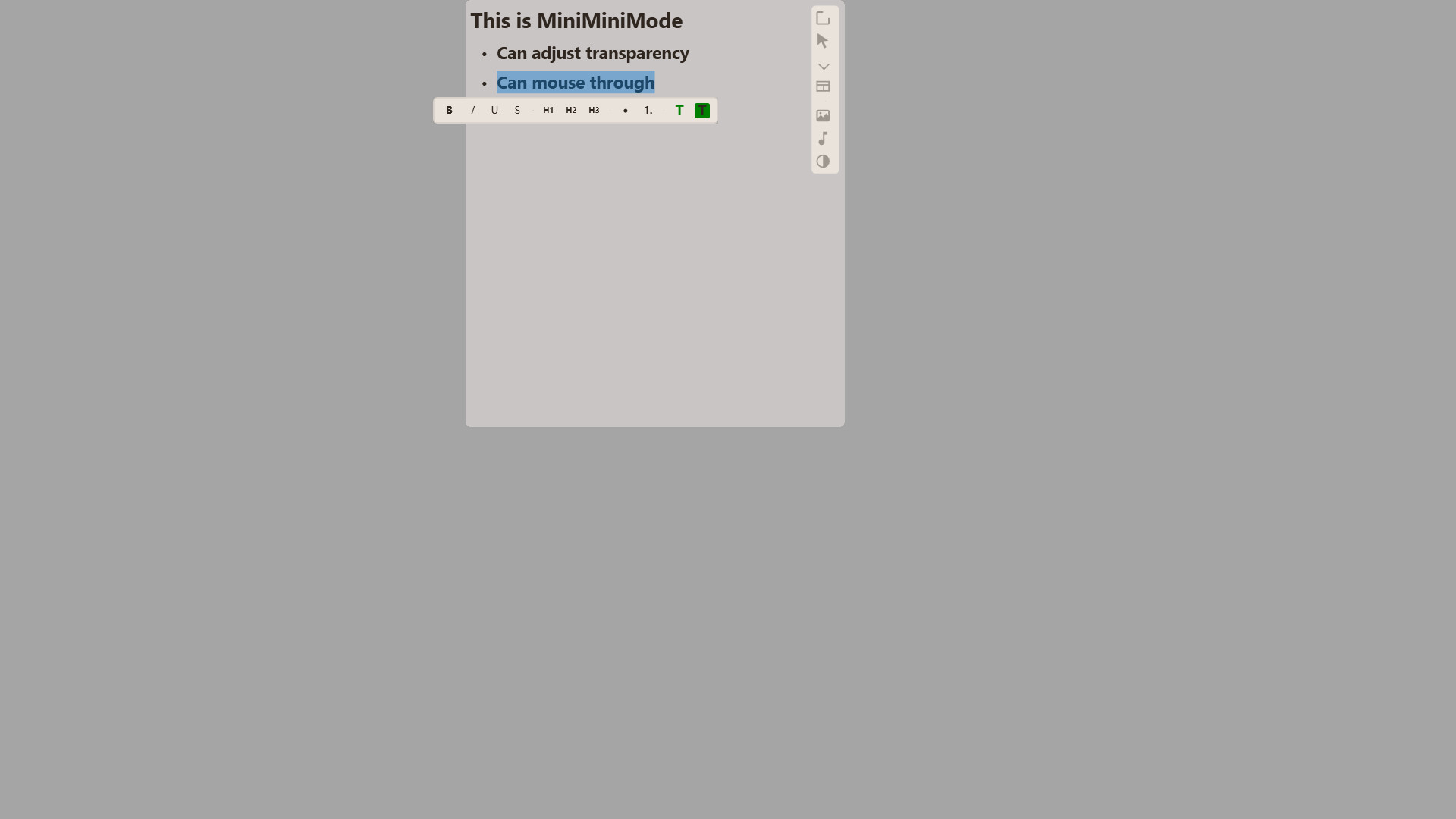
Minimalist Mode: Focused Editing and Viewing Experience

Minimalist Mode

Transparency & Mouse Click-through: View Notes and Control the Game Simultaneously

Workshop: Manage Your Creations and Subscriptions

Real-time Communication

More features are actively under development!

Note: While designed for gaming, this software isn't limited to games; other applications also have their own dedicated note groups. For example, you can record shortcuts in a dedicated Photoshop note group for quick reference.

Note: Supports multi-monitor setups and virtual desktops!

Other Features & Details

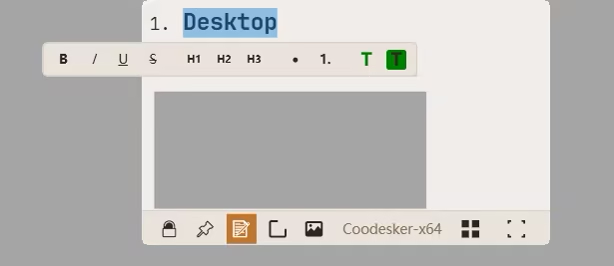
Floating Format Toolbar

Select text to trigger the floating toolbar for convenient formatting.

Partial Markdown Support

Supports H1, H2, and H3 headers, as well as unordered and ordered lists.

Global Note Group

In addition to game/software-specific groups, there is a permanent Global Group for recording general information.

"Auto-Switch" Blacklist

Add a game (or software) to this blacklist, and the note window will not switch to its specific group when launched.

"Hide" Blacklist

Add a game (or software) to this blacklist, and the note window will remain completely hidden and cannot be called out while that application is active.

Recycle Bin

Each game/software note group has its own recycle bin to recover accidentally deleted files.

Content & Formatting Demo

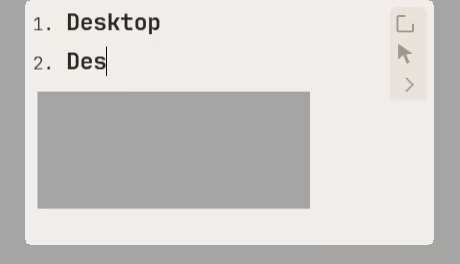
Enter text or paste images.

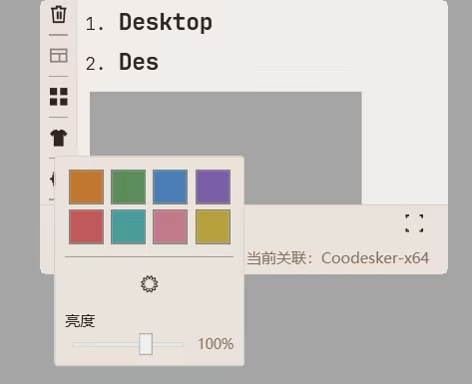
Theme Switching

系統需求

    最低配備:
    • 需要 64 位元的處理器及作業系統
    • 作業系統: Windows 10,11
    • 處理器: 雙核 1.5 GHz
    • 記憶體: 50 MB 記憶體
    • 儲存空間: 160 MB 可用空間
    建議配備:
    • 需要 64 位元的處理器及作業系統
此產品無任何評論

您可以撰寫評論來與社群分享您對於本產品的看法。請使用本頁面中位於購買按鈕上方的區塊來進行評論的編寫。