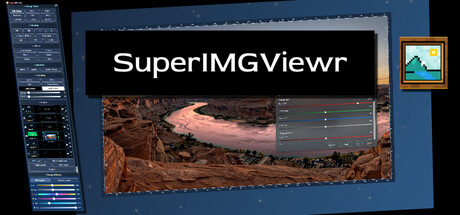
An Editor, Bulk processing and Viewing asset tool for image files.

Sign in to add this item to your wishlist, follow it, or mark it as ignored

Buy SuperIMGViewr

SPECIAL PROMOTION! Offer ends October 8

-52%
$19.99
$9.59
 

About This Software

SuperIMGViewr : An Image Viewing, Editing and File management tool. 

You can just use the application as a Viewer or use it as a robust editing tool able to create results competetive with other applications of its type. 

It deals with the most popular file types with a good performance profile, while creating a chilled out vibe to create to, with a customizable User Interface. With custom button and Ui colors, backgorund animations and frosted window options to maintain perspective while creating. 

This application features no data-harvesting and no subscription model, as it should be. It also features a lifetime of updates with no cutoff limit. 

Key Features

  • Image viewing and direct open function from windows. 

  • Create new images: files of many formats, (support for PNG, WEBP, BMP, JPEG, AVIF, TGA, DDS, and more)

  • Layer-based editing: with Adjustment , Mask, FX, Text and Object Layers.

  • Selection: Wand, lasso, and multiple shape selection tools. 

  • Brush system: with stroke types and presets: Custom Brush system, Stamp system, Stroke Types such as Healing, shadow etc with multitude of brush settings to customize. 

  • Fill and gradient tools

  • Effect type windows containing multiple types of effects within: Color Adjust, Filters, Focus and Noise. 

  • Transparency-friendly: For textures and assets

  • Batch editing:  for multiple selected images, watermarking and effects.

  • Image File Management : Convert, resize, rotate, and watermark single or multiple images.

  • Save Types: Many options to export including colour profile, privacy, pixels per inch  options. 

  • Different performance profiles and a benchmarking utility to try out (experimental currently)

  • Slideshow Mode: Adjustable image time and transition speed sliders.

  • Desktop snipping tool: instant save tool allowing for capturing images from the desktop. 

Designed to stay out of your way

SuperIMGViewr is made to be practical. It gives you the tools you need for common image tasks, asset preparation, and bulk editing.

If you want a clean viewer, a fast editor, and a flexible batch-processing tool in one package, SuperIMGViewr is built for that.

SuperIMGViewr also continues to grow through practical improvements and requested features, with a strong focus on making the app more useful for real day-to-day workflows driven by your suggestions.

System Requirements

    Minimum:
    • Requires a 64-bit processor and operating system
    • OS: Windows 10
    • Processor: Intel 7700K or AMD 1600X
    • Memory: 8 GB RAM
    • Graphics: Intel Iris XE
    • Storage: 185 MB available space
    Recommended:
    • Requires a 64-bit processor and operating system
    • OS: Windows 11
    • Processor: Intel 8700, AMD 3600
    • Memory: 16 GB RAM
    • Graphics: NVidia 2060, AMD Radeon 6600
    • Storage: 300 MB available space
Review Filters