Swipe to type in VR, and get back to your game faster.
Release Date:
2026
Developer:
Publisher:
Tags

Sign in to add this item to your wishlist, follow it, or mark it as ignored

Early Access Software

Get involved with this software as it develops.

Note: This Early Access software is not complete and may or may not change further. If you are not excited to use this software in its current state, then you should wait to see if it progresses further in development. Learn more

What the developers have to say:

Why Early Access?

“Tuning the swipe algorithm is key (heh) to making Scribeam feel good to use. While months of work has been put in already, getting feedback from the community is necessary to push it to the next level. It's very difficult to tell how the keyboard will actually feel to use while developing. Only by using it "in the moment" while playing a game do all the rough edges become obvious.

Being able to collect this sort of day-to-day feedback from real users playing all sorts of games will make improvements happen much faster, and find problems we've never even considered.”

Approximately how long will this software be in Early Access?

“We are hoping to leave Early Access by the end of 2026. We'll be looking to the community to tell us when it feels good enough and we can slow down on algorithm changes.”

How is the full version planned to differ from the Early Access version?

“There will be no major feature differences in the first full release, rather this will serve as a marker that the behavior of swipe should no longer change significantly between updates. After the early access period we plan to shift focus to continuing to polish the UI based on feedback and exploring a wider variety of game and system integrations.”

What is the current state of the Early Access version?

“Scribeam is usable, and already in day-to-day use during development. More work on the algorithm is needed to make typing faster by reducing how often you have to make corrections. The UI is not 100% complete, but core features are present.”

Will this software be priced differently during and after Early Access?

“We're not planning on changing the price after Early Access.”

How are you planning on involving the Community in your development process?

“In addition to swipe behavior feedback, we'll be open to any and all feedback on UI design, keyboard layout, etc to make the keyboard as comfortable and easy to use as possible. The goal is to create a keyboard that gets out of your way and lets you enjoy your games.

We'll be watching for feedback in the Steam community and on Bluesky, and the app itself will provide a report button to send feedback on specific words or situations that need to be improved. We're open to exploring other community platforms as well.”
Read more
This game is not yet available on Steam

Planned Release Date: 2026

Interested?
Add to your wishlist and get notified when it becomes available.
 
See all discussions

Report bugs and leave feedback for this software on the discussion boards

About This Software

Scribeam brings one-handed swipe typing from the smartphone world into VR. Instead of playing laser tag with a desktop-style keyboard wider than your IRL desk, simply drag your laser across the keys and it will figure out what you meant. The keyboard is sized to fit your hand and floats just in front of it, keeping your laser as accurate as possible.

Features

  • Swipe-to-type

  • Learns new words automatically

  • Emoji search + recents

  • VRChat chatbox integration

  • Full support for Windows keyboard shortcuts

  • Works alongside your desktop overlay of choice

Built to be social

Scribeam is for responding to pings in Discord, those days when you're feeling a bit mute in VRChat, or jotting down a quick note for later when you take off the headset. You came for the immersion, you need a keyboard that can get out of your way and get you back to the game faster. Save the 101-key for when you really need it, like responding to the guy who is still wrong after 17 messages in that thread. You know the one.

The layout is designed to keep the symbols you use for conversation front and center. Recently used emoji are just a click away, or swipe to search for the perfect one.

Inside VRChat, the keyboard automatically sends directly to the in-game chatbox, letting you keep both hands six levels deep in your Expressions menu. When you need to interact with the rest of the world, switching to Desktop input is just a click away.

(Got another game you'd like to see chat integration for? Let us know!)

Always improving

When you swipe, the keyboard suggests a handful of words that look like the path you traced. The best match is typed automatically. When it makes a mistake, choosing a different suggestion will automatically backspace and replace it. Unlike on a phone where you get three suggestions at most, Scribeam makes use of the extra space in the VR environment to offer many more, reducing how often you have to erase and try swiping again.

As you use the keyboard, it will learn from the corrections you make. Over time, it will suggest the word you meant on the first try more often. When you have to type a word key-by-key because it doesn't know it at all, it will learn how to let you swipe it in the future.

Respects your privacy

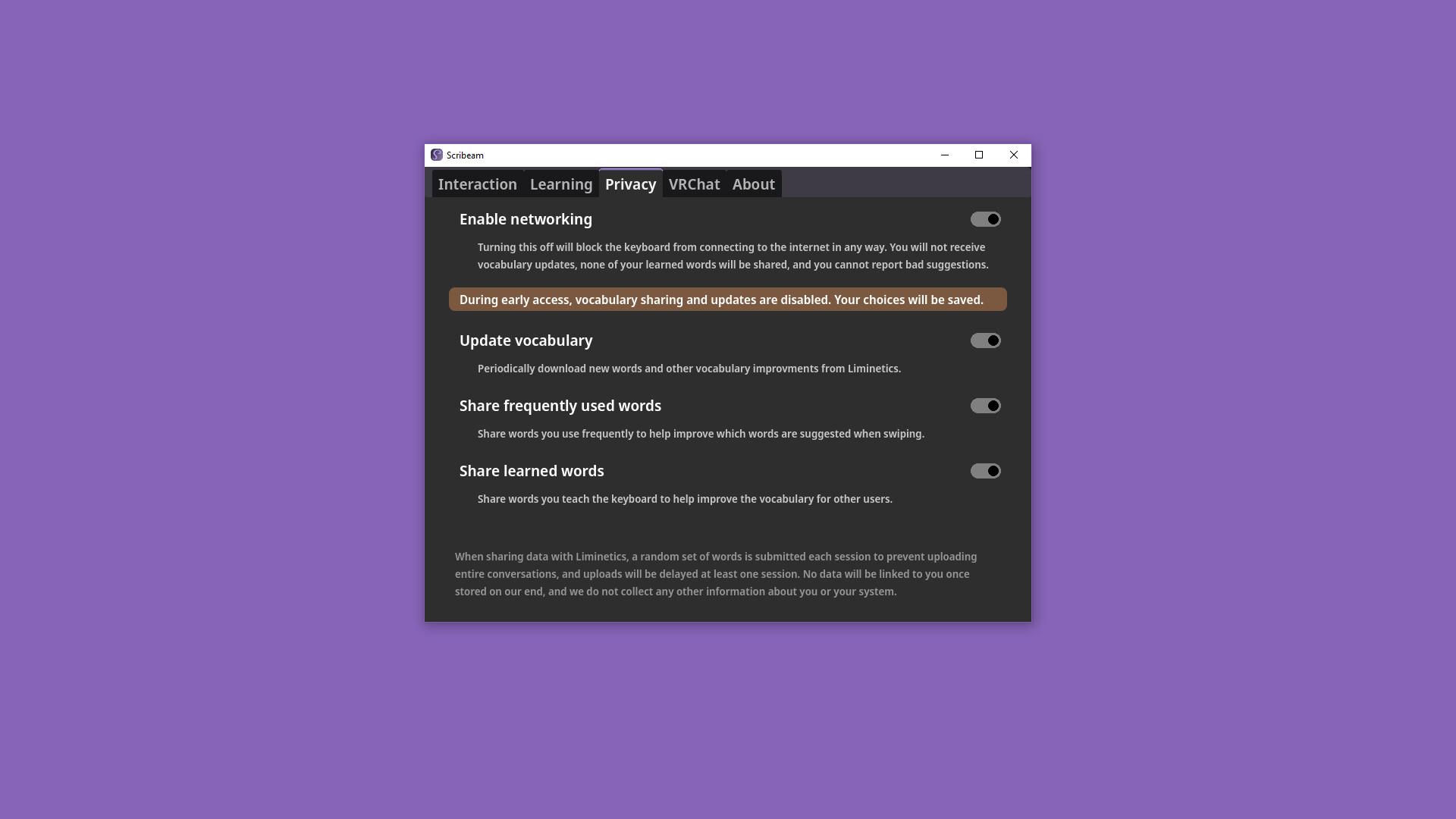
Your conversations are never sent to a cloud service. You can choose to send information about occasional, randomly selected words to Liminetics to help improve the suggestions and swipe recognition for other users. These submissions will always be kept anonymous, will never include the context in which they were said, and will be deleted from the server as soon as possible.

Additionally, we want to assure you that while Scribeam feels intelligent if we've done our job, the swipe algorithm is just good old-fashioned math. There is no generative AI here, and we will never train a model using your data.

Other info

Opening and closing the keyboard is bound to thumbstick click on either hand by default. Whichever hand you use to open it is the one it will follow. Feel free to remove the binding for your non-dominant hand if you need it for other bindings!

Featured VRChat worlds

  • Thad Home of Cuddles

  • Rooftop Bar

  • Fort Duvet

  • 終点の住処 Last Station Home

System Requirements

    Minimum:
    • Requires a 64-bit processor and operating system
    • OS: Windows 10
    • Processor: Intel Core i5-4590 / AMD FX 8350
    • Memory: 8 GB RAM
    • Graphics: NVIDIA GeForce GTX 1050, AMD Radeon RX 460
    • Storage: 400 MB available space
    • VR Support: SteamVR, requires motion controllers
    Recommended:
    • Requires a 64-bit processor and operating system
There are no reviews for this product

You can write your own review for this product to share your experience with the community. Use the area above the purchase buttons on this page to write your review.